


 Extension
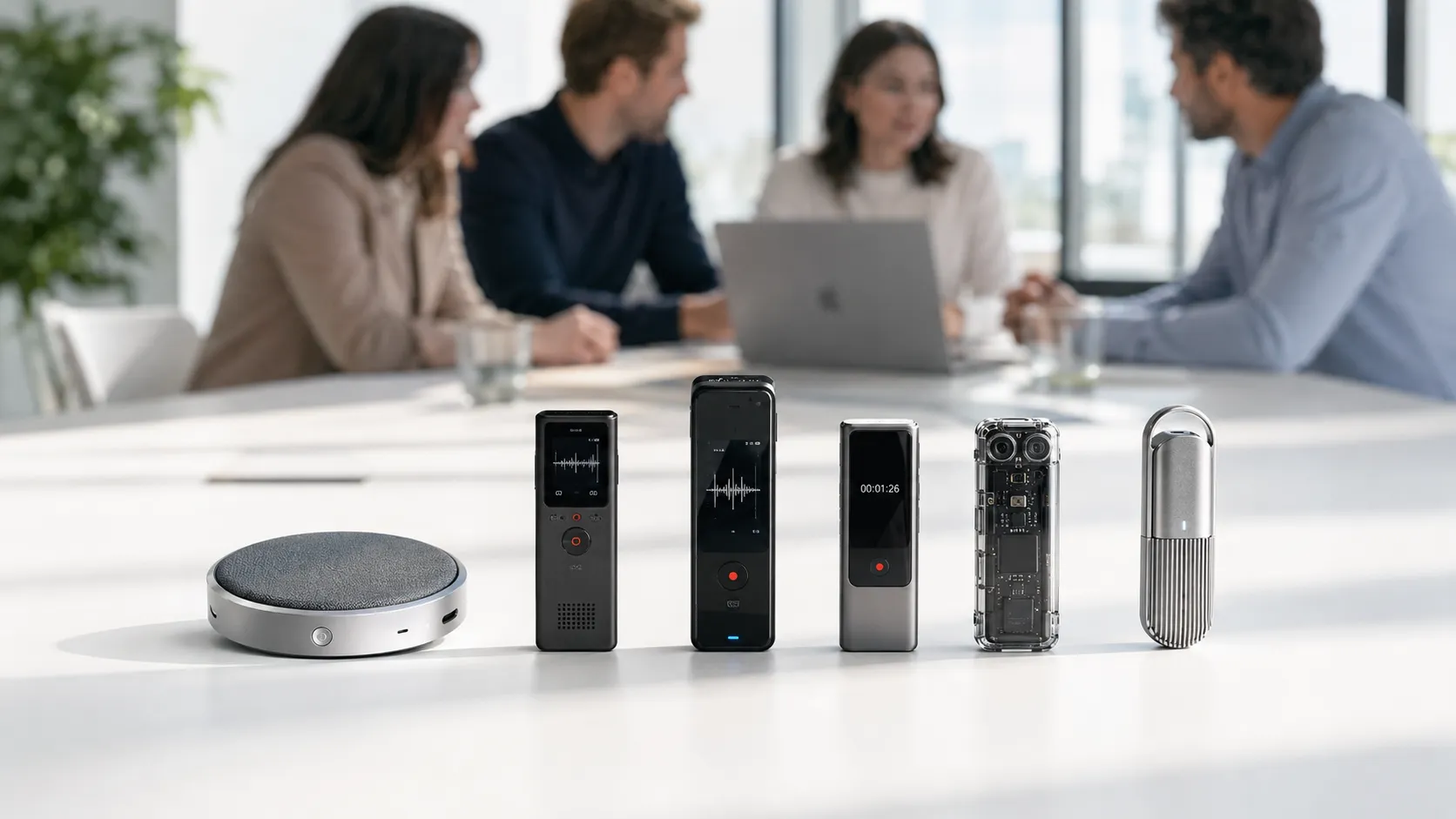
TL;DR: Best Voice Recorders for Meeting Notes
If you want the short answer, buy TicNote: after testing what usually slows people down with an AI Voice Recorder for Meetings—weak pickup, messy summaries, or phone dependence—the best fit for most professionals is TicNote Card. It balances wallet-size hardware, 25-hour battery, 64GB storage, real-time transcription, speaker ID, offline recording, and cloud sync without adding friction.
Best picks at a glance:
- Best overall: TicNote Card for consultants, managers, and meeting-heavy pros who want the safest all-around choice.
- Best value: TicNote Card Lite at $129.99 for buyers who want the core recording and AI workflow for less.
- Best for phone-free live summaries: TicNote Pods 4G for mobile teams who need uploads and AI recap while the meeting is still happening.
- Best for global sync-based workflows: TicNote Pods Wi-Fi for international users who want no region lock and easy post-upload summaries.
All four handle transcripts, AI summaries, action items, and searchable recordings; the real difference is how you work day to day. If you want the trade-offs, we'll compare the models in detail later in the article.
Which AI Voice Recorder for Meetings is best in 2026?
The best AI voice recorder for meetings in 2026 depends less on the lowest price and more on how you actually work. If you want a dedicated device that is always with you, starts fast, and turns meetings into usable notes, TicNote has the strongest lineup here. The short version: the Card is the best overall pick, the Card Lite is the value pick, the Pods 4G are best for phone-free workflows, and the Pods Wi-Fi are the best fit for global users who keep a phone nearby. If you want a broader look at the category, this guide to AI recorders for meetings, interviews, and calls adds more context.
Pick the TicNote Card for the best overall balance
TicNote Card is the best overall choice for most meeting-heavy professionals. It solves the core problem better than app-only tools: you can carry it in a wallet, press once, and record without opening your phone or draining its battery.
Why it wins:
- $159.99 price keeps it in reach for most buyers
- 25-hour battery handles full workdays and longer workshops
- 64GB storage fits about 434 hours of recordings
- 3-mic array and 10m pickup work well for rooms, client meetings, and lectures
- Real-time transcription and translation appear on your phone via Bluetooth or Wi-Fi
- After the meeting, you get a summary and action items automatically
That mix fits consultants, sales teams, managers, and educators especially well. It feels like hardware built for real meeting habits, not a phone app dressed up as a recorder.
Choose the Card Lite if price matters most
TicNote Card Lite is the best low-cost option in the lineup. At $129.99, it gives you the same basic record-sync-summarize workflow for $30 less.
Its appeal is simple:
- One-button, modeless recording
- 25-hour battery
- 3-mic array
- Same post-sync AI notes, summaries, and action items
The trade-off is hardware polish. Card Lite has a simpler design and much lower storage than the standard Card, so it makes more sense for lighter users or buyers who want the lowest entry cost.
Go with Pods 4G for phone-free recording
TicNote Pods 4G are the strongest option for users who need mobility more than wallet-size convenience. The big advantage is workflow: the charging case has a built-in 4G eSIM, so it can upload audio in real time without your phone nearby.
That changes what you get:
- Live Summary while the meeting is still happening
- Quick Summary as soon as recording stops
- Call recording when wearing the earbuds
- Dual recording modes for calls, online meetings, and room capture
- About 13 hours battery with 4G on, or about 22 hours with 4G off
At $299.99, they cost more. But for sales reps, journalists, consultants, and field teams, that premium buys a meaningfully different workflow.
Pick Pods Wi-Fi for flexible travel use
TicNote Pods Wi-Fi are the best fit if you want the earbud form factor without paying for 4G. They use Wi-Fi and Bluetooth sync, avoid regional limits, and keep the same recording-plus-AI pipeline after upload.
They work best for:
- Global travelers
- Users who keep a phone nearby
- Buyers who want earbud flexibility at $249.99 instead of the 4G premium
The winner here is really about use case, not absolute price. Choose Card for the best all-around meeting recorder, Card Lite for value, Pods 4G for phone-free speed, and Pods Wi-Fi for global, sync-based flexibility. The next comparison table breaks down price, battery, storage, language support, and subscription value side by side.
How we evaluated these AI voice recorders
We tested each AI voice recorder for meetings in real conditions, not from spec sheets alone. That means conference rooms, one-on-one desk meetings, lecture-style rooms, hybrid calls, hallway interviews, and one prerecorded control sample played across devices to check consistency. We also varied quiet versus noisy spaces, near-speaker versus far-speaker placement, and handoffs between in-room talk and online meeting audio.
Use real scenarios, not lab claims
Our process focused on the situations buyers actually face:
- 6 test settings: conference room, desk meeting, lecture room, hybrid call, hallway interview, and control audio
- 2 noise conditions: quiet office and busy shared space
- 2 placement distances: close range and across-room capture
- 1 handoff test: in-person discussion moving into a laptop-based call
That matters because a good result in a quiet room doesn't always hold up when speakers overlap, move around, or join remotely.
Score what buyers care about
We scored products on a practical rubric, with weighted attention on output quality and day-to-day ease of use:
- Transcription accuracy
- Summary usefulness
- Action-item extraction
- Speaker ID reliability
- Setup friction
- Live features
- Hardware usability
- Subscription value
- Portability
Dedicated hardware was judged differently from app-only tools. Buyers in this category care about unattended capture, battery life, pocketability, and whether their phone stays free during meetings.
Define accuracy, speed, and value clearly
For this guide, accuracy means a transcript you can trust without heavy cleanup. Speed means how fast you get usable notes, action items, or live insight. Value means total utility after hardware cost plus 12 months of software access, not just the entry price.
We gave extra weight to workflows that reduce follow-up work after the meeting. That includes offline recording, asking AI questions across past recordings, and turning meetings into documents. Those workflow gains matter more than small spec differences because they save hours over a year.
Comparison table: price, battery, storage, languages, and subscription value
A good AI Voice Recorder for Meetings is not just about mics or battery life. The real buying decision usually comes down to workflow: card recorder or earbuds, offline capture or live upload, included software value or paid expansion later. To make that easier, the table below normalizes the main differences across TicNote's four models so you can compare them on the same terms.
Compare the hardware in one view
| Model | Form factor | Upfront price | Storage | Battery | Connectivity | Live transcription | Live summary timing | Translation support | Speaker ID | Offline recording | Best-fit user |
| TicNote Card | Credit card recorder | $159.99 | 64GB | 25 hrs | Bluetooth / Wi-Fi sync via phone | Yes, on phone | After recording | 120+ languages; real-time in 16 | Yes | Yes, sync later | Professionals who want a slim daily-carry recorder |
| TicNote Card Lite | Credit card recorder | $129.99 | 4GB | 25 hrs | Bluetooth / Wi-Fi sync via phone | Yes, on phone | After recording | 120+ languages; real-time in 16 | Yes | Yes, sync later | Budget buyers who want simple one-button recording |
| TicNote Pods 4G | Earbuds + case | $299.99 | 32GB case + 256MB earbuds | ~13 hrs with 4G / ~22 hrs with 4G off | 4G, Bluetooth, Wi-Fi | Yes | During recording | 120+ languages; real-time in 16 | Yes | Yes, with live cloud upload option | Road warriors, consultants, field teams |
| TicNote Pods Wi-Fi | Earbuds + case | $249.99 | 32GB case + 256MB earbuds | ~22 hrs | Bluetooth + Wi-Fi | Yes, after upload/sync | Post-upload | 120+ languages; real-time in 16 | Yes | Yes, then sync | Global users who prefer a sync-based workflow |
If you want the fastest route to a recommendation: Card is the best balance for most meeting-heavy buyers, Card Lite is the value pick, Pods 4G is the premium choice for live summaries without a phone, and Pods Wi-Fi makes the most sense for international users who want fewer connectivity limits.
Separate device cost from software cost
At 12 months, TicNote's value is clearer than many app-only tools because every device includes the Plus plan at $0 per year. That means your baseline annual cost is just the hardware price: $129.99 for Card Lite, $159.99 for Card, $249.99 for Pods Wi-Fi, or $299.99 for Pods 4G.
Heavy users can upgrade if they outgrow the included 600 minutes per month and 1,500 monthly credits. With a device, Pro costs $79 per year, and Business costs $239 per year. So a 12-month total becomes $238.99 for Card + Pro, or $398.99 for Card + Business. That's the right way to compare total cost of ownership: device price first, then optional expansion only if your meeting volume demands it.
Focus on connectivity, not just specs
This is where many buyers get tripped up. Card and Card Lite can record offline, then sync later when your phone is back in range. Pods 4G goes further: it can upload in real time and deliver Live Summary while the meeting is still happening, even without your phone nearby. Pods Wi-Fi sits in the middle. It still records offline, but it is built for later sync over Wi-Fi or Bluetooth, which makes it a better fit for global use.
The short takeaway: battery and storage matter, but connectivity usually decides whether a recorder fits your day-to-day work. If your meetings happen at a desk, a card recorder is often enough. If you're constantly moving between calls, client sites, and travel days, the 4G earbud workflow is the bigger upgrade.
Why TicNote stands out among AI meeting recorders
A lot of meeting tools can record audio. Fewer can turn that audio into something useful while the conversation is still fresh. That gap is why TicNote stands out as an AI Voice Recorder for Meetings: it connects capture, transcription, translation, summaries, and follow-up workflows in one system instead of splitting them across separate apps, uploads, and tabs.
Capture more than audio
TicNote's biggest advantage is depth, not just a longer feature list. During live meetings, it can do more than make a transcript:
- real-time transcription on supported languages
- translation with bilingual subtitles
- live highlights and annotations
- photo sync tied to exact transcript moments
- speaker identification
- offline recording with later sync
That matters in real situations. In multilingual client workshops, bilingual subtitles help teams follow decisions without waiting for a post-meeting translation pass. In lectures, synced photos can anchor slides or whiteboards to the right moment in the transcript. For consultants and sales teams on the road, offline recording means the device still works when Wi-Fi is weak, then syncs later.
This is also where the form factor matters. A wallet-style recorder can sit on a table and capture room discussion cleanly. Earbuds can handle calls, online meetings, and mobile use with less setup.
Turn recordings into outputs you can use
The second reason TicNote stands out is what happens after the meeting ends. Instead of leaving you with a long audio file, it turns the session into working material:
- AI summaries delivered after recording
- to-do lists and action items
- searchable quotes and decisions
- ask-AI across recordings
- generated notes, reports, and formatted docs
- slide drafts, podcast outputs, and research-style summaries
- project-based organization in TicNote Cloud
That changes the value of the device. A plain recorder stores conversations. A basic app may transcribe them. TicNote is designed to help teams reuse what was said. You can search across meetings, trace a decision back to the source, and group recordings into project knowledge instead of leaving them scattered.
If you want a closer look at which model fits your workflow, this device breakdown for meetings, calls, lectures, and travel makes the differences easier to see. And if privacy is your top concern, the security section later in this guide is worth reading before you buy.
Pick card or earbuds based on workflow
Here are the practical differences inside the TicNote lineup:
| Form factor | Best use | Strengths | Trade-offs |
| Card / Card Lite | In-room meetings, lectures, workshops | Easy table placement, discreet carry, up to 25-hour battery, simple one-button recording | Less ideal for call capture while moving |
| Pods Wi-Fi | Calls, hybrid meetings, daily wearable use | Open-ear comfort, auto-switch recording workflow, global use with no region lock | No phone-free live upload |
| Pods 4G | Travel-heavy work, field use, phone-free capture | 4G upload, live summary during recording, call recording, room and wearable modes | Higher price and shorter battery with 4G on |
The key point is coverage. TicNote doesn't force buyers into one recording style. It covers room recording and wearable workflows in the same product family.
Features that feel genuinely different
Several capabilities feel more complete than what you get from many app-only tools:
- Live Summary on Pods 4G while the meeting is still happening
- Ask AI across projects, not just inside one transcript
- offline-first recording with later sync
- real-time translation workflows for face-to-face conversations
- document generation from recordings
- project knowledge base organization in TicNote Cloud
For meeting-heavy buyers, that ecosystem matters more than any single spec. TicNote is the best fit not because it is one clever gadget, but because it connects recording, understanding, follow-up, and retrieval in a way that reduces repeat work week after week.
How to choose the right product
The right AI Voice Recorder for Meetings depends less on feature lists and more on how you actually work day to day. For most readers, the best default choice is TicNote Card because it balances portability, battery life, storage, and fast access better than the rest. If you want a broader look at wearable options, this guide to smart note-taking devices for meetings and calls adds useful context.
Pick TicNote Card if you want the best all-around choice
TicNote Card is the model I'd recommend first to most professionals. It's the easiest one to live with: wallet-sized, just 3 mm thin, built from aluminum alloy, and rated for 25 hours of battery life. You also get 64 GB of storage, which is enough for about 434 hours of recordings.
Why does that matter? Because the best recorder is the one you actually carry. The Card fits into daily work without asking you to change habits. It's strong for in-person meetings, client interviews, classes, and workshop sessions where you want one-button capture, dependable battery, and enough local storage to stop worrying about capacity.
Choose it if you want:
- the best fit for most meeting-heavy users
- premium everyday carry design
- long battery life and high storage
- a simple dedicated recorder that doesn't feel bulky
Pick TicNote Card Lite if you want the lowest-cost dedicated option
Card Lite is the value buy. At $129.99, it costs $30 less than the Card but keeps the core TicNote workflow: record, sync, transcribe, summarize, and pull out action items. It also keeps the 25-hour battery and 3-mic array, which is important because cheaper hardware often cuts the basics first.
This is the smart choice for students, occasional meeting users, and budget-focused teams buying multiple units. Its main appeal is simplicity. There's no lever and no mode switch. Just press and record.
Choose it if you want:
- the cheapest dedicated TicNote recorder
- simple one-button use
- AI summaries without paying for the premium body
- an easy fleet option for schools or teams
Pick TicNote Pods 4G if you need phone-free live summaries
Pods 4G is the specialist pick. At $299.99, it's the most expensive model here, but it does something the others don't: it can record and upload without your phone nearby. That matters for consultants moving between client sites, journalists in the field, sales reps on the road, and anyone who needs notes while walking, commuting, or jumping between calls.
The deciding features are clear:
- built-in 4G eSIM for phone-free recording
- Live Summary while the meeting is still happening
- Quick Summary as soon as recording ends
- automatic call capture when wearing the earbuds
If your workflow is mobile first, this is the best TicNote to buy. You're paying for independence, not just audio capture.
Pick TicNote Pods Wi-Fi if you travel internationally
Pods Wi-Fi is the smarter buy when you like the earbud format but don't need cellular independence. At $249.99, it saves $50 versus Pods 4G and still gives you the same earbud convenience, 10 m pickup range, and sync-based transcription workflow.
Its biggest advantage is practical: no region lock. That makes it the best match for international users, frequent travelers, and people who usually keep a phone nearby anyway. If you work globally and don't want to think about carrier support, this is the cleaner choice.
Choose it if you want:
- earbud convenience without paying for 4G
- global use with no region lock
- a lighter sync-first workflow
- strong value for travel and hybrid work
Fast decision rule
If you want the safest recommendation, buy TicNote Card. Choose Card Lite only if budget is your main filter, Pods 4G if you need live summaries and true phone-free use, and Pods Wi-Fi if you want earbud convenience for global travel without paying extra for 4G.
What privacy, consent, and security issues matter most?
Privacy is a buying criterion, not a footnote. The best AI voice recorder for meetings can save hours each week, but one bad recording policy can create legal, HR, or client trust problems fast. In practice, visible disclosure, clear consent, and documented storage rules matter as much as battery life or transcript quality.
Confirm consent rules before you record
Recording laws vary by country, state, and meeting type. In the U.S., 18 U.S. Code § 2511 (Legal Information Institute) states that intentional interception is prohibited unless one of the parties to the communication has given prior consent. That is the federal baseline, not the whole answer.
Before rollout, check:
- Whether your state or country requires one-party or all-party consent
- Internal workplace rules for employee, client, or vendor meetings
- Cross-border calls, where stricter local rules may apply
- Industry-specific duties in legal, healthcare, education, and finance
Ask where the audio goes
Most AI meeting recorders rely on cloud transcription. That improves speed and summaries, but it also raises real questions:
- Does audio leave the device during or after recording?
- Where is data stored, and for how long?
- Is user content used to train AI models?
- Who can access files: admins, support staff, or third parties?
- How are exports, shared links, and downloaded transcripts controlled?
Look for encryption in transit and at rest, role-based access controls, retention settings, and a clear data processing agreement.
Verify vendor privacy claims in writing
TicNote says it is GDPR-aligned, uses a U.S.-based cloud, is private by default, does not train on user content, encrypts recordings and transcripts, and supports end-to-end encryption language plus some on-device processing. Those are strong claims. Buyers should still verify the current privacy policy, DPA terms, key management details, retention controls, and any enterprise requirements before team-wide deployment.
Final thoughts
The best AI Voice Recorder for Meetings in 2026 depends on your workflow. If you want a premium card recorder, TicNote Card is the strongest pick. If price matters most, Card Lite keeps the core AI features at a lower cost. If you need phone-free capture and live summaries, Pods 4G is the clear choice. And if you travel often, Pods Wi-Fi is the better fit for global syncing.
What gives TicNote the best overall fit is range. You're not choosing one device with one use case. You're choosing between four hardware styles that all connect to the same AI workflow: transcription, translation, summaries, action items, speaker ID, offline recording, and cloud sync. That makes it easier to match the recorder to how you actually work.
If you're still comparing options, this guide to Plaud alternatives can help narrow the field. Buy TicNote Device


