


 Extension
TL;DR: AI Note Taker insights for AVID-style note taking
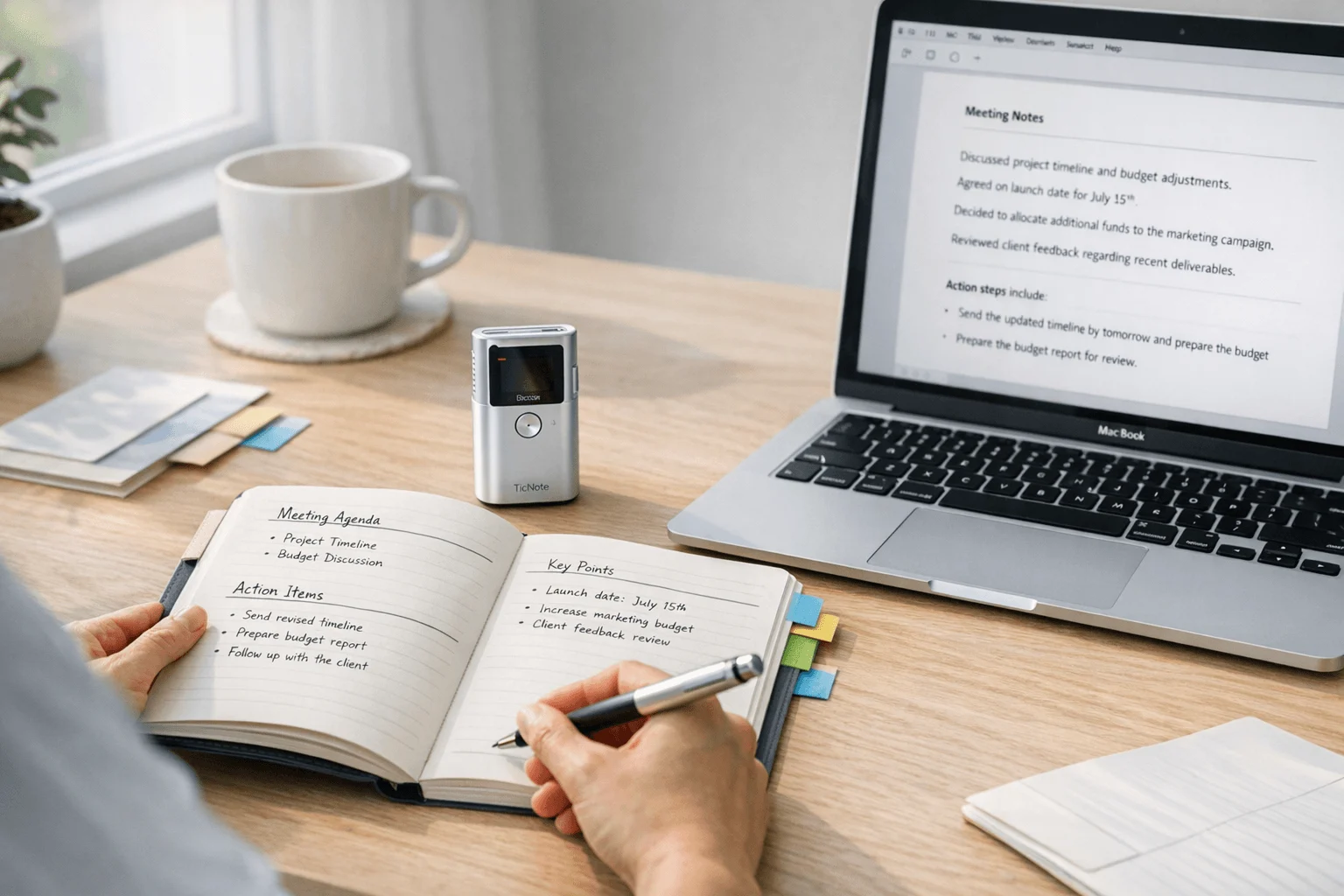
If you want cleaner class notes without losing the thinking work that matters, AVID focused note taking works best as a method first and a tool second. In practice, avid focused note taking is a five-part process: capture key ideas, process them, connect learning, summarize meaning, and apply it later; an AI note taker can help with transcription, review, and follow-up, but it should not do the student thinking.
- AVID notes are built for learning, not just recording a lecture.
- They go beyond basic notes and differ from Cornell-style notes by emphasizing revision and use after class.
- Digital tools help most when students need playback, searchable transcripts, or support with missed details.
- Later in the article, you'll see a method summary chart, a workflow diagram, and a light review of where TicNote fits near the end of the process.
How does AVID focused note taking work in real learning?
AVID-focused note-taking is a learning routine, not just a note page. Students first capture ideas during class, then return to those notes to question, connect, condense, and use what they learned. That matters because the method works across lectures, readings, videos, labs, and class discussion, whether a school uses AVID formally or not.
In plain terms, students do more than write things down. AVID describes a five-part process with the phases "First Exposure to Content, Note-Taking, Note-Making, Note-Interacting, and Note-Reflecting," as explained by AVID Open Access: Focused Note-Taking in the Classroom (2020). In real classrooms, that means notes are revisited after class, not stored and forgotten.
Follow the five-part cycle
A simple way to think about the process is this:
- Take: Record key ideas during class, while reading, or while watching a video. Students paraphrase instead of copying every word.
- Process: Review the notes soon after learning. Highlight key terms, fix gaps, and add questions in the margins.
- Connect: Link the new ideas to prior knowledge, vocabulary, examples, or another unit.
- Summarize: Write a short summary that explains the main idea in plain language.
- Apply: Use the notes to study, solve problems, discuss, write, or prepare for a quiz.
An AI note taker can help capture class audio or create a transcript later. But the thinking work still belongs to the learner: choosing what matters, asking questions, and making meaning.
See what students actually do
| Phase | Purpose | Student action |
| Take | Capture first exposure | Paraphrase key points during instruction |
| Process | Improve clarity | Highlight, revise, and add questions |
| Connect | Build understanding | Link to old knowledge and examples |
| Summarize | Condense learning | Write a short takeaway |
| Apply | Strengthen retrieval | Study, explain, or use notes on a task |
Compare it with basic lecture notes
Basic lecture notes often become storage. Students copy information, close the notebook, and rarely return. Focused notes are built for review and retrieval, which makes them more useful for test prep and deeper learning.
It also helps to separate method from format. Cornell Notes is a page structure. AVID focused note taking is a larger cycle that can use Cornell, outline notes, sketch notes, or teacher-guided templates. That distinction matters because strong notes are not defined by boxes on a page. They are defined by what students do after the page is filled.
See the TicNote AI Voice Recorder for capturing lectures and reviewing transcripts later.
Why do teachers and students use this method?
Teachers and students use avid focused note taking because it turns note capture into active learning, not just record-keeping. Instead of writing once and forgetting, students return to ideas, sort what matters, and review soon after class. That repeated contact usually leads to better recall, clearer studying, stronger discussion readiness, and less aimless rereading before a quiz or test.
Build retention through review
The biggest benefit is simple: students interact with the same content more than once. In class, they capture key ideas. After class, they revise, connect, and summarize them. That short review window matters because it helps students notice gaps while the lesson is still fresh.
One useful caution: tools can help, but attention still matters. Mueller and Oppenheimer, Psychological Science (2014) found that across 10 laboratory experiments, students who took notes by hand performed better on conceptual questions than students who took notes on laptops, even when allowed to review their notes before testing. In practice, that means digital note-taking for students works best when it supports thinking, not when it replaces it.
Fit dense subjects and real classrooms
This method works especially well in classes with heavy vocabulary, layered ideas, or lots of evidence:
- History and social studies lectures
- Science labs, diagrams, and content review
- Literature discussions and reading notes
- College lectures with fast, dense concepts
- Videos, teacher mini-lessons, and assigned reading
Short examples by grade band help show the fit:
- Grades 6-8: a student tracks causes and effects in a history video.
- High school: a biology class records terms, diagrams, and lab takeaways.
- College: a learner condenses a long lecture into study-ready questions and summaries.
Expect a slower start
There are trade-offs. The process can feel slow at first, especially for students who want one-step notes. It also takes teacher modeling, setup time, and steady routines. If every lesson is over-structured, notes can become mechanical instead of useful.
Digital tools can reduce friction by organizing capture and review, but too much automation can weaken listening and ownership. The best results come from a practical routine, which the next workflow section will cover.
What does a strong focused note-taking workflow look like?
A strong workflow for avid focused note taking is simple: decide what you are listening for before class, capture key ideas during class without copying everything, and process the notes soon after while the lesson is still fresh. When this routine is clear, notes become easier to review, discuss, and use on quizzes, essays, and projects.
Before class: set the purpose and choose the format
Good notes start before the lesson begins. Students need an essential question, a learning target, or a clear purpose such as "How does photosynthesis move energy?" That question tells them what matters most.
Then choose a format that fits the task:
- Two-column notes: main ideas on one side, details or examples on the other
- Three-column notes: ideas, evidence, and questions or reflections
- Outline notes: best for lectures with clear levels of information
- Graphic organizers: useful for cause and effect, compare and contrast, or cycles
- Interactive notebooks: good for classes that mix input pages and student response pages
Teachers can make this easier by posting objectives, modeling abbreviations, and giving template prompts. Even small moves help, like showing students how to shorten common words, leave space for later questions, and label each page with date, class, and topic.
A simple workflow diagram also helps:
- Before class: set purpose, pick format, prepare page
- During class: capture key ideas, terms, examples, and questions
- After class: revise, connect, summarize, and apply
During class: capture ideas without overcopying
During the lesson, the goal is not a full transcript. The goal is usable thinking. Students should listen for:
- Main ideas
- New vocabulary
- Worked examples
- Teacher cues like "this is important"
- Questions or confusion points
That means paraphrasing in their own words, chunking ideas into short sections, and marking places that need follow-up. A quick symbol system works well: star for key point, question mark for confusion, and arrow for connections.
In fast lessons, some students benefit from light capture support. For example, a quick photo of the board or temporary audio support can preserve context they might miss in the moment. But that support should not replace written thinking. The note page still needs student language, questions, and summary moves. If you want more tools built for lecture capture, this guide to AI lecture note tools goes deeper.
After class: process notes within 24 hours
The strongest learning happens after class. Within 24 hours, students should return to their notes and do a short processing round:
- Highlight or underline the most important points
- Fill in missing details
- Add 2–3 questions
- Connect the lesson to prior learning
- Insert a sketch, chart, or link if it helps
- Write a 2–4 sentence summary
This step turns raw notes into study material. It also fits the heart of focused note taking: review, revise, and make meaning.
A quick review checklist can keep the routine consistent:
- Did I answer the lesson purpose?
- Did I record main ideas instead of every sentence?
- Did I mark confusing parts?
- Did I add questions and a summary?
- Can I use these notes to study without reteaching myself the whole lesson?
To finish strong, use peer review or self-testing. A partner can check for gaps in examples or vocabulary. Self-testing is even better for recall: cover the notes and explain the idea out loud from memory.
Where capture tools fit
An AI note taker can help most at the edges of the workflow, especially during fast lectures or review after class. TicNote fits best as a support tool for recording, transcription, quick summaries, and searchable follow-up, while the student still does the selecting, paraphrasing, and summarizing that make the method work.
Which note formats fit different grades, subjects, and needs?
The best format depends on the learner, the class, and the review task. In avid focused note taking, the structure can stay the same while the page layout changes, which makes the method easier to use across grades without losing its five-part logic of taking, processing, connecting, summarizing, and reflecting.
Use simpler formats for younger learners
Elementary and middle school students usually need more visible structure and teacher modeling. That often means shorter prompts, fewer writing demands, and note pages that show exactly where ideas go.
Useful options include:
- Two-column notes: main idea on one side, details or examples on the other
- Guided notes: teacher-provided prompts with blanks for key facts
- Sketch notes: simple drawings with labels for memory support
- Picture-supported organizers: icons, arrows, and boxes that reduce language load
These formats work well for:
- Science: observation charts for weather, plants, or lab changes
- History: timeline notes with dates, events, and cause-and-effect arrows
- Reading: response notes with character, problem, evidence, and theme boxes
Match denser classes with faster layouts
In high school and college-prep courses, students often need formats that handle speed and volume. That is where more flexible note systems help.
- Three-column notes: term, example, and why it matters
- Outline notes: best for direct lectures and sequenced ideas
- Concept maps: useful in biology, chemistry, and systems thinking
- Comparison charts: strong fit for social studies, literature, and test review
Many students also mix handwritten capture with digital sorting later. For example, they may take notes on paper in class, then turn them into a study guide using student note templates after class.
| Format | Best subject fit | Class speed | Review goal |
| Two-column notes | Reading, general content | Medium | Recall key ideas |
| Three-column notes | Vocabulary-heavy classes | Fast | Terms, examples, meaning |
| Outline notes | Lectures, history, economics | Fast | See hierarchy and sequence |
| Concept maps | Biology, science units | Medium | Show relationships |
| Comparison charts | Literature, social studies | Medium | Compare themes, events, claims |
Keep accessibility and equity first
No single format works for every student. Multilingual learners, students with executive function needs, handwriting fatigue, hearing differences, or limited device access may need different supports.
Helpful supports include:
- printed organizers and paper-first routines
- color coding for categories and priority ideas
- speech-to-text for writing fatigue
- audio supplements and teacher modeling
- captioned videos; Web Content Accessibility Guidelines (WCAG) 2.2 states, "Captions are provided for all prerecorded audio content in synchronized media"
That is the key point: flexible, privacy-aware digital note-taking for students works better than forcing one system on everyone.
Where does TicNote fit into the process?
Once the method is clear, TicNote fits best at the capture-and-review stage of avid focused note taking, not at the thinking stage. In plain terms, it helps when the pace is fast, details matter, or a learner needs a second pass through what was said. That makes it useful for quick lectures, review sessions, college classes, teacher planning, language support, and follow-up when someone knows they may miss part of the lesson the first time.
Use it to catch what your notes missed
TicNote works best as a backstop, not a replacement for student note making. A student can still record the essential ideas by hand, then use the transcript later to check names, dates, formulas, or directions that slipped by. For teachers and older students, searchable transcripts can also speed up review across several lessons.
Useful support points include:
- checking missed details after class
- marking key moments with highlights and annotations during live transcription
- syncing photos of slides, board work, or lab setups to exact lesson moments
- getting a summary and to-do list after recording ends
- asking AI questions across recordings to find one concept fast
- turning a lesson into a mind map or simple study guide
TicNote hardware can also record offline and sync later. That helps in classrooms, hallways, field settings, or on campus when a phone signal is weak or not allowed.
Match the device to the workflow
Near the review stage, the product line is fairly easy to sort:
- TicNote Lite is the simplest budget pick at $129.99 for one-button recording.
- TicNote AI Voice Recorder costs $159.99 and adds 64GB storage plus an included case.
- Pods 4G cost $299.99 and fit users who want phone-free recording with live summaries.
- Pods Wi-Fi cost $249.99 and make more sense for global Wi-Fi-based syncing.
If you want to compare the hardware in context, See the Device.
Keep privacy and classroom rules first
Before using any recorder in school, check consent rules, district policy, and family expectations. The U.S. Department of Education notes in Family Educational Rights and Privacy Act (FERPA) and the Disclosure of Student Information Related to Emergencies and Disasters (U.S. Department of Education) that "education records" are records that are: (1) Directly related to a student; and (2) Maintained by an educational agency or institution or by a party acting for the agency or institution. That is the line schools need to review before adopting any AI note taker.
TicNote says its system is encrypted, private by default, not used to train AI models on user content, and GDPR-aligned. Those are strong claims, but schools should still verify them through their own privacy and procurement review. Most important, use AI to review, organize, and revisit notes, not to skip the mental work that makes focused note taking effective.
Is TicNote a good AI note taker for focused note taking?
Yes—with one important condition. TicNote is a strong fit for learners and educators who want better capture, cleaner review, and faster post-class summaries without letting AI replace the thinking work that makes avid focused note taking effective. It fits best for high school students in content-heavy classes, college learners, instructional coaches, and teachers who model how to revisit notes after class.
Where it fits best
TicNote works well at the capture and review stages of the process.
- Records lectures, discussions, and teacher modeling sessions
- Creates searchable transcripts for missed details
- Supports highlights and annotations during or after recording
- Turns recordings into summaries, study guides, and follow-up tasks
- Organizes recordings inside a project knowledge base for later review
If you want broader hardware context, this AI note-taking device comparison gives a useful category-level view.
Pros and limits at a glance
Pros
- Strong capture options across classroom, lecture, and coaching use
- Searchable transcripts help students verify details
- Live or post-recording summaries depending on device
- Claimed support for 120+ languages
- Export-friendly outputs for review materials
Limits
- It doesn't teach note-taking habits by itself
- It can't replace paraphrasing, reflection, or note revision
- Heavy users may need to watch minute and credit limits
- Some schools will require approval before use
TicNote SKU snapshot
| Model | Price | Form factor | Summary timing | Best use case |
| TicNote AI Voice Recorder | $159.99 | Card-style recorder | Post-recording | Teachers and students who want a slim everyday device |
| TicNote Lite AI Voice Recorder | $129.99 | Card-style recorder | Post-recording | Budget-focused learners who want simple recording |
| TicNote Pods 4G | $299.99 | Earbuds + case | Live during recording | Coaches or mobile users who need instant summaries |
| TicNote Pods Wi‑Fi | $249.99 | Earbuds + case | Post-upload | Users who want global-friendly sync workflows |
In a balanced review, TicNote is good because it supports the method without pretending to be the method. If paper notes already work well, it may be more device than you need. But if missed details, messy reviews, or absent-student catch-up are real problems, it adds practical value.
Final thoughts
AVID focused note taking works because students do more than copy information. They capture ideas, process them, connect them, and use them again. That five-part cycle makes learning stick, and it gives students a note system they can repeat across classes. In practice, the best setup is usually the one students can use well in science, history, English, and beyond.
A simple takeaway:
- method first
- consistency matters more than complexity
- review and revision matter as much as capture
- tools should support learning, not replace it
That's where TicNote fits best. It can help with recording, transcription, summaries, and review after class, but it shouldn't become the center of instruction. If you want to go deeper, see the comparison table, revisit the workflow diagram, or explore this guide to AI note taker tools compared.


