


 Extension
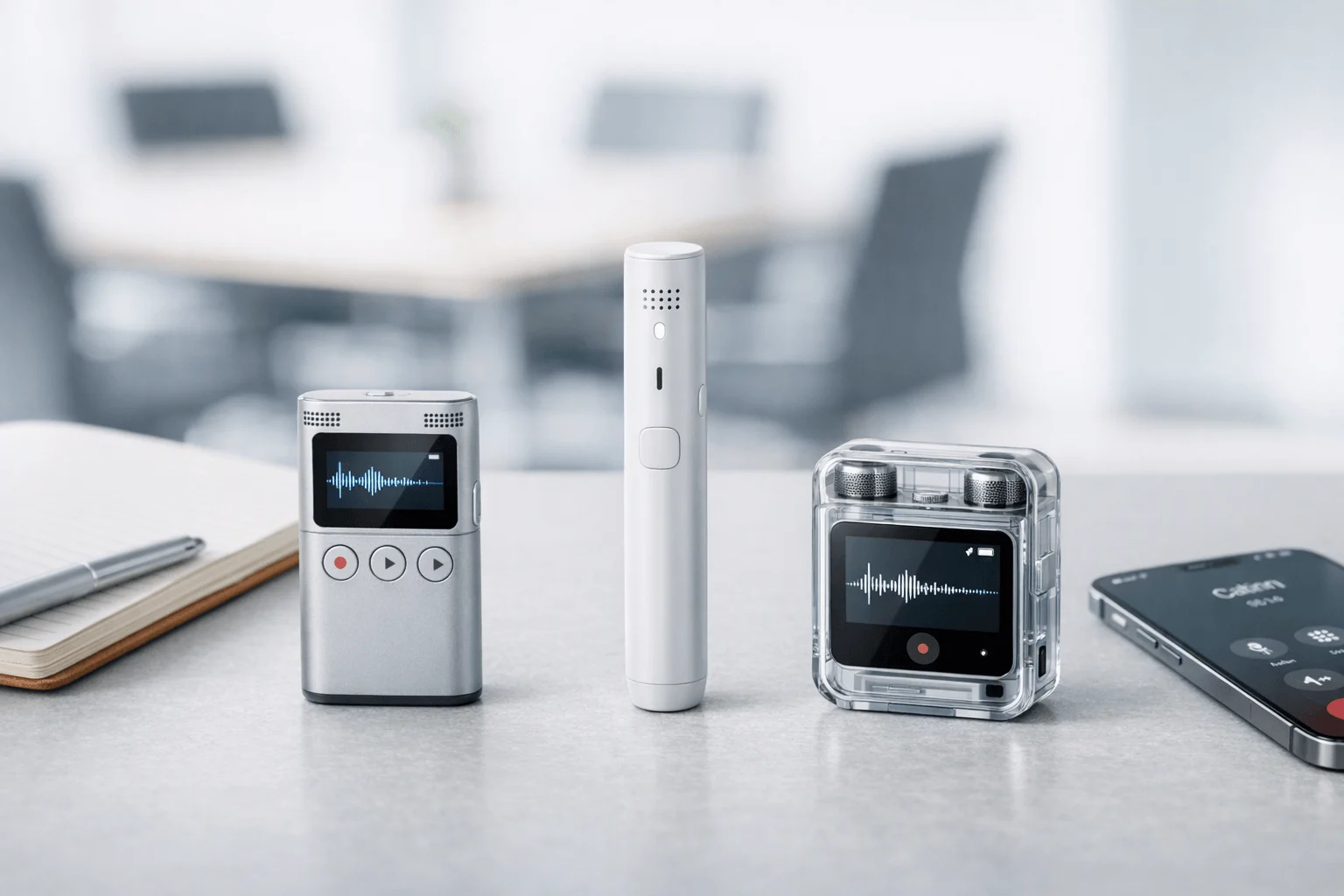
TL;DR: AI Note Taker picks for faster meeting capture
If you want the fastest path to reliable capture, See the Device first: it's the best AI recording note taker here for in-person meetings, travel, multilingual conversations, and anyone who wants hardware plus cloud workflows instead of yet another meeting bot.
- TicNote — Best for in-person notes, mobile capture, and multilingual use. Ideal for field teams, consultants, educators, and buyers who need a real recorder. Biggest tradeoff: you're buying hardware, not just software.
- Otter.ai — Best for shared team transcripts and searchable meeting history. Ideal for recurring online meetings and collaboration. Biggest tradeoff: weaker fit for offline, on-the-go, or hardware-first capture.
- Fireflies.ai — Best for CRM-heavy workflows and integrations. Ideal for sales teams that want notes to flow into other systems. Biggest tradeoff: less compelling for in-person recording outside software-based workflows.
My quick recommendation: choose TicNote if your conversations happen beyond your desk, Otter.ai if transcript sharing is the priority, and Fireflies.ai if workflow automation matters most.
What makes an AI recording note taker worth paying for in 2026?
In 2026, the best AI recording note taker is not just the one with the cleanest transcript. It's the one that captures the conversation reliably in the first place, whether you're in a Zoom call, a client office, a lecture hall, or a hallway chat after the meeting ends. That's why smart buyers now compare capture method first: browser bot, phone app, or dedicated recorder.
Start with how the audio gets captured
Transcript quality has improved across the category. The bigger gap is what happens before and after transcription. A bot works well for scheduled online meetings, but it can fail when hosts block guests, links change, or participants dislike a visible meeting assistant. An app is more flexible, yet it still depends on phone battery, mic position, and often a stable connection.
A hardware-first option solves a different problem: real-world recording. That matters for in-person meetings, site visits, interviews, lectures, and private discussions where opening a laptop or adding a bot feels awkward. Devices like TicNote record offline, then sync for transcription, translation, summaries, action items, and searchable knowledge-base use later.
Compare the three approaches fast
- Bot-based tools: best for recurring online meetings and team collaboration; weaker for private, in-person, or permission-sensitive settings.
- App-based tools: good for mobile convenience and quick capture; weaker for room coverage, battery life, and hands-free use.
- Hardware-first tools: best for in-person, on-the-go, and multilingual conversations; stronger on portability, offline capture, and more natural recording workflows.
TicNote is a clear example of the third model: dedicated device recording plus cloud organization. You capture first, then turn recordings into transcripts, translations, summaries, to-dos, and project knowledge.
Use this quick decision rule
- Choose hardware-first if you record in person, travel often, or need offline reliability.
- Choose collaboration-first if most meetings happen in Zoom, Meet, or Teams.
- Choose integration-first if CRM logging and workflow automation matter most.
That framework makes the rest of this review easier to judge. Next, we'll look at the criteria that separate a useful recorder from one that only works in ideal conditions.
See the TicNote device for in-person and mobile recording workflows
Which 3 tools made this review and how were they judged?
This review compares three tools: TicNote, Otter, and Fireflies.ai. The goal is simple: help buyers choose the right AI recording note taker for real work, not just polished Zoom demos. That means we looked at how each tool handles in-person meetings, phone calls, lectures, multilingual conversations, and the messy follow-up work that happens after recording. If you want more background on the category, this guide to AI meeting assistants and how they save time is a useful companion.
Score tools by real-world use, not feature pages
The comparison uses a normalized scorecard so each product is judged on the same practical criteria. We focused on six areas:
- capture flexibility for meetings, calls, and field use
- transcript accuracy and readability
- summary and action item quality
- integrations and workflow fit
- privacy and compliance posture
- overall value for the price
Mobility gets extra weight here because most roundup pages ignore what happens outside a browser tab. That's a miss. Many buyers need a botless recorder, a device they can carry, or a way to capture conversations when a laptop isn't open.
Cover what many review pages leave out
This is why the review includes hardware-based recording, mobile capture, multilingual support, and privacy questions alongside standard software features. It also separates two problems that often get blended together: recording a conversation and turning it into something useful later, like a searchable transcript, clean recap, or task list.
You can expect the comparison table first, then product-specific detail. Any product embeds or signup prompts should appear only after the table and again after the TicNote review section.
Comparison table: 3 best AI recording note takers side by side
A fair AI recording note taker comparison has to normalize unlike products. Most roundups favor software bots, but many buyers also need in-person capture, mobile recording, and multilingual support away from a laptop. That changes the rankings fast.
| Tool | Best for | Recording method | In-person capture | Mobile use | Bot required | Transcription | Real-time transcription / translation | Summaries & action items | Integrations | Privacy posture | Language support | Device dependency | Entry price |
| TicNote | In-person, mobile, multilingual, hardware capture | Dedicated recorder card or earbuds + cloud sync | Strong | Strong | No | Yes | Yes | Yes | Lighter than software-first tools | Private-by-default, encrypted, GDPR-aligned claim | 120+ languages; real-time in 16 | Works with hardware, can record offline | $129.99 |
| Otter.ai | Shared transcripts and team search | App and meeting bot | Limited | Good | Often for best workflow | Yes | Live transcription; translation not a core strength here | Yes | Good for major meeting apps | Mature software security posture | 6 languages cited in scope | No hardware required | Free plan available |
| Fireflies.ai | Sales workflows and CRM sync | App and meeting bot | Limited | Good | Often for best workflow | Yes | Real-time notes, broad language support | Yes | Strong CRM and workflow automation | Strong admin and compliance options | 100+ languages | No hardware required | Free plan available |
A quick buyer snapshot: TicNote ranks first if you record in rooms, on site, during travel, or across languages. Otter.ai is better for transcript sharing and simple team search. Fireflies.ai is strongest when CRM sync, analytics, and sales ops matter most.
Final ranked scorecard
- TicNote — best overall range. It covers meetings, calls, lectures, and field use the others don't handle as well.
- Otter.ai — best for collaborative transcripts and fast search.
- Fireflies.ai — best for revenue teams that live inside CRM workflows.
If you also want a hardware-first option, this guide to AI recorders for meetings and calls adds useful device context before the full reviews below. Keep reading for balanced pros, cons, and fit guidance.
Best AI recording note takers reviewed
The best AI recording note taker depends on where your conversations happen. If most of your notes start inside Zoom or Google Meet, software can be enough. But if you record client visits, classroom lectures, hallway conversations, or multilingual meetings away from a laptop, the category changes fast.
TicNote
TicNote is the strongest fit for professionals who need recording to start anywhere, not just inside a calendar invite. Its advantage is simple: hardware plus cloud. You press once on the device, capture audio offline, then get transcription, translation, summaries, action items, speaker identification, and searchable AI chat after sync. That makes it a better match for in-person meetings, field work, lectures, and mobile workflows than software-first tools.
The lineup covers four buyer types:
- TicNote Card: premium wallet-size recorder for everyday carry
- TicNote Card Lite: lower-cost one-button option
- TicNote Pods 4G: earbuds and case with phone-free recording and live upload
- TicNote Pods Wi-Fi: similar earbuds workflow, but syncs through phone and Wi-Fi
In real use, the platform benefits matter more than the form factor. Real-time transcription helps during fast meetings. Translation with bilingual subtitles is useful for cross-border teams. Post-call summaries and to-do lists cut admin work right away. The cloud knowledge base is also more valuable than a basic transcript archive because you can ask questions across recordings, pull exact decisions, and turn raw conversations into reports or formatted documents.
That mix is a strong fit for legal, healthcare, consulting, education, and sales teams that work beyond standard video calls. Pods 4G is the standout for mobile users because it can upload without a phone nearby and even produce live summary output while the meeting is still happening. That's unusual in this category.
Pros:
- Works for in-person, mobile, and offline capture
- Hardware options fit different workflows and budgets
- Real-time transcription, translation, and fast summaries
- Ask-AI search and project knowledge base add long-term value
- Good fit for multilingual and non-desk use cases
Cons:
- Hardware adds upfront cost, from $129.99 to $299.99
- Some workflows depend on sync timing after recording
- Regulated buyers should still validate privacy and compliance claims in procurement
If your work happens in rooms, on site, or on the move, TicNote solves a problem most meeting bots don't.
See the Device You can also place an on-page product embed or short lead form here for buyers comparing models.
Otter.ai
Otter.ai is still one of the easiest picks for collaborative online meetings. It works best when teams want live notes, searchable archives, shared highlights, and a single place to review what happened. Managers, internal teams, and cross-functional groups often like it because the workflow is familiar and the collaboration layer is mature.
Its strengths are clear:
- Live transcription during meetings
- Shared workspaces and conversation history
- Comments, highlights, and recap-friendly review
- Strong search for past meetings
- Smooth fit for Zoom, Teams, and Google Meet habits
Language breadth is more limited than some rivals. According to Otter Help Center: Which languages does Otter support? (2025), Otter supports English, French, or Spanish transcription for recordings and live conversations.
The tradeoff is context. Otter is strongest when meetings are already happening online or near a laptop. It is less differentiated for in-person room capture, field notes, or hardware-free mobile recording when you need something discreet and purpose-built. Bot presence can also feel awkward in client-facing calls.
Fireflies.ai
Fireflies.ai stands out when the real goal is not just notes, but workflow automation. It is especially strong for sales teams, revenue operations, recruiting, and project environments where meetings need to flow into CRM records, Slack updates, and team systems.
Its core strengths include:
- Bot-based meeting capture
- AI summaries and topic analysis
- Conversation intelligence for sales and ops teams
- CRM and workflow integrations
- Broad language support and analytics layers
This makes Fireflies a smart choice for ops-heavy organizations that care about follow-through at scale. If your team measures calls, logs activities, and tracks talk patterns, Fireflies has more operational depth than many simple note tools.
The downsides are practical. The interface can feel heavier for solo users. Bot capture is not ideal in every client conversation. And like most software-first tools, it is a weaker fit for offline recording, in-person room capture, and field work away from your main devices.
In short, the best pick comes down to recording context. TicNote is best for real-world capture beyond the laptop. Otter is best for collaborative internal meeting memory. Fireflies is best for integrations, CRM logging, and revenue workflows.
How to choose the right product
The right AI recording note taker depends less on feature lists and more on where your conversations happen. If you record in conference rooms, client sites, classrooms, hallways, and multilingual settings, you need reliable capture first and AI second. If most of your work happens inside Zoom, Teams, or Google Meet, a software-first tool may be enough.
Choose TicNote for in-person, mobile, and multilingual work
Pick TicNote if your notes start in the real world, not just on a meeting bot. It fits buyers who record customer visits, workshops, lectures, interviews, care conversations, and field updates where a phone, browser tab, or auto-join bot is not the best tool.
Why it stands out:
- Hardware-first capture for in-person conversations
- Botless workflow for private or sensitive meetings
- Real-time transcription and translation support across 120+ languages
- Automatic summaries, action items, and searchable transcripts after sync
- Strong fit for consultants, educators, field teams, healthcare, and legal users
This is also the better fit if you travel often. TicNote's card recorder and earbud options work when your day moves between rooms, cars, campuses, and job sites. That makes it more flexible than software-only tools built mainly for scheduled online meetings. If you're also thinking about reporting and follow-through, this guide to meeting insights and decision tracking is worth a read.
Buy the TicNote device if your work happens beyond the browser.
Choose Otter.ai for shared transcripts and meeting search
Otter.ai makes the most sense for teams that live in recurring online meetings and want shared notes fast. It's strong for internal collaboration, searchable discussion history, lecture capture, and meeting recaps across common conferencing tools.
Choose Otter if your priority is:
- Shared transcripts for team review
- Fast keyword search across past conversations
- Simple collaboration for internal meetings and classes
- A software-first setup with no extra device to carry
Its limits are clear too. It is not the best choice if you need dependable in-person capture, discreet recording in the field, or phone-free hardware recording on the move.
Choose Fireflies.ai for CRM and workflow automation
Fireflies.ai is the best fit when notes need to move into sales and ops systems quickly. It is strongest for remote teams that care about integrations, analytics, and structured post-meeting workflows.
Choose Fireflies if you need:
- CRM and workflow sync after calls
- Team-wide conversation analytics
- Sales and recruiting process support
- A remote-first tool for standardized online meetings
But if your main need is mobile capture, in-person recording, or a hardware-based recorder, Fireflies is not the first pick.
In plain language: choose TicNote for real-world recording, travel, and translation; choose Otter for searchable team conversations; choose Fireflies for integration-heavy remote workflows. Context beats feature overload every time.
What does TicNote do that other AI note takers cannot?
Most AI note tools work best when a meeting lives on a laptop screen. TicNote stands out because it is an AI recording note taker built for the conversations those tools often miss: in-person meetings, hallway updates, site visits, lectures, and calls taken on the move. Its dedicated hardware changes the workflow. Instead of relying on a bot to join Zoom or Google Meet, you can press record on a card-sized recorder or earbuds and capture the room as it happens.
Capture conversations beyond the calendar
That hardware-first design is the real difference. TicNote Card fits in a wallet. TicNote Pods 4G can record and upload without a phone nearby. That makes it useful for field teams, consultants, clinicians, and anyone whose most important conversations happen away from a desk. If you want more context on this category, this guide to wearable tech at work is a helpful companion.
Turn recordings into usable outputs fast
TicNote combines several functions that are rarely bundled well in one system:
- Real-time transcription
- Real-time translation with bilingual subtitles
- Live or near-instant summaries, depending on device
- Automatic action items after recording stops
- Photo-to-transcript sync for visual context
- AI chat across recordings and projects
- Document generation from recorded content
Keep more control over sensitive audio
TicNote also leans into privacy and control. It is positioned as private by default, with encryption, claimed non-training of customer data, and optional sync choices for users who do not want every recording uploaded automatically. For buyers in regulated teams, procurement still matters: under Regulation (EU) 2016/679 (GDPR), Article 6(1), processing is lawful only if at least one of the six conditions in Article 6(1) applies. In short, validate GDPR-aligned claims and internal security requirements before rollout.
Final thoughts
The best AI recording note taker is the one that fits where your conversations actually happen. If most of your work happens in rooms, hallways, client sites, lectures, or multilingual conversations, TicNote is the strongest pick because it combines hardware capture with transcription, translation, summaries, and searchable cloud notes in one workflow.
Otter.ai and Fireflies.ai are still strong choices for software-first teams. Otter is easy to use for live meeting notes, while Fireflies.ai stands out for integrations, analytics, and team workflows.
If you want your notes to become a reusable system, this guide on building a team second brain is a useful next step. See which TicNote device fits your workflow best


