


 Extension
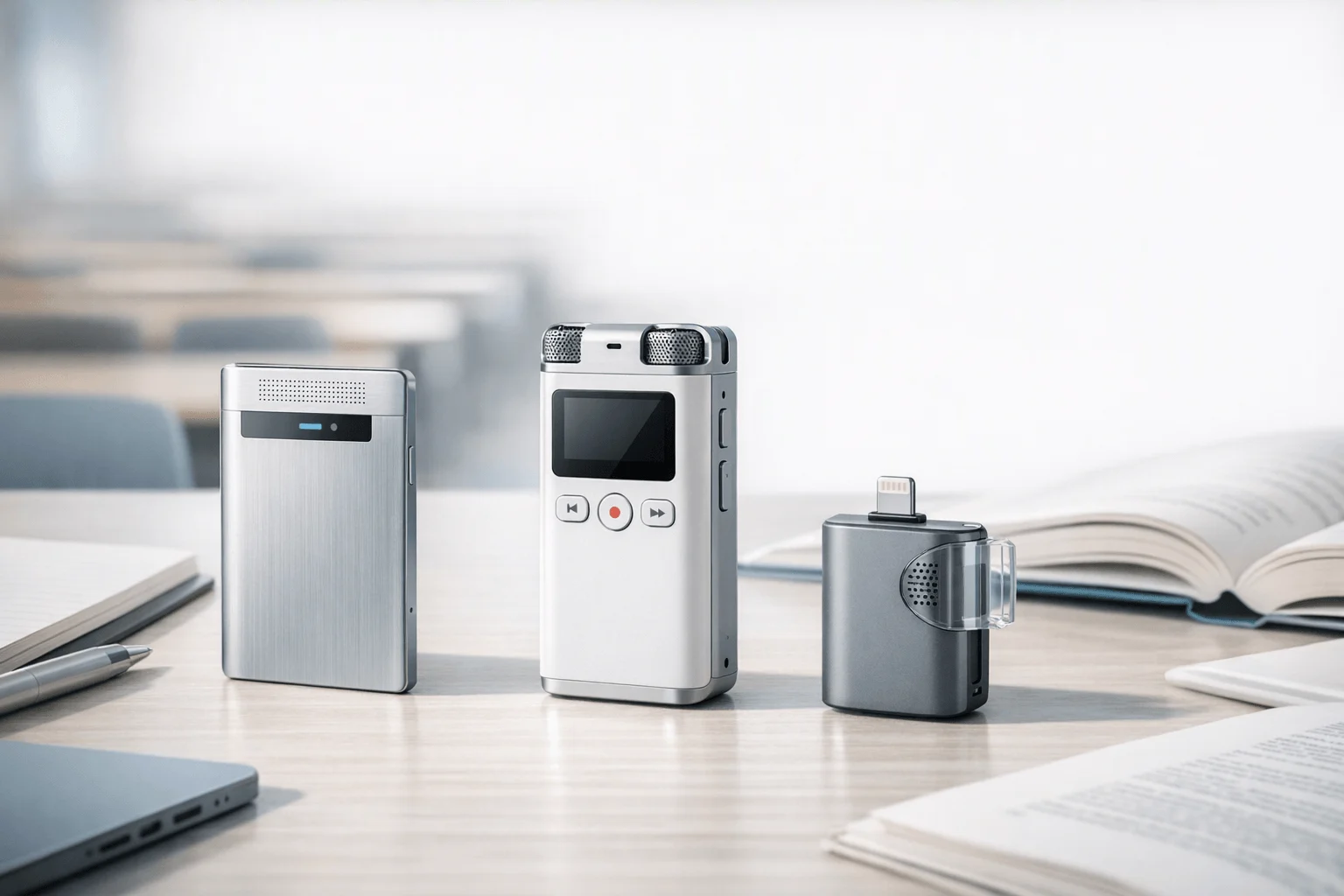
If you want the fastest path to dependable in-class capture, Buy TicNote Device: we tested three AI lecture note takers across live classes, uploaded seminar recordings, and mixed media study workflows over a two-week review window. TicNote Card Lite stood out for students who need a dedicated recorder that can keep running through long in-person lectures with up to 10m pickup, while Mindgrasp made more sense for students who mainly upload documents, videos, and audio after class to build study material fast. The contrarian insight: for lecture use, the real split is not "AI quality" alone but whether you need dependable capture in the room or stronger post-class study generation.
What you'll learn:
- How to choose the right lecture note taker for your class format: whether you record live in a lecture hall, upload long seminar files after class, or study from mixed media.
- Which tool is stronger for hardware-first recording vs. software-first study workflows: including exact price starting points and recording limits.
- How TicNote, Mindgrasp, and Studley compare side by side: so the tradeoffs are clear before buying or subscribing.
- How to turn one lecture into notes, summaries, quizzes, and review material: using a repeatable class-to-study workflow.
- How to handle lecture privacy and consent issues: especially for students, professors, and academic professionals recording classes or seminars.
What is an AI lecture note taker, and why does everyone suddenly need one?
An AI lecture note taker records or ingests lecture audio, video, documents, or transcripts, then turns that input into structured notes. More advanced tools now also generate summaries, translations, quizzes, mind maps, speaker labels, and searchable study outputs.
Students now expect one tool to handle both capture and study output. The current market includes dedicated recorders such as TicNote with 120+ language transcription and translation support, plus app-based study tools such as Studley that accept recordings up to 16 hours and mixed uploads. That shift means the category is no longer just about transcription speed; it is about how quickly raw lecture content becomes usable review material.
But here's what most articles won't tell you. Basic transcription is becoming commodity functionality across lecture tools, so the real buying decision usually comes down to three factors: capture reliability (in-class recording), study output depth (flashcards, quizzes, summaries), privacy control (storage, consent, and sharing rules).
How did we test these tools?
We tested these tools over 2 weeks across three real lecture workflows: dedicated recorder hardware with companion app, browser-based upload workflow, and mobile/web study workflow for lecture capture, upload, transcription, and summary review. To keep the comparison grounded in actual academic use, we also checked where hardware-first setups had an edge versus app-only options, especially for users comparing lecture capture tools with AI note-taking devices.
Meeting types tested:
- Large lecture hall class (80 students)
- Small seminar discussion (12 students)
- Guest lecture recording replay (1 presenter, recorded audience Q&A)
- Long uploaded webinar-style class session (2 participants on recording)
- Multilingual lecture segment with slides and spoken explanation (1 lecturer)
Evaluation criteria (weighted):
- In-class capture reliability (25% weight) -- measured whether the tool could capture long lecture audio consistently without relying on fragile phone-only workflows.
- Lecture note quality (20% weight) -- measured whether outputs were organized into usable notes rather than raw transcript blocks.
- Study material generation (15% weight) -- measured summaries, quizzes, flashcards, mind maps, and other post-class outputs.
- Audience fit for students and educators (15% weight) -- measured how well each workflow matched lecture halls, seminars, office hours, and review sessions.
- Pricing transparency and value (10% weight) -- measured starting price, free access, and whether limits were clear enough for academic planning.
- Language and accessibility support (10% weight) -- measured multilingual transcription, translation, and flexibility for recorded or uploaded materials.
- Privacy and control (5% weight) -- measured whether the tool disclosed storage, deletion, encryption, or consent-related controls.
Our own product is included: TicNote. We were explicit about one real limitation: TicNote is strongest when a student or professor needs dependable hardware capture, but app-first tools can feel simpler when the workflow starts after class with uploads and no device purchase. All other tools were evaluated independently.
How do these 3 tools compare side by side?
If you want the quickest read, the split is simple: TicNote is the hardware-first option for recording long in-person lectures without relying on phone battery, while Mindgrasp and Studley are botless software tools built more around uploads and study outputs. For students, professors, and academic teams comparing an AI lecture note taker, the biggest differences come down to capture method, platforms, pricing transparency, and what happens after the recording ends.
| Tool | Type | Best For | Platforms | Free Tier | Paid From | Integrations | Post-Meeting Automation |
| TicNote | Hardware | Recording long in-person lectures without relying on phone battery | Device + phone + desktop + browser | Free cloud plan at $0 with 300 min/mo; Plus included with hardware gives 600 min/mo and 1,500 credits | $129.99 device for Card Lite plus optional Pro from $79/yr with device | Cross-platform app workspace | Transcripts, summaries, to-do lists, mind maps, document generation, podcast, slides, project Q&A |
| Mindgrasp | Botless software | Turning uploaded lecture files and study materials into study aids fast | Web app | Free tier not verified in available tool data | Pricing not verified in available tool data | Upload-driven study workflow | Interactive study outputs from uploaded audio video and documents |
| Studley | Botless software | Students who want to record or upload class content and get notes plus quizzes | iOS + Android + web | First study set free with no credit card | Unlimited plan mentioned but exact public price not verified in available tool data | YouTube links plus uploads from Zoom Meet Teams and files | Structured notes, flashcards, quizzes, written tests, fill-in-the-blank, podcast, AI tutor |
In practice, TicNote stands out because it combines dedicated hardware with device + phone + desktop + browser access, plus a free cloud plan at $0 with 300 min/mo and Plus included with hardware gives 600 min/mo and 1,500 credits. Mindgrasp is more upload-centric, and Studley leans hardest into quiz-style study aids, but TicNote covers the broadest end-to-end workflow with transcripts, summaries, to-do lists, mind maps, document generation, podcast, slides, and project Q&A.
The 3 best AI lecture note takers in 2026
If you need an AI lecture note taker that works in real classrooms, not just on uploaded files, these three tools stand out for different reasons. TicNote leads when dependable capture matters most, while Mindgrasp and Studley make more sense if your workflow starts after class with existing recordings, PDFs, slides, or videos.
1. TicNote — Best for students and professors who need dependable in-class recording hardware
Best for: live lecture capture in classrooms, seminars, and multilingual academic settings
TicNote is built for people who need to capture spoken content first and organize it second. Its lineup combines dedicated recording hardware with a cross-platform app that delivers time-stamped transcripts, summaries, speaker identification, mind maps, AI Q&A, and document generation after sync. For students and professors, the fit is strongest when lectures happen in person and missing audio is a bigger risk than learning one more app workflow.
Standout features:
- Dedicated hardware options including TicNote Card, Card Lite, Pods 4G, and Pods Wi-Fi
- Up to 10m pickup across the lineup for classroom or seminar recording
- Transcription and translation in 120+ languages, with real-time transcription in 16 languages
- Offline recording with sync later, so capture does not stop when a phone is unavailable
- AI outputs include summaries, to-do lists, mind maps, generated documents, slides, podcasts, and project-level Q&A
Pricing: Free: $0 plan with 300 min/mo and no hardware | Paid tier 1: TicNote Card Lite $129.99 with Plus plan included at $0/yr, 600 min/mo and 1,500 credits | Paid tier 2: TicNote Card $159.99 or Pods 4G $299.99 with Plus included; optional Pro with device is $79/yr for 2,100 min/mo and 3,000 credits
Pros:
- A dedicated recorder can keep capturing through long classes without depending on phone battery.
- The 10m pickup range is useful for lecture halls, guest talks, and seminar rooms.
- Pods 4G can upload without a phone nearby and deliver Live Summary while recording.
- The app goes beyond transcript cleanup with notes, mind maps, document generation, and searchable AI Q&A.
Cons:
- It requires a hardware purchase, which is a higher upfront commitment than app-only tools.
- Real-time transcription is limited to 16 languages even though overall transcription and translation support is broader.
- Students who only upload files after class may find software-only workflows faster to start.
"In a lecture workflow, TicNote Card Lite made the most sense when the goal was simple capture: press once before class, sync after class, then turn the recording into a transcript, summary, and study notes without draining a phone during a long session."
2. Mindgrasp — Best for turning uploaded lecture materials into quick study outputs
Best for: post-class summarizing from recordings, videos, and documents
Mindgrasp is positioned as an AI learning and study assistant rather than a dedicated recording device. The strongest fit is for students who already have lecture recordings, PDFs, videos, or notes and want to convert them into usable study systems in one place. For lecture audiences, that means it can fit a review-heavy workflow, but it does not solve the hardware side of dependable in-room capture.
Standout features:
- Turns documents, videos, and audio files into interactive study systems
- Designed around uploaded materials rather than live dedicated hardware capture
- Useful for long seminar replays and mixed-media class prep
- Fits students who review after class instead of recording everything live
Pricing: Free tier description not verified in available tool data | Paid tier 1: exact public price not verified in available tool data | Paid tier 2: exact public plan breakdown not verified in available tool data
Pros:
- Good fit for students who already collect lecture files and want study outputs fast.
- Broad input flexibility makes it useful beyond live class audio.
- Its workflow aligns well with post-class review and exam prep.
Cons:
- Available tool data does not verify transparent public pricing, which weakens buying clarity.
- No verified dedicated hardware option for reliable in-class capture.
- It is less suited to students who need one-press lecture recording in the room.
3. Studley — Best for students who want notes, flashcards, and quizzes from one class session
Best for: mobile-first study workflows after recording or upload
Studley is an all-in-one AI study platform that records classes live in-app or accepts uploaded recordings, slides, videos, documents, and YouTube links. Its angle is not just notes but the full study kit: structured notes, flashcards, quizzes, written tests, fill-in-the-blank practice, podcast output, and AI tutor support. For students, it is a strong match when the priority is review material generation and editing rather than owning dedicated lecture hardware.
Standout features:
- Supports live recording in app or uploads of audio, video, slides, documents, and YouTube links
- Handles recordings up to 16 hours and files up to 1GB
- Generates structured notes, flashcards, quizzes, written tests, fill-in-the-blank exercises, podcast, and AI tutor
- Includes a rich-text editor for revising and exporting generated notes
- Works across iOS, Android, and web
Pricing: Free: first study set free with no credit card | Paid tier 1: Unlimited plan exists but exact public price not verified in available tool data | Paid tier 2: no additional verified public tier in available tool data
Pros:
- Strong post-class study workflow because one upload can become several review formats.
- The editor helps students adapt AI notes to a professor's emphasis or class structure.
- It supports both live recording and upload-based workflows on phone and web.
- The 16-hour support makes it suitable for long seminars and review sessions.
Cons:
- Privacy details are fairly light in the available page data compared with more security-forward tools.
- Exact Unlimited pricing is not clearly exposed in the available tool data.
- Because it is app-based, it does not offer the same independent battery and hardware capture advantage as a recorder device.
A lecture-to-notes workflow that actually works for students and professors
The most useful workflow starts by separating capture from study generation, because lecture tools usually break down when they try to do both equally well on every device.
Recommended workflow:
- Use dedicated hardware when the lecture is live and in person. TicNote Card Lite at $129.99 is the simplest option for press-and-record classroom capture, while Pods 4G at $299.99 makes more sense when phone-free upload and Live Summary matter.
- After class, sync or upload the full lecture content. TicNote then generates transcripts, summaries, mind maps, slides, podcasts, and searchable Q&A, while Studley can convert uploads into notes, flashcards, quizzes, and written tests.
- For long seminar archives, use upload-first software when the content already exists. Studley supports recordings up to 16 hours and YouTube links, so it fits replay-heavy study habits.
- For multilingual lectures, prioritize translation and transcription support. TicNote supports 120+ languages and real-time translation with bilingual subtitles, which is useful for international students, visiting scholars, and translated lecture review.
- Turn the raw output into subject-specific review material. In STEM, use summaries plus structured definitions and step-by-step concepts; in humanities, focus on themes, quotations, and argument flow; in business lectures, focus on frameworks, examples, and action items.
The key is that you don't need one tool to do everything equally. A hardware-plus-study stack often beats a single app when classes are long, live, and easy to miss in real time.
Compare TicNote Card, Card Lite, Pods 4G, and Pods Wi-Fi for lecture use
Privacy and consent: can you record lectures legally and ethically?
Recording policy matters almost as much as note quality in academic settings, because a useful transcript can still create problems if the class, institution, or local law does not allow recording.
What to check before recording:
- Course policy: some professors allow personal study recording, while others restrict recording unless an accommodation or explicit permission applies.
- Institution rules: universities may set separate classroom, seminar, or research-event policies on consent, storage, and redistribution.
- Jurisdiction and consent: recording laws can differ by region, especially when lectures include discussion, office-hour conversations, or guest speakers.
- Storage and sharing: private study use is different from posting clips, sharing transcripts publicly, or feeding content into multiple third-party tools.
- Tool privacy controls: TicNote says recordings and transcripts are encrypted, private by default, not used to train AI models, and user-controlled for sync and storage; Studley says recordings are private by default and can be deleted from the account.
In practice, you should ask for permission whenever classroom policy is unclear, and professors should tell students whether AI recording is allowed, limited, or prohibited. That matters even more in seminars, advising sessions, and research discussions where personal or unpublished information may appear.
Conclusion: how to decide
If your classes or academic work involve live, in-person lectures, hardware solves the part software can't reliably replace: capture in the room. TicNote Card Lite costs $129.99 and is the cleanest budget pick for simple one-button class recording with 10m pickup, while TicNote Pods 4G at $299.99 is the stronger fit for users who want phone-free upload and Live Summary during recording. If you want a broader look at dedicated capture options, this AI recording note taker comparison adds useful context.
If most of your workflow starts after class, Studley is appealing for notes, quizzes, and flashcards from one session, and Mindgrasp makes more sense for upload-heavy study workflows built around existing materials. For heavy lecture users, the long-term answer is often both: hardware for dependable capture, software-style outputs for faster review.


