


 Extension
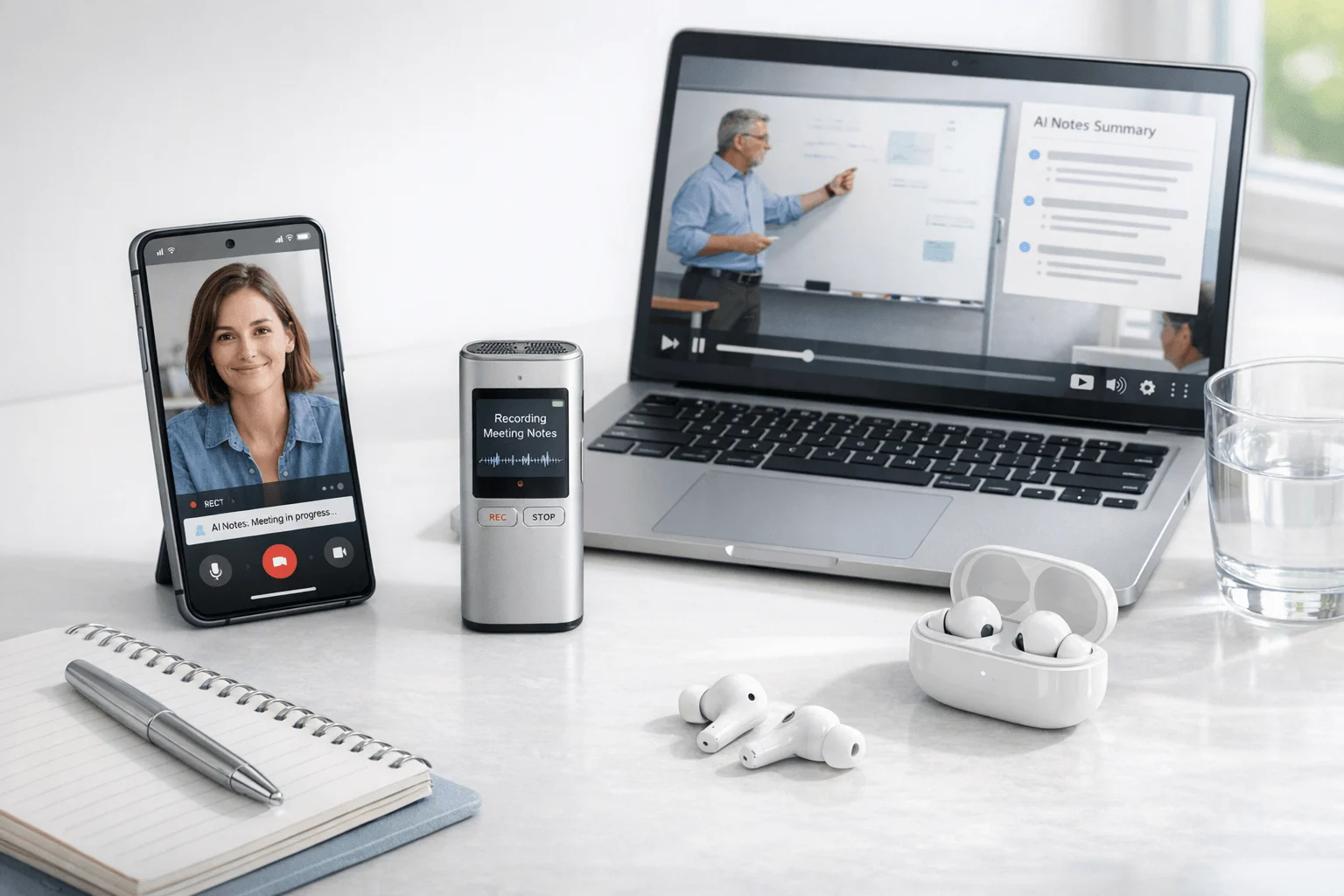
If you want the fastest answer, start with AI recorder device picks and then use this guide to find the best video note taker for your workflow. We compared 6 video note taker tools across a two-week review window using live meetings, recorded video uploads, phone-call workflows, and in-person capture. Otter is the clearest fit for people who mostly need to upload or transcribe video files and collaborate in software, while TicNote Pods 4G fits professionals who need notes from phone calls and mobile conversations without relying on a meeting bot. Most roundup articles treat this like a bot comparison; the real split is whether notes need to start from a meeting link or from the real world.
What you'll learn:
- How to choose between hardware and software: see which approach handles calls, lectures, webinars, and uploaded recordings more reliably.
- Which tools support real post-meeting work: compare transcripts, summaries, speaker ID, translation, and searchable knowledge features.
- How the leading tools differ side by side: use the normalized comparison table to narrow the list fast.
- Which product fits your workflow: match tools to lectures, meetings, client calls, webinars, and mobile-first note capture.
- When a dedicated recorder is worth it: understand why app-only tools still struggle with phone calls, in-person audio, and offline capture.
What is a video note taker, and why does everyone suddenly need one?
A video note taker records spoken content from meetings, lectures, webinars, calls, or uploaded video, then turns it into text, summaries, action items, and searchable notes. More advanced tools now add speaker identification, translation, AI Q&A, and document generation.
Most products in this category now combine recording, transcription, and AI summaries as a standard baseline. That shift matters because you're no longer deciding whether to get transcription at all; you're deciding how the audio gets captured, where it gets stored, and what happens after the meeting ends.
But here's what most articles won't tell you. The core transcript-and-summary layer is getting commoditized, so the real buying decision comes down to 3 things: capture method (hardware vs. software), automation depth (summary, search, workflow outputs), and privacy model (local-first device vs. full cloud pipeline).
How did we test these tools?
We tested these tools over a two-week period across the workflows most people actually use: Zoom, Google Meet, Teams-style live meetings, uploaded video recordings, in-person conversations, and phone-call capture where supported. To keep the comparison fair, we used both mobile-first hardware and desktop/mobile software workflows, with an emphasis on real-world reliability rather than demo-friendly setups; that lens also aligns with our review of bot-free note-taking tools.
Meeting types tested:
- Client check-in meeting (3 participants)
- Team project sync (5 participants)
- Recorded webinar replay (1 presenter, uploaded file)
- Lecture-style session (1 speaker, 20+ listeners simulated from recording)
- Phone call follow-up conversation (2 participants)
Evaluation criteria (weighted):
- Capture flexibility (20% weight) -- measured whether the tool can handle live meetings, uploaded video, phone calls, and in-person audio without awkward workarounds.
- Transcript and summary output (20% weight) -- measured usable transcript structure, summary quality, and action-item extraction from the captured content.
- Post-meeting search and knowledge use (15% weight) -- measured how well recordings turn into searchable history, AI Q&A, or reusable documents.
- Speaker and language support (10% weight) -- measured speaker identification, multilingual transcription, and translation support where available.
- Setup friction (10% weight) -- measured how much effort it takes to start capture reliably across common workflows.
- Privacy and storage model (15% weight) -- measured whether recording relies on local device storage, cloud sync, retention controls, or stated training restrictions.
- Value for money (10% weight) -- measured entry pricing, free-tier usefulness, and whether ongoing costs stay reasonable for regular use.
The author's own product is included: TicNote. We were explicit about where TicNote hardware is stronger than app-only tools and where it is weaker, including limited native CRM automation compared with software-first platforms. All other tools were evaluated independently.
Hardware vs. software: which approach fits you better?
The first real decision is not brand but capture method. If your notes start in the real world, hardware gives you a cleaner path; if they start inside Zoom, Google Meet, or uploaded files, software usually fits better.
| Factor | Hardware | Software |
| Phone call recording | ✅ Core feature | ❌ Not supported |
| Face-to-face meetings | ✅ Set on the table | ❌ Needs workarounds |
| Online meeting transcription | ⭐️ Depends on room audio | ⭐️⭐️⭐️ Direct platform feed |
| Speaker identification | ⭐️ Limited | ⭐️⭐️⭐️ Automatic |
| Hands-free start | ✅ Auto-records on answer | ❌ Open app every time |
| Privacy control | ✅ Local-first, encrypted | ❌ Full cloud pipeline |
| CRM / workflow automation | ❌ Not supported | ✅ Fireflies, Notta |
| Team collaboration | ❌ Not supported | ✅ Comments, search, sharing |
| Upfront cost | ❌ $119–$300 device | ✅ Free to start |
| Long-run cost | ✅ One-time purchase | ⭐️ Monthly fees add up |
Hardware wins when notes need to start from the real world instead of a meeting link. TicNote Pods 4G can automatically record calls when worn and upload in real time through its built-in 4G eSIM, while HiDock P1 captures Bluetooth earphone calls and room conversations without sending a bot into the meeting. That makes hardware the more reliable option for phone calls, in-person conversations, and travel days, with added benefits like local storage and recording that still works offline before sync.
Software wins when the work starts inside scheduled online meetings and has to flow into searchable team systems. Otter is strong for live notes plus uploaded audio and video files, while Fireflies.ai stands out for integrations, analytics, and downstream automation across team workflows.
The honest answer is both for mixed workdays. Software is better at collaboration and automation, but hardware is the layer software cannot replace if phone calls or in-person time are part of the job.
How do these 6 tools compare side by side?
If you want the fastest way to compare the best video note taker options, start with the table below. It normalizes the features that matter most: recording method, platform coverage, pricing, integrations, and what actually happens after the meeting, lecture, call, or upload.
| Tool | Type | Best For | Platforms | Free Tier | Paid From | Integrations | Post-Meeting Automation |
| TicNote Pods 4G | Hardware | phone calls and mobile field conversations | hardware + phone + desktop + browser | Free plan 300 min/mo; Plus included with device 600 min/mo | $299.99 device; Pro with device $79/yr | Cross-platform TicNote Cloud | live summary, quick summary, AI Q&A, document generation, project knowledge base |
| Otter | Bot | uploaded video files and collaborative meeting notes | Web + iOS + Android | Free plan available | Pro/Business ladder with paid tiers | Zoom Teams Google Meet Slack | search, edit, share, auto-join notes, conversation history |
| Fireflies.ai | Bot | CRM-connected online meetings and team workflows | Web | Free plan available | $10/seat/mo annually | CRM Slack ATS and broad workflow integrations | AI notes, analytics, channels, comments, soundbites, topic search |
| Notta | Bot | multilingual meeting notes and turning transcripts into deliverables | Web + app | Free 120 min/mo | $97.99/yr | Google Drive Notion Slack Salesforce | summaries, cross-meeting search, presentations, infographics, Notta Brain |
| HiDock P1 | Hardware | Bluetooth earphone calls and bot-free mobile capture | hardware + app | Unlimited core transcription free | $169 device | HiNotes sync | transcription, summaries, optional speaker ID and live transcription with Pro Membership |
| PLAUD Note Pro | Hardware | premium card-style recording with templates and exports | hardware + app | Starter 300 min/mo | $189 device; Pro $8.33/mo annually | Google Calendar Zapier MCP | templates, Ask PLAUD, exports, Private Cloud Sync, team management |
A few patterns stand out right away. TicNote Pods 4G leads if you need hardware + phone + desktop + browser support, especially for phone calls and mobile field conversations, while Otter, Fireflies.ai, and Notta fit bot-based online workflows better. PLAUD Note Pro is the most template- and export-focused option, and if you want a closer cost breakdown before buying, this PLAUD pricing breakdown is useful.
The 6 best video note takers in 2026
If you want the fastest answer, start with the tool that matches how you actually capture notes: mobile calls, in-person conversations, uploaded lectures, or CRM-driven online meetings. The six picks below are ranked for real video note taking across meetings, lectures, calls, webinars, and recorded files—not just meeting bots.
1. TicNote Pods 4G — Best for phone calls and mobile-first capture
Best for: professionals who need notes from calls, in-person conversations, and travel days without keeping a phone in hand
TicNote Pods 4G is built for users whose note-taking starts away from a desktop meeting link. Its differentiator is the built-in 4G eSIM in the charging case, which lets the device upload audio and generate Live Summary while recording, plus Quick Summary when the recording ends. For general professional use, it fits consultants, sales teams, project managers, educators, and field users who move between calls, room conversations, and recorded follow-up. If you're comparing dedicated devices, this wearable note-taking roundup adds useful context.
Standout features:
- Built-in 4G eSIM for phone-free recording and upload
- Live Summary during recording and Quick Summary after recording stops
- Automatic call recording when taking a call while wearing the earbuds
- Dual recording modes with earbuds for calls and case for room recording
- AI Q&A, document generation, and project knowledge base in TicNote Cloud
Pricing: Free plan: $0 with 300 min/mo and no hardware | Paid tier 1: device purchase at $299.99 with Plus included at 600 min/mo and 1,500 monthly credits | Paid tier 2: Pro with device at $79/yr with 2,100 min/mo and 3,000 monthly credits
Pros:
- Captures phone calls in a way software meeting bots do not.
- Works without a phone nearby because the case has built-in 4G connectivity.
- Gives summaries during and immediately after recording instead of only after upload.
- Supports offline recording and syncs when reconnected.
Cons:
- Higher upfront cost than app-only tools.
- Less useful than software-first products for CRM-heavy automation.
- Speaker identification is available, but software tools still have an edge in direct platform capture.
- The 4G model is not positioned as the global no-region-lock option; that point belongs to the Wi-Fi version.
We used TicNote Pods 4G as the mobile test device for a phone follow-up call and a walk-and-talk recap, then checked whether the live summary and pushed end-of-recording summary were fast enough to replace manual notes.
2. Otter — Best for uploaded video files and collaborative notes
Best for: people who want software-based transcription for meetings, lectures, and recorded video they can upload later
Otter is built for searchable voice conversations inside a collaborative software workspace rather than around dedicated hardware. Its practical strength here is that it can capture live notes and also transcribe uploaded audio and video files, which makes it useful for webinar replays, recorded lectures, and interview footage. It is a good fit for professionals and students who mostly work from laptops and shared workspaces.
Standout features:
- Automatic note capture for Zoom, Teams, and Google Meet
- Upload support for audio and video files
- Search, edit, organize, and share transcripts
- Speaker identification and custom vocabulary
- AI chat and conversation history
Pricing: Free tier: available with 300 monthly transcription minutes | Paid tier 1: Pro with higher monthly limits including 1,200 minutes | Paid tier 2: Business from $19.99/user/month in surfaced pricing with higher meeting and admin capacity
Pros:
- Strong fit for users who want one software workspace for live meetings and uploaded files.
- Well known collaboration workflow with search and sharing built in.
- Works across web, iOS, and Android.
- Supports multiple major meeting platforms.
Cons:
- Does not solve phone-call capture like hardware does.
- Language support is narrower than some hardware competitors at six languages listed on pricing pages.
- Relies on a cloud-first software workflow.
- Lower tiers have monthly minute limits.
3. Fireflies.ai — Best for online meetings with CRM and team automation
Best for: teams that want meeting notes to feed directly into workflows, records, and analytics
Fireflies.ai is built less like a personal recorder and more like meeting intelligence software. Its edge is breadth of integrations, analytics, channels, comments, bookmarks, and searchable team conversation history, which makes it especially relevant for sales, recruiting, project management, and operations teams that need more than a transcript. For general professional buyers, this is the clearest software-first choice when post-meeting automation matters more than in-person capture.
Standout features:
- 100+ language support
- AI notes and speaker recognition
- Channels, soundbites, comments, and bookmarks
- CRM, ATS, Slack, and workflow integrations
- Analytics and conversation intelligence
Pricing: Free tier: $0 | Paid tier 1: Pro at $10/seat/month billed annually | Paid tier 2: Business at $19/seat/month billed annually
Pros:
- Broad integration coverage for teams.
- Stronger post-meeting workflow depth than hardware-first tools.
- Useful analytics layer for repeat meetings and customer-facing teams.
- Supports 100+ languages.
Cons:
- Not a substitute for real phone-call recording.
- Most useful value is tied to team software workflows, not lightweight solo capture.
- Ongoing per-seat cost grows over time.
- Cloud-based workflow may be a blocker for privacy-sensitive users.
4. Notta — Best for multilingual notes and turning transcripts into deliverables
Best for: users who want transcripts to become summaries, presentations, and visual outputs
Notta is designed around taking spoken content and repurposing it into structured outputs fast. Beyond recording and transcription, it emphasizes Notta Brain, cross-meeting search, and turning meeting content into presentations and infographics, which makes it a practical fit for consultants, educators, researchers, and managers who regularly convert recorded material into shareable deliverables. It is strongest when the content begins as an online meeting or app-managed recording.
Standout features:
- 58 transcription languages
- Cross-meeting search through Notta Brain
- Exports to Google Drive, Notion, Slack, and Salesforce
- Presentation and infographic generation
- Workspace permissions and custom vocabulary
Pricing: Free tier: 120 min/mo | Paid tier 1: Pro at $97.99/yr | Paid tier 2: Business at $199.99/yr with Enterprise custom
Pros:
- Good fit for multilingual documentation workflows.
- Useful for converting notes into client-facing or team-facing assets.
- Has stronger output formatting than many simple transcript tools.
- Connects to common work apps.
Cons:
- Does not replace hardware for calls or in-person recording.
- Translation features can require add-ons.
- Free tier is smaller than several competitors.
- Most value depends on staying inside the Notta software workflow.
5. HiDock P1 — Best for bot-free Bluetooth call capture
Best for: mobile users who take Bluetooth earphone calls and want a simpler hardware workflow than software bots
HiDock P1 is built around bot-free capture across Bluetooth earphone calls, online meetings, and room conversations. Its differentiator is BlueCatch Bluetooth earphone recording plus local device storage, which makes it appealing to users who care more about direct capture than deep workflow automation. For professionals who spend a lot of time on mobile calls, it is one of the clearest non-bot alternatives.
Standout features:
- BlueCatch Bluetooth earphone recording
- Call, Room, and Whisper modes
- 64GB local storage
- 75+ language transcription
- HiNotes sync with summaries and optional live transcription features
Pricing: Free tier: unlimited core transcription included | Paid tier 1: device purchase at $169 | Paid tier 2: optional Pro Membership adds speaker identification, templates, and live transcription, with public pricing not fully disclosed
Pros:
- Useful for Bluetooth earphone calls where software has no direct access.
- Bot-free approach is more discreet in external meetings.
- Local storage helps users who prefer device-first capture.
- Entry hardware price is lower than several premium recorder devices.
Cons:
- Public pricing for the Pro Membership is not clearly disclosed.
- Integration depth is much thinner than Fireflies.ai or Notta.
- The P1 mini does not support laptops, which narrows options within the lineup.
- Desktop collaboration is not the product's core strength.
6. PLAUD Note Pro — Best for premium card-style recording and templates
Best for: buyers who want a higher-spec recorder card plus broad template and export options
PLAUD Note Pro is a premium hardware recorder aimed at professionals who want stronger pickup range, long battery life, templates, and broad export flexibility. Compared with simpler device-first options, it leans harder into app features like Ask PLAUD, 10,000+ templates, Zapier, Google Calendar, and MCP support. It is a better fit for users who want hardware capture but still care about software ecosystem breadth.
Standout features:
- 64GB storage and up to 16.4 ft pickup
- 30h to 50h recording depending on mode
- 112+ languages and speaker identification
- 10,000+ templates and 27+ export formats
- Zapier, Google Calendar, MCP, and team management
Pricing: Free tier: Starter with 300 min/month | Paid tier 1: device purchase at $189 | Paid tier 2: Pro at $8.33/month billed annually or $17.99 monthly, with Unlimited from $19.99/month billed annually
Pros:
- Strong mix of hardware capture and software ecosystem features.
- Template depth is unusually broad.
- Supports team use better than many solo recorder devices.
- Longer pickup range than many compact devices.
Cons:
- Still requires software plans for fuller usage.
- Higher-complexity app stack may be overkill for simple note capture.
- Not the lowest-cost hardware option.
- Wearable and card lineup can feel more complex to compare than single-device alternatives.
Conclusion: how to decide
If phone calls or in-person meetings are part of your day, hardware is the layer software cannot structurally replace. TicNote Pods 4G stands out for phone-free upload, Live Summary during recording, and automatic call recording when worn, while HiDock P1 is a simpler bot-free option for Bluetooth earphone calls at $169; PLAUD Note Pro is stronger when card-style recording, longer pickup range, and template-heavy exports matter more than live mobile summaries. If you want a closer look at the trade-offs, this HiDock alternative breakdown helps clarify where each device fits.
If most of the work happens in scheduled online meetings or uploaded files, Otter, Fireflies.ai, and Notta are stronger software choices for collaboration, integrations, and repurposing. But for heavy users, the answer usually becomes both: software handles team workflows, and hardware covers the calls and in-person moments software never will.


