


 Extension
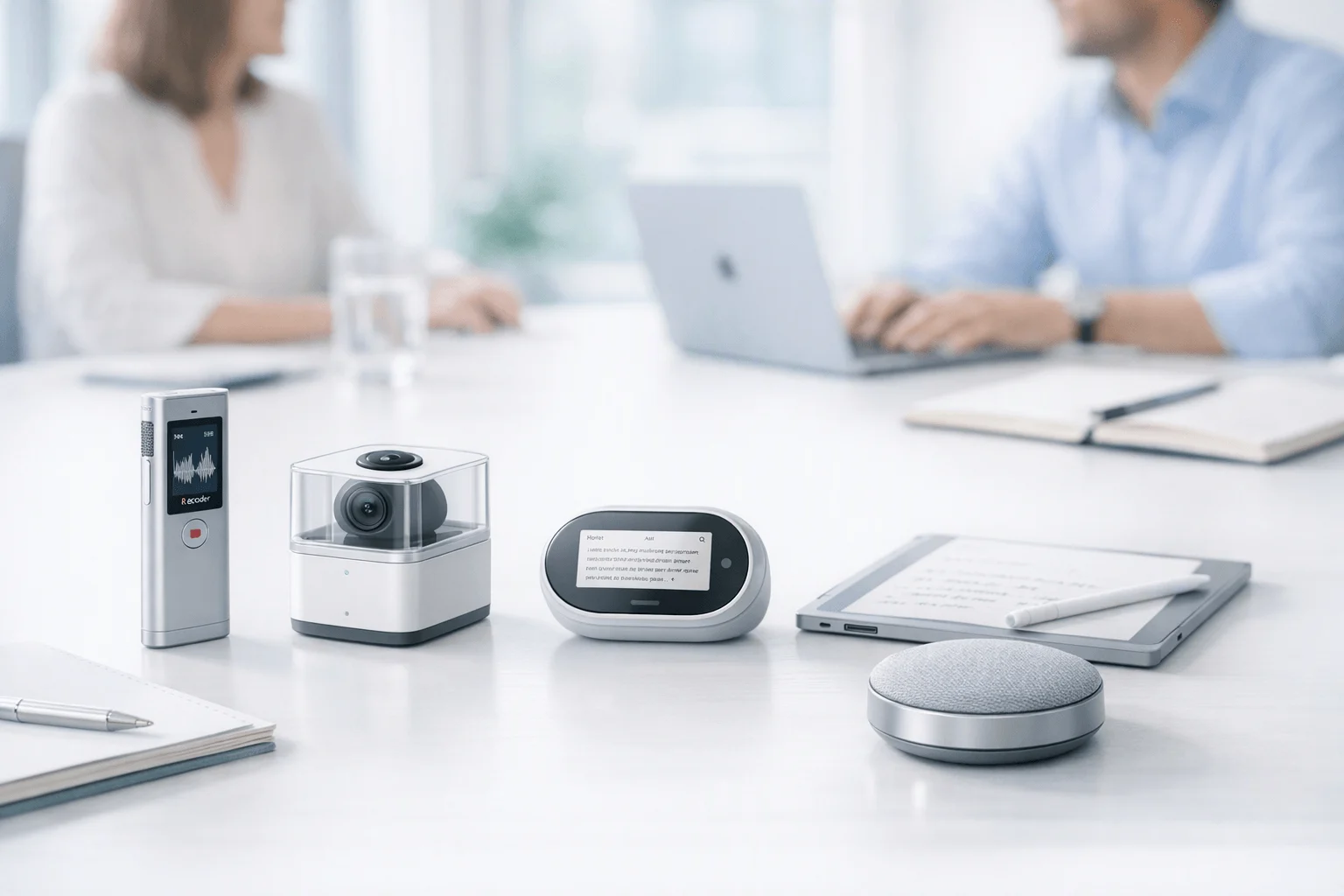
TL;DR: Voice Recorders and AI meeting summary picks
If you need a device that can see the TicNote device and produce live recaps while the meeting is still happening, TicNote Pods 4G is the best fit. In this review of AI meeting assistants for live summaries, it stands out because it works as a true voice-recorder-first option for mobile, in-person, multilingual, and field use, instead of relying on a browser bot to join calls.
Quick ranking: TicNote Pods 4G first for real live summaries in hardware; Otter and Fireflies.ai next for software-first meeting capture; tl;dv and Fathom after that for browser-based recap workflows. Those tools are useful alternatives for desk-based teams, but they are not equal substitutes if you need bot-free recording, translation, privacy control, and mobile capture in real meetings.
Later, you'll get a comparison table, workflow-based picks, pricing context, and direct links to buy or view the TicNote device.
Best AI meeting assistants for live summaries: quick ranking and who each tool fits
If you want true AI meeting assistants for live summaries, the biggest split is simple: bot-first software versus recorder-first hardware. For remote meetings, several tools do a good job. But for in-person meetings, hallway updates, client site visits, and phone-free capture, the list gets much shorter.
1. TicNote Pods 4G — best for live summaries in real-world meetings
TicNote Pods 4G stands out because it is the only option in this ranking built around a device-first voice-recorder workflow that can summarize while the meeting is still happening. That matters if you work away from a desk and can't depend on a meeting bot joining Zoom, Meet, or Teams.
Best fit:
- consultants running client workshops
- project managers moving between rooms
- field teams documenting site visits
- multilingual teams needing real-time translation
- buyers who want an AI recorder for in-person meetings
Why it ranks first:
- Live Summary appears during recording, not just after
- Quick Summary is pushed when recording ends
- built-in 4G enables phone-free upload
- supports real-time transcription and translation workflows
- can handle room recording and call capture
- works better than browser bots for mobile, physical meetings
The trade-off is clear: it is premium hardware at $299.99, not just another app. Still, if live recap speed matters more than browser convenience, it's the strongest fit here. The full review section below covers pricing, limits, and tradeoffs in more detail.
2. Otter — best browser-first choice for desk teams
Otter is a strong pick for teams that live in Zoom, Google Meet, and Microsoft Teams. It shines in live transcription, searchable team transcripts, and AI chat over past conversations.
Best fit:
- desk-based teams
- managers reviewing meeting history
- users who want searchable transcripts fast
Its weakness is the same reason TicNote leads for device use cases: Otter depends more on app and bot workflows. That makes it less natural for field capture, in-room recording, or phone-free use.
3. Fireflies.ai — best for searchable archives and collaboration
Fireflies.ai is best viewed as a meeting memory layer. It is strong for recap sharing, topic tracking, searchable history, and clip-based collaboration across teams.
Best fit:
- organizations building a meeting archive
- teams that need collaboration and workflow integrations
- managers tracking themes across many calls
It is less compelling for hardware-style live summaries during physical meetings. Bot-based capture can also create setup or policy friction in some companies.
4. tl;dv — best for structured recap workflows
tl;dv fits remote teams that want organized highlights, recurring reports, and clean follow-up notes from supported meeting platforms. It is a good match for structured minutes and cross-meeting search.
If you need a meeting recorder that can summarize live in the room, though, it is less suitable than a dedicated recording device.
5. Fathom — best low-cost entry point
Fathom is a practical starter option for individuals and small teams testing AI meeting assistants. It is easy to adopt and fast for basic recaps.
That said, expectations should stay modest for multilingual use, mobile capture, and hardware-led workflows.
These rankings prioritize live-summary practicality, privacy, translation readiness, and workflow fit over generic feature counts.
What matters most in a live-summary Voice Recorder review
The best AI meeting assistants for live summaries aren't always the best tools for real meetings. For commercial buyers, the key test is simple: does the product help while the conversation is still moving, or only after the meeting ends? That difference shapes follow-up speed, translation usefulness, and whether a tool works in the room you actually use.
Prioritize live output over delayed recap
A post-meeting summary is helpful. A live summary is often more valuable. In a negotiation, site walk, or client workshop, teams need to catch missed decisions, confirm next steps, and spot open risks before people leave. If the summary appears only after upload, the moment to clarify may already be gone.
Use this review lens:
- Live summary during the meeting helps with fast decisions
- Quick post-call recap helps with documentation and handoff
- Both matter, but in-meeting actionability matters more for buyers in the field
- Real-time translation is far more useful when people can react on the spot
That's also why bot-free meeting capture has become more important in this category.
Compare bot joins with device-based recording
Bot-based assistants work well for browser-heavy teams on Zoom, Meet, or Teams. They can auto-join, capture speakers, and push notes into software workflows. But they also create friction. Bots can be blocked, fail to join, trigger consent concerns, or make guests less comfortable.
A device-based recorder changes that workflow. Instead of inviting another participant, you capture the room directly. That tends to work better for in-person meetings, hybrid sessions, hallway follow-ups, and field conversations where no meeting link exists. It's a cleaner fit when buyers want fewer moving parts.
Test translation, speech clarity, and noise handling
Real-world accuracy isn't just about clean desktop audio. Buyers should test accents, overlapping speech, HVAC noise, distance from the speaker, and how readable bilingual subtitles are during a live exchange. Many multilingual teams need a meeting note taker that handles room audio, not just headset calls.
Good review criteria include:
- Speaker separation in multi-person rooms
- Translation speed and subtitle readability
- Accuracy with industry terms and accents
- Performance in noise, echo, and movement
Verify privacy and retention before purchase
Privacy review should be strict. Check storage location, encryption, retention controls, consent process, admin access, and whether content is used for model training. For EU buyers, Regulation (EU) 2016/679 (General Data Protection Regulation), Article 5 states personal data must be kept in a form that permits identification of data subjects for no longer than is necessary for the purposes for which the personal data are processed.
TicNote is a useful example to evaluate because it describes encrypted recordings and transcripts, private-by-default handling, no AI model training on customer content, and GDPR-aligned practices. Still, procurement teams should verify every claim against their own legal, security, and retention requirements. Next, we'll look at how Pods 4G performs against that standard and where each tool fits in the comparison table.
TicNote Pods 4G review: which exclusive features make it different?
Most AI meeting assistants work best when everyone is already inside Zoom, Meet, or Teams. Real meetings are messier. People move between client sites, hallways, cars, workshops, and mixed-language conversations. That is why TicNote Pods 4G stands out in this review of AI meeting assistants for live summaries: it brings live recap features into a wearable voice-recorder format that works during the meeting, not just after upload. For consultants, sales reps, field engineers, and project leads, that difference is practical, not cosmetic.
Get live summaries without waiting for sync
The core advantage is simple: TicNote Pods 4G can record and upload without a phone nearby. Its built-in 4G eSIM lets the charging case send audio to the cloud in real time, so Live Summary can appear while the meeting is still happening. When the session ends, Quick Summary pushes a full recap right away.
That closes a real gap in the category. Most software tools are strong at post-meeting notes. Fewer help when you need to check decisions before you leave the room, confirm next steps in the parking lot, or brief a teammate between site visits. In mobile work, speed matters. Eurostat employed people working from home (2021) notes that in 2021, 3 in 10 employed people in the EU aged 15–64 usually or sometimes worked from home, which helps explain why teams now switch constantly between remote, hybrid, and in-person settings.
If you want a broader look at form factors, this device comparison guide helps clarify when earbuds beat card-style recorders.
Handle multilingual meetings more smoothly
TicNote Pods 4G is also a strong fit for multilingual teams. It supports real-time transcription, real-time translation with bilingual subtitles, and two useful translation modes:
- Listen Translation: place the case near the speaker and read translated text on your phone
- Conversation Translation: wear the earbuds while the other person follows translated text on the phone screen
- Transcription and translation support across 120+ languages, with real-time transcription available in 16 languages
That makes it more than a meeting note app. It works as a real-time transcription and translation recorder for client visits, supplier calls, and field interviews. It also fits buyers looking for a multilingual meeting note taker that can work beyond browser-based meetings.
Cover calls, rooms, and offline work
The dual recording design is another reason it feels different in daily use. The earbuds handle calls and online meetings. The case handles room recording when you set it near the table. That means one device can cover:
- phone calls
- online meetings
- in-person workshops
- hallway recaps
- travel-day voice capture
It also supports offline recording, then syncs when reconnected. So if signal drops, the meeting does not disappear. A browser bot cannot help much in a factory walk-through or a client lunch.
Weigh the price against the workflow gain
TicNote Pods 4G costs $299.99 and includes the TicNote Plus plan for hardware users. That price makes the most sense for people whose notes drive revenue or delivery: consultants logging requirements, sales teams tracking commitments, project managers handling fast follow-up, and field workers who need same-day documentation.
The tradeoffs are fair and clear. This is a hardware-first workflow, so you need to be comfortable wearing earbuds or carrying the case. You should also validate 4G regional fit before buying, especially if you travel internationally. And if you do not need true live summaries during the meeting itself, lower-cost software tools like Otter or Fireflies may be enough.
Still, if your priority is live meeting capture with immediate AI output in the real world, TicNote Pods 4G is the most complete device-first option here.
See the device and check whether TicNote Pods 4G fits your meeting workflow
Comparison table: which tools handle live summaries, translation, privacy, and mobile use best?
This table is built to reduce the apples-to-oranges problem in this category. Many buyers searching for AI meeting assistants for live summaries are really comparing two different things: browser-first meeting bots and an AI voice recorder for meetings that can work in rooms, on calls, and away from a laptop. If you also want a broader look at AI recorders for meetings and calls, that guide goes deeper on device-first options.
| Tool | True live summaries during meeting | Live transcription | Real-time translation | Bot-free capture | In-person meeting capture | Call recording | Room recording | Mobile independence | Offline recording | Searchable archive | Privacy posture | Starting cost | Best-fit workflow |
| TicNote Pods 4G | Yes | Yes | Yes | Yes | Yes | Yes | Yes | Yes | Yes | Yes | Strong, device-first and privacy-forward claims | $299.99 | Field work, travel, client visits, live recaps on the go |
| Otter | Partial, mostly live notes/captions | Yes | Limited | No | Limited | Limited | Limited | No | No | Yes | Solid software-focused controls | Freemium | Zoom, Teams, Meet, lectures, desktop collaboration |
| Fireflies.ai | No true on-device live summary | Yes | Limited | No | Limited | Limited | Limited | No | No | Yes | Strong admin and compliance posture | $10/seat/month | Team workflows, CRM sync, analytics, operations |
| tl;dv | Partial, meeting-focused | Yes | Limited | No | No | Limited | No | No | No | Yes | Browser and workspace-centric | Freemium | Remote meetings, clips, async sharing |
| Fathom | Partial, meeting assistant style | Yes | Limited | No | No | Limited | No | No | No | Yes | Software-first privacy model | Freemium | Sales calls, coaching, quick desktop summaries |
The big takeaway is simple. TicNote Pods 4G is the strongest fit when you need true live-summary mobility in the real world: in-person meetings, room capture, phone-free use, and offline recording in one device. Otter, Fireflies.ai, tl;dv, and Fathom are better understood as software alternatives for desktop, browser, and meeting-platform workflows, not as mobile-first hardware for live meeting recap capture.
How to choose the right product
If you're comparing AI meeting assistants for live summaries, the best choice for most buyers is TicNote Pods 4G. The reason is simple: it's the only option in this lineup built around live summaries during the meeting in a recorder format, not just after-the-fact notes from a browser bot. That matters in real work settings like client visits, hallway conversations, site inspections, travel days, and multilingual discussions where a laptop bot either can't join or isn't welcome.
Pick TicNote Pods 4G when the meeting happens in the real world
TicNote Pods 4G is the default pick if you need a tool that works beyond Zoom tabs. It fits best when your workflow looks like this:
- in-person meetings and workshops
- field work and on-site walkthroughs
- travel and mobile workdays
- multilingual conversations that need live translation
- phone-free capture
- privacy-conscious teams that don't want bots joining calls
Its main advantage is workflow speed in the room. The capture path is easy to understand: record audio, generate transcript, surface live summary, show translation, then push a quick recap when recording stops. In other words, the device does the work while the meeting is still happening. That's the gap many software-only tools still don't close well.
If you want a deeper device-first framework, this guide on comparing AI voice recorders for in-person meetings is a useful next read.
Pick Otter for browser-first team transcripts
Otter is the better fit when your team spends most of its time in Zoom, Google Meet, or Microsoft Teams. It works well for shared transcripts, searchable meeting history, and chat-style retrieval inside a software workspace. If people rarely meet in the field and mostly need desktop collaboration, Otter makes sense.
The trade-off is mobility. It's strong for browser-first workflows, but it's not the top answer when you need live-summary performance from a recorder in real rooms.
Pick Fireflies.ai for long-term meeting memory
Fireflies.ai is best for teams building a searchable archive over time. Its value grows as more calls, snippets, topics, and integrations stack into one system. That makes it attractive for sales orgs, recruiting teams, and operations groups that want a meeting memory layer.
But if your first question is, "What helps me during the meeting, not just after it?" Fireflies is less compelling than a device-first option. It's better as an archive and collaboration engine than as a hardware-style live-summary tool.
Pick tl;dv for structured recaps
tl;dv fits managers and remote teams that care most about structured minutes, highlights, and recurring recap workflows. If your process depends on consistent summaries and reviewable meeting outputs, it's a practical software alternative.
Still, it serves a different need. It's more about organized recap workflows than mobile recording, in-person capture, or multilingual hardware use.
Pick Fathom for basic summaries on a budget
Fathom is the low-cost choice for users who want simple summaries and fast sharing with minimal setup. It's a fair option for solo users or small teams that just want meeting recaps without a lot of complexity.
That said, it's the lightest-duty pick here. It isn't the best match for advanced translation, privacy-sensitive hardware capture, bot-free workflows, or field recording.
For most commercial buyers, the decision is more direct than it first appears. If you need software for desktop meetings, the app-first tools are fine. If you need a product that matches real meeting conditions beyond browser bots, TicNote Pods 4G is the strongest default recommendation because it combines recorder-style capture, live summary during the meeting, translation support, and mobile use in one system. If you're ready to act, you can use the product-page embeds in this section to review details first or go straight to purchase.
Final thoughts on the best Voice Recorder option for live meeting recaps
If you want AI meeting assistants for live summaries that work like a real device, not just another meeting bot, TicNote Pods 4G is the strongest pick here. It stands out because it can record without a phone nearby, upload in real time, and deliver Live Summary while the meeting is still happening. That makes it a better fit for consultants, sales reps, and field teams who move between calls, client sites, and in-person meetings.
Otter, Fireflies.ai, tl;dv, and Fathom are still useful choices for browser-first recap workflows. But they serve a different job: software capture inside scheduled online meetings, not mobile, recorder-based use in the real world. If you want a wearable-first option, this guide to smart note-taking wearables is a helpful next read.
Compare the table if you're still deciding, see the device if you want to check the fit, or buy when you're ready.


