


 Extension
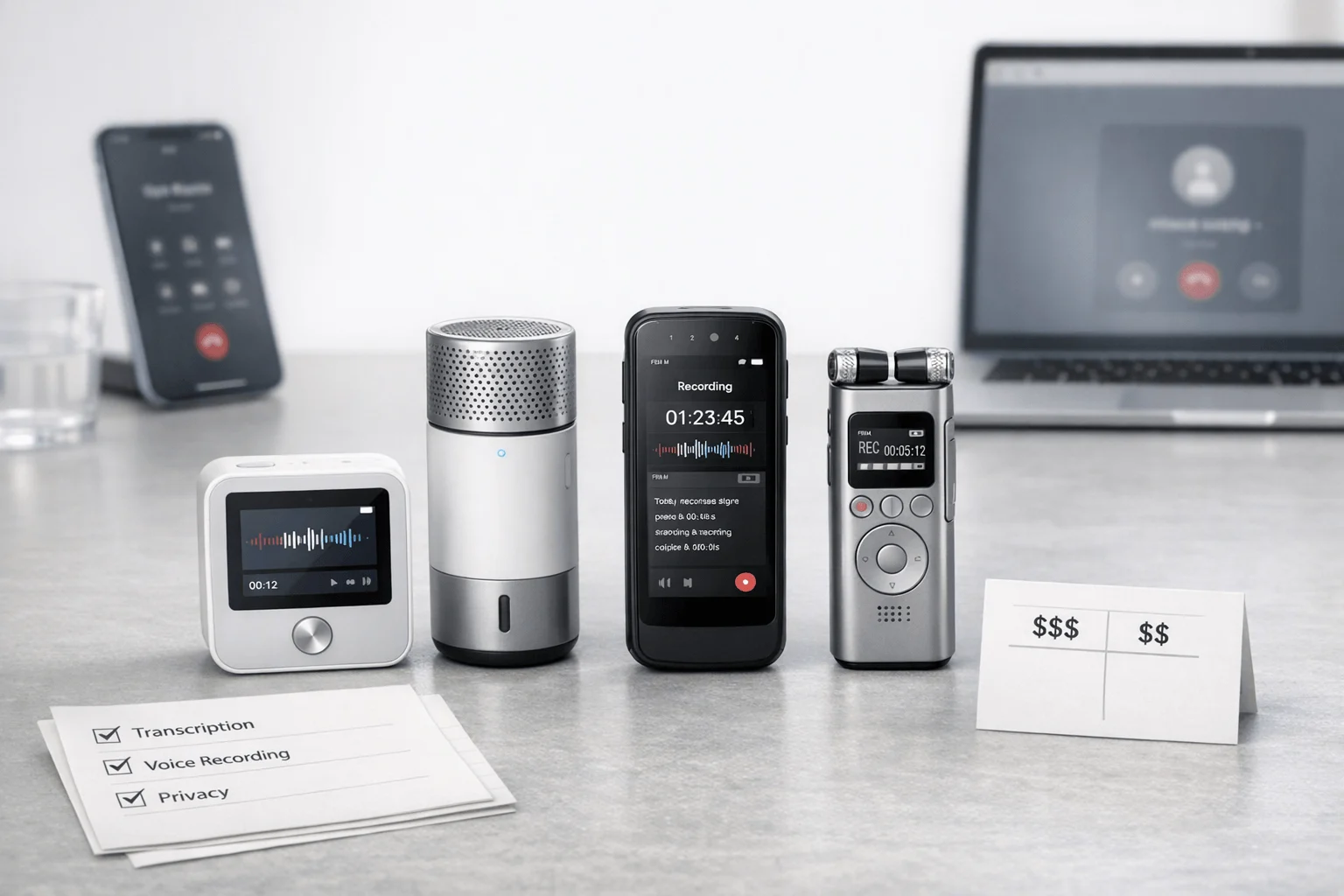
TL;DR: Best Voice Recorders and AI note takers for client calls
If you need an AI note taker for client call work that actually survives real phone use, start with TicNote Device. After testing hardware and software across smartphone calls, VoIP meetings, and in-person conversations, the best picks are the ones that capture reliably first and summarize cleanly second.
- Best overall: TicNote Card — Best for smartphone-heavy client calls with a strong in-person backup. The wallet-size recorder is simple, discreet, and more dependable than software-only tools when call setups vary.
- Best for mobile phone calls: TicNote Pods 4G — Best if you want phone-free capture and live summaries. It fits field work, commuting, and back-to-back calls where your phone is not always the center of the workflow.
- Best for VoIP teams: Fireflies.ai or Otter.ai — Pick Fireflies.ai for stronger CRM and workflow automation. Pick Otter.ai if you want simpler transcription and meeting notes without a heavier ops layer.
- Best for multilingual workflows: Notta — Best when translation, multilingual transcripts, and polished outputs matter as much as basic note capture.
This review is for sales reps, consultants, agents, and other professionals whose client calls happen across phones, apps, and real rooms. The testing lens was practical: capture reliability, summary quality, total cost, and privacy fit.
What makes an AI note taker for client call workflows actually reliable?
A reliable AI note taker for client call work is different from a meeting bot. Client calls happen fast, start without a calendar invite, and often move between mobile, desktop VoIP, speakerphone, and in-person follow-ups. That means the real question is not who has the longest feature list. It is who captures the conversation with the fewest misses, then turns it into usable notes without slowing the rep, advisor, or clinician down.
If you handle a high volume of calls, this is why tools for back-to-back call capture matter more than generic meeting software. A Zoom bot can work well in a scheduled online meeting. But client-call workflows break more often: no join link, weak speakerphone audio, Bluetooth handoff issues, desk phones, field calls from a car, and quick transitions between channels.
Why call capture fails more than online meetings
Client calls are messy by nature. A sales rep may start on a smartphone, switch to earbuds in transit, and then recap in person. A consultant may jump from Teams to a direct phone call in two minutes. Insurance, legal, and healthcare teams also need near-zero-friction recording because missing one key statement can create follow-up risk.
Here is the practical split:
- Dedicated hardware is usually best when calls happen across phones, rooms, and field settings.
- Earbuds help when you need hands-free capture during mobile calls.
- Software-only tools are strongest in scheduled desktop meetings and weakest in off-platform calls.
The five criteria used in this review
To keep comparisons fair, every product in this article is scored on the same five factors:
- Capture reliability across smartphone, VoIP, and in-person use
- Summary speed and usefulness
- Privacy and compliance controls
- CRM and export workflow
- Total cost of ownership, including hardware and subscription fees
This is a buyer-first framework. We care less about feature inflation and more about trade-offs you will actually notice after 50 calls, not five.
How we tested and scored
Our test matrix includes smartphone calls on speaker, smartphone calls with earbuds, desktop VoIP calls, and recordings in a quiet office, car, café, and hallway. We also tested short multilingual snippets to see how tools handled accents, speaker changes, and noisy environments. TicNote Card and TicNote Pods are included because they represent two different call setups, not because of brand preference.
A failed capture means the tool missed material audio, lost a speaker segment, or created notes too incomplete to support follow-up. Summary quality was judged on three things:
- clear action items
- correct named entities
- useful next-step wording
For privacy, the legal baseline matters too. The Recording Phone Calls and Conversations (U.S. Department of Justice) states that under federal law, 18 U.S.C. § 2511(2)(d), only one party to a conversation needs to consent to recording, but state laws may require all parties to consent. That is why compliance checks are part of reliability, not a side note.
Which tools are best for client calls in 2026?
The best tool depends on where your client calls actually happen. If you spend most of your day on a smartphone, a dedicated recorder often beats a meeting bot. If you live inside Zoom Phone or Teams, software can be enough. In this category, the best AI note taker for client call workflows is usually the one that captures reliably first, then turns that audio into usable summaries, tasks, and CRM-ready notes.
Here's the short version: hardware wins more often for real client-call work because client calls don't always happen in clean desktop meeting rooms. They happen in cars, hallways, on speakerphone, between site visits, and during fast handoffs. If you want a broader setup guide, this sales call recorder breakdown is a useful companion.
Pick TicNote Card for the best overall smartphone call workflow
TicNote Card is the best overall choice for smartphone-heavy professionals who want a wallet-size recorder with AI summaries after the call. It stands out because it solves the first problem well: capture. The card is 3 mm thin, easy to carry, and according to the TicNote Card product page, TicNote Card has 64GB of storage and up to 25 hours of battery life.
In practice, the appeal is simple:
- wallet-size form factor
- lever switch for earphone versus speaker mode
- real-time transcription on your phone via Bluetooth or Wi-Fi
- transcript, summary, and action items after the recording syncs
- better fit for account executives, consultants, and field-facing professionals than software-only tools
The tradeoff is clear too. You need to position it well, so it's not as frictionless as a built-in app. And for pure desktop VoIP, it feels less natural than a bot that joins the call automatically. Still, for mobile client calls, it's the most balanced pick in this list. Buyers who want the premium version should review the TicNote Card product page first.
Choose TicNote Card Lite for the lowest-cost dedicated recorder
TicNote Card Lite is the best value pick if you want press-and-record simplicity at a lower upfront price. At $129.99, it lowers the barrier to entry while keeping the core workflow intact: record, sync, then get transcripts, summaries, and action items.
Its strengths are practical:
- one-button, modeless workflow
- 3-mic array
- same core AI outputs after sync
- easier for less technical users to operate quickly
What do you give up? Mainly the premium extras. Card Lite drops the leather case and the Card's earphone/speaker lever switch. That makes it simpler, but also less flexible in mixed call setups. It suits solo consultants, insurance agents, and budget-conscious reps who mainly want dependable capture without paying for higher-end hardware touches. It's weaker than the Pods line for live mobile work because it doesn't offer the same earbud-based convenience during active call hopping.
Use TicNote Pods 4G when you need phone-free capture on the move
TicNote Pods 4G is the strongest option for field professionals, road warriors, and anyone who moves between calls without wanting a phone in hand. The headline feature is the 4G eSIM in the charging case, which allows real-time upload and faster access to AI output.
Why it matters:
- can record without your phone nearby
- Live Summary appears while recording is still happening
- Quick Summary arrives right after recording ends
- automatically records when you take calls wearing the earbuds
- dual recording modes handle calls and room capture differently
This is the most capable mobile workflow here, especially for implementation consultants, inspectors, and outside sales teams. The downsides are the higher upfront price at $299.99 and the need to check regional fit before buying. If phone independence is the priority, this is the right TicNote model to see first.
Go with TicNote Pods Wi-Fi for lower-cost earbuds and global use
TicNote Pods Wi-Fi is the best earbud option when your phone is usually nearby and you want lower cost than the 4G model. It keeps the same broad idea—capture calls with earbuds, upload, then generate transcripts and summaries—but uses a sync-based workflow instead of always-on cellular.
Best fit:
- mobile professionals who usually carry a phone
- international users who want no region lock
- buyers who want earbud call recording without paying for 4G hardware
The tradeoff is speed and independence. You don't get the same instant, phone-free access as Pods 4G. But at $249.99, it's a sensible middle ground.
Pick Otter.ai for desktop VoIP teams
Otter.ai is a strong software choice for teams that run most calls through Zoom, Teams, or similar VoIP systems. Its strengths are familiar: real-time transcription, summaries, searchable notes, and speaker labels.
But it is less convincing for standard mobile phone calls and in-person meetings. That gap matters. If your calls mostly happen at a desk, Otter is a practical option. If they happen everywhere else, dedicated hardware usually captures more reliably.
Choose Fireflies.ai for CRM workflows and call analytics
Fireflies.ai is best for teams that care more about downstream workflow than raw mobile capture. It shines in integrations, topic extraction, team reporting, and pipeline automation.
That makes it useful for managers and revenue teams that want notes to move into CRM systems fast. The main limitation is cellular capture: like most software-first tools, it is better for app-based meetings than standard phone calls. Also watch total cost as seats expand.
Use Notta.ai for multilingual software workflows
Notta.ai is the strongest multilingual software option in this group. It is a good AI note taker for phone calls when speakerphone-based recording is acceptable and translation support is a priority.
Its value is clear for cross-border teams:
- broad language support
- summaries after calls
- convenient app-based workflow
- strong output options for teams that need notes turned into assets
The caveat is capture reliability. Speakerphone-based mobile recording depends more on room noise, device placement, and distance from the speaker.
Bottom line: choose based on call environment first. Then compare summary quality, privacy controls, and total cost.
Comparison table: how do these AI note takers stack up on calls, summaries, and cost?
If you need an AI note taker for client call workflows, the right pick depends less on headline features and more on where calls happen: phone, VoIP, in-person, or all three. That's why it helps to compare hardware and software on the same grid, then check one-year ownership cost instead of sticker price alone. For a deeper benchmark on device economics, see this AI recorder pricing breakdown.
Compare capture coverage first
| Product | Form factor | Best call environment | Smartphone calls | VoIP calls | In-person meetings | Summary timing | Speaker ID | Translation | CRM/export options | Privacy signals |
| TicNote Card | Wallet recorder | Phone + room capture | Yes | Limited by setup | Yes | After recording | Yes | Yes | Docs, reports, exports | Encrypted, private by default, data not used for model training |
| TicNote Pods 4G | Earbuds + case | Mobile and mixed workflows | Yes | Yes | Yes | During and after recording | Yes | Yes | Docs, reports, exports | Encrypted, on-device options, user-controlled sync |
| TicNote Pods Wi-Fi | Earbuds + case | Calls with phone nearby | Yes | Yes | Yes | After upload | Yes | Yes | Docs, reports, exports | Encrypted, private by default |
| Otter | Software app | VoIP-heavy teams | No native broad phone capture | Yes | Limited | Real-time and after | Yes | Limited language set | Share, app exports, integrations | AI provider controls, ISO-style security program |
| Fireflies.ai | Software app | Team VoIP and CRM workflows | No native broad phone capture | Yes | Limited | After meeting | Yes | Yes | Strong workflow integrations | SOC 2 Type II, GDPR, HIPAA option |
| Notta | Software app | Meetings and content workflows | No native broad phone capture | Yes | Limited | After meeting | Yes | Yes | Salesforce, Slack, Drive, Notion | SOC 2 Type II, ISO 27001, HIPAA |
TicNote rows stand out in mixed environments because dedicated hardware can capture live conversations away from a desk. If your day includes cell calls, client site visits, and ad hoc conversations, that broader coverage matters more than meeting-bot convenience. Buy TicNote Device or See the Device are the most relevant next steps if you want hardware-based capture instead of another browser-only workflow.
Check total cost of ownership
| Product type | Upfront cost | Included value | Likely extra cost after purchase | Best economics for |
| TicNote Card Lite | $129.99 | Plus plan included | Upgrade only if you need more minutes/credits | Solo users with frequent calls |
| TicNote Card | $159.99 | Plus plan included | Same as above | Professionals wanting slim hardware |
| TicNote Pods Wi-Fi | $249.99 | Plus plan included | Optional upgrade for heavier usage | Mixed call + meeting users |
| TicNote Pods 4G | $299.99 | Plus plan included | Optional upgrade for power users | Mobile-first field teams |
| Software-only apps | $0 upfront | Free tier or trial | Per-seat monthly fees add up fast | All-VoIP organizations |
For one person, hardware plus an included plan can be cheaper over 12 months than a recurring per-seat app. For teams that live fully inside Zoom, Teams, and CRM automations, software can still win.
Match the tool to your call setup
| Workflow | Best fit |
| Mostly smartphone calls | Wallet recorder or earbuds |
| Mostly VoIP calls | Software apps or earbuds |
| Mixed phone, VoIP, and in-person | Earbuds first, wallet recorder second |
| All-VoIP team environment | Software apps |
Bottom line: TicNote covers the widest mixed-workflow range, while Otter, Fireflies.ai, and Notta make the most sense for desk-based, all-VoIP organizations.
How to choose the right product
The right AI note taker for client call work depends less on brand and more on call setup. If most of your work happens on a phone, in a car, at a client site, or across quick follow-ups, dedicated hardware usually beats software-only tools on capture reliability. If your calls live inside desktop VoIP, though, software can be the better fit.
Pick by workflow, not feature count
- Choose TicNote Card if you want a wallet-size recorder for smartphone client calls and in-person follow-ups. It fits a mixed workflow better than meeting bots because it handles mobile calls and room conversations with one device. It's the best fit for reps, consultants, and advisors who want something always in their pocket and can compare the TicNote devices side by side before buying.
- Choose TicNote Card Lite if you want the lowest-cost dedicated recorder. At $129.99, it gives solo professionals a simpler entry point than pricier hardware, and the one-button, modeless design removes setup friction.
- Choose TicNote Pods 4G if you need phone-free capture and live summaries in the field. This is the best match for road warriors, field adjusters, and outside sales reps who move between stops and need a recap before the next meeting. Real-time upload plus live summary speeds handoff and follow-up.
- Choose TicNote Pods Wi-Fi if you want earbuds for calls without 4G cost. It suits buyers who usually carry a phone and want global flexibility with no region-lock issue. It beats a card recorder for earbud-first calling, but not for buyers who prefer a flat recorder in a wallet.
Choose software when hardware is unnecessary
- Choose Otter.ai if your client calls happen almost entirely inside Zoom, Teams, Google Meet, or desktop VoIP systems. It's a strong software-first option for teams that don't need mobile hardware capture.
- Choose Fireflies.ai if CRM automation matters more than mobile call recording. Managers and RevOps teams will get more value from searchable team calls, workflow triggers, and downstream pipeline logging.
- Choose Notta.ai if multilingual support matters most. It's a solid fit for multilingual client conversations if you accept app-based, speakerphone-dependent capture instead of dedicated call hardware.
Quick decision shortcut
- Smartphone-heavy: TicNote Card
- Mixed fieldwork: TicNote Pods 4G
- Earbud-first: TicNote Pods Wi-Fi
- Software-only desktop calls: Otter.ai
- CRM-led team workflows: Fireflies.ai
- Multilingual conversations: Notta.ai
What does TicNote do that other tools do not?
Most tools in this category start as meeting software. TicNote starts with capture. That matters if you need an AI note taker for client call workflows that happen on a phone, on speaker, in a car, or face to face with a client. The key difference is that TicNote offers two hardware paths in one system, instead of asking you to fit every call into a supported app or meeting bot.
Match the hardware to the way you actually take calls
TicNote Card and Card Lite are built for speakerphone and in-person capture. They fit a simple workflow: press record, capture the conversation, then sync for transcript, summary, and action items. TicNote Pods take the other path. They suit people who handle client calls while wearing audio gear and want the device to work during mobile call flows, not just scheduled video meetings.
That split is unusual. Software-only competitors are often strongest inside Zoom, Teams, or imported files. TicNote is built for real-world call setups that move between smartphone, VoIP, and in-person talk.
Get value before the next call starts
Pods 4G stand out because they can deliver Live Summary during recording and Quick Summary right after the call ends. For sales reps, field staff, and consultants with back-to-back conversations, that saves a real step: you can check commitments before the next meeting starts. Card and Card Lite are different. Their strength is reliable recording first, then strong post-call output after sync.
If live recap matters, this is where the ecosystem pulls ahead; see our guide to AI tools with live summaries.
Turn recordings into account memory
TicNote also goes past transcription. You can ask AI questions across recordings, generate reports and formatted docs, and group calls into a project knowledge base for ongoing accounts. That makes it more useful for follow-up, handoff, and recurring client work.
Buyers should still validate retention rules, encryption, consent fit, and CRM workflow before rollout. But if you want one system that covers card recorder use, earbud call capture, and post-call knowledge work, TicNote is broader than most single-mode tools.
What privacy, consent, and compliance issues should you check before recording client calls?
Privacy can be the deciding factor when two tools look similar on summaries, search, and price. If you're choosing an AI note taker for client call workflows, start with consent rules first, then move to security, retention, and access controls.
Check consent rules before you press record
Recording law depends on jurisdiction, where each participant is located, and whether one-party or two-party consent applies. For teams, the safest path is simple:
- require a disclosure at the start of recorded calls
- document when consent was given
- align recording policy with legal and compliance review
- train reps to pause recording if a client objects
A short script works: "I'd like to record this call so I can capture accurate notes and next steps. Is that okay?"
Ask vendors hard security questions
Use this checklist in procurement:
- Is data encrypted in transit and at rest?
- Who holds the encryption keys?
- Does customer data train AI models?
- What runs locally versus in the cloud?
- Can admins access recordings or transcripts?
- Are actions logged for audit review?
- Can you set retention and auto-delete rules?
- How do deletion requests work?
- Where is data stored?
NIST SP 800-111: Guide to Storage Encryption Technologies for End User Devices (2007) states: "The use of encryption is recommended over plaintext storage because it provides the strongest protection against data confidentiality breaches while files are at rest." TicNote says it offers encrypted recordings and transcripts, private-by-default handling, no model training on your data, and local processing options; treat those as vendor claims to validate in security review.
Use an industry checklist for regulated work
For healthcare, legal, insurance, and finance, also verify:
- BAA or equivalent contractual controls where needed
- role-based access and secure sharing
- export permissions and download controls
- documented retention schedules
- deletion and legal hold workflows
If a vendor can't answer these clearly, move on.
Final thoughts
The best AI note taker for client call work depends on one thing first: can it capture your real calls every time? In practice, reliability beats flashy summaries. If you move between phone calls, speakerphone chats, and in-person follow-ups, TicNote Card is the strongest overall pick because it matches mixed workflows better than software-only tools.
If you work in the field, TicNote Pods 4G stands out. Phone-free recording and live summaries fit mobile teams that can't depend on a laptop or stable desk setup. For pure VoIP teams that live in Zoom, Teams, or Google Meet, software tools like Otter, Fireflies, and Notta still make sense.
A smart next step is simple:
- map one week of calls by environment
- note how many happen on smartphone, VoIP, and in person
- choose the tool that matches that pattern, not the flashiest feature list
If hardware fits your workflow, this guide to AI recorders for meetings, interviews, and calls can help narrow the right device fast.
Buy the TicNote device that fits your calling workflow


