


 Extension
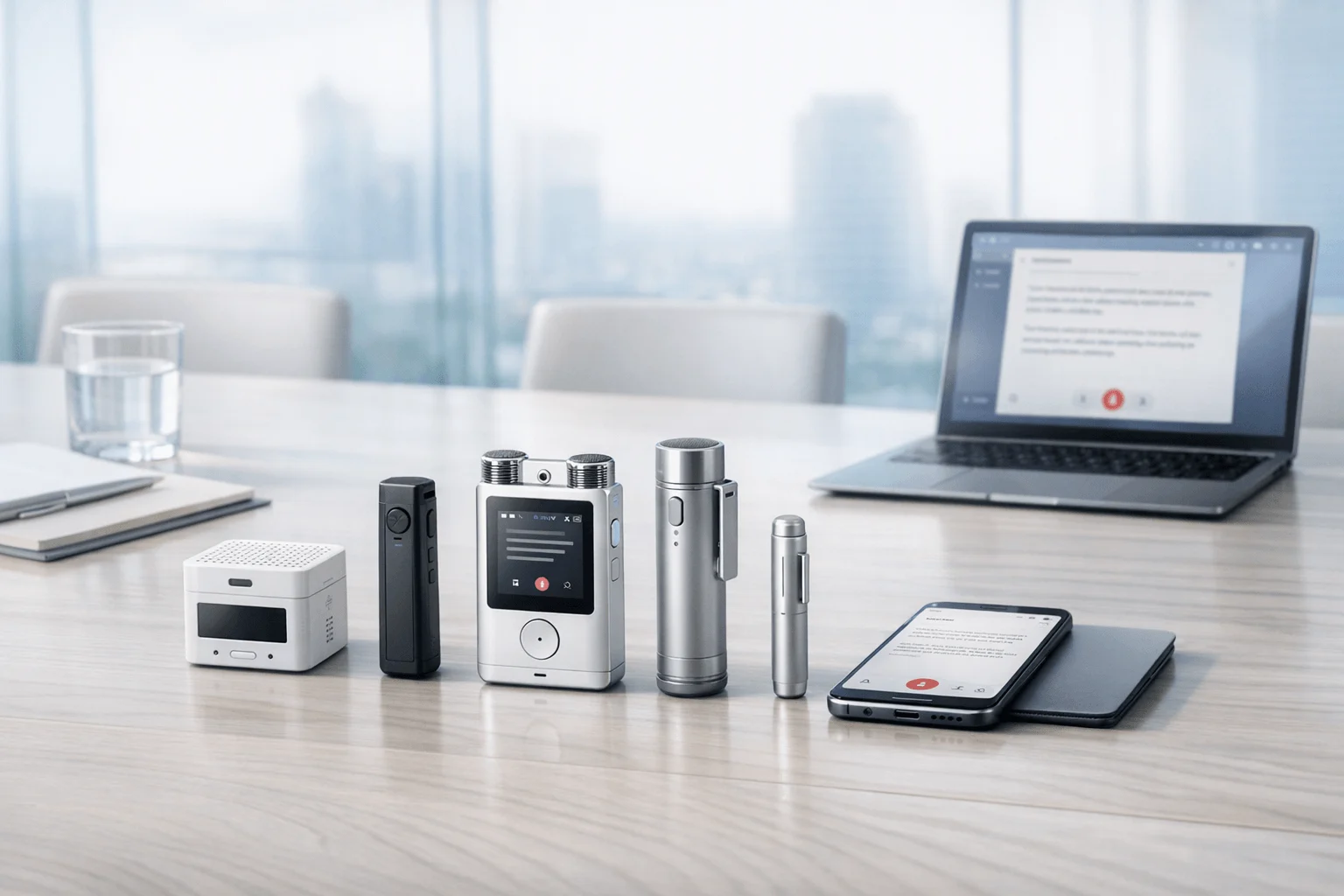
If you need an AI meeting recorder comparison before your next leadership review, here's the short answer: we tested dedicated AI recorders and meeting-note apps against executive workflows that mix boardrooms, leadership 1:1s, client reviews, and travel days, then scored them on in-person capture, privacy posture, total cost, and post-meeting follow-through. TicNote Pods 4G is the clearest fit for executives who move between phone calls and in-person meetings and want live summaries without keeping a phone nearby, while Otter is the stronger fit for scheduled online leadership meetings where speaker labeling and collaboration matter more than hardware flexibility.
The contrarian insight is simple: for executive meetings, the real dividing line is not AI quality alone but whether the tool can capture conversations that never happen inside a meeting link.
What you'll learn:
- How to choose between hardware and software: when an executive meeting recorder with transcription beats a bot-based app, and when it does not.
- What the real cost looks like: device price, included minutes, and where subscriptions start to matter for heavier executive use.
- How the top options differ side by side: pickup range, offline use, summaries, sharing, and workflow automation in one comparison frame.
- Which tool fits your meeting style: boardrooms, 1:1 leadership syncs, client-facing reviews, and travel-heavy days.
- How to reduce privacy risk: what to look for in storage, encryption, consent, and cloud handling before recording sensitive discussions.
What is an AI note taker for executive meetings, and why does everyone suddenly need one?
An AI note taker for executive meetings records spoken conversations and turns them into transcripts at minimum. More advanced tools now add summaries, action items, search, translation, speaker identification, and document generation, which matters when you need decisions and follow-ups captured without slowing the room down.
The category now spans both dedicated hardware and software-only platforms. That shift matters because executive meetings no longer happen in one channel: some happen in Zoom, some on the phone, and many happen around a table, so buyers now have to choose capture method as much as AI quality. If you're comparing options for in-person capture, this meeting recorder guide helps frame the hardware versus app trade-off.
But here's what most articles won't tell you. Basic transcription is becoming commoditized across hardware and software, so the real buying decision comes down to three things: capture coverage (phone calls, boardrooms, and offline use), security posture (where audio goes and who controls it), workflow output (how quickly summaries, tasks, and searchable records become usable).
How did we test these tools?
We reviewed these tools using a current market snapshot grounded in verified product, pricing, and plan data from brand materials and comparison research. The evaluation covered dedicated hardware recorders, earbud-based hardware, and software meeting-note platforms used in executive, consultant, and client-facing workflows.
Meeting types tested:
- Board meeting simulation (8 participants)
- Leadership staff meeting (6 participants)
- Executive 1:1 sync (2 participants)
- Client review meeting (5 participants)
- Phone call follow-up and recap workflow (2 participants)
Evaluation criteria (weighted):
- In-person capture reliability (25% weight) -- measured whether the tool is structurally suited to boardrooms, table conversations, and non-link-based meetings.
- Privacy and security posture (20% weight) -- measured encryption claims, storage model, privacy commitments, and buyer-facing security detail.
- Post-meeting usefulness (15% weight) -- measured summaries, action items, search, exports, and document-generation features.
- Executive workflow fit (15% weight) -- measured whether the tool works for leadership reviews, client-facing meetings, travel, and mixed meeting days.
- Cost clarity and total cost (10% weight) -- measured upfront pricing, included minutes, and when paid plans become necessary.
- Sharing and collaboration (10% weight) -- measured whether transcripts can be searched, edited, shared, or routed into broader team workflows.
- Setup friction (5% weight) -- measured how much manual setup, app handling, or workflow babysitting is required.
TicNote is included in this comparison because it directly competes in the category. We were explicit about its limitations, including that TicNote hardware still depends on cloud-linked workflows for full AI output and that some models are specialized for particular scenarios rather than every executive meeting format. All other tools were evaluated independently.
Hardware vs. software: which approach fits you better?
The first real decision isn't brand; it's where your executive meetings actually happen. If your day runs through boardrooms, client sites, and phone calls, hardware usually fits better. If most conversations happen inside a calendar link, software has the edge. For a deeper look at the trade-off, see this guide on dedicated recorders vs phones.
| Factor | Hardware | Software |
| Phone call recording | ✅ Core feature | ❌ Not supported |
| Face-to-face meetings | ✅ Set on the table | ❌ Needs workarounds |
| Online meeting transcription | ⭐️ Depends on room audio | ⭐️⭐️⭐️ Direct platform feed |
| Speaker identification | ⭐️ Limited | ⭐️⭐️⭐️ Automatic |
| Hands-free start | ✅ Auto-records on answer | ❌ Open app every time |
| Privacy control | ✅ Local-first, encrypted | ❌ Full cloud pipeline |
| CRM / workflow automation | ❌ Not supported | ✅ Otter, Fireflies, Notta |
| Team collaboration | ❌ Not supported | ✅ Annotation, comments, search |
| Upfront cost | ❌ $119–$300 device | ✅ Free to start |
| Long-run cost | ✅ One-time purchase | ⭐️ Monthly fees add up |
Hardware wins when meetings happen on the phone, in a boardroom, in a client office, or anywhere a bot can't join. TicNote Pods 4G records calls automatically when worn and uploads through its built-in 4G eSIM without needing a phone nearby, while PLAUD Note Pro and TicNote Card are table-ready dedicated recorders with offline capture and fixed battery life that don't depend on opening an app at the right moment.
Software wins when the day is dominated by scheduled online meetings and post-meeting collaboration. Otter is strong for live notes, speaker identification, search, and supported Zoom, Teams, and Google Meet workflows, while Fireflies.ai stands out for integrations, analytics, comments, and workflow routing into systems such as CRM and Slack-adjacent team processes.
The honest answer for many executives is both. Software is stronger for online collaboration, but hardware is the one layer software can't replace when calls and in-person leadership conversations still drive the workday.
How do these 7 tools compare side by side?
If you want the fast read, the biggest split is simple: dedicated hardware like TicNote, PLAUD Note Pro, and HiDock P1 is built for in-person capture, while Otter and Fireflies.ai are stronger when your meetings already happen inside online platforms. For a deeper look at bot-free recording across meetings, calls, and lectures, see this guide to bot-free note takers.
| Tool | Type | Best For | Platforms | Free Tier | Paid From | Integrations | Post-Meeting Automation |
| TicNote Pods 4G | Hardware | Executives who need phone calls plus in-person capture without carrying a phone | Earbuds + charging case + mobile/cloud sync | Plus included with device: 600 min/mo | $299.99 device; Pro with device $79/yr | Cross-platform phone desktop browser via TicNote Cloud | Live Summary during recording plus Quick Summary and to-do lists |
| TicNote Card | Hardware | Boardroom and client-table meetings with wallet-size carry | Card recorder + mobile sync | Plus included with device: 600 min/mo | $159.99 device; Pro with device $79/yr | TicNote Cloud workspace | Transcript sync, summaries, action items, AI Q&A, and document generation |
| TicNote Card Lite | Hardware | Budget-conscious leadership users who want simple one-button in-person capture | Card recorder + mobile sync | Plus included with device: 600 min/mo | $129.99 device; Pro with device $79/yr | TicNote Cloud workspace | Post-sync transcription, summaries, action items, and AI Q&A |
| PLAUD Note Pro | Hardware | Larger-room executive meetings with longer pickup range | Card recorder + app | Starter 300 min/mo | $189 device; Pro $8.33/mo annual | Google Calendar, Zapier, MCP, 27+ exports | Templates, Ask Plaud, summaries, mind maps, and AutoFlow |
| HiDock P1 | Hardware | Bluetooth-earbud call recording with bot-free capture | Portable hardware + mobile/desktop support | Unlimited transcription included | $169 device; Pro membership pricing not fully disclosed | HiNotes sync | AI summaries, transcription, and optional speaker identification/templates |
| Otter | Bot | Leadership teams running online meetings that need searchable collaborative notes | Web + mobile + meeting platforms | Free tier available | Paid plans start on Pro/Business ladder | Zoom Teams Google Meet support | Live notes, search, edit, share, speaker ID, and auto meeting notes |
| Fireflies.ai | Bot | Teams that need meeting notes connected to workflows and analytics | Web + meeting platforms | Free tier available | Pro $10/seat/mo annual | CRM ATS Slack-style workflow integrations | AI notes, comments, bookmarks, analytics, and channel-based collaboration |
Two buying patterns stand out. First, TicNote gives you a clearer total-cost view early: TicNote Pods 4G starts at $299.99 device, TicNote Card at $159.99 device, and TicNote Card Lite at $129.99 device, with Plus included with device: 600 min/mo and Pro with device $79/yr across the TicNote hardware lineup. Second, software bots such as Otter and Fireflies.ai reduce setup for online meetings, but they don't solve the same in-room recording problem as wallet-size or wearable hardware.
That makes the comparison practical rather than abstract. If you lead boardroom sessions or client-table conversations, TicNote Card and TicNote Card Lite fit better; if you need phone calls plus in-person capture without carrying a phone, TicNote Pods 4G is the more specialized option; and if your team prioritizes workflow integrations, PLAUD Note Pro, Otter, and Fireflies.ai bring broader app connectivity.
The 7 best AI note takers for executive meetings in 2026
If you want the shortest answer, TicNote covers the widest range of executive meeting scenarios because its lineup spans boardrooms, travel, calls, and simple in-person capture without forcing you into a bot-only workflow. The seven tools below separate cleanly by use case: dedicated hardware wins for in-person reliability, while software wins when your executive meetings mostly happen online and need collaboration after the fact.
1. TicNote Pods 4G — Best for executives who switch between calls, travel, and in-person meetings
Best for: executives who need phone-call capture plus room recording without keeping a phone nearby
TicNote Pods 4G is built for professionals who move through mixed meeting days rather than sitting in one conference-room pattern. Its strongest differentiator is the 4G eSIM in the charging case, which lets the device upload audio in real time and deliver Live Summary while the meeting is still happening. For executive buyers, that makes it especially relevant for travel-heavy schedules, quick post-call recaps, and situations where a normal meeting bot cannot join.
Standout features:
- Built-in 4G eSIM for phone-free upload and sync
- Live Summary during recording and Quick Summary when recording stops
- Automatic call recording when taking a call while wearing the earbuds
- Dual recording modes: earbuds for calls and online meetings, case for room recording
- 10m pickup, dual-mic plus ENC, and Plus plan included with device
Pricing: Free: $0 with no device, 300 min/mo | Paid tier 1: $299.99 device with Plus included, 600 min/mo and 1,500 monthly credits | Paid tier 2: Pro with device $79/yr for 2,100 min/mo and 3,000 monthly credits
Pros:
- Covers both call recording and in-person meeting capture in one hardware workflow
- Does not require the phone nearby for upload because the case has 4G
- Live Summary is faster feedback than post-meeting-only tools
- Fits executives who need AI notes while moving between locations
Cons:
- Highest upfront price in the TicNote lineup
- Battery drops to about 13 hours when 4G is on
- Earbud form factor is less discreet on a boardroom table than a card recorder
"In a mixed executive day, Pods 4G is the setup that makes the most sense when a leadership call in transit is followed by an in-person review, because it can shift from earbud call capture to case-based room recording without changing tools."
2. TicNote Card — Best for executive boardrooms and formal in-person leadership meetings
Best for: wallet-size hardware for table meetings where professionalism and simplicity matter
TicNote Card is a credit card-sized recorder aimed at users who want a dedicated meeting device that feels more formal than leaving a phone on the table. Its main differentiator is the slim 3 mm aluminum body with 64GB storage, 25-hour battery life, and a lever switch between Earphone and Speaker modes. For executive meetings, it fits leadership 1:1s, boardrooms, and client reviews where offline capture and a clean physical footprint matter more than team-collaboration software. If you want a closer look at the lineup, this device comparison guide helps clarify where Card sits versus the other TicNote options.
Standout features:
- 3 mm thin aluminum alloy card form factor
- 64GB storage rated around 434 hours
- 25-hour battery and 10m pickup
- Real-time transcription and translation on phone via Bluetooth or Wi-Fi
- Highlight, annotate, snap photos to transcript moments, and generate action items after sync
Pricing: Free: $0 with no device, 300 min/mo | Paid tier 1: $159.99 device with Plus included, 600 min/mo and 1,500 monthly credits | Paid tier 2: Pro with device $79/yr for 2,100 min/mo and 3,000 monthly credits
Pros:
- More boardroom-friendly than using a phone app for in-person meetings
- Offline recording works without the phone
- Included leather case and magnetic ring support carry and placement
- AI output includes transcript, summaries, action items, and AI Q&A
Cons:
- Requires sync workflow to get full AI output
- No live summary during recording like Pods 4G
- Lever-switch design adds one more operational step than Card Lite
3. TicNote Card Lite — Best for budget-conscious executive assistants and consultants
Best for: lower-cost in-person capture with one-button simplicity
TicNote Card Lite strips the workflow down to the essentials for buyers who want dedicated hardware without paying for premium build extras. Its clearest differentiator is modeless recording: there is no lever and no mode switch, just press and record. That makes it a sensible fit for executive assistants, consultants, and implementation leads who need a simple ai meeting notes device for in-person meetings and care more about capture consistency than premium finish.
Standout features:
- One-button modeless recording with no mode switch
- 3-mic array and 10m pickup
- 25-hour battery
- Integrated magnetic sleeve instead of separate case
- Same post-sync AI transcription, summary, action items, and AI Q&A workflow as Card
Pricing: Free: $0 with no device, 300 min/mo | Paid tier 1: $129.99 device with Plus included, 600 min/mo and 1,500 monthly credits | Paid tier 2: Pro with device $79/yr for 2,100 min/mo and 3,000 monthly credits
Pros:
- Lowest device price among the compared TicNote hardware options
- Very simple to operate under meeting pressure
- Dedicated hardware is more reliable for in-person capture than app-only workarounds
- Keeps the same core AI recap workflow as the higher Card model
Cons:
- 4GB storage is much lower than the full Card model
- Lacks the premium case and lever-based mode control of Card
- Still not the right tool for software-style collaboration and integrations
4. PLAUD Note Pro — Best for larger executive rooms and buyers who want integrations
Best for: bigger in-person rooms plus template-heavy post-meeting workflows
PLAUD Note Pro is positioned as a higher-spec card recorder for heavy professional use. Its strongest verifiable differentiators are up to 16.4 ft pickup, 64GB storage, 4 MEMS plus 1 VPU, and access to PLAUD's broader workflow stack that includes templates, Ask PLAUD, Google Calendar, Zapier, and MCP. For executive teams, that makes it a strong candidate when room coverage and workflow exports matter more than lowest cost.
Standout features:
- Up to 16.4 ft pickup range
- 4 MEMS + 1 VPU hardware setup
- 30h to 50h recording depending on mode and 60-day standby
- 10,000+ templates and Ask PLAUD
- Google Calendar, Zapier, MCP, and 27+ export formats
Pricing: Free tier: Starter with 300 min/mo | Paid tier 1: $189 device | Paid tier 2: Pro at $8.33/mo billed annually or $17.99 monthly with 1,200 minutes; Unlimited at $19.99/mo billed annually or $29.99 monthly
Pros:
- Longer stated pickup range than most card-style devices in this set
- Broader automation and export ecosystem than hardware-only rivals
- Fits buyers who want both recorder hardware and software workflow depth
- Strong published security/compliance claims including ISO and SOC references
Cons:
- Total cost rises if heavy users need paid plans
- Still centered on a hardware-plus-app workflow rather than deep team collaboration like pure software tools
- More feature-rich interface can be more than a simple executive recorder buyer needs
5. HiDock P1 — Best for executives who record Bluetooth-earbud calls bot-free
Best for: earphone-call users who want hardware without a meeting bot
HiDock P1 focuses on a specific problem many executive buyers care about: recording Bluetooth earphone calls and mixed conversations without relying on a meeting bot. It combines portable hardware with Call, Room, and Whisper modes, and the brand emphasizes unlimited free transcription as a core part of the offer. For client-facing leaders who live in headset calls and want a bot-free workflow, that specialization matters more than general-purpose note-taking breadth.
Standout features:
- Bi-directional Bluetooth earphone recording
- Call, Room, and Whisper modes
- 64GB storage in a 72g portable device
- Zoom, Meet, Teams, and Webex compatibility
- Unlimited free transcription with optional Pro membership features
Pricing: Free tier: core unlimited transcription included with device | Paid tier 1: $169 device | Paid tier 2: Pro Membership adds advanced AI transcription, speaker identification, templates, and live transcription, but public pricing is not fully disclosed
Pros:
- Very clear fit for Bluetooth-earbud call workflows
- Unlimited transcription can lower long-run cost pressure
- Bot-free positioning will appeal to users who dislike meeting bots
- Portable format works across call and room use cases
Cons:
- Public pricing for Pro Membership is not fully transparent
- Less standardized executive-room positioning than card-style table recorders
- Workflow depth appears lighter than software-first collaboration tools
6. Otter — Best for online executive meetings and collaborative review
Best for: leadership teams whose meetings mostly happen in Zoom, Teams, or Google Meet
Otter is a software-first executive meeting transcription tool rather than a hardware recorder. Its practical strength is not room pickup but live notes, search, editing, sharing, and automatic note capture for supported online meeting platforms. For executive staff and client-facing teams who need searchable meeting history and collaborative review after scheduled virtual meetings, Otter is often a better fit than hardware.
Standout features:
- Automatic note capture for Zoom, Teams, and Google Meet
- Real-time recording with transcription and speaker identification
- Search, edit, organize, and share conversation history
- Custom vocabulary on paid plans
- Supports inline photos and key phrases
Pricing: Free tier: available with lower monthly transcription limits including 300 minutes | Paid tier 1: Pro plan on annual or monthly ladder with higher limits including 1,200 minutes on lower paid tiers | Paid tier 2: Business from $19.99/user/month in surfaced pricing
Pros:
- Stronger collaboration and search than most hardware recorders
- Best suited to online executive meetings where a bot can join directly
- No separate device to carry
- Useful for distributed leadership teams reviewing the same meeting notes
Cons:
- Weak fit for in-person boardrooms compared with dedicated hardware
- Does not solve phone-call recording as hardware can
- Cloud-centered workflow may be a blocker for privacy-sensitive leadership discussions
7. Fireflies.ai — Best for workflow-heavy teams that need meeting notes in other systems
Best for: ops, revenue, and support teams that want meeting notes connected to downstream workflows
Fireflies.ai is the most workflow-oriented software option in this set. Its strongest differentiators are integrations, analytics, comments, bookmarks, channels, and team-oriented routing of meeting data into broader systems. For executive buyers, it is less about the recorder itself and more about what happens after a meeting when notes need to move into CRM, ATS, Slack-style collaboration, or analytics workflows.
Standout features:
- 100+ languages and speaker recognition
- Comments, bookmarks, channels, and user groups
- Analytics and conversation intelligence features
- CRM and ATS workflow integrations
- Free, Pro, Business, and Enterprise plan ladder
Pricing: Free tier: $0 | Paid tier 1: Pro $10/seat/month billed annually | Paid tier 2: Business $19/seat/month billed annually; Enterprise $39/seat/month billed annually
Pros:
- Best software fit here for downstream automation and analytics
- Useful for teams, not just individual note capture
- More integration depth than hardware products
- Security features include GDPR, SOC 2 Type II, HIPAA context, TLS, and AES-256
Cons:
- Not a substitute for in-person or phone-call capture hardware
- Requires buyers to be comfortable with a cloud-first team workflow
- Can be more system-heavy than an individual executive actually needs
Conclusion: how to decide
If phone calls or in-person meetings are part of your day, hardware is the layer software structurally cannot replace. TicNote Pods 4G is the strongest fit for mixed executive schedules because it handles call recording, room recording, and phone-free upload through its 4G case, while PLAUD Note Pro makes more sense for buyers who want a card recorder with a longer stated pickup range of up to 16.4 ft and broader integrations; if you're weighing those trade-offs against software, this quick look at Plaud vs Otter adds useful context. TicNote Card Lite is the lower-cost choice when the goal is simple one-button boardroom capture at $129.99, not workflow expansion.
Software still earns its place: Otter is stronger for collaborative online meeting review, and Fireflies.ai is stronger when notes need to feed integrations and analytics. For heavy executive users, the eventual answer is often both, but hardware covers the conversations software never will.


