


 Extension
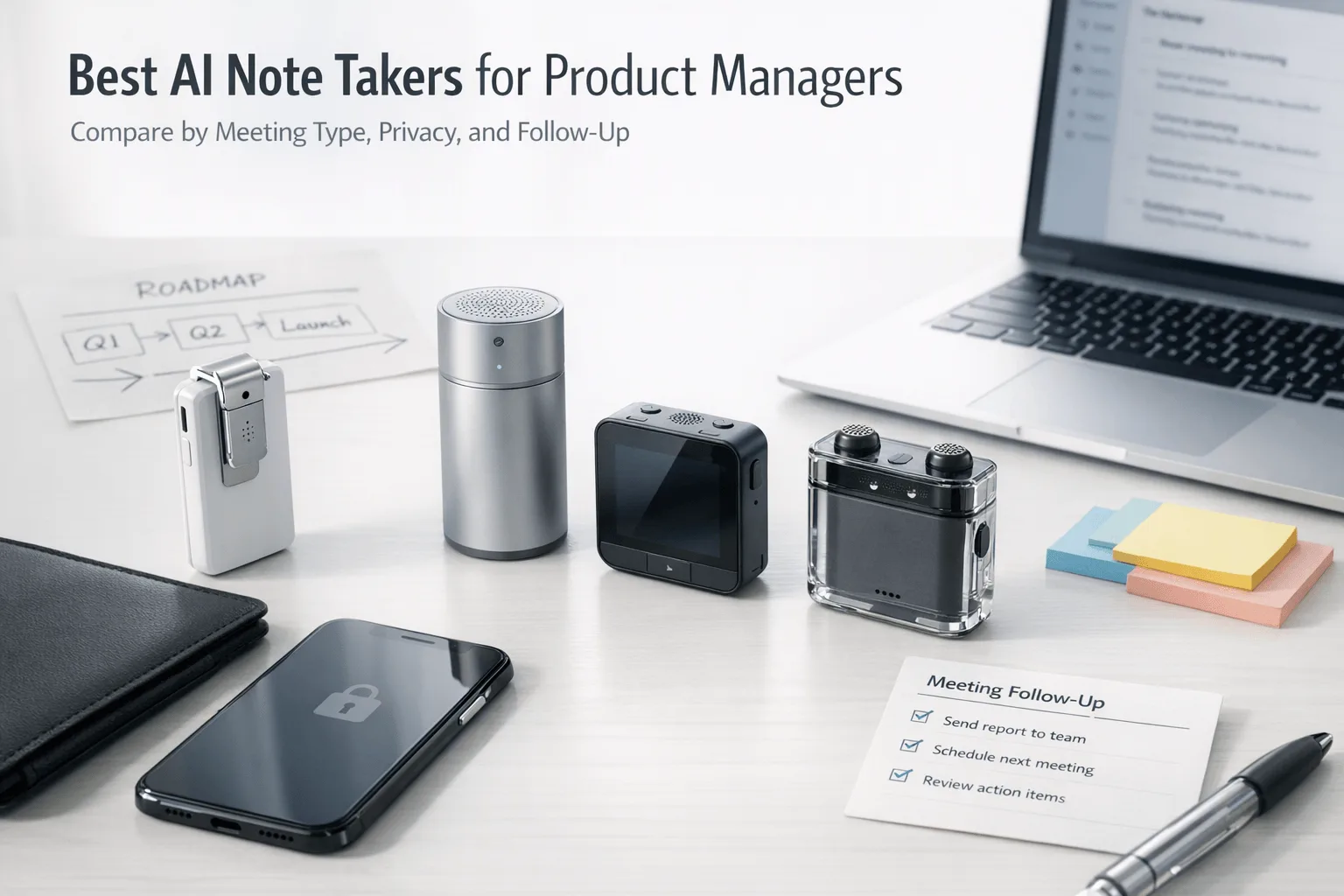
TL;DR: Which AI note taker is best for product managers?
If you need one fast answer, I'd start with TicNote for product management work because it covers the messiest real-world mix of in-person interviews, phone calls, and meeting-room conversations that most PMs actually juggle. The best pick still depends on where your meetings happen first, then on whether the tool gives you clean summaries, decisions, action items, and searchable transcripts without adding privacy headaches.
My shortlist is simple: TicNote AI Voice Recorder for PMs who need one device across in-person rooms and calls, TicNote Watch for on-the-move interviews and event conversations, Otter.ai for teams that live in live online transcripts, Fireflies.ai for broader archives and integrations, tl;dv for customer-call review, and Fathom for lower-cost online meeting notes. Transcript quality matters, but storage control, consent, admin settings, and rollout fit matter just as much.
Quick picks: the best AI note takers for product managers by scenario
If you want the fast answer, start here. I'd choose by meeting environment and follow-up workload, not by a generic feature grid, because a PM bouncing between customer calls, sprint reviews, and hallway feedback needs different capture methods for each.
Best for in-person interviews and hybrid meetings: TicNote AI Voice Recorder
When I'm moving from a conference room to a customer site and then back to a phone call, this is the easiest fit. TicNote AI Voice Recorder gives you a flip-switch for Earphone and Speaker modes, a 3-mic array with up to 10m pickup, 25-hour battery life, and 64GB of storage for about 434 hours. The payoff is PM-specific: time-stamped transcripts, speaker identification, summaries, and export to Notion or Obsidian. At $159.99, it's a strong choice when you need hardware capture plus AI notes.
Best for customer interviews and hallway conversations: TicNote Watch
This is the pick for founders, UX researchers, or PMs catching short conversations between meetings. The dedicated recording button matters more than it sounds, and Random Thought capture records up to 60 seconds when you need to save an idea fast. You also get Bluetooth call recording, over 24 hours of continuous recording, One-Tap Highlight, on-wrist summaries, and live transcription in 17 languages. Price: $249.
Best for online calls: Otter.ai
If your week is mostly Zoom stakeholder syncs, Otter.ai is the safer bet. Its edge is live transcript visibility and real-time collaboration during the meeting, not hardware capture.
Best for broad integrations: Fireflies.ai
I'd pick Fireflies.ai when the goal is a searchable meeting archive tied into the rest of your stack. It's useful for PM teams that want recall across tools, though the setup and bot presence can feel heavier.
Best for customer interview review: tl;dv
For recurring research calls, tl;dv is strongest when your team needs to revisit evidence, clip moments, and review patterns across interviews.
Best low-cost starting point: Fathom
Fathom is the practical starting point for a solo PM testing AI notes on online meetings before rolling them out to the team.
If you want the fuller breakdown, the comparison table and buying framework below go deeper on privacy, transcript quality, and rollout fit.
6 best AI note takers for product managers
This is the section I'd use if I were actually choosing a tool for a PM team. I've ordered these picks by product workflow relevance, not by brand size, and I'm putting TicNote first because many roundups still underweight in-person, hybrid, and bot-free capture even though that's where a lot of product decisions really happen.
TicNote AI Voice Recorder: best for PMs across interviews, stakeholder rooms, and phone calls
You finish a 60-minute discovery interview, then walk into a conference-room roadmap review, and by 4 p.m. you're trying to reconstruct exact customer wording from memory. That's where laptop-first tools break down. In real PM work, some meetings happen on Zoom, some happen around a table, and some happen on your phone.
TicNote AI Voice Recorder fits that mix because one device covers both. Earphone mode handles phone calls, while Speaker mode works for in-room meetings, then everything syncs to the app and cloud for transcripts, summaries, searchable records, and project organization. If your day jumps between online, offline, and hybrid settings, it's one of the few tools that doesn't force you into a meeting-bot workflow. If you want a closer look at the AI recorder options for meetings and calls, this is the category where TicNote stands out.
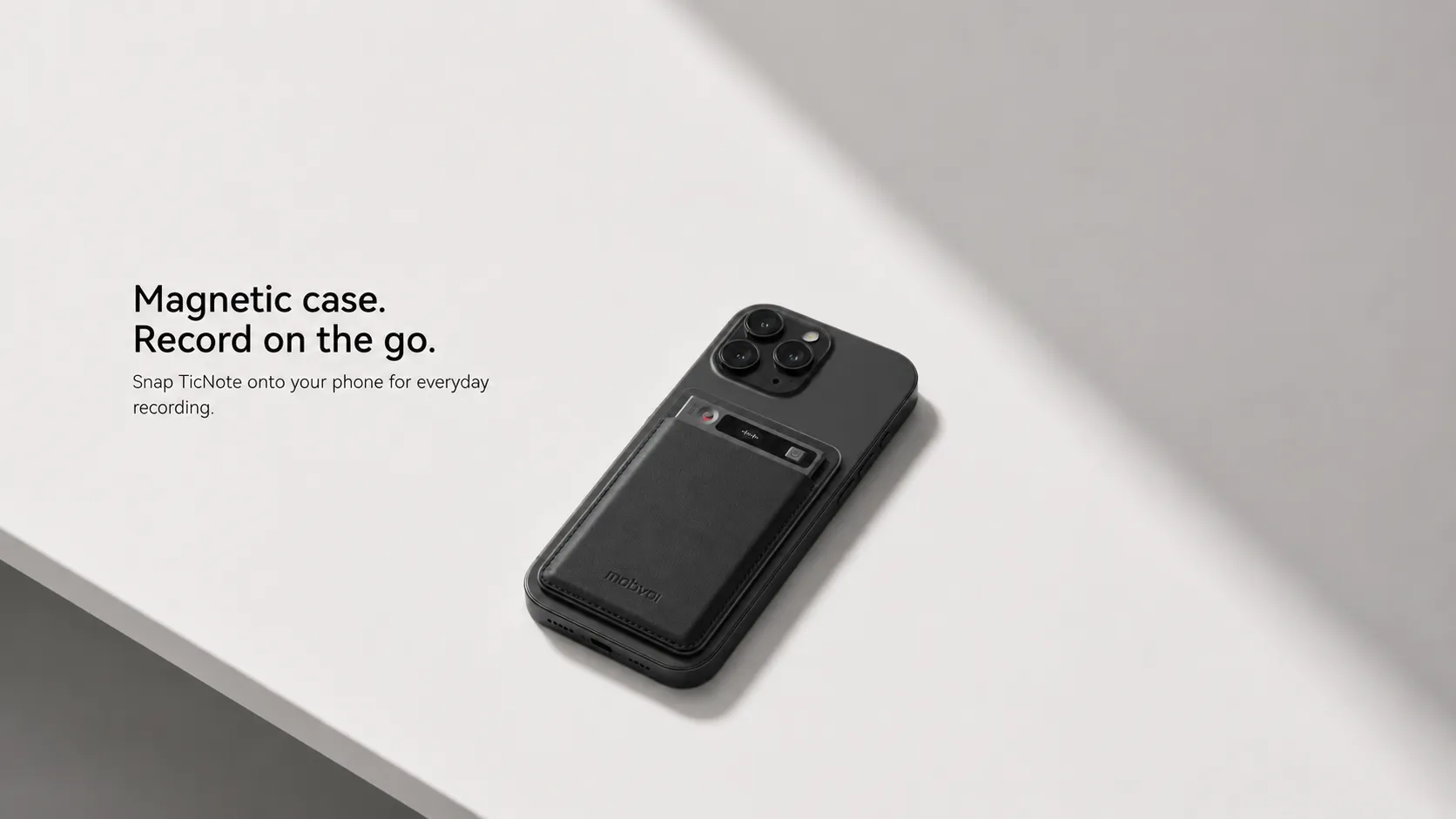
A few specs matter here. It uses a 3-mic array with up to 10m pickup, records for 25 hours on a charge, stores 64GB or about 434 hours, and can record offline before syncing later. On the AI side, it supports 120+ transcription and translation languages, 100+ summary templates, a Project Knowledge Base, Ask AI, Visual Report & Slides, plus exports to Notion and Obsidian. Learn more about TicNote AI Voice Recorder.
Key features
- Earphone / Speaker modes: one PM device for calls and room meetings
- Time-stamped transcript with speaker identification: easier to trace exact customer quotes
- 100+ AI templates: faster interview summaries and stakeholder recaps
- Project Knowledge Base: keeps repeated discovery calls organized by project
- Notion and Obsidian export: fits common PM documentation workflows
Pros
- Entry price starts at $159.99
- 25-hour battery life
- 64GB storage, about 434 hours
- Up to 10m voice pickup
- Includes hardware cloud plan with 600 transcription minutes per month
Cons
- Hardware-first workflow is more than some Zoom-only PMs need
- Heavier AI usage may require moving beyond the included plan
TicNote Watch: best for product leads and founders who capture ideas on the move
You leave a customer visit, start walking back to the car, and the useful feedback shows up three minutes later. Hallway chats, trade-show comments, and quick founder syncs are easy to lose because pulling out a phone can change the tone of the conversation.
TicNote Watch fits that kind of work better than an app you have to open first. It gives you one-button recording, Random Thought capture for quick product ideas, Bluetooth call recording, and One-Tap Highlight during live conversations. See TicNote Watch details.
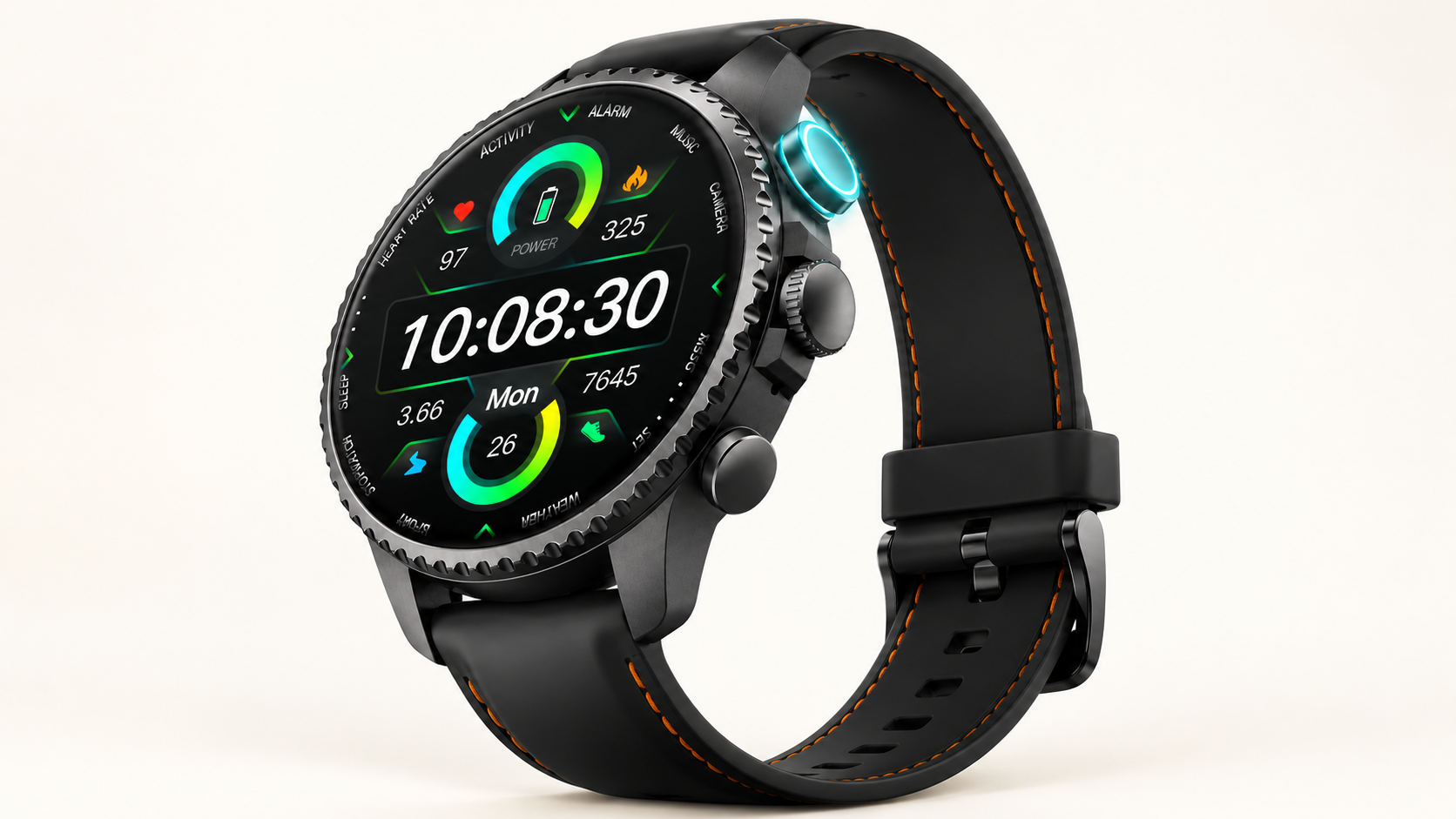
The proof points are practical: over 24 hours of continuous recording, a single file up to 5 hours with auto-segmentation, 3 to 5m pickup, live transcription in 17 languages, AI summaries on the watch face, and transcript sync into the same TicNote system.
Key features
- Dedicated recording button: fast capture without opening an app
- Random Thought: saves up to 60 seconds of product ideas
- One-Tap Highlight: marks exact moments during interviews
- Bluetooth call recording: useful for mobile stakeholder calls
- AI summary on watch face: immediate review before the next meeting
Pros
- $249 price
- Over 24-hour continuous recording
- On-wrist live transcription
- Offline highlights
- Includes Plus plan with 600 transcription minutes monthly
Cons
- 3 to 5m pickup is better for close conversations than large conference rooms
- Some PMs won't want note capture tied to a smartwatch form factor
Otter.ai: best for PMs who need live transcript visibility in online meetings
A fast sprint review can move from bugs to scope changes to launch risk in 20 minutes. Otter.ai works well when you want to keep asking questions while following a live transcript on screen. For Zoom-heavy or hybrid teams, that app-led workflow is easy to adopt.
Key features
- Live transcription
- Collaborative notes
- Meeting-centered workflow support
Pros
- Easy starting point for online meetings
- Good live visibility
- Familiar app-led experience
Cons
- Weaker fit for in-person PM research sessions
- Depends on meeting-platform workflow
- Fewer hardware-style capture options
Fireflies.ai: best for product ops teams that want a connected meeting archive
Decisions often get buried across recurring syncs, customer calls, and cross-functional handoffs. Fireflies.ai is a better fit when your main goal is a searchable archive tied into other systems, not a recorder-first workflow.
Key features
- Searchable archive
- Workflow integrations
- Post-meeting retrieval
Pros
- Broad integration appeal
- Strong archive use case
Cons
- Meeting bot friction
- More setup complexity
- Can be overkill for a solo PM
tl;dv: best for PMs reviewing repeated customer interviews for evidence
If I had five discovery calls in a week and needed to pull repeated themes, tl;dv would be on my shortlist. It's particularly useful for post-call review, clips, and evidence reuse across recurring research, but it's less compelling when the most important conversations happen offline.
Key features
- Call review workflow
- Clip and revisit value
- Recurring research support
Pros
- Strong customer-call analysis angle
- Good fit for evidence gathering
Cons
- Lower fit for in-person interviews
- Depends on online meeting workflow
Fathom: best for solo PMs who want an affordable starting point
Sometimes you just want AI meeting notes without a long buying cycle or admin setup. Fathom makes sense for early experimentation on online calls, especially if you want to test value before rolling anything out team-wide.
Key features
- Basic meeting summaries
- Online-meeting ease
Pros
- Easy trial
- Budget-friendly entry
Cons
- More limited outside online meetings
- Less governance depth and capture flexibility than some alternatives
How I evaluated AI note takers for product managers
Most best-of lists judge AI note takers like isolated feature checklists. That's not how I evaluate them for PM work. In a single week, I might run a 45-minute customer interview, join a sprint retro, sit through a roadmap review, and capture a two-minute hallway decision. So I scored each tool on whether it fits the meeting, produces usable outputs, reduces governance risk, and works for the way a team actually rolls it out.
Why most AI note taker lists do not help product managers
A product manager doesn't just need a transcript. I need decisions I can trust, action items I can assign, searchable evidence I can pull into a PRD, and a clean handoff into tools like Notion or Obsidian.
That's the gap in most roundups. They compare summaries, language support, or bot attendance in isolation, but ignore the reality that PM meetings happen across Zoom, conference rooms, and impromptu conversations. For PMs, a tool that performs well in only one setting can fail 30% to 50% of the week.
The 4 decision variables for product manager meeting notes AI
Meeting environment: I looked at whether the tool works naturally in online, in-person, and hybrid settings. A browser bot may work fine for Zoom, but it won't help much in a whiteboard session or a conference hallway. If you're comparing options, this guide on AI notes versus a dedicated recorder for in-person meetings covers that tradeoff well.
Post-meeting output quality: Raw transcripts are not enough. I checked for decision capture, action items, summary quality, searchable transcripts, and quote traceability so you can verify what a customer or stakeholder actually said.
Governance risk: Consent, storage, retention controls, encryption claims, and admin readiness all matter more once a tool moves beyond one PM. According to Cisco's 2024 Data Privacy Benchmark Study, 94% of organizations say customers would not buy from them if data is not properly protected.
Rollout fit: Some tools are great for one PM testing a workflow. Others make more sense for a product trio, research team, or wider org with shared archives and admin controls.
Quick comparison
| Tool | Works well when | Falls short when | Best for |
| TicNote AI Voice Recorder | PMs need one device for rooms and calls | team only wants browser-based online notes | PMs running hybrid research and stakeholder meetings |
| TicNote Watch | PMs capture short in-person conversations and ideas on the move | most meetings are large-room sessions | founders and product leads at events |
| Otter.ai | meetings are mostly online and live transcript visibility matters | offline or room capture is important | PMs in Zoom-heavy teams |
| Fireflies.ai | searchable archive and integrations matter most | sensitive calls where bots add friction | product ops and cross-functional teams |
| tl;dv | recurring customer calls need review and evidence reuse | in-person capture matters most | research-heavy PMs |
| Fathom | solo PM wants low-cost trial on online meetings | governance and mixed meeting environments are priorities | budget-conscious solo users |
These same four variables show up again in my shortlist and recommendation sections, because they're the fastest way to narrow the field without getting distracted by feature noise.
How to choose the right AI note taker for your product management meetings
I'd make this decision based on where your meetings happen and how much follow-up work the tool removes after the call. The best choice for a PM isn't the one with the longest AI feature list. It's the one that reliably captures decisions, action items, and exact quotes across customer interviews, sprint ceremonies, and stakeholder syncs without adding friction.
Match the tool to your meeting environment
If your week is mostly in-person or hybrid, capture style matters more than fancy summaries. A PM who runs customer interviews in cafes, conference rooms, and phone calls needs one setup that works across both room audio and live calls. That's where TicNote AI Voice Recorder is the strongest fit: dedicated hardware, searchable transcripts, and exports into documentation workflows give you fewer gaps when you write follow-up notes later. If you're comparing app-only versus device-led workflows, this guide on AI note taker devices vs apps is a useful starting point, and you can also explore TicNote AI Voice Recorder for meeting capture.
Pick discreet capture when you're constantly moving
Some PM work happens between meetings, not inside them. If you're a founder, roaming product lead, or UX researcher trying to save a 3-minute user quote, a walking debrief, or a random thought before it disappears, TicNote Watch fits that pattern well. It's discreet and fast to trigger, which matters when you're moving between sessions. I wouldn't use it as my primary tool for a 10-person conference room though. The card-style recorder is still better for larger-room audio. If that sounds like your day, see how TicNote Watch handles quick conversation capture.
For online meetings, optimize for what happens after the call
When most meetings are on Zoom or Meet, choose based on the output you need. Otter.ai is a sensible pick when live transcript visibility during the meeting is the priority. tl;dv is stronger when your main job is revisiting customer calls later to pull evidence and clips. Fathom is a practical low-cost starting point for a solo PM who wants to prove workflow value before asking the team to adopt anything.
Reduce rollout friction when governance is the blocker
If privacy, consent, and admin controls are slowing the decision, the best tool is usually the one your team will actually use. Fireflies.ai works well for teams that want searchable archives and broad integrations, but bot presence and setup overhead can slow adoption in bot-sensitive environments. In-person-heavy teams often find hardware-led options simpler because they avoid the "who invited the bot?" problem altogether.
Run a short rollout test before you commit
I'd shortlist two tools and test them across one 45-minute customer interview, one sprint ceremony, and one stakeholder sync. Score each on transcript usefulness, action-item capture, quote retrieval speed, and team comfort with the recording model. The winner is the one that saves the most follow-up time with the least resistance.
See which TicNote setup fits your PM workflow best.
Conclusion: the best AI meeting notes for PMs depend on workflow fit
After a week of customer calls, standups, and roadmap reviews, the real question isn't which tool makes the prettiest transcript. It's which one cuts the cost of follow-up for your team. For most PMs, ROI comes from matching the tool to your meeting mix: online calls, in-person sessions, hybrid rooms, and the messy conversations that happen between scheduled meetings.
What I found is simple. Summary quality matters only if it holds up in sprint planning, research readouts, and stakeholder reviews. If action items are vague, retrieval is slow, or privacy controls make legal nervous, the transcript doesn't save much time. The right choice also depends on rollout fit: a solo PM can tolerate more manual cleanup than a 12-person product org.
No tool is great everywhere yet. The biggest gap is still reliable coverage across online, offline, and spontaneous conversations without adding admin work. If that matters most, it's worth looking at dedicated AI note-taking devices for meetings alongside software.
Here's a practical next step you can finish in 10 minutes: list last week's meeting types, pick the top two environments you need to cover, then test one best-fit tool on a real meeting and compare summary quality, action items, and how fast you can find one decision afterward. Explore TicNote for meeting capture and follow-up.


