


 Extension
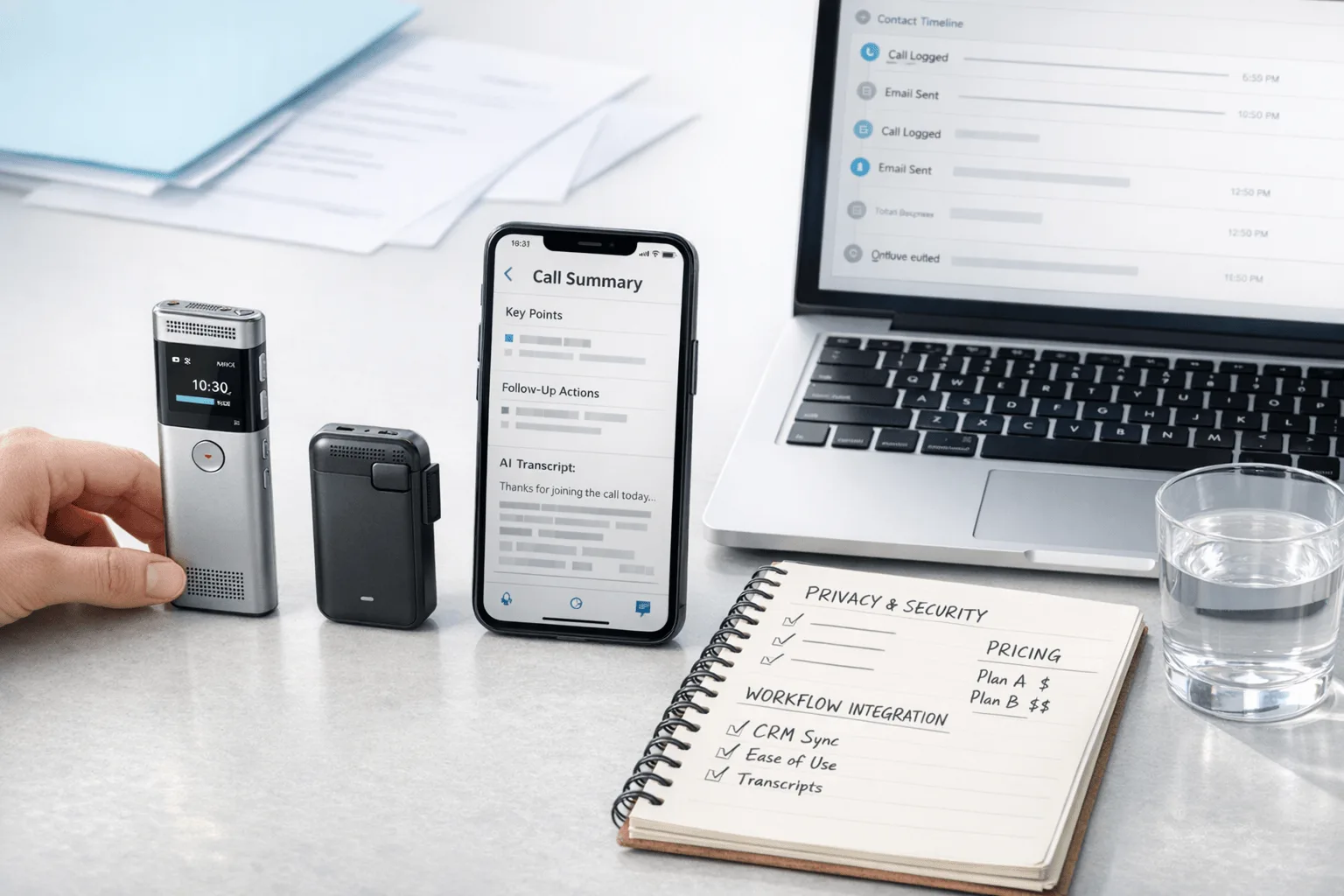
TL;DR: AI note takers for sales calls
After a 45-minute discovery call, I don't want to burn another 20 minutes rebuilding notes before I update the CRM and send follow-up, which is why I looked for a sales call note taker that actually fits the workflow. For reps handling 5 to 8 conversations a day, weak notes don't just waste time. They also bury objections, next steps, and buying signals that should make it into Salesforce or HubSpot.
After weeks of comparing tools across Zoom demos, phone calls, and in-person conversations, my short answer is simple: Gong is best for large coaching-heavy teams, Fireflies.ai fits virtual-call teams that want broad integrations, Otter.ai is the easiest low-cost software pick, TicNote AI Voice Recorder is the best fit for phone calls and in-person meetings with Earphone and Speaker modes, and TicNote Watch works best for field reps who need discreet wrist-based capture. The right choice depends less on transcript quality than on where your conversations happen, what needs to sync after the call, and how much privacy and consent risk your team can manage.
Quick picks: the best AI note takers for sales calls by workflow
If I were choosing fast, I'd split this market by workflow, not by feature list. A Zoom-heavy AE, a phone-first consultant, a field rep walking a trade-show floor, and a RevOps-led sales team do not need the same tool, even if all of them want accurate notes and faster CRM follow-up. If you want a deeper look at dedicated hardware for calls and meetings, this AI recorder comparison for meetings, calls, and in-person notes adds useful context before you buy.
| Tool | Best for | Works well when | Falls short when | Entry pricing context | CRM/workflow fit |
| TicNote AI Voice Recorder | Phone-first reps and consultants | You switch between Earphone mode for phone calls and Speaker mode for room conversations | Your team wants native revenue-intelligence dashboards | Starts at $159.99 hardware; includes Plus plan with 600 transcription minutes/month | Strong for call capture, follow-ups, and mixed phone plus in-person workflows |
| TicNote Watch | Field reps and trade-show sellers | You need a recording button, One-Tap Highlight, Bluetooth call recording, and 24h+ continuous recording | You need 10m pickup range instead of 3 to 5m | $249; includes Plus plan with 600 minutes/month | Best for mobile capture when reps move between booths, cars, and customer sites |
| Fireflies.ai | Sales teams centered on virtual meetings and integrations | CRM sync and workflow automation matter more than phone capture | You need true phone-call and in-person recording | Lower-cost software entry plans, with features gated by tier | Strong fit for Zoom, Google Meet, and automated meeting workflows |
| Otter.ai | Solo reps wanting low-cost online meeting transcription | You mainly need transcripts and summaries for virtual calls | You need deeper sales coaching or phone-call capture | Budget-friendly software entry point | Good for lightweight notes, weaker for full sales process handoff |
| Gong | Larger sales orgs needing coaching and manager visibility | Analytics, deal inspection, and team-wide review matter most | Budget and setup simplicity matter | Enterprise pricing; typically highest total cost | Best for mature CRM and sales coaching programs |
These picks differ because the real question isn't which tool has the longest feature page. It's which one matches how you actually sell: Zoom demos, cell-phone calls, field conversations, or manager-led pipeline review.
5 best AI note takers for sales calls
If I were choosing from this list today, I'd split the decision by where the conversation actually happens. For phone calls and in-person follow-ups, TicNote's hardware-first setup covers more real sales situations than software-only tools. For Zoom-heavy teams, Fireflies.ai is easier to roll out. For coaching and pipeline oversight, Gong is still the manager's pick.
TicNote AI Voice Recorder: best for phone-first reps who need one device for sales calls and in-person follow-ups
I picture an SDR taking eight customer phone calls before lunch, then heading to a prospect's office at 3 p.m. for a hallway chat and a conference-room recap. That's where TicNote AI Voice Recorder fits. The card-sized, 3 mm-thin recorder stays with the phone, uses Earphone mode to magnetically attach for phone-call recording and transcription, then flips to Speaker mode for room conversations.
That matters because most sales work doesn't stay inside Zoom. In the same day, you might need call notes from a mobile phone, a desk conversation, and an in-person follow-up. If that's your workflow, a device built for phone and in-person sales capture is more practical than a meeting bot. The fit comes from named details: a 3-mic array, pickup up to 10 m, 25-hour battery life, 64 GB storage for about 434 hours, and offline recording that syncs when you're back online.
After the call, the software layer does the real work. You get real-time transcription, live translated subtitles, time-stamped transcripts with speaker identification, AI summaries, 100+ templates, a Sales Coach skill, and export to Notion and Obsidian. Pricing is unusually clear for this category: the hardware is $159.99, Plus includes 600 minutes per month, Pro with device is $79 per year for 2,100 minutes per month, and Business with device is $239 per year for 6,800 minutes per month.
Key features
- Magnetic Earphone mode for phone-call capture
- Speaker mode for in-person and room conversations
- 3-mic array with up to 10 m pickup
- 25-hour battery and 64 GB storage, about 434 hours
- Offline recording with sync on reconnect
- Real-time transcription and live translated subtitles
- Time-stamped transcripts with speaker identification
- AI summaries, 100+ templates, Sales Coach skills, Notion and Obsidian export
Pros
- Covers phone calls and in-person sales meetings with one device
- Strong battery life and storage for reps who record all day
- Better fit than meeting bots for field selling and mobile follow-up
Cons
- Upfront hardware cost is real
- CRM export is less direct than enterprise sales-intelligence suites
- Teams should validate GDPR-aligned claims in their own security review
TicNote Watch: best for field reps and mobile sellers who need discreet capture between calls, hallway chats, and site visits
A field rep at a trade show doesn't want to pull out a phone every five minutes. They move from booth conversations to Bluetooth calls to quick negotiation notes while walking to the next meeting. That's exactly the niche TicNote Watch fills.
The watch works because capture is always one tap away. It has a dedicated top recording button, Bluetooth call recording for both sides with transcription, live transcription on the wrist in 17 languages, One-Tap Highlight during a negotiation, and AI summaries pushed to the watch face. If you want a hardware note taker for mobile conversations, this is the more discreet option in the lineup.
Proof is in the mobile details: dual omnidirectional mics, 3 to 5 m pickup, over 24 hours of continuous recording, offline recording with later sync, and Random Thought capture for up to 60 seconds. It uses the same software layer as the recorder, including transcript search, summaries, project knowledge base, Ask AI, and Sales Coach. Hardware is $249 and includes the Plus plan with 600 transcription minutes per month. Pro with device is $79 per year, and Business with device is $239 per year.
Key features
- Dedicated recording button for quick capture
- Bluetooth call recording with transcription
- Live wrist transcription in 17 languages
- One-Tap Highlight and watch-face AI summaries
- 24+ hours continuous recording and offline sync
- Shared AI workspace with summaries, Ask AI, and Sales Coach skills
Pros
- Discreet for field reps, trade shows, and site visits
- Faster to trigger than pulling out a phone
- Useful when calls and in-person conversations blur together
Cons
- Wrist-based capture has shorter range than a room recorder
- $249 hardware cost won't fit every solo rep
- Wellness features may be extra value for some teams and unnecessary for others
Fireflies.ai: best for sales teams that live in Zoom, Google Meet, or Teams
If a sales manager needs searchable meeting notes, action items, and team-wide integrations without buying hardware for every rep, Fireflies.ai is the cleanest fit here. I see it most often in virtual sales environments where demos, discovery calls, and internal handoffs all happen inside meeting platforms.
That's its lane. Fireflies.ai is usually chosen for meeting capture plus automation and shared team workflows, not for traditional phone calls from a cell phone or in-person conversations after the meeting ends. Virtual teams will get more value from its central software layer than outside reps will.
Key features
- Automatic capture for online meetings
- Searchable transcripts and summaries
- Collaboration and workflow integrations
- Team-friendly software setup without separate hardware
Pros
- Easier rollout for Zoom-heavy teams
- Better for shared follow-up workflows than hardware-only capture
- Good fit when most calls already happen in meeting apps
Cons
- Weaker for normal phone calls and face-to-face selling
- Outside reps get less value than remote teams
- Teams that want deeper enterprise conversation intelligence may still need Gong
Otter.ai: best for solo reps and consultants who want simple meeting notes on a budget
I think of a consultant running three online demos a week and needing searchable transcripts by the end of the day, not a full revenue-intelligence rollout. Otter.ai fits that use case because setup is light, the product is familiar, and the workflow stays simple.
It's best as a lower-cost, software-first option for virtual-call documentation. Compared with hardware tools, it's much less flexible for phone capture and field selling. Compared with Gong, it's much lighter on coaching and CRM depth.
Key features
- Transcription for virtual meetings
- Searchable notes and AI summaries
- Low-friction setup for solo users
- Budget-friendly entry point compared with enterprise tools
Pros
- Lower cost and lower setup friction
- Good fit for consultants and solo sellers
- Fast way to get transcripts and summaries from online calls
Cons
- Doesn't handle phone and in-person sales workflows like TicNote hardware
- Limited for advanced coaching and pipeline review
- Less useful if your day happens outside meeting apps
Gong: best for sales managers and revenue teams that need coaching and CRM visibility at scale
A team leader reviewing 40 discovery calls a week doesn't just want notes. They want objection patterns, rep coaching, deal inspection, and pipeline signals that show up across the whole sales org. That's why Gong belongs in this comparison, even though it's much more than a simple AI note taker.
For managers, Gong is the strongest option here for visibility and analytics. For individual reps or small teams, it is usually the least practical because rollout effort, admin work, and budget are built for larger organizations.
Key features
- Conversation intelligence for coaching and call review
- Team-level analytics and deal inspection
- CRM-oriented workflow value for sales leadership
- Better oversight across multiple reps and pipelines
Pros
- Strongest choice in this list for manager oversight
- Best fit for coaching, analytics, and revenue-team workflows
- More useful than simple note apps when leadership needs org-wide visibility
Cons
- Weakest option here for affordability
- Setup is heavier than the other tools in this list
- Overkill for solo reps who mainly need notes and summaries
How I evaluated AI note takers for sales calls
I looked at these tools the way a rep actually uses them: right after a 30-minute Zoom demo, during a mobile follow-up between meetings, or after a five-minute hallway recap you need in the CRM before the day ends. Most listicles overweight transcript accuracy in the abstract and miss the real sales question: will this capture the conversation you actually have, then turn it into usable notes fast enough to keep pipeline moving?
Focus on workflow, not transcript demos
A near-perfect transcript is nice. It does not help much if the tool only works in Zoom, takes too long to process, or creates extra admin before notes reach Salesforce or HubSpot.
So I judged every tool on one practical standard: can it handle the call channel, produce a clean summary with action items, and fit the rep's follow-up motion without adding friction?
Use the same four variables across every tool
I used four criteria across all five products.
Conversation coverage: Does it work for Zoom, Teams, phone calls, and in-person conversations, or only one channel?
Post-call workflow: How fast does it turn recordings into summaries, next steps, follow-up content, and CRM-ready notes?
Setup and scale: Can one rep start in 10 minutes, or does rollout need admin, security review, and manager training?
Privacy and consent fit: Can the team apply clear recording disclosure, retention controls, encryption expectations, and buyer security review without surprises?
Compare the tools by real sales use
| Tool | Works well when | Falls short when | Best for |
| TicNote AI Voice Recorder | Calls happen on phone and in person | A buyer wants native enterprise coaching dashboards | Phone-heavy reps and consultants |
| TicNote Watch | Conversations happen while walking, traveling, or on-site | Longer-distance room pickup is needed | Field sellers and event-driven networking |
| Fireflies.ai | Meetings are online and automation matters | Conversations happen off-platform | SMB sales teams with virtual-call workflows |
| Otter.ai | You need simple meeting transcription | The team needs coaching or phone capture | Solo reps and consultants |
| Gong | Managers need org-wide visibility and coaching | Budget or rollout speed matters | Sales leaders standardizing call review |
The point is simple: the best tool depends less on summary quality than on where the conversation happens and how quickly notes become follow-up.
Check privacy and consent before rollout
Before any rollout, I would verify five things: your one-party vs all-party consent obligations by state and country, an internal disclosure policy, a customer notice script reps can actually use, a retention and deletion policy, and a vendor security review covering storage, encryption, and access controls. The FTC has made clear that companies must be honest about data handling, and call recording laws vary sharply by jurisdiction.
Sales teams should validate legal requirements in every region where they record calls or in-person conversations before turning any tool on.
If you want the lowest-friction option for phone calls and face-to-face follow-up, TicNote Watch is the easiest place to start.
How to choose the right AI note taker for your sales workflow
I'd choose this based on where my calls actually happen and what I need 10 minutes later. If my day is packed with Zoom demos, phone calls from a cell, customer site visits, and CRM follow-up, the best tool isn't the one with the longest feature list. It's the one that fits the workflow with the least friction.
Match the tool to the call type first
If your team lives in Zoom or Teams and wants automation without a heavy rollout, Fireflies.ai is the practical pick. It records online meetings well, creates summaries fast, and helps push notes into downstream workflows without the admin load that comes with a full revenue intelligence platform.
If you mainly want affordable meeting transcription, Otter.ai is the simpler buy. I'd use it when the job is basic transcripts, quick summaries, and searchable meeting notes, not deep coaching or pipeline inspection.
If managers need to review dozens of reps, inspect deal risk, and coach from call patterns, Gong is the right answer. It's built for team oversight. It is not built for capturing a phone call from your cell while you walk between meetings.
That's where TicNote AI Voice Recorder fits better. If I take customer phone calls and then step into an in-person follow-up, Earphone mode handles phone capture and Speaker mode covers room conversations. The same workflow then turns into transcript, summary, Ask AI, 100+ templates, Sales Coach output, and exports to Notion and Obsidian. If your work leans even more mobile, this guide to Zoom note takers with hardware and bot-free options helps frame the tradeoff.
For events, travel, and field visits, TicNote Watch is the clearest fit. The recording button, Bluetooth call recording, and wrist-based highlights cut friction when pulling out a laptop or joining a bot isn't realistic. If discreet field capture is the main need, it's worth exploring the TicNote Watch page.
Decide based on the post-call job
The buying decision changes once the call ends. Otter.ai is best for simple transcripts and summaries. Fireflies.ai fits teams that need workflow automation after meetings. Gong wins when the output must support manager coaching and team inspection.
TicNote AI Voice Recorder and TicNote Watch make more sense when one conversation has to become several assets at once: a clean recap for me, structured sales notes, AI Q&A, template-based follow-up, and exports into my knowledge stack.
Check pricing and plan limits before you commit
Headline price can hide the real constraint: minutes, add-ons, or hardware tradeoffs. TicNote AI Voice Recorder costs $159.99 and TicNote Watch costs $249, and each includes the Plus plan with 600 transcription minutes per month. Device owners can move to Pro with device at $79 per year for 2,100 minutes per month, or Business with device at $239 per year for 6,800 minutes per month.
Software-first teams may prefer lower upfront cost. Larger orgs should budget for rollout, admin overhead, and manager adoption as much as subscription price, because implementation time often decides whether a tool gets used at all.
Conclusion
After testing these tools against actual sales workflows, I wouldn't frame the decision as who has the best transcript. I'd ask a simpler question: which tool captures the conversations your team actually has, then turns them into follow-up with the least friction.
Here's the short answer. Gong is the right fit for coaching-heavy sales orgs that live in structured virtual meetings and care about manager visibility. Fireflies.ai makes the most sense for teams that want virtual-call automation across Zoom, Google Meet, and basic CRM follow-up. Otter.ai is the practical pick when you just need low-cost online notes without a long setup. TicNote AI Voice Recorder stands out when sales work happens on phone calls and in-person conversations, and TicNote Watch fits field reps who need a wearable, mobile-first option.
That gap matters more than most comparison pages admit. Many AI note takers still work best in scheduled online meetings, while real sales work often happens on cell calls, site visits, trade show floors, and fast recaps in the car. If that's your reality, it's worth comparing an AI note taker device versus an app before you commit.
My advice: spend 10 minutes listing your last 10 sales conversations by channel, then mark where follow-up broke down. Your shortlist usually becomes obvious fast. If phone calls and in-person coverage are part of the job, start by exploring TicNote options.


