


 Extension
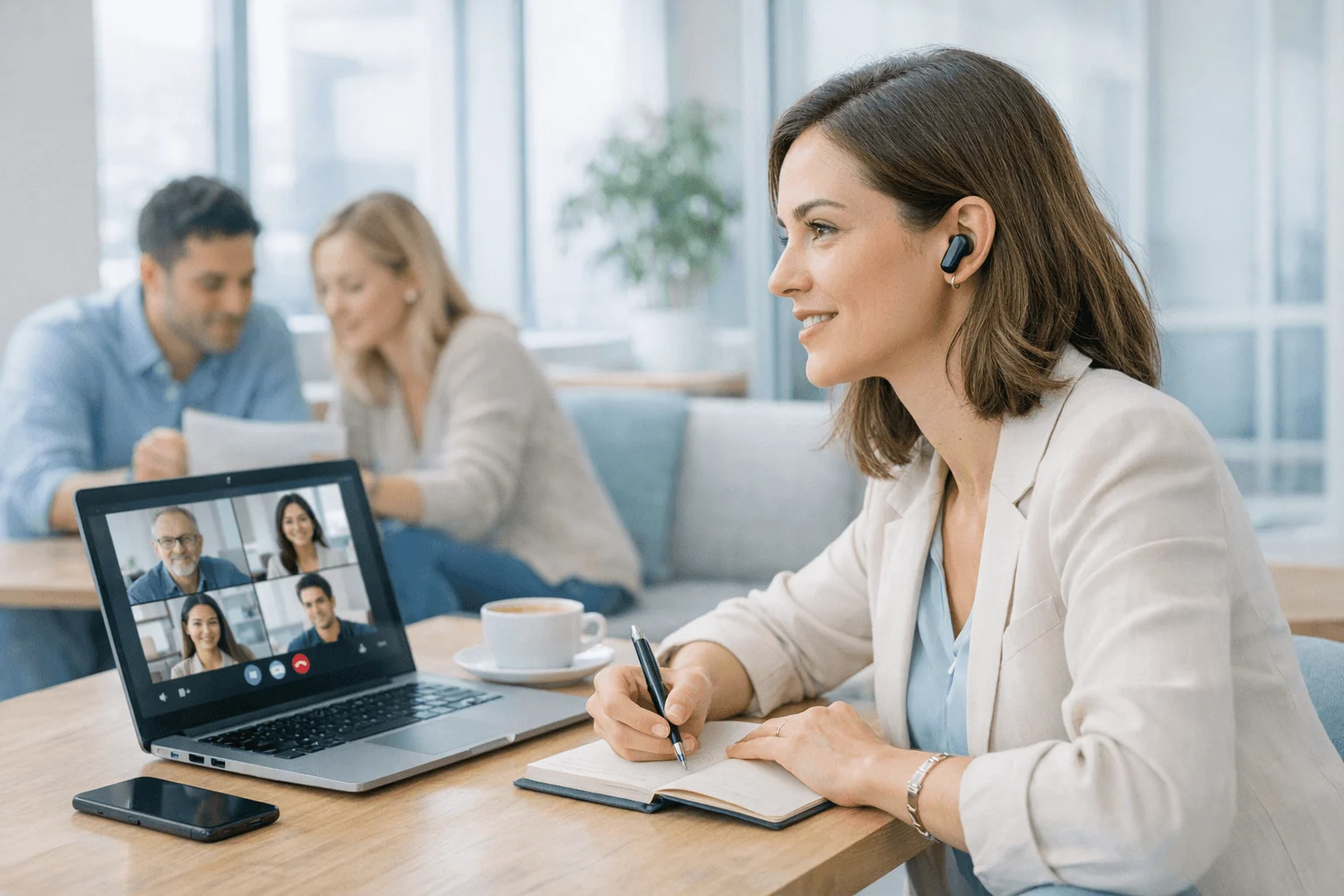
AI recording earbuds now sit in the middle ground between phone apps, meeting bots, and dedicated recorders, so I'd judge them on workflow fit, not hype.
If you mostly work on Wi-Fi, TicNote Pods Wi-Fi is the better value. PLAUD NotePin makes more sense if you want lighter wearable capture with simpler hardware. VIAIM RecDot fits translation-first work. If most of your conversations already happen in Zoom or Teams, a phone app or meeting bot is usually the smarter buy.
This guide breaks down when earbuds beat apps or bots, what to expect in noisy and multilingual settings, how dual earbud and case recording changes daily use, and what 17 live languages versus 120+ post-recording languages really means. The short answer: the best AI note-taker earbuds for work are TicNote Pods 4G if you need phone-free capture and live summaries on the move.
Quick picks: best AI recording earbuds by workflow
AI recording earbuds are a broader category than they were even a year ago. I'd make this choice by capture style first: do you need phone-free recording on the move, Wi‑Fi-based sync from a desk, lightweight wearable note capture, translation support for multilingual work, or just software that lives inside Zoom and Teams? If you want a deeper hardware breakdown, this guide to AI note-taking devices for meetings and lectures pairs well with the quick picks below.
| Product | Best for | Why it fits | Main tradeoff | Starting price |
| TicNote Pods 4G | Phone-free professionals on the go | Built-in 4G eSIM uploads without a phone, adds Live Summary and Quick Summary, and switches between earbuds and charging-case room recording | Higher upfront cost and about 13 hours battery with 4G on | $299.99 |
| TicNote Pods Wi‑Fi | Global Wi‑Fi users | No regional lock, Wi‑Fi fast transfer, automatic call recording, two recording modes, and about 22 hours battery | No always-on cellular upload | $249.99 |
This table is here to separate three things fast: how you capture audio, what happens after the meeting, and what the full cost looks like over time. In practice, that means TicNote Pods 4G fits people who need answers before they reach the next stop, TicNote Pods Wi‑Fi fits international and home-office workflows, and software-only options still make sense when wearable capture isn't part of your day.
2 best AI recording earbuds for meetings, travel, and translation
I rank these picks by workflow fit, not spec-sheet bragging rights. In practice, AI recording earbuds earn their keep when you need discreet, wearable, bot-free capture across phone calls, hallway conversations, client meetings, and multilingual travel days where opening a laptop or inviting a meeting bot just isn't realistic.
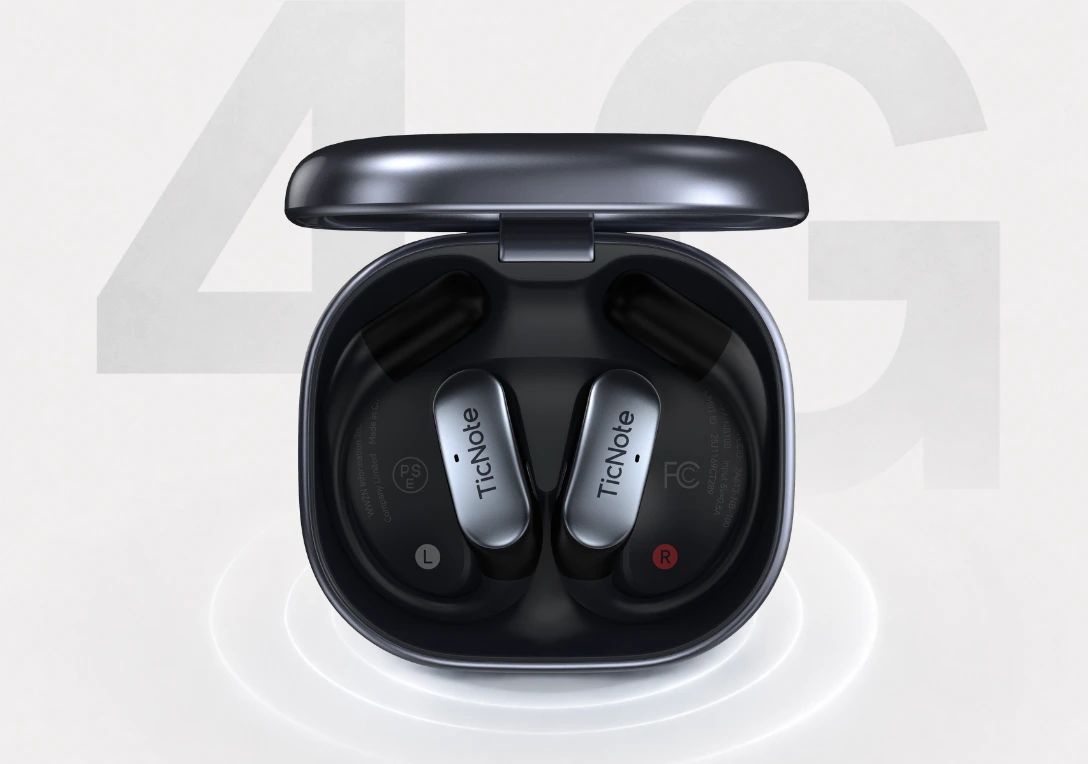
TicNote Pods 4G: Best for phone-free professionals who need meeting notes before the next stop
I think about the field seller, consultant, or journalist who walks out of a 50-minute client meeting and needs a usable recap before reaching the car. That's where TicNote Pods 4G stands out. The built-in 4G eSIM means the earbuds can record and upload without a phone nearby, which matters on job sites, trade-show floors, airport transfers, and any day when your phone is dead, buried in a bag, or tied up as a hotspot.
What makes the fit real is speed. Live Summary gives you an in-meeting recap while the conversation is still happening, and Quick Summary pushes the meeting notes when recording stops. If that sounds close to your day, it's worth See TicNote Pods 4G details before you compare anything else.
I also like that it handles two very different recording jobs with one device. The earbuds can record answered calls automatically, including both sides of the conversation, while the charging case works as a room recorder and switches modes automatically. Add dual mics, ENC noise cancellation, and up to 10 meters of pickup, and it makes sense for a 20-minute customer call and a 45-minute conference-room meeting.
On the AI side, the package is deeper than most wearable recorders. You get real-time transcription and live translated subtitles in 17 languages, then transcription and translation in 120+ languages after recording. Transcripts are time-stamped and include speaker identification. Notes can go straight to Notion and Obsidian, and the Sales Coach skill is useful if you want a sales call turned into follow-up outputs instead of just a raw transcript. If you want a broader category comparison, this guide to AI note takers for meetings and calls covers the alternatives.
Key features
- Built-in 4G eSIM: keeps capture and upload running without a phone.
- Live Summary and Quick Summary: helps you brief a manager right after a call.
- Dual recording modes: earbuds for calls and the case for room recording.
- 17 live languages and 120+ post-recording languages: better for mixed live and after-the-fact translation workflows.
- Automatic call recording: records both sides when calls are answered on the earbuds.
- Export to Notion and Obsidian: fits downstream work.
Pros
- Price is $299.99.
- About 13 hours with 4G on and about 22 hours with 4G off.
- 32GB case stores roughly 2,150 hours.
- 100+ summary templates.
- Cross-platform access.
- TicNote Connecting lets AI assistants access recordings and notes.
Cons
- Higher upfront price than Wi-Fi models.
- Live 4G battery is lower than sync-first options.
- Privacy-sensitive teams still need consent and policy checks before using any recorder.
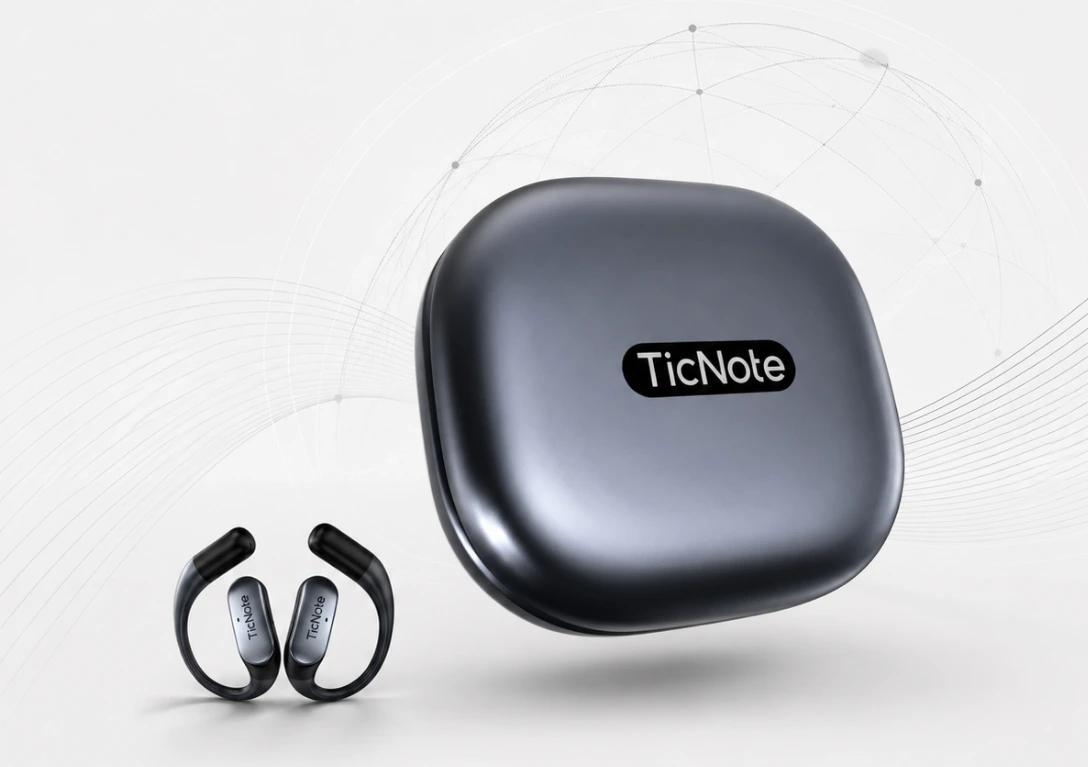
TicNote Pods Wi-Fi: Best for global Wi-Fi users who want translation and lower total cost than 4G
I like this one for the remote worker running six Zoom calls in a day, the student interviewing a source in a café, or the multilingual consultant in a co-working space who doesn't need cellular upload. If you're usually near Wi-Fi and prefer to sync later, the Wi-Fi version gives you most of the same core workflow without paying for 4G hardware.
That matters more than it sounds. Wi-Fi and Bluetooth with no regional lock make it easier for international buyers, and the lower entry price keeps total cost down. If that's your setup, you can Check TicNote Pods Wi-Fi details and skip the 4G premium.
The proof points are familiar in a good way: Wi-Fi fast transfer, automatic call recording, earbuds-and-case dual recording modes, dual mics plus ENC, 10-meter pickup, offline recording with sync on reconnect, and time-stamped transcripts with speaker identification. You also get real-time transcription and live translated subtitles in 17 languages, plus 120+ languages after recording. Summary, Mindmap, and Ask AI are the features I'd use most for turning a long meeting into a fast review, and export to Notion and Obsidian cuts down copy-paste work.
Key features
- No regional lock Wi-Fi workflow: easier for international buyers.
- Dual recording modes: covers calls and room capture with one device.
- 17 live languages plus 120+ after recording: useful for live subtitles now and broader translation later.
- Mindmap and Ask AI: good for quick review.
- Export to Notion and Obsidian: reduces manual cleanup.
Pros
- Price is $249.99.
- About 22 hours of battery.
- 32GB case stores about 2,150 hours.
- Same core app and cloud workflow as the 4G model.
- Global availability.
Cons
- No built-in cellular upload.
- Live workflow depends more on phone or Wi-Fi context.
- Some buyers won't need advanced AI outputs if they only want raw recordings.
How I evaluated AI note-taker earbuds
This category has grown fast, but most roundups still grade AI note-taker earbuds like normal audio gadgets. I didn't. I looked at whether they actually fit how people capture and reuse conversations across calls, hallways, classrooms, client visits, and travel days. That matters more than whether the box says "AI summary."
Why most ai recording earbuds lists do not help meeting-heavy professionals
The usual problem is simple: broad gadget reviews focus on battery life, Bluetooth, and a checklist of software features. Real buyers need a workflow answer. After a 47-minute discovery call, can you get searchable notes into your CRM fast enough to send follow-up? In a multilingual supplier meeting, can you capture both sides clearly enough for translation and recap? In a noisy co-working-space interview, are earbuds still the right tool, or would a dedicated recorder do a better job?
That's also why I compared earbuds against alternatives, not just against each other. Sometimes earbuds beat a phone app because they're more discreet for ad-hoc capture and better for commuting calls. Sometimes a meeting bot is easier for scheduled Zoom or Teams sessions. And sometimes a recorder still wins because mic placement matters more than portability. If you're weighing a dedicated device against an app-based note taker, that's the decision lens I used throughout.
The 4 decision variables for AI earbuds for work
Capture context matters first. Some people need earbuds that can record calls and switch to case-based room capture. Others mostly live in Zoom and should start with a bot.
Transcript realism comes next. Accuracy drops when speakers interrupt, sit far away, switch languages, or talk over café noise. Expect cleaner transcripts from one-on-one calls than from open-room interviews.
Privacy and policy fit is non-negotiable. I looked for clear consent expectations, company-policy compatibility, storage location, export controls, and deletion options. IBM reports the average global data breach cost reached $4.88 million in 2024, which is why vague privacy terms are a buying risk, not a footnote.
Post-meeting workflow and cost decide long-term value. Summaries, templates, translations, exports, minute caps, and add-on credits shape ROI more than the hardware itself. A $249 to $299 device can be cheaper over a year than a subscription stack if it matches your workflow.
Quick comparison
| Tool | Works well when | Falls short when | Best for |
| AI recording earbuds | You take commuting calls, hallway chats, client visits, and need phone-free or low-friction capture | Rooms are loud, speakers are spread out, or you mainly attend scheduled virtual meetings | Mobile professionals, sales reps, consultants, multilingual travel |
| Phone app | You need solo voice memos, quick interviews, or the lowest upfront cost | You can't keep your phone positioned well, battery is tight, or calls need hands-free capture | Budget buyers, students, occasional note-taking |
| Meeting bot | Your meetings happen in Zoom, Google Meet, or Teams with calendar invites | Conversations happen in person, on mobile calls, or outside scheduled sessions | Remote teams, managers, internal recurring meetings |
| Dedicated recorder | You run long seated interviews, lectures, or table discussions where mic placement is controlled | You want earbud portability, call capture, or instant wearable access | Journalists, researchers, formal interviews |
How to choose the right AI earbuds for meetings, calls, and work
The category has matured fast, so I wouldn't choose AI recording earbuds by spec sheet alone. I'd choose based on where my conversations happen, what I need 10 minutes after a meeting ends, and whether I'll actually use enough transcription minutes and AI outputs to justify the ongoing software cost.
Start with where your conversations happen
If your work happens across cars, corridors, client sites, and phone calls, TicNote Pods 4G is the better fit. The 4G eSIM matters because it can record and upload without a phone nearby, and features like Live Summary, Quick Summary, automatic call recording, and the earbuds-plus-case dual recording modes cover both phone-free capture and room capture in one device. If that's your day, I'd see TicNote Pods 4G details before comparing anything else.
If most of your conversations happen at a desk or on stable Wi-Fi, TicNote Pods Wi-Fi makes more sense. You keep the same earbud and charging-case workflow, automatic call recording, and post-meeting AI tools, but at a lower upfront cost of $249.99 instead of $299.99.
There's a real tradeoff here. If nearly all of your meetings already happen inside Zoom or Teams and everyone accepts meeting bots, a bot or native platform transcription may be simpler than wearing earbuds at all.
Match the product to what you need afterward
A 45-minute meeting creates two different jobs: capturing what was said and turning it into something useful. If you only need a raw transcript for reference, you may be overbuying if you pay for advanced outputs every month.
If you need deliverables, prioritize time-stamped transcripts, automatic speaker identification, Summary, 100+ templates, Mindmap, Ask AI, and direct export to Notion and Obsidian. For sales teams, role-based Skills like Sales Coach can turn one recorded call into coaching notes, follow-up emails, and talk tracks. That's a different value proposition from basic transcription.
For remote and hybrid work, I'd lean toward TicNote Pods Wi-Fi because it gives you stronger post-meeting review without paying for 4G you may never use. For lighter, capture-first workflows, PLAUD NotePin is the simpler option. For long-form archival interviews, a dedicated recorder still wins on battery life, mic flexibility, and storage discipline. If you're also comparing software-only options, this guide to AI note takers for meetings by privacy, pricing, and fit is a useful next read.
Check privacy, language support, and real ownership cost
Before buying, screen for consent workflow, storage controls, deletion options, export lock-in, included minutes, and paid upgrades. Also check whether live language support matches post-recording language support. It often doesn't. In this category, 17 live languages and 120+ after-recording languages are not the same experience, so compare both numbers directly.
TicNote hardware includes the Plus plan with 600 transcription minutes per month. That's enough for roughly 10 hours of meetings. If you're recording 2 to 3 hours a day, you'll likely need Pro or Business. My rule: write down one week of meeting count, average duration, and export destination before you buy.
Conclusion: the best AI note-taker earbuds depend on workflow fit
The best ai recording earbuds aren't the ones with the longest feature list. They're the pair that capture the conversations you actually have, with the least friction, and turn them into notes, summaries, and exports you'll use the same day.
If you need phone-free capture, live summaries while you're still walking to the next meeting, and two recording modes for calls and room audio, TicNote Pods 4G is the clear fit. If you want lower upfront cost, global availability, and a sync-first setup with strong translation and post-meeting review, TicNote Pods Wi-Fi makes more sense. Both also support direct exports to Notion and Obsidian, which matters if your real workflow starts after the transcript is done.
If earbud use isn't the point and you mostly want lightweight wearable capture, a recorder like PLAUD NotePin is the better category choice. And if 80% of your meetings already live inside Zoom, Google Meet, or Teams, a bot or app is usually more practical than dedicated earbuds.
My advice is simple: spend 10 minutes on your last five conversations. Write down where each one happened, whether live transcription mattered or post-call review was enough, and whether AI wearables for note-taking workflows would be more useful if they exported cleanly into Notion or Obsidian. Then compare the two TicNote earbud options against that list.


