


 Extension
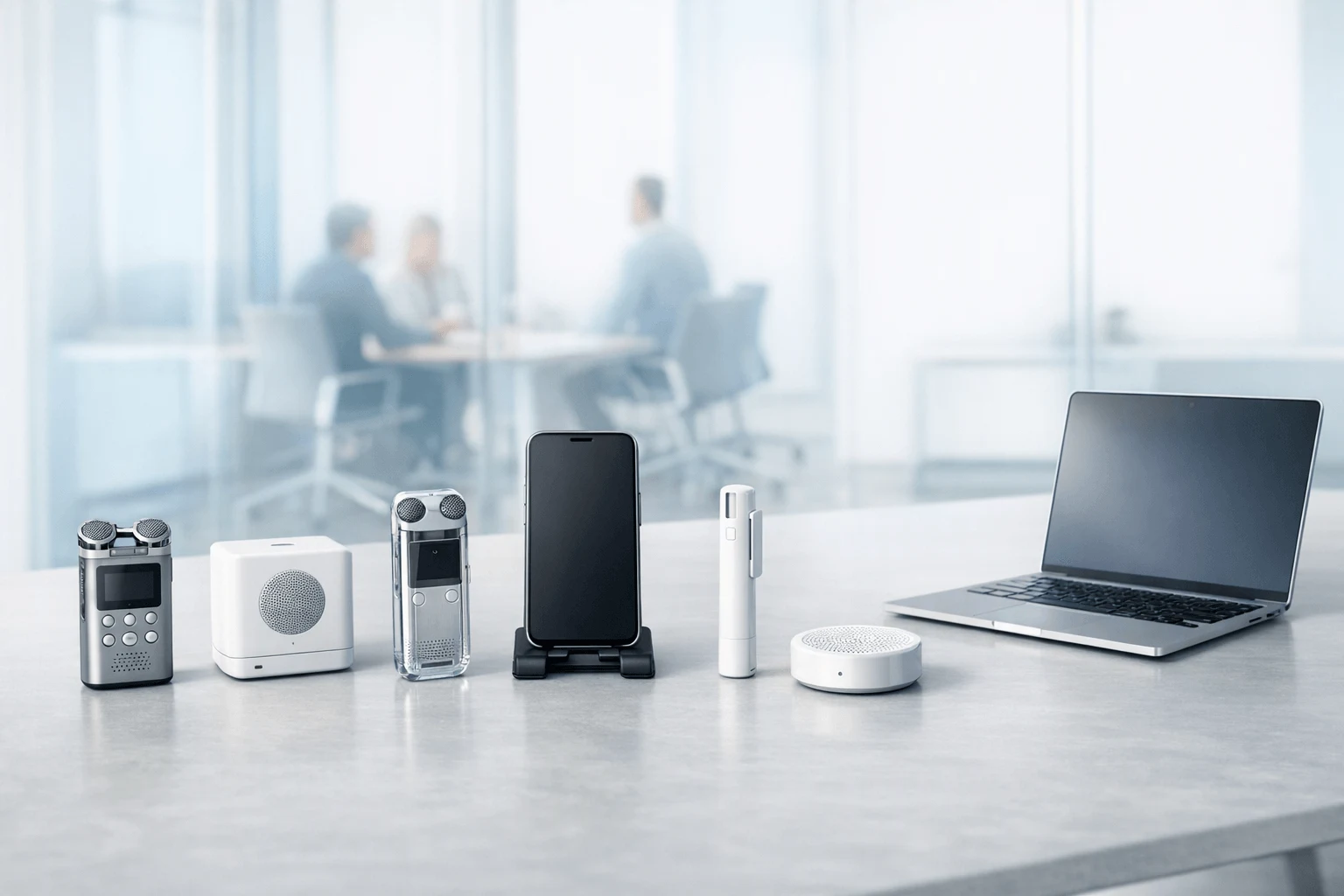
TL;DR: Which AI Note Taker for Meetings Is Best for You?
If you're comparing an ai note taker for meetings before buying, this guide is built to help you choose the right AI meeting notes app based on what actually affects day-to-day use: recording method, privacy, transcription quality, multilingual support, workflow fit, and total cost—not just feature count. The big takeaway is simple: bot-based tools can work well for scheduled online meetings, while bot-free and hardware-based options are often a better fit for calls, in-room meetings, and privacy-sensitive settings.
For most professionals, TicNote AI Voice Recorder stands out for the best overall flexibility across calls and in-person meetings. tl;dv is a strong pick for heavy scheduled video meetings, Jamie works well for bot-free desktop capture, Fireflies.ai is best for searchable team meeting archives, Krisp fits users who also care about audio cleanup, and Bluedot is a smart choice for discreet browser-based recording.
Quick Picks: Top AI Meeting Note Taker Options at a Glance
If you want the short version, start with the tool that matches how you actually meet. For most people, that means choosing between a hardware-plus-app recorder for mixed workflows, a bot-first tool for scheduled video calls, or a bot-free option for privacy-sensitive conversations.
| Pick | Best for | Why it stands out |
| TicNote | Meetings, calls, and in-room capture | Hardware plus app model, long battery life, local storage, multilingual transcription, and AI outputs after the meeting |
| tl;dv | Scheduled video meetings and cross-meeting review | Strong fit for Zoom or Google Meet workflows and reviewing patterns across meetings |
| Jamie | Bot-free notes for privacy-conscious professionals | Works well when you want notes without a visible meeting bot |
- TicNote — Best overall for meetings, calls, and in-room capture. TicNote is the strongest all-around fit if you move between phone calls, conference rooms, and desk work. Its hardware plus app setup is built for people who need one system across environments, with practical strengths like long battery life, local storage, multilingual transcription, and AI outputs after the meeting. The trade-offs are straightforward: the hardware is a separate purchase, and some advanced usage depends on plan tier. If you want a closer look at AI recording tools, you can also learn more about TicNote AI Voice Recorder or Check TicNote details.
- tl;dv — Best for scheduled video meetings and cross-meeting review. tl;dv makes the most sense for remote teams that live in Zoom or Google Meet and want an easy way to search, review, and compare conversations across recurring meetings. Its main limitation is workflow fit outside online meetings, especially if you need flexible capture beyond bot-based recording.
- Jamie — Best bot-free meeting note taker for privacy-conscious professionals. Jamie is a strong option when you want meeting notes without a visible meeting bot joining the call. That said, feature depth and recording flexibility may vary by setup.
The full list below explains who each tool fits best.
How We Evaluated Each AI Note Taker for Meetings
To make this comparison useful, every tool was assessed with the same buying rubric so you can compare apples to apples. Instead of focusing only on summaries or flashy features, this framework prioritizes the factors that most directly affect fit: how a tool records, where data is stored, what transcription quality looks like in real meetings, and what the total cost becomes over time.
Recording method
Start with recording method first, because it determines whether a tool fits your meetings before anything else. The main split is between meeting bots, bot-free desktop capture, browser capture, and dedicated hardware. That choice affects participant comfort, access permissions, in-room usability, and whether a tool can handle phone calls, hybrid meetings, or environments where visible bots are a poor fit.
Privacy and storage
Next, look at privacy and storage with the same weight you give summaries. Some tools depend on cloud upload, others rely on local capture, visible bots, or user-controlled sync. That difference matters if you handle sensitive client conversations, internal strategy calls, interviews, or regulated work where storage handling and data exposure are part of the buying decision, not an afterthought.
Transcription quality and speaker handling
A useful transcript needs more than raw text. We looked closely at speaker identification, timestamping, and how well each tool performs in noisy, fast-moving, or multi-speaker meetings. If a note taker struggles to separate voices or loses context during overlap, the summary quality drops with it.
Multilingual meeting transcription
Language coverage is a practical filter for global teams, recruiters, journalists, and anyone running cross-border meetings or interviews. A tool that performs well in one language but weakly across accents or mixed-language conversations creates extra cleanup work.
Pricing and total cost
Headline price rarely tells the full story. We compared hardware cost, subscription minutes, credits, and overage math so you can judge real monthly cost instead of the cheapest-looking plan.
Workflow and integrations
Finally, we evaluated workflow fit: export to tools like Notion or Obsidian, cross-platform access, and project search. This same framework drives both the rankings and the comparison table.
The 6 Best AI Note Takers for Meetings by Scenario
There isn't one best AI meeting recorder for every workflow. The right fit depends on how you capture meetings, where those meetings happen, and how much weight you put on privacy, multilingual support, and total cost. That's why these recommendations are organized by scenario, so you can match the tool to the way you actually work.
1. TicNote — Best overall
TicNote is the best overall pick if you need one system that works across calls, desks, conference rooms, and travel days. It's a card-style AI voice recorder for meetings that also handles phone calls through Earphone mode and in-room conversations through Speaker mode, so you don't have to switch tools every time the setting changes.
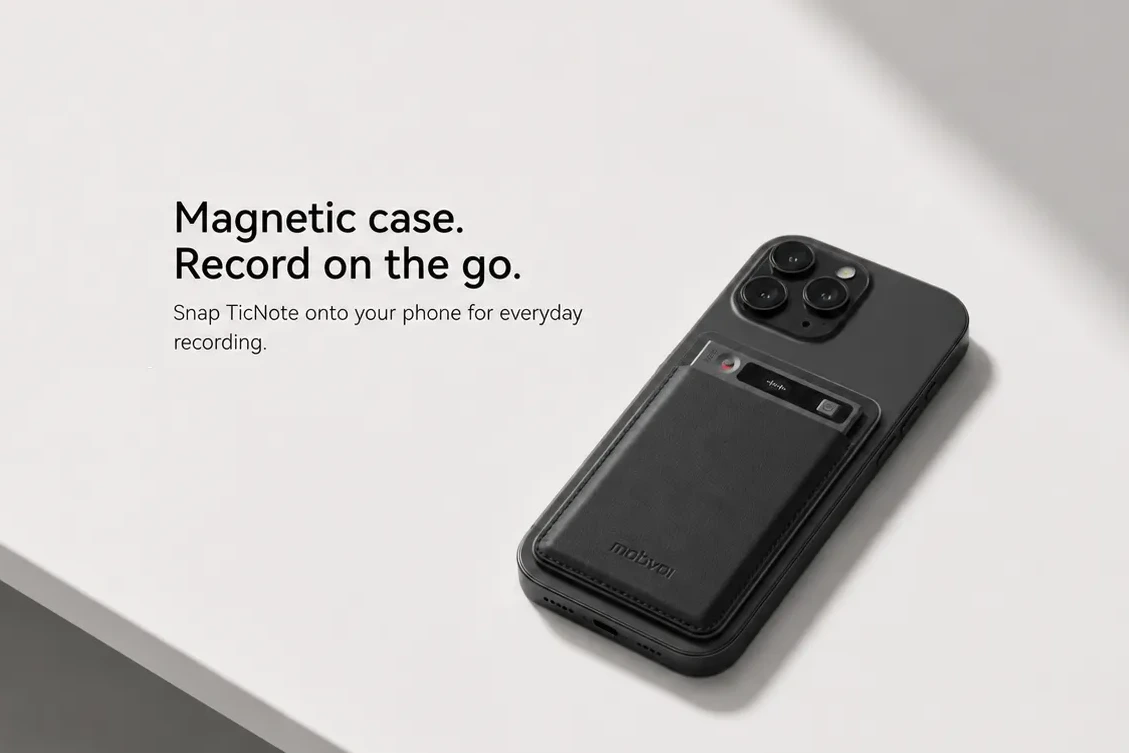
Standout features
- Records offline and syncs when reconnected
- 3-mic array for room capture up to 10m
- 25-hour battery life and 64GB local storage
- Transcripts, summaries, speaker identification, mind maps, AI Q&A, and visual reports
- Exports to Notion and Obsidian
TicNote is best for executives, consultants, lawyers, journalists, and anyone who switches between calls and in-person meetings. If you want more context on dedicated hardware, this guide to AI note-taking devices is useful alongside software comparisons.
Pros
- Flexible capture across phone calls and in-room meetings
- Works offline before syncing later
- Strong device specs for mobile, all-day use
Cons
- Hardware purchase is required for the full device experience
- You should compare plan minutes if you record all day
Pricing and availability
- Device price plus key plan ranges vary by package and usage level
- Available as a hardware-first option with companion AI features
2. tl;dv — Best for remote teams on scheduled video calls
If your calendar is packed with recurring Zoom or Google Meet sessions, tl;dv is a strong fit. It works well for remote teams that want AI summaries, meeting reviews, and a repeatable workflow around scheduled online calls.
Standout features
- Designed for recurring online meeting workflows
- Strong review and summary experience for team follow-up
- Useful for remote collaboration and async catch-up
Ideal user
- Remote teams that live in scheduled video calls
Pros
- Good fit for recurring meeting review workflows
- Helpful summaries for distributed teams
Cons
- Bot-based capture can feel intrusive
- Meeting bots may be blocked in some contexts
Pricing and availability
- Pricing is available in broad tiered plans depending on usage and team needs
3. Jamie — Best bot-free meeting note taker
Jamie is the best choice if you want invisible capture without inviting a meeting bot. That makes it especially appealing for consultants, recruiters, and other client-facing users who want a lower-friction experience in sensitive conversations.
Standout features
- Bot-free meeting capture
- Discreet experience for client-facing conversations
- Built for users who want less visible automation
Ideal user
- Consultants, recruiters, and professionals who don't want a bot in the meeting
Pros
- Cleaner experience in external meetings
- Better fit for users who want less meeting friction
Cons
- Trade-offs may include platform dependence
- Feature breadth or plan limits may be narrower depending on workflow
Pricing and availability
- Available in plan-based tiers with limits that are worth checking before heavy use
4. Fireflies.ai — Best for searchable team meeting archives
Fireflies.ai is best for teams that care most about building a searchable record across a large number of meetings. If your priority is transcript coverage, team search, and a central archive, it's one of the strongest options in this category.
Standout features
- Searchable transcripts across many meetings
- Team-friendly archive and recordkeeping workflow
- Strong fit for organizations that revisit past conversations often
Ideal user
- Teams building a searchable meeting archive
Pros
- Strong search and archive value
- Useful for high-volume team documentation
Cons
- Readers should weigh trust and privacy preferences carefully
- Missing capture modes may matter if you need more than standard meeting capture
Pricing and availability
- Offered in multiple plans for individuals and teams
5. Krisp — Best for noisy calls and speech clarity
Krisp stands out when your biggest problem isn't just notes, but poor audio. Its advantage is combining note taking with audio cleanup, which helps remote workers who take calls from shared spaces, home offices, or less controlled environments.
Standout features
- Note taking paired with audio cleanup
- Strong fit for noisy call environments
- Improves clarity before you rely on the transcript
Ideal user
- Remote workers dealing with background noise or inconsistent call quality
Pros
- Useful combination of speech clarity and meeting capture
- Good fit for messy real-world call conditions
Cons
- Competitor tools may offer broader meeting documentation features
- Best value depends on how much you need noise reduction versus archive depth
Pricing and availability
- Available in usage-based or tiered plans depending on features
6. Bluedot — Best for discreet browser-based recording
Bluedot is a good fit if you want lighter capture and automation inside a browser-centered workflow. It's most useful for users who prefer a more discreet setup, but you should weigh the trade-offs before relying on it as your only meeting capture system.
Standout features
- Discreet browser-based recording
- Lightweight capture and automation workflow
- Useful for users who work mostly in-browser
Ideal user
- People who want a lighter, browser-first recording setup
Pros
- Easy fit for browser-centered workflows
- Lower-friction setup for lightweight recording
Cons
- Free-plan restrictions may be limiting
- Browser-centered workflow won't suit every meeting environment
Pricing and availability
- Available with plan restrictions that matter most on lighter or free tiers
AI Note Taker Comparison Table: Pricing, Privacy, Recording Style, and Integrations
This is the decision matrix most buyers actually need: one view that lets you compare recording method, privacy, integrations, and total cost before you commit. If you want a deeper framework for choosing by privacy and cost, use this table first, because the right fit usually comes down to where your meetings happen and how often you need transcripts.
| Tool | Best for | Recording style | Bot joins meetings | Phone-call support | In-room support | Multilingual meeting transcription support | Storage approach | Export/integrations | Starting cost | Recurring cost structure | Notable limitation |
| TicNote | Hybrid teams handling calls plus room meetings | Hardware + cloud capture | No | Yes | Yes | Yes | Device capture with cloud plan | Common exports + workflow integrations | Included hardware-user cloud plan | Ongoing cloud subscription tied to hardware user plan | Software-only users may prefer a lighter setup |
| Otter | Calendar-driven online meetings | Software transcription | Yes | Limited | No | Yes | Cloud-first | Popular meeting and collaboration integrations | Varies by plan | Cost scales by seats and usage limits | Less ideal for in-room capture |
| Fireflies | Automated online meeting notes | Bot-based meeting capture | Yes | Limited | No | Yes | Cloud-first | CRM, collaboration, and meeting exports | Varies by plan | Recurring seat-based pricing with feature tiers | Bot presence can be a blocker |
| Fathom | Individuals on Zoom-heavy workflows | Software assistant | Yes | No | No | Limited | Cloud-first | Meeting summary and CRM integrations | Varies by plan | Paid tiers unlock advanced features | Best if you rarely leave Zoom |
| Avoma | Revenue and customer-facing teams | Bot + platform capture | Yes | Limited | No | Yes | Cloud-first | Scheduling, CRM, and call analysis integrations | Varies by plan | Per-user pricing plus higher-tier analytics costs | Overkill for simple note taking |
| Notta | Multilingual transcription needs | Software + upload capture | Sometimes | Yes | Limited | Yes | Cloud-first | Export and app integrations | Varies by plan | Minutes and feature caps affect cost | In-room workflow is less direct |
The practical takeaway is simple. Hardware and bot-free tools usually win for in-room meetings and calls, while bot-based tools usually win for scheduled, calendar-driven online meetings. Total cost also rises fast when transcription minutes and AI credits scale with meeting volume, which is why TicNote stands out for teams that need combined call plus room capture in one included hardware-user cloud plan, even though software-only tools can feel simpler if you never leave Zoom or Meet.
How to Choose the Right AI Note Taker for Your Meeting Workflow
Choose by meeting type first, then narrow by privacy and budget. That order gets you to the right shortlist faster because recording method, capture environment, and storage needs usually matter more than minor feature differences.
Prioritize capture quality for in-room meetings
For in-room meetings and conference tables, focus on microphone range, battery life, offline capture, and speaker separation before you look at calendar integrations. In shared rooms, weak pickup or poor diarization can ruin notes even if the app syncs perfectly later. Dedicated hardware like TicNote has an edge here because it is built for table placement, reliable room capture, and in-person workflows. If you're comparing AI notes vs recorders, this is usually where dedicated devices pull ahead.
Choose call-friendly tools for phone calls and mobile work
For phone calls and mobile professionals, start with AI note taker for calls support. Then check the attachment method, whether that means an app, wearable, speakerphone-style device, or another portable setup. Portability matters because your best tool is the one you can actually use on trains, in cars, between client sites, or before a fast follow-up call.
Accept less automation if you want bot-free capture
For bot-free capture, prefer invisible or local capture when meeting participants dislike visible bots or when your company wants tighter control over what gets uploaded. The trade-off is usually less automation around joining meetings, syncing calendars, or pushing notes into downstream workflows. In short: bot-free capture reduces friction in the room, but it can increase manual steps after the meeting.
Separate transcription from translation for multilingual teams
For multilingual teams, compare language coverage for transcription and live translation separately. They are not the same feature. A tool may transcribe many languages accurately but offer limited live translation, which matters if your team needs real-time understanding during calls rather than clean notes afterward.
Verify privacy claims for compliance-sensitive work
For compliance-sensitive work, treat secure AI note taker claims as marketing until you verify storage location, encryption, user control, and policy fit. Check where audio and transcripts are stored, who can access them, whether deletion controls are clear, and whether the setup matches internal retention rules.
Calculate total cost for heavy meeting volume
For heavy weekly meeting volume, estimate total cost by combining device cost, monthly minutes, overage packs, and admin overhead. A cheaper monthly plan can become more expensive if your team burns through minutes or spends hours managing exports, permissions, and cleanup.
Before you buy, use this checklist: your main meeting type, recording style, privacy requirements, language needs, total monthly usage, and the amount of manual work your team can tolerate.
Final Thoughts on Choosing an AI Note Taker for Meetings
The best AI note taker for meetings depends on how you actually meet. If you want the broadest real-world coverage across calls and in-person meetings, TicNote is the strongest all-around pick; tl;dv fits remote video-first teams, Jamie stands out for bot-free capture, Fireflies.ai works well for shared archives, Krisp is best for noisy environments, and Bluedot suits lighter browser workflows.
In practice, your best choice comes down to recording style, privacy expectations, and total cost over time. If you're still weighing hardware versus software capture, this guide on device vs app note taking can help clarify the trade-offs. If you want one tool that spans phone calls, room meetings, and AI summaries, TicNote is the option to explore most closely.


