


 Extension
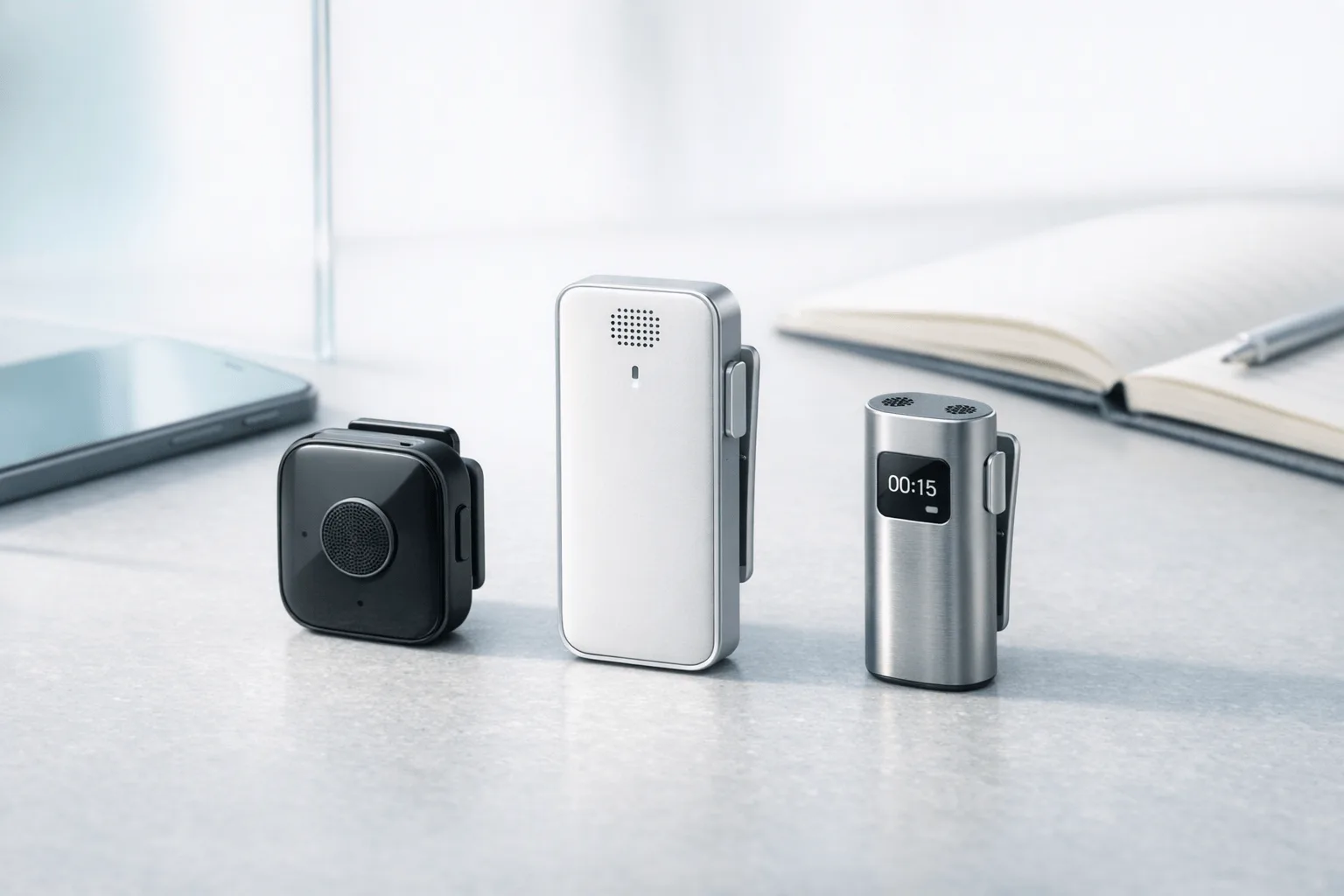
TL;DR: Wearable Tech verdict on Bee
If you want the short answer, jump to the alternatives table: Bee Wearable AI is a smart first-gen idea, but not a clean buy for most people yet. It works best as a lightweight meeting and conversation recap tool, not as a reliable all-day memory layer, because transcript drift, speaker mix-ups, and privacy tradeoffs still get in the way.
Best for: early adopters who want passive recall, short summaries, and Google-connected context in a tiny wearable. Skip it if you need high transcription accuracy, clear multi-speaker separation, or tighter data controls for work.
In the full review, we separate confirmed facts from unverified claims, score Bee in real-world scenarios, and compare it against stronger alternatives in a normalized buyer table.
How does Bee wearable AI perform in real use?
In real use, Bee Wearable AI feels more like an ambient memory assistant than a strict meeting recorder. Setup is fairly quick: clip it on or wear it on the wrist, pair the app, sign in, and you can usually get from unboxing to a first transcript in under 10 minutes. The hardware is light, and the button-based record or mute control is simple, but the social side matters too: in a quiet office or client meeting, it can feel discreet one minute and slightly awkward the next because people notice wearable recording devices fast.
Get started fast, but expect a different workflow
Bee is easy to wear and easy to start. The main learning curve is not the hardware; it's the product mindset. Buyers who expect a classic AI wearable meeting recorder flow with clear session control, speaker labeling, and export-heavy notes may find Bee less structured than expected.
A practical first-use checklist looks like this:
- Pair the device and app
- Choose clip or wrist wear
- Test the mute or record button
- Confirm visible recording cues
- Start a short conversation
- Wait for the transcript, summary, and tasks to appear
That flow is simple, but not friction-free. App pairing can feel a bit early-stage, especially if you compare it with more mature note-taking hardware. Android support in particular may feel less polished.
Review the app output after each session
Once a session is captured, Bee turns it into transcripts, summaries, memory logs, and suggested to-dos. That's the core promise, and in calm conditions it works well enough. In a scheduled work meeting, it usually catches the big themes, basic follow-ups, and a usable recap. Transcript readability is decent, but cleanup is common. Expect missed lines, wrong proper nouns, and uneven speaker separation.
In a commute test, the limits show up faster. Street noise, passing voices, and media in the background can all bleed into the log. In a casual conversation, the recap may still surface useful points, but the device can feel more invasive than helpful.
If you already know you need a cleaner, meeting-first workflow, skip ahead to the scoring section and this wearable recorder comparison guide.
Where Bee works best and where it struggles
Bee is strongest when you want broad recall, not exact records. Think day recaps, loose follow-ups, and personal memory support. It is weaker when precision matters.
Best cases:
- One-on-one chats
- Light planning meetings
- Personal reminders on the move
Weak spots:
- Noisy commutes
- Multi-speaker meetings
- Names, jargon, and exact quotes
- Situations where consent cues matter
Bottom line: Bee is usable, comfortable, and quick to learn, but its real-world value depends on whether you want searchable life context or dependable meeting documentation.
What are Bee's confirmed specs, pricing, and platform limits?
If you're comparing bee wearable ai with more traditional note-taking hardware, the first step is separating verified facts from softer marketing language. The confirmed picture is fairly simple: Bee Pioneer Edition is listed at $49.99, uses dual microphones with noise filtering, charges over USB-C, includes a button for record or mute, and can be worn with either a wristband or clip. Official materials also point to a stated 7-day battery, support for 40 languages, Apple Watch support, and an Android app that is still labeled early access.
Check the hard specs first
Here's the compact version buyers can rely on before checkout:
- Price: $49.99
- Model: Bee Pioneer Edition
- Mics: Dual microphones
- Controls: Button-based record/mute, double-tap processing or bookmark
- Battery claim: Up to 7 days
- Charging: USB-C
- Wear options: Wristband or clip
- Languages: 40
- Silence rule: Recording stops after 15 minutes of silence by default
That said, endurance and always-on capture need a careful label. A 7-day battery is a brand claim, not proof of identical real-world uptime across constant use, syncing, and background processing. If you want certainty, treat battery life and passive capture reliability as "claimed unless independently tested."
Understand the platform limits
Bee looks more iPhone-friendly today. Apple Watch support is confirmed, while Android support appears available but unfinished. Before buying, check four things in the app listing and setup flow:
- your phone OS version
- background microphone permissions
- Google Calendar, Gmail, and Contacts access
- whether summaries or chat features require cloud processing and account sign-in
The open question is future feature gating. Bee says core features are included now, but a Premium tier for deeper search and personalization is planned without public pricing. That makes the entry price clear, but long-term ownership cost less clear.
Specs callout: Bee is inexpensive for the category, but its platform maturity, cloud dependency, and future subscription path still need buyer verification.
Product embed recommendation: place the Bee Pioneer product card here, directly under the specs callout.
If you want clearer pricing tiers, broader hardware choices, or a more transparent subscription model, jump to the alternatives section next.
Where does Bee help most, and where does it break down?
Bee wearable ai works best when you use it for short, spoken interactions that need a fast recap, not a polished transcript. In that lane, it can be useful: you talk, it captures the gist, and later you can search the conversation for key points. If you want a clean record for clients, legal review, or detailed meeting notes, its value drops fast.
Use it for recap, not record
The strongest output is usually a lightweight meeting summary with a few tasks pulled out. That matters for busy users who care more about "What did we decide?" than exact wording.
A practical way to judge Bee is:
- summary clarity
- action-item capture
- searchability
- how much editing is needed before sharing
On those points, Bee is often better at recall than documentation. It can help after standups, coffee chats, founder syncs, or informal check-ins. It is less reliable for long workshops, dense interviews, or multi-speaker strategy sessions. In other words, it supports memory well, but it does not consistently replace notes.
Watch for speaker mix-ups and transcript drift
This is where trust starts to break. The most common issues are weak speaker separation, transcript drift over longer sessions, and confident but shaky inferences. That last one matters: a summary can sound clean while still getting the nuance wrong.
Ambient audio is another problem. A TV in the background, a podcast, or nearby table talk can be pulled in as if it belonged to your day. When that happens, the output feels less like reliable assistance and more like guesswork. For readers who want a bee wearable ai review with real buying value, this is the key question: are the notes dependable enough for work? Often, only with review.
Some rival devices, including more intentional capture tools such as ticnote ai note taker hardware, are designed around clearer recording moments rather than ambient logging. That design choice usually improves trust.
Long-term wear is as much social as technical
Comfort is only part of the story. The bigger issue is behavior change. A wearable mic can make you mute more often, second-guess what is being captured, or feel slightly on display. Over a week, that friction matters. Over a month, it decides whether the product becomes useful or annoying.
Bee is easiest to live with when users build strong muting habits and keep expectations modest. Then it feels like productivity support. Without that discipline, it can feel closer to low-grade surveillance.
If you want the broader category view, this guide to AI wearables worth buying helps frame where Bee fits before you compare it against the alternatives table below.
Privacy, consent, and cloud retention: what should buyers worry about?
The biggest risk with bee wearable ai is not battery life or summary quality. It's consent, retention, and context. A device that can capture daily conversations is useful in low-stakes settings, but it can quickly become a legal, workplace, or reputational problem when other people do not know they are being recorded or summarized.
Treat consent as a workflow issue, not just a legal checkbox
In practice, buyers need to think beyond consumer gadget rules. Meetings, coworking spaces, transit, clinics, and client calls all have different norms. In the U.S., consent rules also vary by state. For example, California Recording Law | Digital Media Law Project notes that California Penal Code section 632 generally makes it unlawful to record a confidential communication without the consent of all parties to the communication.
Here is a simple risk matrix:
| Context | Consent risk | Why it matters |
| Private personal notes | Low | Fewer third parties, lower dispute risk |
| Internal team meeting | Medium | Company policy may ban unapproved recording |
| Client or sales call | High | Contract, trust, and disclosure issues |
| Healthcare or legal setting | Very high | Sensitive data and regulated records |
| Public transit or cafes | High | Bystanders may be captured without notice |
Verify storage and deletion before you trust it
Bee says it does not store audio recordings and does not use user data for training or sell it. That sounds reassuring, but buyers should verify the operational details:
- whether raw audio is stored even temporarily
- where transcripts and summaries live
- how long cloud data is retained
- whether deletion removes backups and vendor copies
- what encryption protects data in transit and at rest
- which third parties process transcripts or AI outputs
- whether any true local-only mode exists today
That last point matters. A privacy promise is stronger when it is backed by clear controls, not future roadmap language.
Know when recall becomes liability
AI memory tools break down fastest in confidential work, regulated industries, emotionally sensitive conversations, and any setting where a flawed summary could trigger compliance or reputation damage. If you need deliberate capture instead of passive ambient capture, compare Bee against more intentional recording workflows in the alternatives table, especially options like TicNote, Comulytic, and Pocket that make recording boundaries easier to manage.
Which exclusive or hard-to-replace Bee features matter most?
The main reason bee wearable ai stands out is simple: it's on your body, not buried in a bag. That always-available design makes it more likely to catch quick hallway chats, client comments, and stray ideas that a manual recorder misses. For forgetful users or fast-moving professionals, that convenience can be the whole product.
Capture more of the day
Bee's hardest-to-replace advantage is passive presence. A clip-on or wrist-worn device reduces the friction of remembering to press record every time something useful happens. That matters most for users who move between short meetings, voice notes, and informal conversations where details slip fast.
Turn conversations into memory
Bee also aims beyond single-session transcripts. Its value is in searchable recall, day summaries, repeated themes, and suggested tasks across many interactions. In plain terms, it's trying to become a memory layer, not just a recorder. That's useful if you want context over time, though output quality depends on how much it captures and how clean that context is.
- High convenience
- Strong recall value
- Higher privacy and consent cost
Weigh the benefit against the risk
Those same strengths create the biggest downside. The more context Bee captures, the greater the chance of unwanted recording, incorrect inference, or sensitive data ending up in the cloud workflow. A simple scoring chart works well here: rate convenience, recall value, and privacy cost side by side. If you want broader wearable tech buying criteria before deciding, that framework helps separate smart convenience from avoidable risk.
What are the best Bee wearable AI alternatives?
If Bee wearable ai feels too passive, too early, or too fuzzy for work, the best alternatives are the ones that narrow the job. Instead of trying to remember your whole life, these tools focus on meetings, calls, lectures, and field notes with clearer workflows, clearer pricing, and in some cases a lower privacy burden.
Choose TicNote for intentional capture
TicNote is the strongest Bee alternative for people who want a meeting-first tool instead of ambient memory logging. The lineup is broad but easy to map:
- Card recorder for wallet-friendly daily carry
- Simpler Card Lite for lower-cost one-button use
- Earbud-based models for calls, mobile work, and faster sync
The big difference is intent. You press once, record, and get transcripts, AI summaries, action items, and speaker identification. That makes TicNote easier to justify in meetings, lectures, interviews, and field visits, where users want a clear start and stop point.
It also supports offline recording with later sync, which matters when you lose signal or don't want live cloud dependence. Some models add real-time transcription, while the 4G earbuds push live summary during capture. The hardware-backed plan structure is also more explicit than many early wearable AI products. For battery, TicNote Lite states the device supports up to 20 hours of recording time on a single charge.
For Bee shoppers, that's the practical trade: less passive life logging, but more control and better fit for structured note taking.
Consider Comulytic for analytics-heavy recaps
Comulytic looks more appealing if your priority is meeting intelligence rather than personal recall. Its positioning leans toward professional conversations in sales, consulting, finance, and legal work. That suggests stronger value in structured summaries, client context, follow-up support, and team-facing recap workflows.
Compared with Bee, Comulytic appears better suited to users who care about exports, searchable records, and workflow depth. Privacy claims and encryption language are more enterprise-flavored, but buyers should still verify how much processing is cloud-based, what integrations are native, and whether the product works better as software plus recorder than as a true body-worn wearable.
Look at Pocket for lighter everyday capture
Pocket is the simpler option for buyers who want portable recording without the same all-day surveillance feel. On paper, it offers a more focused capture model: record conversations, generate notes and action items, and search past sessions later.
That can be easier to live with than Bee's broader memory promise. Pocket also appears competitive on affordability, language support, and portability, though buyers should verify current transcription limits, Pro feature gates, and how well speaker labeling works in noisy rooms.
Compare the options side by side
| Product | Form factor | Recording style | Summary quality | Speaker separation | Privacy risk by context | Phone dependence | Offline use | Transcript cleanup burden | Pricing visibility | Best-fit persona |
| Bee | Wearable clip or wrist device | Ambient and user-triggered | Good for recaps, less meeting-specific | Limited public proof | Higher in shared spaces | Moderate | Partial | Medium to high | Mixed | Personal memory tracking |
| TicNote | Card or earbuds | Intentional, one-press capture | Strong for meeting notes and tasks | Yes | Lower when used with consent | Varies by model | Yes | Low to medium | Clear | Structured note takers |
| Comulytic | Portable recorder plus app | Session-based capture | Likely strong for professional recaps | Claimed, verify | Medium | Likely moderate | Likely yes | Medium | Fairly clear | Analytics-heavy teams |
| Small portable device | Focused manual capture | Good for concise notes | Claimed, verify | Lower than ambient wearables | Likely moderate | Likely yes | Medium | Clear | Lightweight capture users |
Quick recommendations are simple:
- Best for structured note taking: TicNote
- Best for analytics-heavy team workflows: Comulytic, if its workflow depth is verified for your stack
- Best for lightweight portable capture: Pocket, if its current feature limits check out
If you're comparing options because Bee feels too broad, TicNote is the safest fit for most buyers who need reliable records, summaries, and action items from real meetings.
Final thoughts
Bee wearable ai is easy to like. It pushes the category forward with passive recall, light hardware, and a lower entry price than many dedicated note devices. But the real fit is narrower than the pitch. For most buyers, Bee works best as a situational memory layer for casual conversations, routines, and quick recap needs.
That also defines the trade-off. If you want formal meeting records, cleaner transcripts, stronger workflow features, or lower privacy ambiguity, a purpose-built tool may serve you better. Treat Bee as a convenience device, not a source of truth.
Before you buy, check the comparison table again, review the product blocks, and browse our wearable AI device comparison guide to match the right recorder to your workflow.


