


 Extension
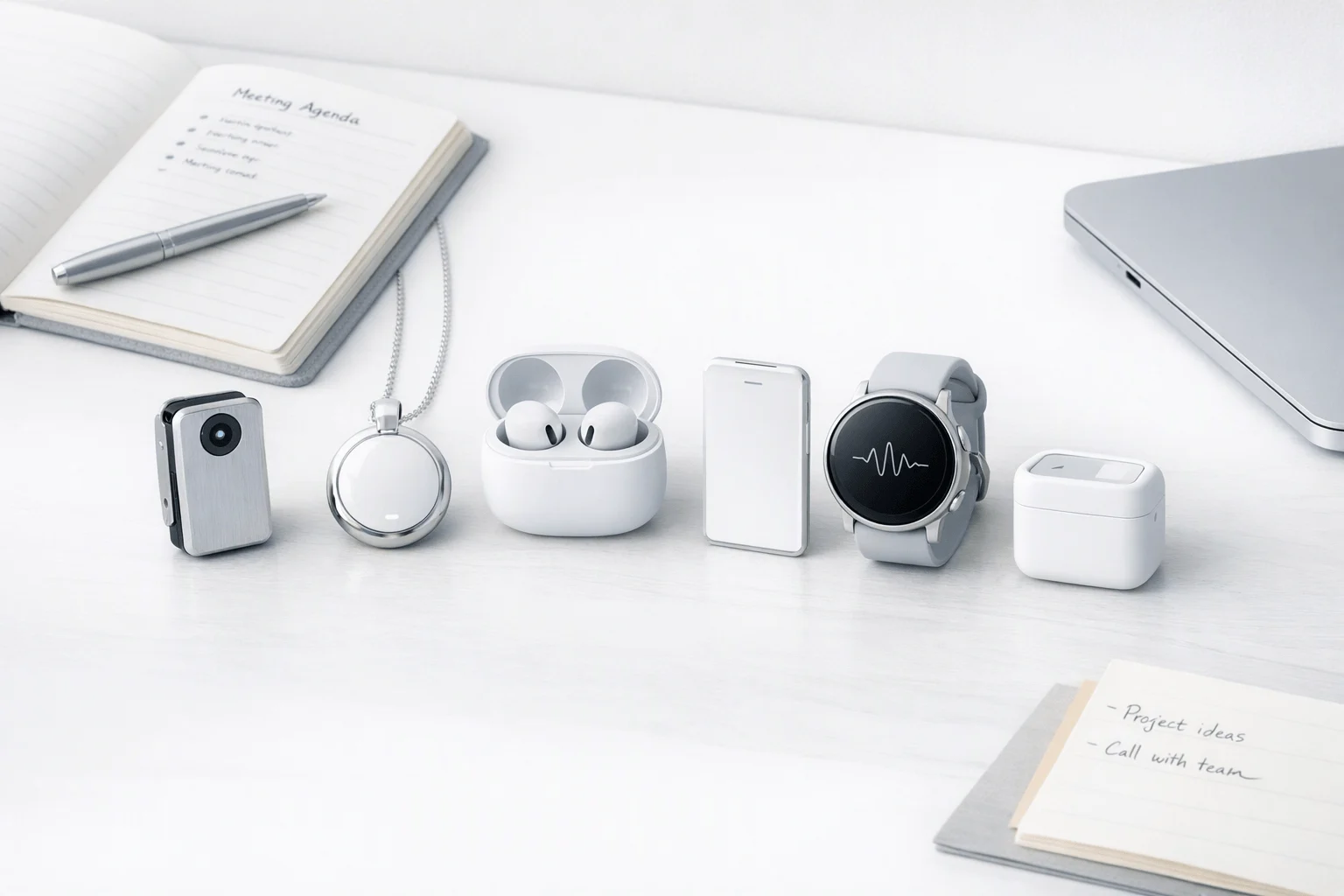
TL;DR: Wearable Tech Picks for Fast Buyers
If you want a wearable AI assistant that actually reduces note work, buy TicNote Device: it's the best overall pick for most professionals and students because it combines dependable recording, transcription, summaries, action items, multilingual support, and more hardware choice than rivals. In this category, that mix matters more than clever branding.
- Best overall: TicNote for meetings, lectures, calls, and field notes that need structured outputs.
- Best budget pick: Bee if low upfront cost matters more than deep meeting workflows.
- Best always-on memory pick: Omi if you want passive recall and second-brain style search over formal meeting notes.
The right fit depends on whether you need polished meeting outputs or passive memory capture all day. Also watch privacy rules, consent expectations, and yearly subscription costs, since they can outweigh the sticker price fast.
Buy TicNote Device See the Device
The full comparison table is just below.
Which wearable AI assistant is actually worth buying in 2026?
If you want the short answer, TicNote is the best wearable AI assistant for most buyers who care about meetings, lectures, multilingual conversations, and field documentation. This is a commercial-investigation guide, not a hype piece: the best devices today are the ones that capture audio reliably, turn it into usable notes fast, and fit into real work without adding friction. If you want a broader market view first, see this guide to the best AI wearables.
Pick by use case
- Meetings and client calls: TicNote — best mix of recording reliability, summaries, action items, and search.
- Lectures and study notes: TicNote — strong transcript-to-summary workflow and structured recap output.
- Travel and multilingual work: TicNote — real-time translation and phone-free 4G option stand out.
- Passive memory and daily recall: Bee or Omi — better fit if you want ambient recall more than formal notes.
- Field work and on-site documentation: TicNote — better for report-ready capture and searchable project records.
- Camera-first, hands-free capture: Ray-Ban Meta — best if visuals matter more than transcript depth.
A wearable AI note taker is a small device that records conversations, transcribes speech, and creates summaries or tasks. In practice, that means the winners are not the flashiest products. They are the ones with better transcript accuracy, less phone dependence, and cleaner exports.
The top 6 ranked at a glance
- TicNote — best for professionals and students who need dependable notes; trade-off: full value depends on its cloud workflow; ownership pattern: daily work device.
- Plaud NotePin — best for users who want strong app integrations; trade-off: subscription value matters more over time; ownership pattern: active note-heavy users.
- Bee — best for personal memory and life logging; trade-off: less focused on formal meeting output; ownership pattern: always-on companion.
- Omi — best for privacy-minded and open-source users; trade-off: rougher mainstream polish; ownership pattern: tinkerers and power users.
- Limitless Pendant — best for existing users invested in memory recall; trade-off: no longer a normal new-buyer pick; ownership pattern: legacy platform users.
- Ray-Ban Meta — best for hands-free capture with camera utility; trade-off: not primarily a serious note-taking tool; ownership pattern: lifestyle-first buyers.
What this review actually measures
Our framework normalizes the basics: recording mode, transcript usefulness, summary quality, battery life, phone dependence, export depth, privacy posture, and first-year cost. For accuracy, we anchor to the same core speech metric used by NIST Speech Recognition Scoring Toolkit (SCTK): Word Error Rate (WER) is defined as the total number of substitutions, insertions, and deletions, divided by the total number of words in the reference. In other words, we care more about usable output than novelty.
Jump to the comparison table next if you want the fastest way to compare the top 6 wearable ai assistants side by side.
How we reviewed these wearable tech devices
We scored each wearable ai assistant in the same kinds of moments buyers actually care about: a quiet office, a noisy café, walking outdoors, phone calls, and bilingual conversation. The goal was simple: judge usable output, not just spec sheets. A recorder with strong battery but weak summaries is less useful than a device that turns a messy meeting into clean notes and action items fast.
Test the devices in real situations
We used five repeatable scenarios:
- single-speaker lecture or briefing
- multi-person meeting with cross-talk
- outdoor dictation while walking
- live phone or app-based call capture
- bilingual speech with translation or mixed-language transcript output
Direct comparisons were easiest when products shared a similar form factor, like card recorders versus card recorders. They were harder when one device depended on a phone, another synced later, and another processed in near real time. In those cases, we compared outcomes: transcript clarity, recap speed, and how easy it was to export something useful.
Weight what matters after the recording
Our rubric weighted transcript accuracy, summary usefulness, latency to recap, wearability, controls, battery, export depth, privacy signals, and fit for sensitive work. We gave more weight to output quality than to hardware claims because buyers need searchable transcripts, reliable action items, and clean handoff into docs or workflows.
We also checked compliance language carefully. Summary of the HIPAA Privacy Rule states it applies to health plans, health care clearinghouses, and health care providers that conduct certain health care transactions electronically, and it also applies to their business associates.
Flag what we could not fully verify
Language counts, battery life, and compliance labels often depend on region, settings, subscription tier, and test conditions. Claims such as GDPR alignment or HIPAA readiness should be validated during procurement, especially for legal, healthcare, or enterprise use. Our scores are transparent but not absolute: they show likely real-world performance, not a universal certification.
Top 6 wearable AI assistants compared
Most buyers want one thing from a wearable AI assistant: reliable capture that turns messy conversations into usable output. That sounds simple, but this category still splits into two camps: devices built for serious notes and devices built more for memory, voice queries, or passive recall. If you want a deeper look at the category, this wearable voice recorder comparison pairs well with the shortlist below.
1) TicNote
TicNote is the most complete pick for people who need dependable notes from meetings, lectures, calls, and field work. It does the basics well: record, transcribe, summarize, and pull out action items. But it also goes further with real-time translation, speaker identification, highlight and annotate tools, AI search across recordings, and structured document generation.
That matters in daily use. Many rivals stop at a transcript plus a short recap. TicNote is built to turn a conversation into follow-up material you can actually use, like reports, formatted notes, and cross-project answers.
The hardware range is a real advantage:
- TicNote Card suits buyers who want a slim, wallet-friendly recorder
- Card Lite keeps the workflow simple with one-button capture
- Pods Wi-Fi fit users who usually keep their phone nearby
- Pods 4G are best for mobile professionals who need more independence
The trade-off is that you still need to match the device to your workflow. Card and Card Lite are simpler and often better for people who prefer post-sync processing. Pods 4G costs more, but it is the strongest option here for live capture on the move.
2) PLAUD NotePin
PLAUD NotePin is a polished alternative for buyers who want per-meeting capture instead of ambient recording. Its appeal is clear: solid hardware, clean app design, strong summaries, many templates, and professional workflow features such as exports, calendar tools, and automation.
It is especially good for users who think in sessions: start a recording, run the meeting, then process the result. That is often a better fit than always-on memory wearables.
Still, PLAUD leans heavily on its app and service stack for AI value. The device captures audio well, but the real payoff comes after upload and processing. Buyers should also factor in ongoing plan costs if they expect heavier monthly usage.
3) Bee
Bee is the budget-friendly ambient pick. At $49.99, it is the lowest-cost entry here by a wide margin, and its 7-day battery makes it easy to wear without much thought. For casual recall, quick summaries, and personal memory support, Bee is appealing.
But it is not the best tool for structured work. Compared with meeting-first devices, Bee gives lighter outputs and less dependable action tracking. It also fits poorly in compliance-sensitive settings where recording rules, transcript precision, and consistent data handling matter more.
In short, Bee is better for personal recall than formal note capture.
4) Omi
Omi is the extensibility-first option. It appeals to developers, tinkerers, and privacy-aware users who like open ecosystems, on-device elements, and broader control. Its task extraction, searchable summaries, and cross-device support make it interesting.
The issue is consistency. Omi can feel more experimental than finished, especially if your goal is smooth transcript access and low-friction meeting output. Smartphone dependence is still part of the experience, and third-party integrations add more privacy questions than some business users will want.
For builders, that may be fine. For busy professionals, it can feel like extra work.
5) Limitless Pendant
Limitless Pendant was built around searchable recall, not deep note production. It is good at turning the day into a memory layer you can search later. That makes it useful for light recap, prep, and personal retrieval.
The downside is depth. Outputs are more utilitarian than structured, and the product is less compelling for buyers who need robust transcripts, formal summaries, or meeting-ready deliverables. The bigger problem for new buyers is availability: it is no longer being sold to new customers, which sharply lowers its value in a live comparison.
6) Ray-Ban Meta smart glasses
Ray-Ban Meta belongs here as an adjacent pick, not a true note-first winner. They work well for hands-free voice queries, calls, casual media capture, and quick AI interactions. If you want camera-led wearable utility, they make sense.
But for transcripts, meeting summaries, and action-item extraction, they are not in the same class as dedicated note-taking devices. Put simply, they are smart glasses with assistant features, not a serious meeting recorder.
| Product | Form factor | Recording mode | Battery | Phone dependence | Export depth | Privacy posture | Annual cost | Best for |
| TicNote | Card recorder or earbuds | One-button, dual-mode, or auto-switch depending on SKU | 13 to 25 hrs | Low to medium; Pods 4G can work phone-free | Deep: transcript, summary, tasks, docs, AI search | Strong on paper; private-by-default claims, encryption, GDPR-aligned claim | From $0 with included hardware plan; higher for Pro/Business | Serious meetings, lectures, calls, field notes |
| PLAUD NotePin | Wearable pin | Manual per-session capture | 20 hrs | Medium to high for AI workflow | Strong summaries, templates, exports | Strong compliance claims | Device cost plus plan if usage grows | Professional meeting capture |
| Bee | Clip or wrist wearable | Ambient-style personal capture | 7 days | Medium | Light summaries and recall | Mixed public messaging | Low upfront; future premium unclear | Personal memory and daily recap |
| Omi | Small wearable device | Ambient and task-focused capture | Modest battery | Medium to high | Moderate, with open ecosystem upside | Good core claims, but integration risk varies | Low device cost plus optional subscription | Builders and experimenters |
| Limitless Pendant | Pendant | Always-on recall | All-day | Medium | Moderate search and recap | Reasonable controls, but product path is limited | Legacy subscription context | Searchable memory |
| Ray-Ban Meta | Smart glasses | Voice, camera, calls | Varies by use | High | Weak for formal notes | Consumer-smart-glasses posture | Device cost only, generally | Hands-free queries and capture |
The simplest takeaway: choose TicNote if you want the best balance of recording reliability, AI output quality, and hardware flexibility. Choose PLAUD NotePin if you prefer a polished per-meeting workflow. Pick Bee, Omi, Limitless, or Ray-Ban Meta only if your main goal is recall, experimentation, or hands-free assistance rather than serious notes.
What makes TicNote the strongest choice for serious note capture?
Most wearable note tools can record a meeting. Fewer can turn that recording into useful work fast. That's where TicNote stands out in the wearable ai assistant category: it offers four hardware options that cover very different use cases, from wallet-sized capture to phone-free meeting recording with live AI output.
Pick the right TicNote hardware for your workflow
| Model | Best fit | Price | Storage | Battery | Workflow advantage |
| TicNote Card | Premium daily carry | $159.99 | 64GB | 25 hrs | Slim 3mm card, easy for meetings and lectures |
| TicNote Card Lite | Budget-first simplicity | $129.99 | 4GB | 25 hrs | One-button recording, no mode switch |
| TicNote Pods 4G | Mobile pros in the field | $299.99 | 32GB case + 256MB earbuds | ~13 hrs with 4G / ~22 hrs off | Records and uploads without a phone |
| TicNote Pods Wi-Fi | Global travelers | $249.99 | 32GB case + 256MB earbuds | ~22 hrs | Sync-based workflow, no region lock |
The Card is the best fit if you want a polished recorder that lives in your wallet. Card Lite trims cost by $30 and keeps the core capture experience simple. Pods 4G is the standout for consultants, inspectors, and sales teams who can't rely on a phone during the day. Pods Wi-Fi makes more sense if you travel often and prefer lower hardware cost over cellular freedom.
Get more than a transcript
TicNote's edge is what happens after you press record:
- Live Summary on Pods 4G while the meeting is still happening
- real-time translation with bilingual subtitles
- AI chat across recordings and projects
- photo-to-transcript sync for field notes and site visits
- automatic action items and post-meeting summaries
- document, report, and slide generation from recordings
That matters because capture alone doesn't save much time. Turning one hour of audio into a searchable transcript, a summary, and a usable report does.
Match the device to the job
For professors and students, Card or Card Lite is the cleanest lecture tool. For consultants and sales reps, Pods 4G is the strongest option because it supports call capture, live upload, and faster recap delivery. For physicians and lawyers, TicNote is compelling for searchable records and structured outputs, but privacy review still matters before any sensitive deployment. For field engineers, the ability to sync photos to exact transcript moments is unusually practical.
Across the lineup, TicNote also includes a Plus plan for hardware users, which improves annual value versus devices that require a paid tier sooner. If you want the best balance of hardware choice, AI workflow depth, and serious day-to-day note capture, TicNote is the most complete system here.
See the TicNote device lineup and choose the model that fits your workday
How to choose the right product
If you want one wearable AI assistant that handles meetings, lectures, calls, and follow-up work well, TicNote is the safest pick for most buyers. It does more than capture audio: it turns conversations into summaries, action items, searchable transcripts, and structured documents, which is why it fits consultants, students, and cross-border teams better than most rivals.
Pick TicNote for the best all-around workflow
TicNote is the strongest choice when output quality matters after the recording ends. Its lineup covers a slim card recorder, a simpler budget card, and earbuds with Wi-Fi or phone-free 4G, so you can match the hardware to your work style.
It stands out for:
- real-time transcription and translation
- post-meeting summaries and to-do lists
- document generation from recordings
- cross-project AI search and Q and A
- offline recording with later sync
For international teams, the translation layer is a real advantage. For students and consultants, the ability to turn one meeting into notes, reports, and follow-ups saves hours each week. If you want a broader category view first, this guide to wearable device comparisons adds more context.
Pick Plaud NotePin for polished recaps
Choose Plaud NotePin if your top priority is clean, readable meeting summaries and a mature app experience. It has strong templates, exports, and automation options, but the trade-off is heavier app dependence and more pressure to pay for ongoing AI usage if you record often.
Pick Bee for cheap passive recall
Bee makes sense when low cost matters more than transcript precision. At USD 49.99, it is best seen as an ambient memory tool for casual recall, not a serious recorder for exact notes, regulated documentation, or detailed action tracking.
Pick Omi for customization
Omi is best for tinkerers. Its open approach, app support, and workflow flexibility appeal to builders who want to shape their own system, but it is less polished and may require more privacy review before professional use.
Pick Limitless or Ray-Ban Meta for narrower needs
Choose Limitless Pendant only if brief recall is enough and you do not need deep meeting outputs. Choose Ray-Ban Meta when hands-free voice help and camera capture matter more than transcripts, summaries, or documentation.
Buyer matrix by role
- Consultants: TicNote Pods 4G
- Students: TicNote Card Lite
- Cross-border teams: TicNote Card or Pods 4G
- Template-heavy managers: Plaud NotePin
- Passive memory users: Bee
- Developers and tinkerers: Omi
- Camera-first users: Ray-Ban Meta
For most people, TicNote remains the best balance of hardware choice, multilingual support, and usable meeting outputs.
Privacy, consent, and long-term ownership factors
A wearable ai assistant is most useful when recording is intentional, not invisible. In practice, that means clear meeting capture with notice, defined purpose, and a known storage path. It does not mean wearing an always-listening device into every private chat, clinic visit, hallway conversation, or legal discussion just because the hardware allows it.
Use always-on recording sparingly
Intentional recording fits scheduled meetings, lectures, interviews, and field walkthroughs where people can be informed. Passive all-day capture is riskier in shared offices, healthcare settings, HR conversations, client intake, and cross-border travel. In sensitive roles, the best default is simple: record only when there is a business need, say so out loud, and stop when that purpose ends.
- Check employer policy before using any recorder at work
- Notify participants where law or policy requires it
- Avoid recording medical, legal, or personnel matters without explicit approval
- Turn recording off in public spaces where bystanders may be captured
Check ownership before you buy
Launch price matters less than three years of access. Buyers should verify whether audio is stored, how long transcripts stay available, whether exports are easy, whether deletion is permanent, and whether the device still records offline if cloud sync fails. That last point matters: offline capture reduces failure risk, while export options reduce lock-in risk.
Follow a simple consent checklist
Before recording, confirm location, workplace rules, and participant notice. For example, California Legislative Information — Penal Code § 632 states California is a two-party consent state: under California Penal Code § 632, recording a "confidential communication" without the consent of all parties is prohibited. Good etiquette is just as important as legal compliance: ask, explain why, and make opting out easy.
Final thoughts on the best wearable tech options
A wearable ai assistant is worth buying in 2026 only when it solves one clear capture problem well. The best devices don't try to replace your laptop, phone, and headset at once. They help you record, recall, and act faster. If you want the broadest fit for meetings, lectures, calls, and field notes, TicNote is the strongest overall pick because it pairs solid capture quality with deeper workflow tools, flexible hardware, and support for 120+ languages.
Here's the simple breakdown:
- Choose TicNote if you want the best mix of transcription, summaries, action items, translation, and cross-project search.
- Choose Bee if you want low-cost ambient memory and light daily recall.
- Choose PLAUD if polished meeting summaries and template-driven outputs matter most.
- Choose Omi if you want camera-leaning, open-source, hands-free experimentation.
If you need more context before buying, this wearable tech buying guide breaks down form factors, work use cases, and privacy trade-offs. Compare TicNote models and see which device fits your workflow best


