


 Extension
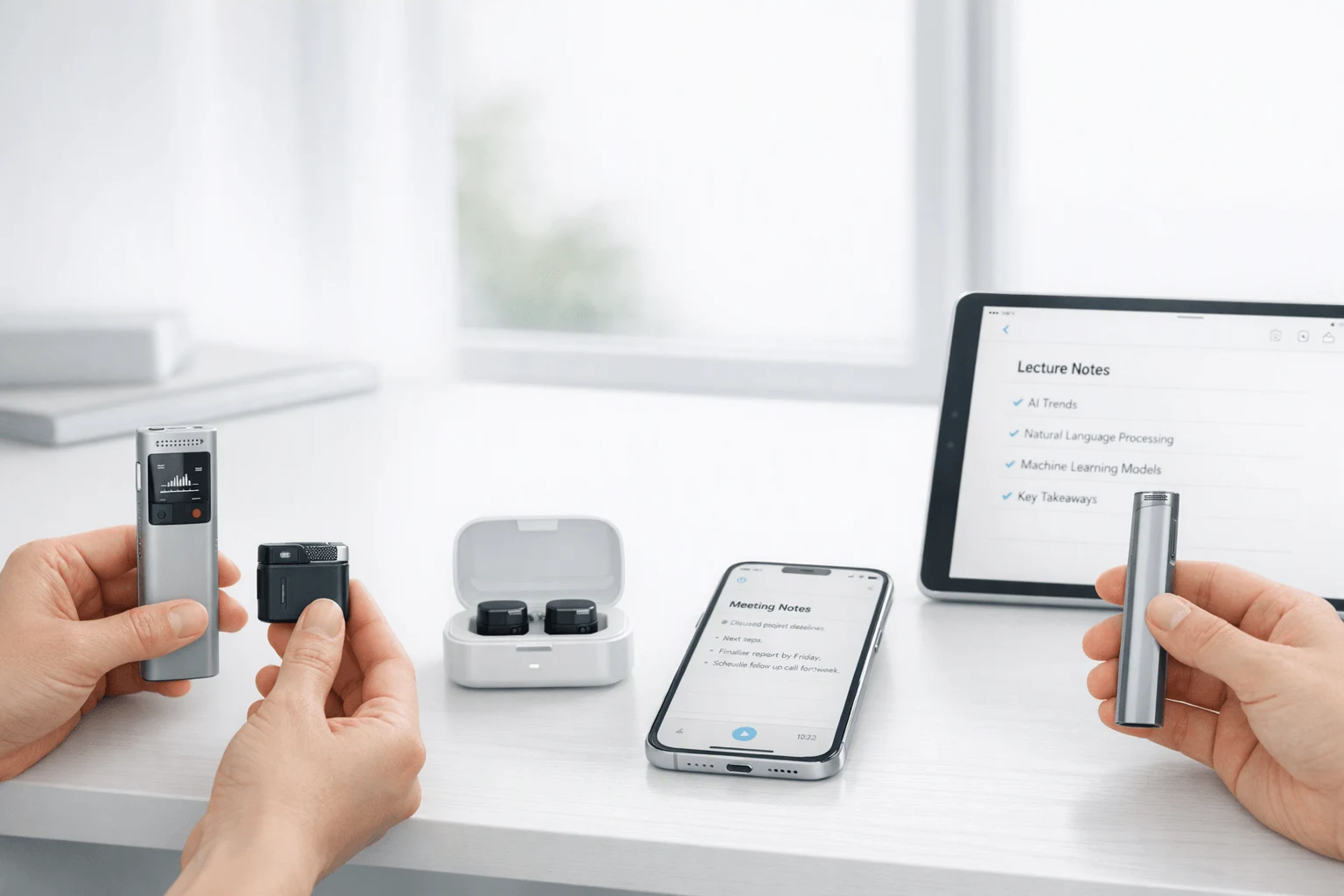
TL;DR: Voice Recorders and AI note takers at a glance
If you want the best AI note taking device, skip phone-only setups: in real meetings, lectures, calls, and multilingual conversations, dedicated hardware is faster to start, easier to trust, and less likely to die, get interrupted, or miss room audio. The right pick depends on workflow more than specs: choose a slim card recorder for everyday carry, a lower-cost model for simple capture, 4G earbuds for phone-free live summaries, or Wi-Fi earbuds for global travel and sync-based use.
Buy TicNote Device See the Device
| Buyer type | Best fit | Why it fits |
| Most professionals | TicNote Card | Premium wallet-size recorder, 25-hour battery, 64GB |
| Budget-focused buyers | TicNote Card Lite | Simpler one-button use at $129.99 |
| Sales, consultants, field teams | TicNote Pods 4G | Live Summary, call workflows, no phone needed |
| International travelers | TicNote Pods Wi-Fi | No region lock, Wi-Fi/Bluetooth sync |
For most buyers, Card is the safe default. Pick Card Lite if price matters most, Pods 4G if you need summaries while the meeting is still happening, and Pods Wi-Fi if you want the most travel-friendly sync workflow.
What makes the best ai note taking device for real-world use?
The best ai note taking device is the one that still delivers clean, searchable notes when the room is not ideal. In practice, buyers should judge four things first: capture quality, battery life, storage, and how usable the output is after the meeting ends.
Judge the non-negotiables first
Transcript accuracy changes with noise, distance, and mic placement. The NIST 2021 Speaker Recognition Evaluation Plan defines interview speech as being recorded in multiple acoustic environments, showing why real-world testing matters more than lab claims.
Use this buyer framework:
- Accuracy in quiet and noisy rooms
- Speaker separation or who said what
- Pickup range for across-table or classroom use
- Battery for 2-hour lectures or all-day workshops
- Onboard storage for offline recording
- Export formats, search, and note-to-audio linking
- Summary quality and action item usefulness
Different users value different trade-offs. Legal and healthcare teams often care most about quote accuracy, auditability, and privacy. Students may prioritize long battery life and storage. Sales and consulting teams usually want fast summaries, exports, and easy follow-up.
| User type | Top priority | Best-fit device trait |
| Students | Long lectures | Long battery and ample storage |
| Professionals | Meeting recap speed | Strong summaries and exports |
| Legal or healthcare | Verifiable detail | Searchable transcript tied to source audio |
| Multilingual users | Live understanding | Translation and bilingual subtitles |
Know when hardware beats an app
Dedicated recorders usually beat phone apps in live rooms. They work better for across-the-table conversations, distant speakers, and cases where you need your phone free for slides, calls, or notes. They also help when users want a bot-free option instead of inviting software into every meeting.
Check the full cost, not just the device price
Hardware cost is only the starting point. Compare included transcription minutes, AI credits, export limits, history limits, and annual plan pricing. A lower-cost device with tight caps can cost more over 12 months than one with better bundled usage.
A compact comparison table should sit here to weigh price, included usage, battery, storage, and sync method side by side.
How should buyers compare the best AI note takers fairly?
The only fair way to compare the best ai note taking device is to test each one in the same conditions buyers actually face. That means one repeatable baseline, then live use across meetings, lectures, and calls. If a brand can't explain how its claims were tested, treat broad accuracy or summary promises with caution. For a broader look at devices side by side, see this guide to AI recorders for meetings and calls.
Use a repeatable test, not a vague impression
A useful framework is simple:
- Use the same room and background noise
- Keep the same speaking distance, such as 6 to 10 feet
- Play the same prerecorded control sample on every device
- Run the same live meeting, class, or phone call workflow
- Score outputs before editing anything manually
This matters because performance changes fast by context. A recorder that does well in a quiet office may struggle in a classroom or on a speakerphone call. The best AI note takers are not equally strong in every setting.
Score the outputs that affect real work
Buyers should compare these criteria first:
- Raw transcript accuracy
- Summary depth and usefulness
- Action item extraction
- Turnaround speed
- Real-time versus post-sync workflow
- Speaker labeling accuracy
- Multilingual transcription and translation quality
In practice, speed is often the hidden tiebreaker. A device that delivers usable notes in 30 seconds can be more valuable than one that needs several minutes and extra cleanup.
Verify what marketing pages often gloss over
Before you buy, check reviews and product pages for details like these:
- Battery life in real recording, not standby only
- Whether translation is optional or always on
- Whether exports keep headings, bullets, and speaker labels
- Whether recording continues if the app closes
- Whether offline capture and later sync really work
- Whether call recording works natively or only in limited setups
This is where TicNote stands out most clearly for specific workflows: bot-free capture in rooms where meeting bots are unwelcome, offline recording with sync later, and live summaries on Pods 4G for users who need notes before the meeting even ends. Use the next device comparison section to match those strengths to your workflow before purchase.
TicNote Card, Lite, Pods 4G, or Pods Wi-Fi: which model fits your workflow?
Choosing the best ai note taking device gets easier when you start with workflow, not specs. In TicNote's lineup, the Card is the premium everyday-carry option, the Card Lite is the simpler budget pick, the Pods 4G are the most capable choice for mobile professionals, and the Pods Wi-Fi suit travelers who prefer sync-based use. If you want a deeper look at form factors and use cases, this device comparison guide adds more context.
Pick TicNote Card for premium everyday carry
TicNote Card fits people who want a recorder in their wallet every day. It's just 3 mm thin, has 64GB of storage, a 25-hour battery, and a 3-mic array for meetings, lectures, and interviews. The lever switch is the key difference: you can move between speaker mode and earphone mode instead of relying on one default setup.
This is the better fit for:
- client meetings where polished carry matters
- campus lectures that run long
- interview sessions that need dependable storage
- commuters who want a recorder always on hand
The trade-off is simple: Card feels more premium, but it asks you to use the mode switch correctly.
Choose Card Lite for lower cost and less friction
TicNote Card Lite is the practical option for buyers who want core recording and AI outputs at a lower price. At $129.99, it costs $30 less than the Card, keeps the same 25-hour battery, uses a 3-mic array, and removes the extra decision-making with modeless recording. Press once and record.
That makes Lite the easier device to recommend for students, first-time buyers, and teams buying in volume. You give up the thinner premium build, the leather case setup, and the lever-based mode control. In return, you get simpler operation and a lower entry price.
Go with Pods 4G for the most capable workflow
TicNote Pods 4G are the clearest choice for high-mobility users. They combine earbuds for calls and online meetings with room capture through the case, then upload through a built-in 4G eSIM so you don't need your phone nearby. That changes the workflow in a real way.
For consultants, sales teams, and field workers, the headline features matter:
- Live Summary during recording
- Quick Summary right after recording stops
- call recording while wearing the earbuds
- auto-switching between earbud and case capture
- phone-free recording and upload
At $299.99, they are the most expensive model, but also the strongest fit for users who need notes fast, on the move, and across calls plus in-room conversations.
Pick Pods Wi-Fi for global travel and sync-based use
Pods Wi-Fi keep the same earbud-style flexibility without 4G. They support Bluetooth and Wi-Fi sync, deliver post-upload transcription, and have no region lock, which makes them the better option for international users. If your phone is usually with you, they cover most of the same ground at a lower price.
| Model | Price | Battery | Storage | Connectivity | Best-fit user |
| Card | $159.99 | 25 hrs | 64GB | Bluetooth / Wi-Fi sync | professionals who want premium everyday carry |
| Card Lite | $129.99 | 25 hrs | 4GB | Bluetooth / Wi-Fi sync | budget-focused users who want one-button simplicity |
| Pods 4G | $299.99 | ~13 hrs with 4G / ~22 hrs without | 32GB case + 256MB earbuds | 4G, Bluetooth | mobile pros who need phone-free capture |
| Pods Wi-Fi | $249.99 | ~22 hrs | 32GB case + 256MB earbuds | Wi-Fi, Bluetooth | global travelers and sync-based users |
The short verdict: Card is best for polished daily carry, Lite is best for value, Pods Wi-Fi are best for global earbud use, and Pods 4G are the best AI note takers here if you want the most complete workflow device.
Buy the TicNote device that matches your workflow
If you want to compare the models side by side before deciding, see the TicNote device lineup.
Which TicNote features are hard to find in other voice recorders?
What separates a useful recorder from the best ai note taking device is not just clean audio. It's what you can see and use while the conversation is still happening, and what you can find weeks later when the project comes back. That gap matters most in multilingual meetings, client work, lectures, and fast-moving field conversations.
Get live transcription and translation, not just after-the-fact notes
Many devices can translate after upload. Fewer give you real-time transcription with real-time translation and bilingual subtitles as people speak. That difference is practical, not cosmetic.
- In cross-border meetings, live text helps teams catch terms before they are missed.
- In lectures, students can follow spoken content and review it later.
- During travel, bilingual subtitles reduce the lag between hearing and understanding.
- In multilingual teams, live visibility lowers the risk of wrong action items.
TicNote Card and Card Lite support real-time transcription and translation through the app during recording, while still allowing offline capture when needed. Pods add a more flexible live workflow: the earbuds and case support conversation scenarios, and Pods 4G can push data without your phone nearby.
Turn recordings into project memory
Single-meeting summaries are helpful. Searchable memory is better.
TicNote goes further by letting you ask AI questions across recordings, projects, and documents. That means a consultant can trace when a requirement changed, a sales team can pull objections from last quarter, a lawyer can search exact quotes, and an educator can turn multiple lectures into study materials.
Useful outputs include:
- cross-recording Q&A
- document generation for notes, reports, and formatted drafts
- project-based search
- follow-up retrieval tied to earlier decisions
This is where many best AI note takers still feel limited: they summarize one file well, but struggle to connect the full history.
See summaries sooner and keep visual context
Pods 4G stands out with Live Summary during the meeting and Quick Summary right after recording stops. That's valuable when you need to confirm next steps before people leave the room. Card, Lite, and Pods Wi-Fi are more post-session in style, but still deliver transcripts, summaries, and action items quickly after sync.
TicNote also syncs photos to exact transcript moments. So if you capture a whiteboard, slide, or field diagram, the image stays tied to the discussion that explains it.
If you want more side-by-side breakdowns, see our guide to AI meeting tools with live summaries.
Privacy, consent, and compliance: what should you check before recording?
Privacy is part of the buying decision, not a footnote. If you're choosing the best ai note taking device for meetings, lectures, or client calls, check how audio is handled before you compare summaries or battery life. A strong device should let you record offline, protect files in transit and at rest, limit internal access, and give you clear deletion controls.
Use a simple privacy checklist
Ask these questions before you trust any recorder with sensitive conversations:
- Where is audio processed: on device, in the cloud, or both?
- Are recordings and transcripts encrypted in transit and at rest?
- Can the device capture offline and sync later?
- Who can access the content inside the vendor's system?
- Can admins or users set retention and deletion rules?
- Is customer data used to train AI models?
TicNote is best treated as a checklist example, not a trust-me promise. Its stated position includes offline recording, encrypted recordings and transcripts, U.S.-based cloud storage, private-by-default settings, and a claim that customer content is not used to train AI models. That's a solid starting point, but buyers in legal, healthcare, and education should verify each point in writing.
Verify claims with evidence
Marketing pages aren't enough. Ask vendors for security documentation, regional data-handling details, and retention terms. For example, Regulation (EU) 2016/679 (General Data Protection Regulation), Article 5 says personal data must be kept "for no longer than is necessary for the purposes for which the personal data are processed." If a vendor claims GDPR alignment, deletion and retention controls should be easy to find, not buried.
Get consent before you press record
Recording rules vary by country, state, employer, and school. Some places allow one-party consent. Others require all parties to agree. Workplace policies, university rules, and patient or client confidentiality can be stricter than local law.
Trust-first reminder: disclose the recording clearly, explain why you're recording, and get permission before any meeting, class, call, or sensitive consultation begins.
Is an AI note-taking device better than an app-only setup?
Usually, yes—if recording is part of your real workflow, not just an occasional task. An app is cheaper to start with, but the best ai note taking device often wins on reliability, cleaner capture, and fewer failure points when meetings run long or get messy.
App-only setups save money, but add friction
A phone app can be enough at first. There's no extra hardware to carry, and many tools start free or with a low monthly fee. For short voice memos, solo brainstorming, or remote calls at your desk, that simplicity is hard to beat.
But in practice, app-only recording is fragile:
- phone battery drains faster during long sessions
- calls, alerts, and notifications can interrupt capture
- your microphone placement is often poor in shared rooms
- recurring subscription fees can overtake hardware cost over time
- using your phone for notes, messages, and recording at once creates conflicts
Dedicated hardware improves real-world capture
In lecture halls, interviews, workshops, and conference tables, hardware usually performs better because you can place it where the sound is best. Dedicated controls also reduce missed starts and accidental stops. That's a big reason many buyers move from apps to devices after a few failed recordings.
If you want a deeper look at the trade-offs, this guide on voice recorders versus smartphones for meetings and lectures breaks down where each setup works best.
When software alone is enough
Choose software only if you record short sessions, work mostly at a desk, and don't mind relying on your phone. Choose a device if you need bot-free capture, stronger room pickup, offline recording, wearable call capture, or multilingual transcription and translation. In those cases, dedicated hardware is the more dependable choice.
Final thoughts: choosing the right AI voice recorder for your notes
The best ai note taking device is the one that fits your workflow, not the one with the longest feature list. Buy for capture conditions, privacy needs, and long-term cost. If you want premium daily carry, TicNote Card stands out. If you want the simplest low-cost option, Card Lite is the better fit. If your work happens on the move, Pods 4G is the strongest choice for phone-free recording, live summaries, and call capture. If you travel often and prefer sync-based use, Pods Wi-Fi makes more sense.
- TicNote Card: best for premium everyday meetings
- Card Lite: best for budget-friendly simplicity
- Pods 4G: best for mobile pros who need live intelligence
- Pods Wi-Fi: best for global, phone-near workflows
If you're still comparing brands, this Plaud alternative breakdown adds useful context before you decide.


