


 Extension
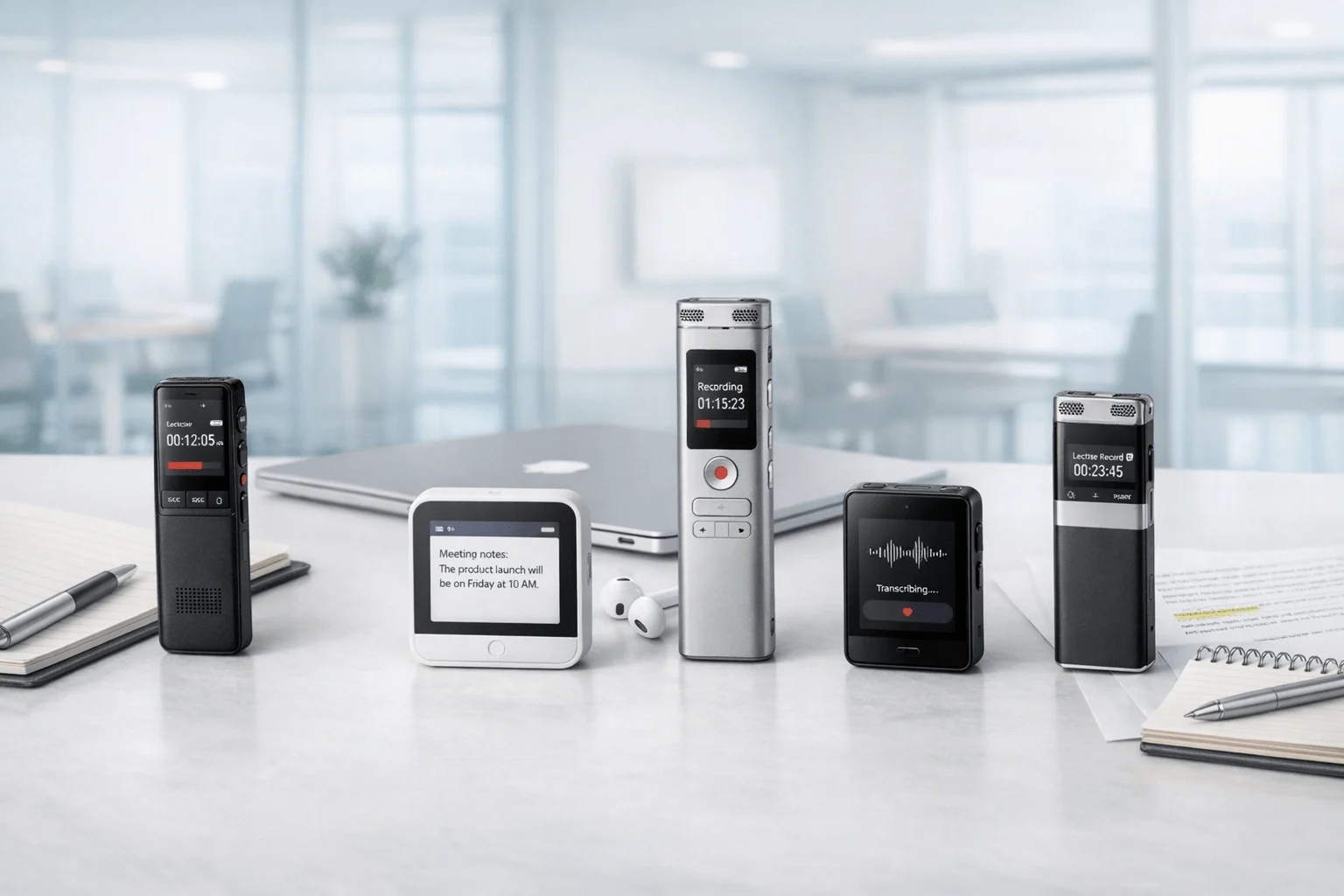
TL;DR: Best Voice Recorders for Speech-to-Text in 2026
If you want the best speech to text device fast, Buy TicNote Device: after testing this category, the real divide is between gadgets that merely record and ones that actually reduce note work. TicNote Card is the best all-around pick for most professionals, students, and consultants because it balances wallet-size portability, reliable transcription, AI summaries, and strong value at $159.99.
Best short list:
- TicNote Card: best for most users
- TicNote Card Lite: best budget and simplest one-button pick
- TicNote Pods 4G: best phone-free option for live summaries and field work
- TicNote Pods Wi-Fi: best global-use earbuds option for sync-based workflows
If you want a quick look before the full breakdown, See the Device. Runner-up dedicated hardware from PLAUD, HiDock, and iFLYTEK is covered later, and the comparison table below makes the trade-offs easy to scan.
What is the best speech to text device for different users?
For most buyers, the best speech to text device is the one you'll actually carry every day, trust in a real meeting, and use without adding friction. That's why TicNote leads this category: each model fits a clear use case, from wallet-size meeting capture to phone-free field recording. If you want a broader side-by-side view first, this guide to AI recorders for meetings and calls adds more context.
Pick TicNote Card for the best overall fit
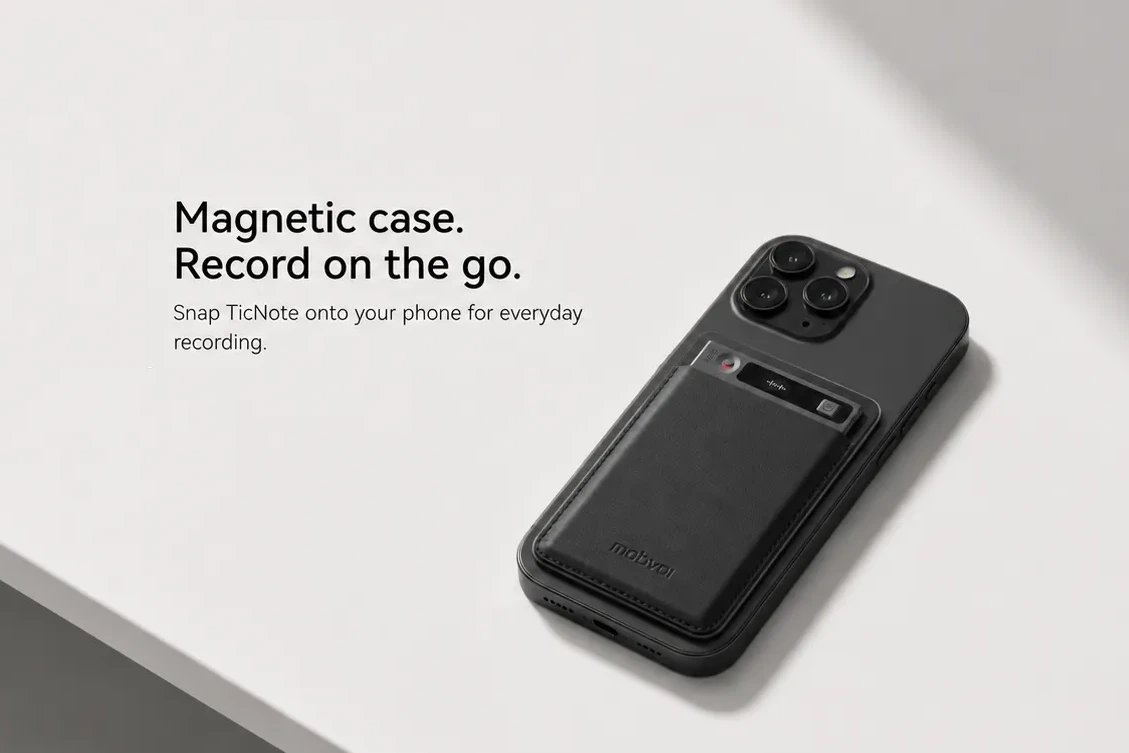
TicNote Card is the best overall choice for most professionals. It's credit card-sized, just 3 mm thin, runs for 25 hours, stores 64GB, and uses a 3-mic array with up to 10 m pickup. In daily use, that means less setup, fewer missed details, and a recorder that can live in your wallet instead of your bag.
Via phone connection, it supports real-time transcription and translation, then delivers summaries and action items after the session. It fits consultants, sales teams, educators, and anyone moving between meetings all day.
- Best for: consultants, account teams, educators, project managers
- Key strength: premium always-with-you form factor
- Main trade-off: live features depend on phone connection
Product highlight: A slim dedicated voice to text device with strong battery life, full AI recap workflow, and less friction than app-only recording.
Choose TicNote Card Lite for the best budget buy
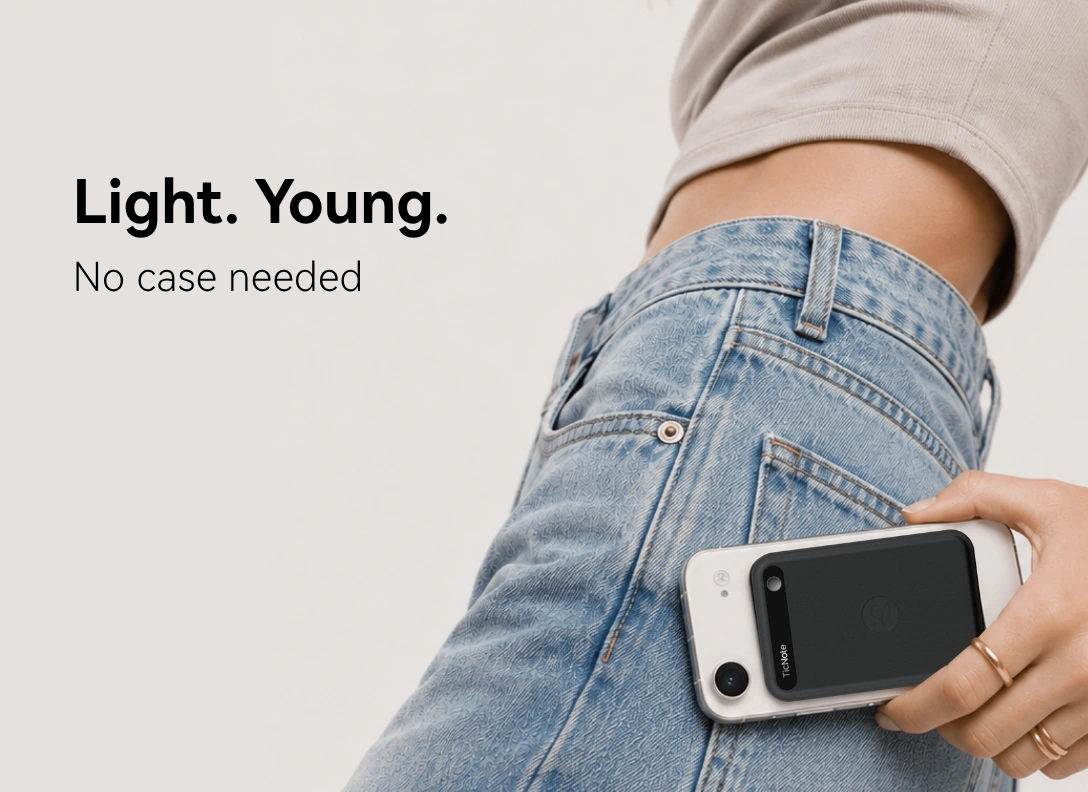
TicNote Card Lite is the affordable pick at $129.99. It keeps the 25-hour battery, 3-mic array, and simple AI workflow after sync, but strips things down for easier one-button use. No lever. No mode switch. Just press and record.
That makes it a smart fit for students, lighter meeting schedules, and budget-conscious buyers. The trade-off is a simpler build and lower storage positioning than the Card.
- Best for: students, occasional meeting users, buyers on a budget
- Key strength: one-button recording
- Main trade-off: less premium hardware package
Go with TicNote Pods 4G for phone-free work
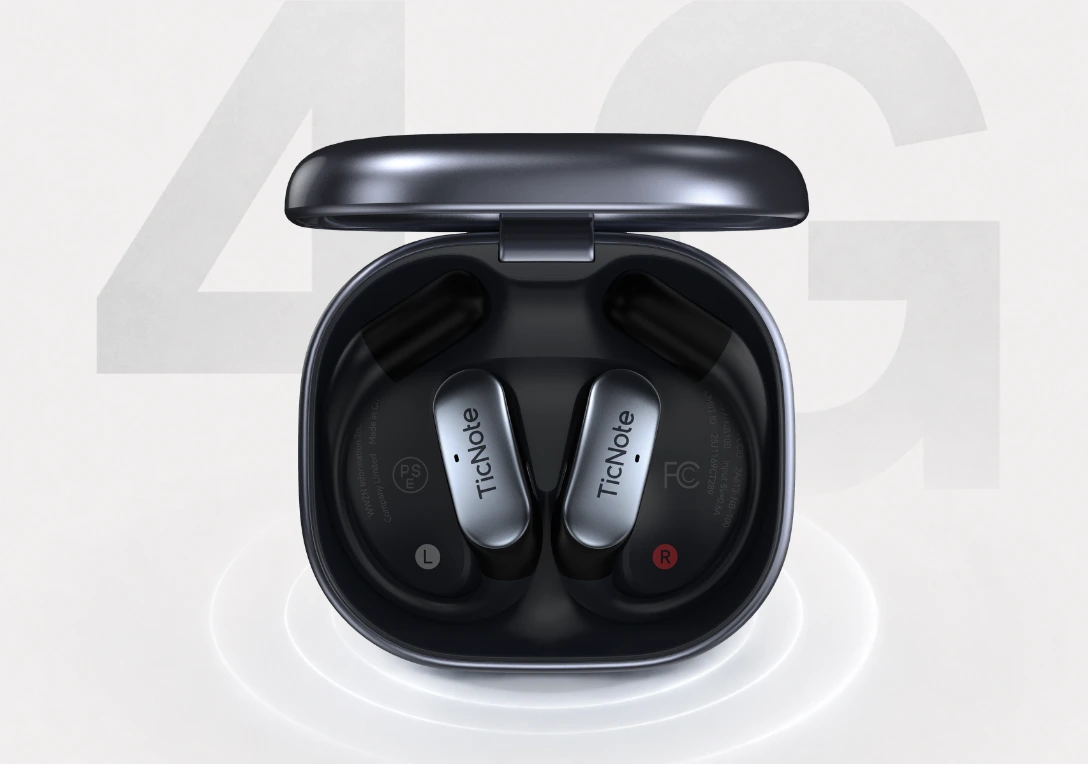
TicNote Pods 4G is the premium option for road warriors, field engineers, and mobile teams. Its built-in 4G eSIM lets the case upload audio without your phone nearby. That unlocks Live Summary during the meeting and Quick Summary right after it ends.
It also handles dual recording modes: earbuds for calls and online meetings, case recording for room audio. If you take calls on the move, automatic call recording while wearing the earbuds is a real advantage over app-only workflows.
- Best for: field work, travel, mobile client calls
- Key strength: phone-free recording and upload
- Main trade-off: higher price at $299.99
Pick TicNote Pods Wi-Fi for global use
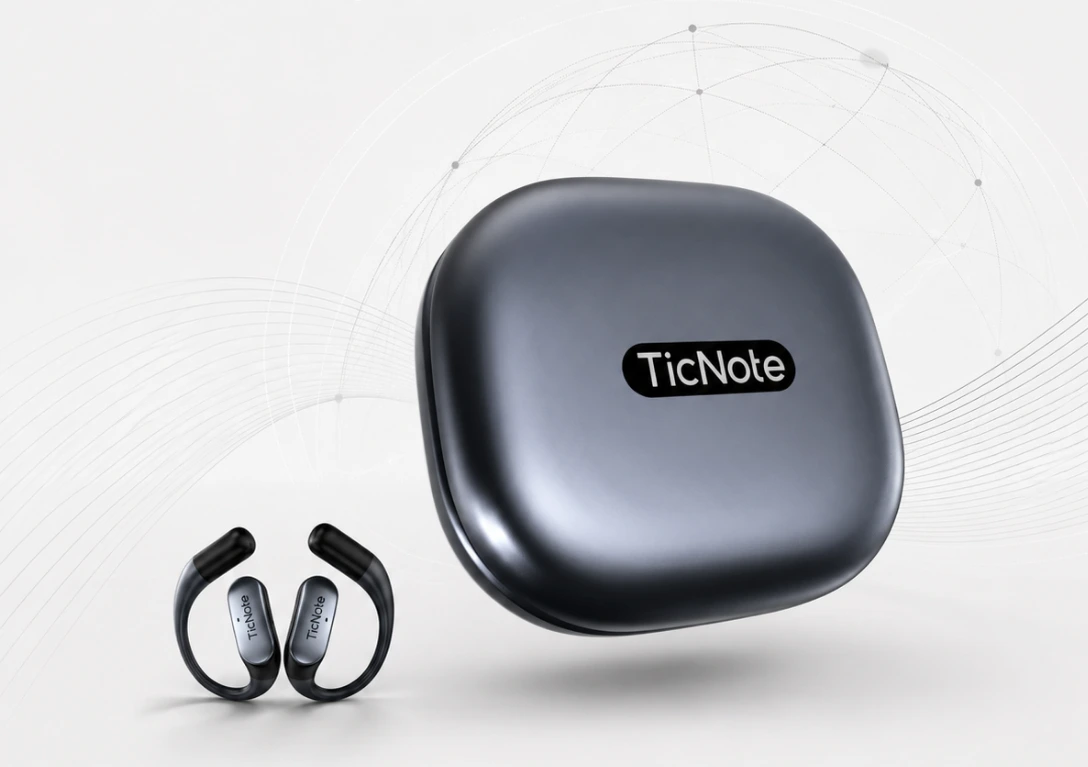
TicNote Pods Wi-Fi is the best earbuds-based option if your phone is usually nearby. It has a lighter case, Wi-Fi and Bluetooth sync, the same AI processing path after upload, and no region lock for global use. Choose it over the 4G version if you want wearable capture but don't need standalone cellular upload.
- Best for: international users, hybrid workers, wearable-first buyers
- Key strength: global use with lower cost than 4G
- Main trade-off: no phone-free upload
Runner-up device options at a glance
Other buyers often compare PLAUD, iFLYTEK, HiDock, and Otter-linked workflows. Some are stronger in one lane, such as desktop use, offline transcription, or software-first meeting notes, but fewer combine dedicated hardware, AI summaries, privacy-focused positioning, and call-plus-field flexibility as cleanly. The next comparison section breaks down where each one wins and where it falls short.
How do the top voice to text devices compare?
The best speech to text device isn't the one with the longest feature list. It's the one that fits how you actually work. That's why this review uses normalized buying criteria across every device: form factor, recording flexibility, phone dependence, transcription workflow, summary timing, call capture, battery, storage, privacy posture, language support, and total cost of ownership. That approach avoids misleading one-feature comparisons and helps buyers make a faster, cleaner decision.
Compare the full workflow, not just the transcript
Many buyers focus too hard on raw transcription accuracy. But in real use, workflow speed matters just as much. A good voice to text device should capture clearly, sync without friction, turn speech into useful notes, and surface action items fast.
Here's the practical lens we used:
- Form factor: card recorder, earbuds, desktop unit, or app-first setup
- Recording flexibility: meetings, lectures, calls, field notes, and online sessions
- Phone dependence: whether it works fully offline or needs a phone nearby
- Output quality: transcript, summary, to-do list, speaker labels, and searchable notes
- Ownership cost: device price plus any software limits or paid plan pressure
- Privacy: local storage, encryption, cloud handling, and admin controls
Side-by-side device comparison
Visual comparison cue: scan left to right for the fastest match between your use case and workflow.
| Device | Price | Form factor | Offline recording | Upload method | Summary timing | Translation support | Storage | Battery | Global use | Best for |
| TicNote Card | $159.99 | Card recorder | Yes | Bluetooth or Wi-Fi sync | After recording stops | 120+ languages claimed | 64GB | 25 hrs | Standard travel use | Professionals who want a wallet-size recorder |
| TicNote Card Lite | $129.99 | Card recorder | Yes | Sync after recording | After recording stops | 120+ languages claimed | 4GB | 25 hrs | Standard travel use | Budget buyers who want simple one-button capture |
| TicNote Pods 4G | $299.99 | Earbuds + case | Yes | Built-in 4G upload | During recording and instantly after | 120+ languages claimed | 32GB case + 256MB earbuds | ~13 hrs 4G on / ~22 hrs 4G off | Region considerations apply | Calls, travel, and field work without a phone |
| TicNote Pods Wi-Fi | $249.99 | Earbuds + case | Yes | Wi-Fi and Bluetooth sync | After upload | 120+ languages claimed | 32GB case + 256MB earbuds | ~22 hrs | Yes | Global users who keep a phone nearby |
| PLAUD Note Pro | $189 | Card recorder | Yes | App/cloud sync | Post-recording | 112+ languages | 64GB | 30h to 50h | Broad travel use | Heavy professional recording |
| HiDock P1 | $169 | Portable call recorder | Yes | Device + app sync | Post-recording | 75+ languages | 64GB | Not clearly normalized across modes | Standard travel use | Bluetooth earphone calls |
| iFLYTEK P1 Pro | $159 | Handheld recorder | Yes | App/cloud sync | Post-recording | Varies by SKU | 64GB | 20 hrs | Varies by market | Lectures and general meetings |
| Otter | App-based | Software only | No dedicated hardware | Cloud/app | Real-time | 6 languages listed | Cloud-based | Phone dependent | Yes | Users who prefer meeting software over hardware |
What stands out? TicNote is stronger when you judge the whole capture-to-output chain, not just text conversion. The Card models suit buyers who want dedicated hardware with simple offline recording. The Pods 4G stands out for phone-free upload, live summary, and automatic call capture when worn. And across the lineup, TicNote adds more than transcripts: Ask AI, action items, project knowledge organization, document generation, and searchable cross-meeting context.
What matters most after accuracy
In practice, the better buying decision comes down to speed and follow-through. Can the device capture calls? Can it summarize before you forget the meeting? Can it turn recordings into usable notes, reports, and next steps?
That's where TicNote separates itself from many alternatives. Some products stop at transcription. TicNote combines dedicated hardware with summaries, AI Q&A, translation, and project-level knowledge workflows. For busy teams, students, consultants, and field users, that often matters more than chasing tiny differences in transcript quality alone.
Which TicNote features are exclusive and unavailable in many other voice recorders?
A lot of devices can record and transcribe. Far fewer help you act while the conversation is still happening. That gap matters when you need the best speech to text device for client meetings, site visits, lectures, or call-heavy days, because delayed notes often mean missed details and slower follow-up.
Get usable insights during or right after capture
The clearest differentiator is summary timing.
- Live Summary on TicNote Pods 4G surfaces key points during recording
- Quick Summary pushes a recap as soon as recording stops
- Most competing devices focus on post-upload or post-processing summaries instead
For fast-moving work, that difference is practical, not cosmetic. A consultant can confirm decisions before leaving the room. A field user can review issues on-site instead of waiting until evening. And a sales rep can see next steps right after a call ends.
Search across projects, not just one transcript
Single-file transcription is now common. What buyers should really test is whether the system can connect recordings over time.
TicNote stands out with features like:
- Ask AI across recordings and projects
- project knowledge base organization
- document generation from recordings
- searchable transcripts with speaker identification
That workflow is more useful for legal, healthcare-adjacent, consulting, and project work than a simple voice to text device that exports one transcript at a time. It turns repeated meetings into a usable record, not a pile of files.
Add context with translation, highlights, and photo sync
TicNote also goes beyond basic capture with real-time translation, bilingual subtitles, live highlights, annotations, and photo sync tied to exact transcript moments.
That helps in a few clear ways:
- multilingual meetings become easier to follow
- lectures are faster to review
- field inspections gain visual proof linked to spoken notes
- action items are easier to trace later
A simple workflow diagram would fit well here: capture, highlight, snap photo, sync, then generate summary and follow-up document.
Keep privacy and sync under user control
Privacy is another area where dedicated hardware can make more sense than always-on consumer apps. TicNote describes its setup as private by default, with encrypted recordings and transcripts, user-controlled sync, a U.S.-based cloud, and end-to-end encryption language. Buyers should still run a security review, especially in regulated settings. For example, 45 CFR § 164.312 — Technical safeguards states HIPAA's Security Rule requires covered entities and business associates to implement "a mechanism to encrypt and decrypt electronic protected health information" as an addressable implementation specification at 45 CFR § 164.312(a)(2)(iv).
How to choose the right product
If you want the best speech to text device for real daily use, start with your use case, not the spec sheet. The fastest way to choose is simple: pick by what you record most, then form factor, then connectivity, then budget. If you want more background before you buy, this guide on choosing an AI recorder for meetings, calls, and lectures goes deeper.
Choose TicNote Card if you want a premium wallet-sized recorder
For most buyers, this is the default pick. TicNote Card gives the best balance of portability, recording quality, storage, and polished hardware in the lineup.
It's just 3 mm thin, built from aluminum alloy, and sized to live in a wallet. You also get a leather case and a lever switch that lets you move between earphone mode and speaker mode, which is useful when your day includes both private calls and room meetings. With 64 GB storage, around 25 hours of battery life, and a 10 m pickup range, it fits meetings, lectures, and client calls without feeling like extra gear.
Best for:
- Professionals in back-to-back meetings
- Consultants and sales teams
- Buyers who want the most refined hardware
Choose TicNote Card Lite if you want the simplest low-cost option
Pick Card Lite if ease matters more than premium materials. It costs $129.99, trims the hardware extras, and keeps the core AI workflow: record, sync, transcribe, summarize, and pull out action items.
Its main advantage is one-button, modeless recording. There's no lever and no mode switch, so it's harder to mess up when you need to capture something fast. That makes it a strong fit for students, solo professionals, and first-time buyers who want a voice to text device without paying for finish details they may not need.
Best for:
- Students recording lectures
- Solo operators and freelancers
- First-time AI recorder buyers
Choose TicNote Pods 4G if you need phone-free capture and live AI summaries
This is the best option for people who work in motion. If your phone isn't always nearby, or you need wearable call capture, TicNote Pods 4G is the clear match.
The built-in 4G eSIM lets the case upload in real time without depending on your phone. Its dual recording logic is practical: the earbuds handle calls and online meetings, while the case handles room recording when idle. The standout feature is Live Summary, which gives AI recap value before the meeting even ends. At $299.99, it's the most powerful choice for road warriors, field teams, and heavy call users.
Best for:
- Field workers and traveling professionals
- Users who need call recording from wearables
- Teams that want live upload and live summaries
Choose TicNote Pods Wi-Fi if you want global use with sync-based workflows
Choose Pods Wi-Fi if you like the wearable format but don't need cellular upload. It keeps the same core earbuds-plus-case approach, but uses Bluetooth and Wi-Fi for sync instead of 4G.
That makes it a better fit for international users and frequent travelers. The big advantage is no region lock, plus a lighter case than the 4G version. At $249.99, it sits in the middle: more flexible than a card recorder for wearable use, but less costly than the phone-free model.
Best for:
- International users
- Travelers
- Buyers who prefer upload-after-recording workflows
Here's the one-minute recommendation ladder:
- Want the best all-around choice? Pick TicNote Card.
- Want the cheapest, easiest option? Pick Card Lite.
- Need phone-free recording and live AI output? Pick Pods 4G.
- Want wearable recording for global travel without cellular? Pick Pods Wi-Fi.
What did we look for in the best voice-to-text device review?
A useful review of the best speech to text device should test what happens in normal work, not perfect demo conditions. That means noisy meeting rooms, fast lectures, side comments, overlapping speakers, and accents that often break weaker systems. Vendor language support and accuracy claims matter, but real-world transcription utility matters more: can you find decisions, quotes, and action items without cleaning up half the transcript yourself?
Test accuracy where people actually use it
We focused on performance in situations buyers face every week:
- multi-speaker meetings
- lecture-style one-way audio
- phone and call capture workflows
- background noise from offices, cafés, and conference rooms
- accented speech and uneven speaking pace
A device that sounds great in a quiet room can still fail when two people interrupt each other. That gap is why we value speaker separation, stable pickup range, and summary quality over headline claims alone.
Check whether the hardware fits all-day use
Battery life, storage, and carry comfort shape whether a device gets used daily or left in a drawer. Card-style models fit wallet or pocket carry. Wearables and earbud-based models suit users who move between calls, site visits, and commutes.
We looked at:
- battery life for full-day use
- storage headroom for long sessions
- weight and form factor
- pickup range in real rooms
- how naturally the device fits daily habits
A 25-hour recorder is more practical for students and consultants than one that needs midday charging. A 3 mm card recorder and open-ear wearable also solve different workflow problems.
Look beyond dictation features
Commercial buyers often need more than speech-to-text. We gave extra weight to devices that support call recording, translation, searchable transcripts, summaries, and action items. These features reduce admin time and make a voice to text device more useful after the meeting ends.
Validate privacy and real ownership cost
Privacy and cost both matter, especially in legal, healthcare, education, and enterprise use. Under Regulation (EU) 2016/679 (GDPR), Article 4(1) defines personal data as "any information relating to an identified or identifiable natural person," which is directly relevant to recorded conversations. We also checked included cloud minutes, subscription value, overage risk, encryption claims, and whether GDPR-aligned statements should be verified by each buyer for their region and use case.
Who should buy a dedicated speech-to-text device instead of an app?
If you capture spoken information every day, a dedicated recorder is usually the best speech to text device because it removes friction at the moment that matters most: when someone is talking. Apps work, but they also compete with messages, low battery, incoming calls, and bad mic placement. That gap is why many professionals move to hardware once note-taking starts to cost them time.
Choose hardware if recording is part of your job
A dedicated device makes the biggest difference for:
- professionals in back-to-back meetings who need clean transcripts and action items
- students sitting through 60- to 90-minute lectures
- consultants running workshops where decisions come fast
- field engineers dictating site notes away from a desk
- healthcare and legal users who need searchable spoken records
- sales teams capturing calls, promises, and next steps accurately
The gain is simple: faster capture, fewer missed details, and a smoother path from audio to recap. Devices like TicNote also reduce phone distraction and make all-day use more reliable.
Use an app if your needs are light
A phone app is enough if you only record occasionally, dictate short notes, or already like your phone workflow. If your recordings are rare, buying hardware may not add much value.
Buy hardware when reliability matters most
Dedicated devices win on one-button capture, flexible placement, stronger battery life, and a better workflow from recording to transcript, summary, and follow-up. Some models add phone-free use too, which matters in travel, field work, and long meeting days. If you're weighing the trade-offs, this guide to recorders versus smartphones breaks it down clearly. For buyers who want dependable capture plus AI outputs, TicNote is the strongest path because it combines easy recording with transcription, summaries, action items, and call-friendly options in one system.
Final thoughts
The best speech to text device comes down to how you work day to day. If you want wallet-size carry, TicNote Card stands out. If you want the simplest budget pick, Card Lite makes the most sense. If you need phone-free live summaries in the field, Pods 4G is the clear fit. And if you travel often, Pods Wi-Fi is the better global wearable option.
Across the category, TicNote leads because it does more than record. It combines dedicated hardware with transcription, translation, summaries, speaker ID, searchable projects, and document-ready outputs in one workflow. That makes it easier to move from raw audio to usable notes fast.
If you want a deeper meeting recorder comparison and cost breakdown, check the full comparison table above before you decide. If you're ready to choose, Buy TicNote Device or See the Device.


