Extension

Meta Description: Compare the top remote collaboration tools in 2025 with features, pricing, security, and an in-depth TicNote Cloud review; find the best fit and try free.
TL;DR — Quick verdict & who should read this
Quick verdict: The top picks for remote collaboration tools focus on fast, accurate meeting capture, clear action items, and a searchable knowledge layer. This guide compares five strong options and highlights one platform with a second brain workflow for cross-meeting insights. It’s designed to speed your decision, not replace a hands-on trial.
Who should read this: team leads, project managers, IT decision-makers, consultants, and any meeting-heavy role that needs better prep, follow-up, and knowledge reuse. Fastest way to evaluate fit: run one real meeting, record live transcription, generate an AI summary, and ask a cross-file question to confirm you can find decisions and tasks in minutes.

Why remote collaboration tools matter in 2025 (trends & problems they solve)
Remote collaboration tools are central to hybrid work in 2025. Teams are split across time zones and work styles. The right tools cut friction, keep work visible, and speed decisions.
Major trends shaping 2025
Distributed teams are now the norm, not an experiment. Companies rely on async handoffs and persistent knowledge rather than constant meetings. Adoption rose fast: Gartner Survey Reveals a 44% Rise in Workers’ Use of Collaboration Tools Since 2019 reported that in 2021, nearly 80% of workers used collaboration tools, marking a 44% increase since 2019. Security and compliance demands also tightened, as more regulated data moves into cloud workspaces.
Problems these tools must solve
- Too many meetings that duplicate work and kill focus.
- Fragmented notes and decisions scattered across apps.
- Slow knowledge retrieval, so teams rehash old discussions.
- Poor async handoffs, which cause missed actions and delays.
- Multilingual and cross-time zone communication barriers.
Outcomes teams measure
Teams pick tools by the outcomes they deliver. Common KPIs include fewer meetings per week, faster time to decision, and shorter follow-up cycles. Leaders also track search times, task completion after meetings, and reduced context switching. The best tools turn meeting audio and notes into reusable knowledge, so future work starts from insight rather than memory.
Top 5 remote collaboration tools in 2025, quick at-a-glance
Here is a fast, ranked view of the top picks so you can scan and move on. It focuses on core positioning and the best-fit teams or use cases. If your work is meeting heavy, you’ll want to note TicNote Cloud for its second-brain features and cross-meeting insights.
Top five, ranked
- TicNote Cloud
- AI meeting note taker and knowledge hub, turns meetings into searchable insights. Best for meeting-heavy teams, PMs, customer success, and research groups.
- Otter-like recorder (market leader)
- Real-time transcription and simple sharing, great for fast note capture. Best for small teams and busy ops roles.
- Fireflies-style meeting assistant
- Auto-join and summarize meetings, focused on collaboration and CRM hooks. Best for sales and customer success teams.
- Granola-style workspace
- Lightweight collaboration with strong integrations and task flow. Best for distributed engineering and product squads.
- tl;dv-style highlight tool
- Short clip and highlight reels, ideal for revision and training. Best for learning teams and scaled onboarding.
This quick read points you toward the side-by-side comparison next, and to TicNote Cloud if cross-meeting search and AI synthesis matter.

Comparative table & best-fit scenarios (side-by-side)
Quick, side-by-side data helps procurement and pilots. This table lays out price bands, core strengths, common integrations, and security notes so you can compare remote collaboration tools fast. Use it to shortlist candidates for a pilot or security review.
Gartner Critical Capabilities (2024) presents a view of how products and services are positioned, enabling comparisons against critical sets of differentiators to support strategic decisions.
| Tool | Entry price (monthly) | Core strengths | Common integrations | Security highlights | |
| TicNote Cloud | Free, Professional $$6.58, Business $$29.99 | Meeting transcription, cross-meeting knowledge, AI mind maps, deep research | Notion, Slack, exports to DOCX/PDF/WAV/Xmind | U.S. cloud, private by default, encryption, GDPR-aligned | |
| Otter | Free, Pro $$8.33, Business$$20+ | Live transcript, meeting notes, team folders | Zoom, Google Meet, Slack | Standard encryption, admin controls | |
| Fireflies | Free, Pro $$10, Business$$19+ | Automated meeting capture, CRM notes | Zoom, MS Teams, Salesforce | Role-based access, encryption | |
| Fathom | Free basic, Pro $12+ | Lightweight call highlights, fast share links | Zoom, HubSpot | Encrypted storage, user controls | |
| tl;dv | Free, Pro $15+ | Video clipping, highlights for training | Zoom, Google Meet, Slack | Enterprise options, retention controls |
Pros and cons, quick reads
TicNote Cloud
- Pros: Best for building a second brain across meetings. Strong AI search, mind maps, cross-file Q&A.
- Cons: Newer in market, buyers may request enterprise proofs for compliance.
Otter
- Pros: Mature, easy for teams, good live notes.
- Cons: Less deep AI research, weaker cross-meeting memory.
Fireflies
- Pros: Good for CRM and meeting capture automation.
- Cons: Can create noise without good tagging.
Fathom
- Pros: Fast, low-friction highlights for calls.
- Cons: Limited long-term knowledge features.
tl;dv
- Pros: Great for training clips and video-led content.
- Cons: Not focused on meeting knowledge reuse.
Best-fit recommendations
- Small teams (1–25): Ticnote Cloud, pick for ease and low cost.
- Growing teams (25–200): Fireflies or TicNote Cloud, choose TicNote if you need searchable cross-meeting memory.
- Enterprise (200+): Evaluate TicNote Cloud Enterprise or tl;dv Business for SSO and retention controls.
- Industries: Sales and CS prefer Fireflies or Fathom for CRM and highlights. Research, legal, and product teams benefit most from TicNote Cloud’s research reports and mind maps.

TicNote Cloud — in-depth review (features, pricing, differentiators & mini case studies)
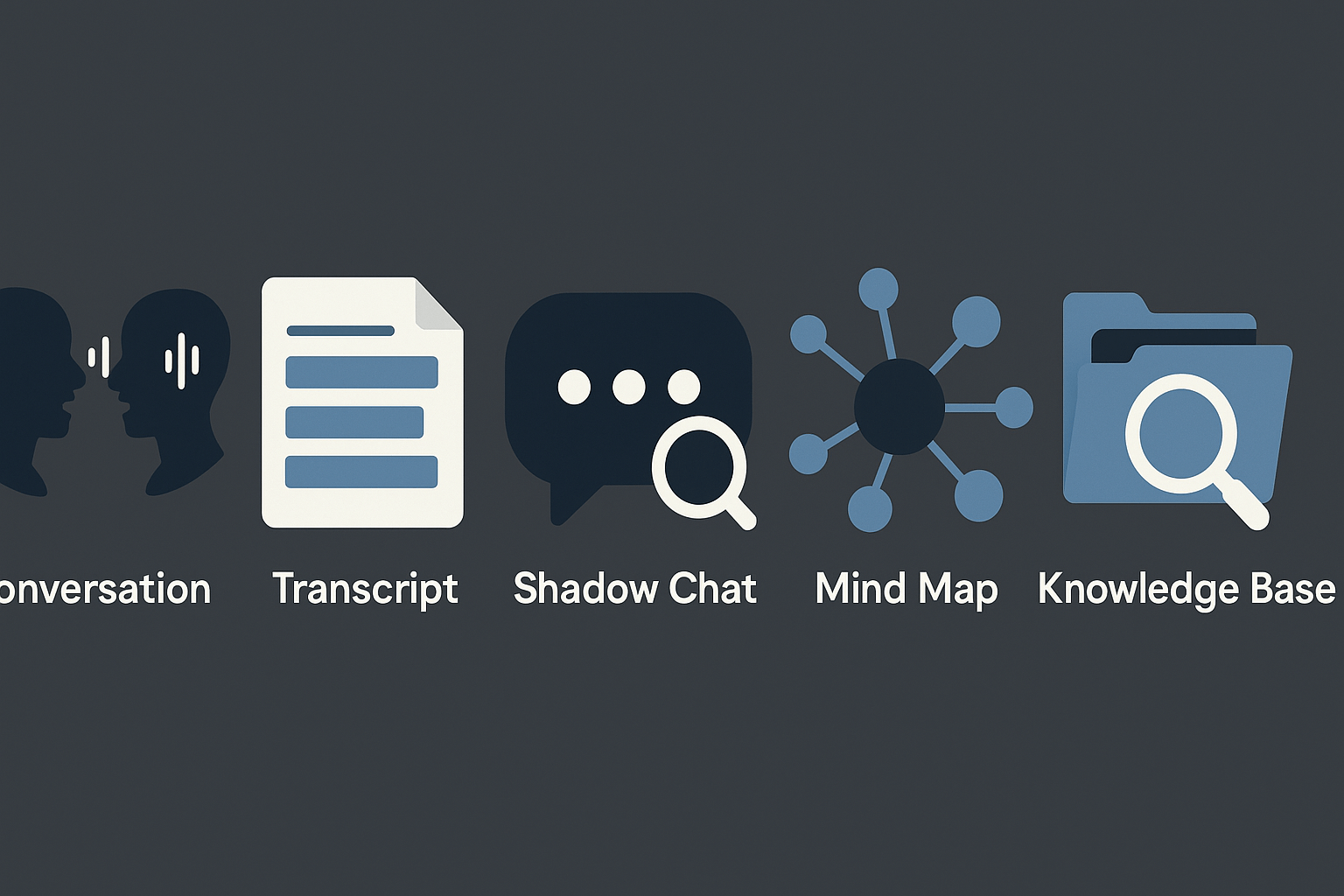
TicNote Cloud transforms raw meeting audio and documents into a searchable, chat-ready knowledge base. It’s built for teams that operate remotely or run frequent meetings and need decisions and insights preserved and reusable. Here's a comprehensive breakdown of what TicNote offers.
Key Features
- Live and uploaded transcription: Accurate transcription from meetings or uploaded recordings (audio/video). Export options include TXT.
- Multilingual translation: Supports 100+ languages with inline AI-powered translation.
- Shadow Chat: A contextual AI chat layer to query documents, meetings, or folders. Provides grounded answers based on your workspace.
- Instant Mind Maps: AI-generated from transcripts to visualize discussions and connections.
- Research Reports: Automated, structured insights from meetings or documents. Ideal for wrapping up sprints or client deliverables.
- Cross-project Q&A: Search and query across files and past discussions to surface decisions and knowledge.
Pricing Plans
| Plan | Key Limits | Monthly Price |
| Free | 300 mins transcription, 10 AI chats/day, limited templates | $0.00 |
| Professional | 1,500 mins, unlimited chats, advanced templates | $12.99 |
| Business | 6,000 mins, support for large uploads and imports | $29.99 |
| Enterprise | Custom usage, SSO, tailored onboarding | Contact Sales |
Each plan is tiered around transcription minutes and AI usage. Enterprise adds compliance and IT integrations.
What Makes It Different
- Second-brain design: Links threads, meetings, and outputs together over time.
- Shadow AI: The chat is context-aware beyond just one file. Ask cross-meeting questions.
- Visual-first outputs: Mind maps and reports help internal comms and client summaries.
- Reuse focus: Record once, export often. Multiple formats and real-time collaboration are supported.
Mini Case Studies
- Cross-functional PM
- Challenge: Manual note-taking in 8 weekly collaboration meetings.
- Impact: 40% drop in missed action items. Weekly reports are automated. PM uses Shadow smart search for prior decisions.
- Global CS Team (6+ languages)
- Challenge: Manual note translation introduced delays and inaccuracies.
- Impact: AI translation halved prep time. Teams now share one transcript in localized languages.
Pros and Considerations
Pros:
- Seamless workflow from audio to searchable knowledge.
- Strong multilingual, visual, and export features.
- Contextual AI enables deeper knowledge reuse.
Caveats:
- Live capture may need app permissions or hardware in controlled policy environments.
- Enterprise users should vet compliance requirements (e.g., SSO availability, SOC 2).
TicNote Cloud is ideal if your team values turning meetings into a lasting knowledge hub with AI assistance. It reduces repetition and simplifies digging out key decisions from your communication history.
Security, privacy & compliance — what to ask and how the tools compare
Security is a buying criterion, not an afterthought. For teams evaluating remote collaboration tools, you need a short, testable vendor checklist, a quick side‑by‑side view, and a clear list of items to request during a security review. Below are action steps you can use in vendor calls and RFPs.
Quick vendor checklist
- Encryption in transit and at rest: ask for algorithms and key management.
- Data usage and model training: ask whether customer data trains AI models.
- Regional hosting and data residency: where are servers and backups located?
- Retention and deletion policy: can records be purged on request?
- Access control: SSO (single sign-on) and role-based access control (RBAC).
- Audit logs and forensics: availability of logs and export formats.
- Subprocessors and contract terms: get the subprocessors list and DPA (data processing agreement).
How the major tools compare
Ask vendors about third‑party certification and controls, for example, ISO/IEC 27001:2022, and check their evidence during review (ISO/IEC 27001:2022).
| Tool | Encryption | Data use for AI | Regional hosting | Enterprise features |
| TicNote Cloud | Industry‑standard encryption | Data is private by default, not used to train models | U.S.-based cloud, options for Enterprise | SSO, 24/7 support (Enterprise), audit logs |
| Otter | Encryption claimed | Varies by plan, check policy | Varies by vendor | Enterprise plans, SSO available |
| Fireflies | Encryption claimed | Check model training opt-out | Varies | Team management, exports |
| Fathom / others | Encryption claimed | Policies differ by provider | Varies | Meeting integrations, export tools |
What enterprise buyers should request
- Pen test and vulnerability report copies.
- SOC 2 or equivalent audit reports.
- DPA, clear retention terms, and a subprocessors list.
- Encryption key management and breach notification SLAs.
- Proof that data won’t be used to train models, in writing.
TicNote’s posture is useful to cite in negotiations: private by default, not used to train models, U.S. cloud, and industry‑standard encryption. Always get submitted evidence for each checklist item before purchase.
Implementation, onboarding & common pitfalls (step-by-step checklist)
Start small but plan for scale. Begin a controlled pilot that proves value fast, then expand. This checklist helps team leads and IT run a 30-day pilot of remote collaboration tools and turn meeting notes into reusable knowledge.
Step-by-step pilot checklist
- Sign up for a free trial and create a project space for the pilot team. Keep access tight at first.
- Appoint an executive sponsor and a project lead who will own outcomes.
- Connect core integrations: calendar, Slack, Notion, and your recording sources. Test one integration per day.
- Import or create 3 templates: meeting notes, action-item tracker, and a research brief. Use simple fields.
- Set admin policies: SSO if needed, retention, and recording permissions. Document who can export data.
- Define success metrics for 30 days: meeting prep time, action follow-up rate, and searchable decisions. Pick 3 KPIs.
- Run the 30-day pilot: capture meetings, auto-summarize, and collect feedback weekly. Hold two training drops.
- Review results, decide on expansion, and tune templates and permissions. Archive pilot learnings.
Change-management tips for admins and managers
- Start with a training session under 30 minutes. Keep it hands-on.
- Share quick wins: fewer follow-ups, faster search, clearer actions.
- Run office hours for the first 2 weeks to fix issues fast.
- Recruit champions in each team to model use.
Common pitfalls and fixes
- Bot policies: Some teams can’t invite meeting bots. Fix: Use device or extension-based capture.
- Noisy transcripts: low audio quality makes notes poor. Fix: Use a dedicated mic and test noise filters.
- Low adoption: people forget to use it. Fix: automate one repeatable task, like auto-summaries to Slack.
- Permission sprawl: too many public spaces. Fix: audit access weekly.

Measuring success: KPIs, async vs sync workflows & ROI
Start with clear, measurable goals before a collaboration pilot. Track outcomes tied to work, not vanity numbers. This section shows which KPIs matter, how to balance asynchronous (async) and synchronous (sync) work, and why searchable meeting history matters for ROI with remote collaboration tools.
Top KPIs to track
Choose 6–8 metrics you can measure within 30 days. Common, actionable KPIs include:
- Time to decision: average hours or days from first discussion to a recorded decision.
- Meeting load: meetings per person per week and total meeting minutes.
- Action completion rate: percent of meeting action items closed on time.
- Search-to-answer time: how long people spend finding past decisions or notes.
- Follow-up volume: number of post-meeting messages or clarification threads.
- Knowledge reuse rate: percent of meetings or docs repurposed in later work.
Measure these before and after a pilot to show impact.
Balance async and synchronous work
Define async as work done without real-time interaction, and sync as live meetings. Use async for status, drafts, and approvals. Reserve sync for negotiation, brainstorming, and decisions that need everyone present. Practical steps:
- Set response SLAs for async updates.
- Use templates for async briefings and pre-reads.
- Record and transcribe live meetings to convert them into async assets.
- Limit recurring sync meetings by tracking decision velocity.
How TicNote helps prove ROI
TicNote’s searchable history cuts search-to-answer time by making past notes instantly findable. Shadow cross-meeting Q&A surfaces decisions and references, which lowers follow-up volume. Auto mind-map exports help stakeholders grasp outcomes in one visual sweep, reducing review time. Combine those outputs with the KPIs above to quantify gains: fewer meetings, faster decisions, and higher action completion. Use exported transcripts and summaries as auditable evidence for stakeholders.