


 Extension
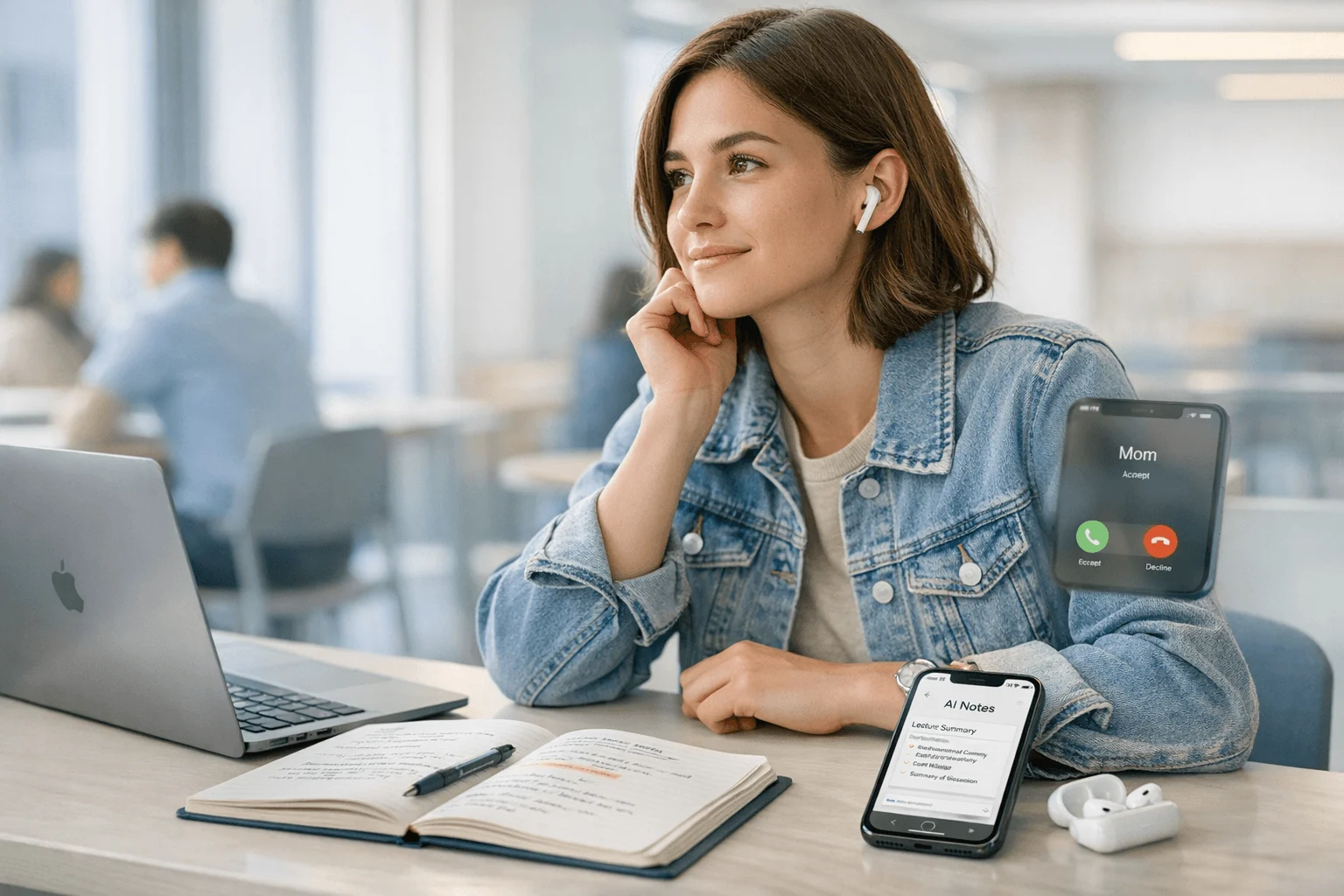
TL;DR: the best AI note taker for iPhone at a glance
This category has split in two. App-first tools still work well for Zoom calls, uploaded audio, and team workflows, but if you need to capture real iPhone phone calls, in-room meetings, and offline conversations, hardware-backed options are the better fit.
For quick picks, I'd shortlist TicNote AI Voice Recorder for mixed calls and meetings, TicNote Watch for discreet capture on the go, Otter.ai for app-first online meetings, Fireflies.ai for teams that care more about automation than iPhone call capture, Notta for multilingual transcripts and file uploads, and Coconote for students turning lectures into study materials. The rest of this guide compares call recording methods, privacy, transcription quality, billing caveats, and best-fit scenarios like phone calls, classes, and privacy-sensitive meetings. If you want one direct answer, the best AI note taker for iPhone right now is TicNote AI Voice Recorder because it covers the most real-world iPhone workflows with the fewest compromises.
Quick picks: best AI note takers for iPhone by use case
The category has split in two on iPhone: apps that work best in Zoom-style meetings, and hardware that solves the harder problem of calls, in-room conversations, and offline capture. If I wanted one shortlist instead of ten tabs open, these are the six picks I'd start with.
Best overall AI note taker for iPhone
TicNote AI Voice Recorder is the best fit for professionals and phone-heavy users who need one workflow for a 30-minute client call, a 45-minute team meeting, and a quick voice memo before lunch. Earphone mode attaches to the phone and records calls, while Speaker mode handles in-room meetings, so you don't have to switch apps or cobble together shortcuts.
What makes it stand out is coverage. The 3-mic array captures voices from up to 10m away, offline recording works without a connection, and the app can turn recordings into summaries with 100+ templates. Pricing starts at $159.99 for the device, includes the Plus plan at $0/yr for hardware users, and Pro with device is $79/yr. If you want a deeper look at dedicated hardware, this guide to AI note-taking devices for calls and lectures is useful.
Best discreet AI recorder for iPhone conversations
TicNote Watch is the one I'd pick for consultants, sales reps, interviewers, and conference attendees who don't want to pull out a phone in every hallway chat. The dedicated record button makes capture instant, and Bluetooth call recording on the watch is more natural than juggling speakerphone.
It also solves the small moments most apps miss: over 24 hours of continuous recording, One-Tap Highlight for key quotes, Random Thought for ideas under 60 seconds, and live transcription in 17 languages. At $249, it's not cheap, but it's the strongest discreet option here. See TicNote Watch.
Best AI note-taking app for iPhone online meetings
Otter.ai is the safest pick if you mostly join Zoom, Google Meet, or browser-based meetings and want searchable transcripts plus fast summaries without extra hardware. It's easier for virtual meetings than standard iPhone cellular calls. That's the tradeoff.
Best for team workflows and automations
Fireflies.ai makes more sense for managers and teams than solo buyers. It's strong when your priority is integrations, shared meeting systems, and searchable records across a group, but it's weaker for traditional phone calls from an iPhone.
Best for multilingual transcription on iPhone
Notta is a solid choice if you upload audio, record lectures, and care about broad language support. The mobile workflow is straightforward for transcripts and summaries, but I'd check minute caps and call-recording method before paying.
Best for students on iPhone
Coconote is best for students who want class audio turned into study notes, quizzes, and review materials. It fits lecture-first workflows well, but it's less useful for phone-heavy professionals who need call capture first.
How I evaluated AI note takers for iPhone
AI note takers for iPhone all sound similar until you try to use them in real life. I found that most roundups mix together iPhone apps, dedicated recorders, and desktop meeting bots, even though a tool that works great in Zoom can completely fail on a normal iPhone call, a hallway interview, or a lecture with bad Wi-Fi.
Why most AI note taker lists do not help iPhone users
A generic checklist usually asks whether an app has transcription, summaries, or exports. That misses the real question: can it capture the audio you actually need? Recording a 40-minute client call, an in-room project review with five speakers, and a 90-minute lecture with weak campus Wi-Fi are three different jobs.
That's why I used a workflow-first lens, similar to the app-vs-device tradeoffs explained in this guide to dedicated note takers versus phone apps. On iPhone, the right product depends first on recording method, then on what happens after the recording.
The 4 decision variables for AI note takers for iPhone
Call capture method: I checked whether each tool can record standard iPhone calls, Bluetooth calls, speakerphone, uploaded audio, or only web meetings. This is the biggest filter because iOS still limits direct call recording behavior.
Meeting environment: I looked at how well each option fits conference rooms, lectures, coffee shops, and offline situations. A clean Zoom bot is not the same as capturing three people talking over each other in a noisy room.
Privacy and data control: I prioritized tools that clearly state whether recordings are private by default, whether audio can stay local until sync, and whether customer data is used to train models.
Value for money: I compared hardware cost, monthly transcription minutes, credits, and overage math. A plan that looks cheap at $0 to $20 per month can get expensive fast if you record 15 to 20 hours a week.
Quick comparison
| Tool | Works well when | Falls short when | Best for |
| TicNote AI Voice Recorder | You need one device for iPhone calls and room recording | You want app-only and no hardware upfront | iPhone users who need both call capture and in-person recording |
| TicNote Watch | You take notes while walking, meeting, or answering Bluetooth calls | You need long-distance room pickup beyond wrist range | mobile professionals who want discreet capture |
| Otter.ai | You mostly upload audio or join online meetings | You need dependable native iPhone call capture | students and teams already using Otter workflows |
| Fireflies.ai | Your meetings live in Zoom, Meet, or Teams | Your notes come from mobile calls or offline classes | remote teams centered on web meetings |
| Notta | You want simple transcription across devices and imports | You need the strongest call-recording workflow on iPhone | users who mainly transcribe recordings after the fact |
| Coconote | You want quick lecture notes from uploaded class audio | You need broad business integrations or call capture | students focused on study notes and summaries |
6 best AI note takers for iPhone for calls, meetings, and lectures
AI note takers for iPhone have split into two camps: app-first tools that work well when your day happens in Zoom, and hardware-first tools that fix the biggest iPhone problem, which is dependable capture across calls, in-room conversations, and offline moments. So this isn't a generic roundup. It's a scenario-first shortlist ordered by how well each option fits real iPhone workflows.
TicNote AI Voice Recorder: best for iPhone users who switch between calls, meetings, and voice memos
If my day starts with a 35-minute client call, turns into a 60-minute office meeting after lunch, then ends with a quick voice memo in a cab, I don't want three different tools. I want one recorder that stays close to my iPhone and keeps working when the environment changes.
That's why TicNote AI Voice Recorder sits first on this list. In Earphone mode, it magnetically attaches to the phone and records calls for transcription. Flip to Speaker mode, and it becomes an in-room recorder for meetings and conversations. That solves the biggest iPhone gap better than app-only tools.
If you want the product page, TicNote AI Voice Recorder Learn More shows the current bundle and plan details.
The proof is in the hardware and the workflow. Its 3-mic array captures voices from up to 10m away, battery life runs up to 25 hours, and 64GB stores about 434 hours of audio. I can record offline, sync later, and still get a time-stamped transcript with speaker identification plus an AI summary as soon as the recording ends. There are 100+ templates, Ask AI works across projects, exports go to Notion and Obsidian, and TicNote Connecting lets AI assistants work from stored notes. For anyone comparing device cost and subscription math, this price and credits breakdown gives useful context.
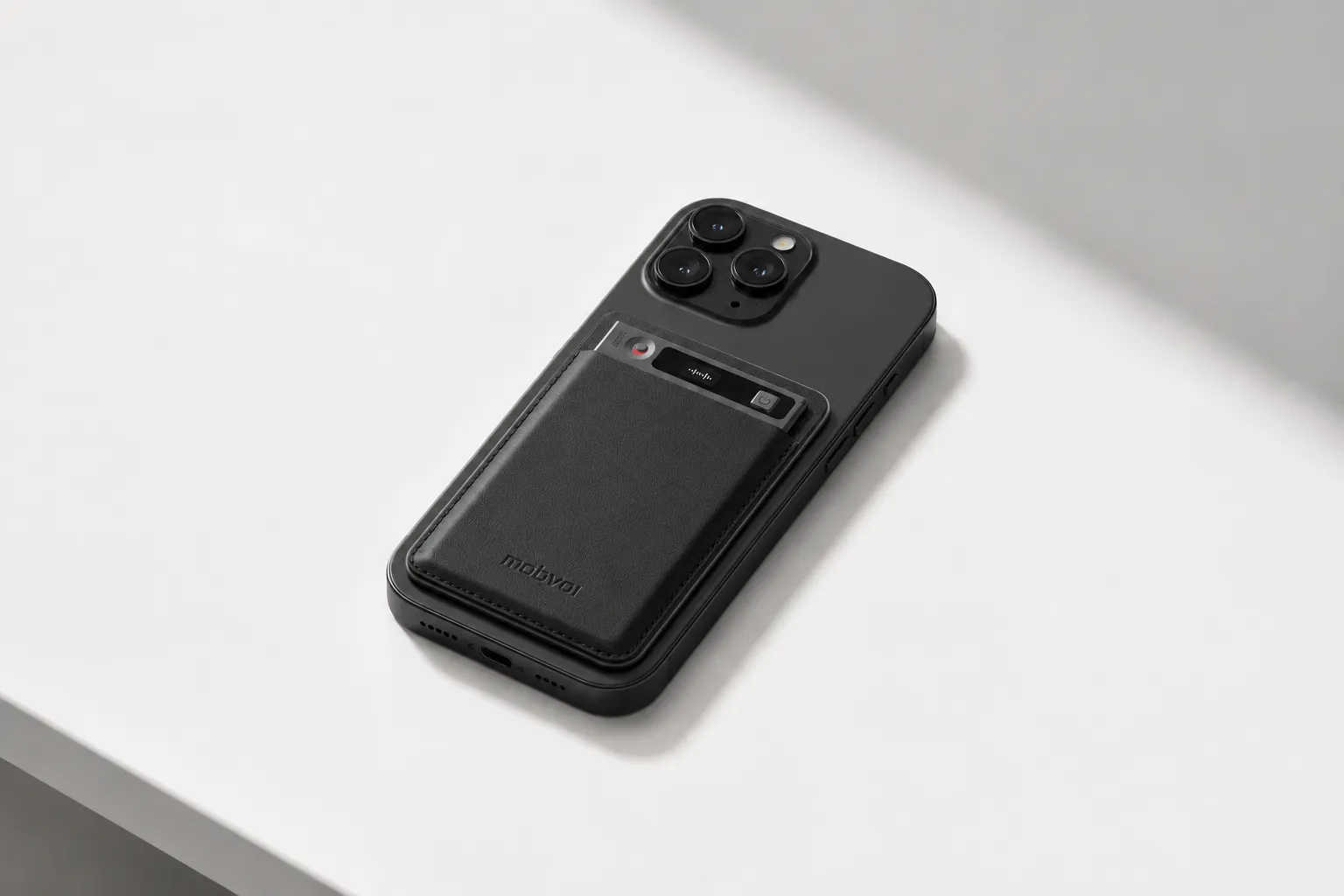
Key features: Earphone mode, Speaker mode, offline recording, real-time transcription and live translated subtitles, 100+ summary templates, Project Knowledge Base, Notion and Obsidian export.
Pros: $159.99 hardware, Plus plan included at $0/yr with 600 transcription minutes/month and 1,500 credits, Pro with device costs $79/yr for 2,100 minutes/month, 25-hour battery, 64GB storage, cross-platform access.
Cons: higher upfront cost than app-only tools, some advanced AI workflows depend on credits or higher plans, and you still need to review local call-recording consent rules before using call mode.
TicNote Watch: best for discreet capture on the move
This one fits sales reps, consultants, journalists, and creators who don't want to keep pulling out their phone. If I'm doing walk-and-talk meetings, trade show chats, or Bluetooth calls between stops, a watch is faster than unlocking an iPhone and hoping the mic position is right.
TicNote Watch has a dedicated top recording button, supports Bluetooth call recording on the watch, and runs for over 24 hours of continuous recording. Live transcription appears on the wrist in 17 languages, One-Tap Highlight marks key lines mid-conversation, and Random Thought captures ideas up to 60 seconds from any screen. The AI summary can be pushed to the watch face, dual mics pick up voices at 3 to 5m, and offline recording syncs later. Its AI Journal and Shadow Recap also connect recorded conversations with daily context, which is unusual in this category.
If that use case matches your day, TicNote Watch Learn More has the specs and current package.
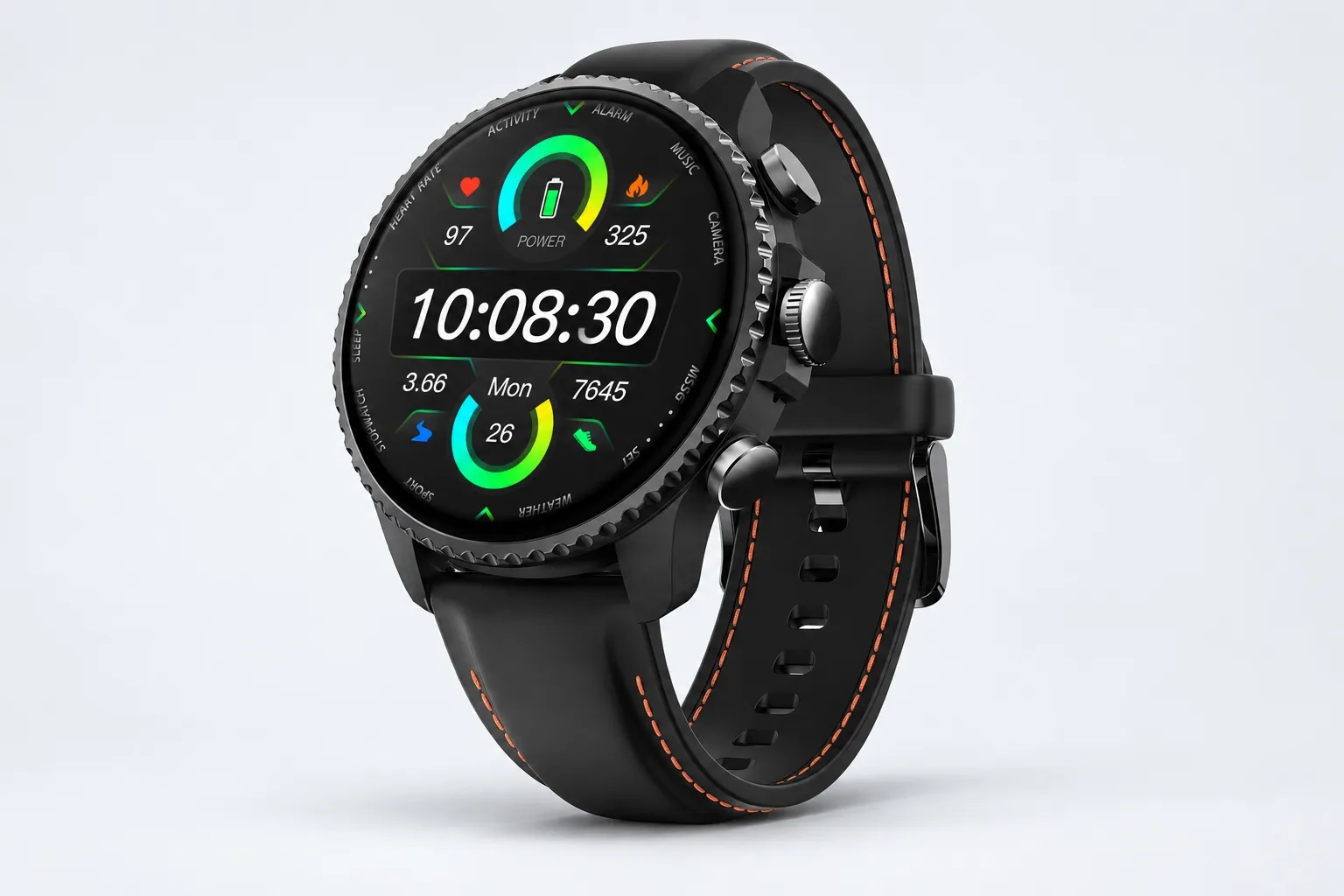
Key features: Bluetooth call recording, Discreet Recording Mode, One-Tap Highlight, Random Thought, AI Journal, Shadow Recap.
Pros: $249, handles both work notes and quick ideas, easy while moving, Plus plan included with 600 minutes/month, full charge in under 2 hours.
Cons: 3 to 5m pickup is less ideal for large rooms, the watch form factor is niche, and it's best when discretion matters more than maximum microphone reach.
Otter.ai: best for remote meetings and shared meeting links
If most of my meetings happen on Zoom, Google Meet, or uploaded recordings, Otter.ai still makes sense. It's familiar, software-first, and easy to share with teammates who already expect searchable transcripts and quick summaries.
Where it falls short on iPhone is standard cellular call capture and offline flexibility. It works better as a meeting transcript app than as an all-day recording system.
Key features: live transcription, summaries, searchable notes, meeting sharing.
Pros: no separate recorder, strong familiarity for virtual meetings, easy setup.
Cons: weaker for standard iPhone calls, less reliable for in-room capture without careful setup, and best value only if most of your day happens in web meetings.
Fireflies.ai: best for teams that care about automation after the meeting
Fireflies.ai is the pick I'd make for managers and ops teams who want notes to move into other systems after the meeting ends. Its value is less about capturing an ordinary phone call and more about turning meeting records into searchable team assets.
That makes it strong for shared workflows, not necessarily for solo iPhone users. If your main need is direct phone-call capture from an iPhone, this isn't the cleanest fit.
Key features: meeting transcription, summaries, workflow integrations, search.
Pros: strong for team processes, useful for follow-up automation, good for platform-based calls.
Cons: weaker for direct iPhone call capture, can feel more complex and costly for individuals, and is more useful for team operations than casual voice memos.
Notta: best for multilingual lectures, interviews, and uploads
For international students, researchers, and bilingual professionals, Notta stands out because language flexibility matters more than call logging. If I'm uploading interview audio, recording lectures, or cleaning up multilingual notes, it's a practical app-based option.
The trade-off is simple: it's more compelling for uploads and app recording than for dependable iPhone call capture. That's where dedicated hardware still has the edge.
Key features: mobile recording, transcription, summaries, multilingual support.
Pros: broad language usefulness, flexible upload workflow, mobile friendly.
Cons: plan limits need a careful read, call-recording fit is weaker than dedicated hardware, and results depend heavily on recording environment.
Coconote: best for students turning lectures into study materials
If I record a 50-minute lecture in the afternoon and need review notes that night, Coconote is one of the clearest student-focused tools in this category. Its strength isn't business calls. It's turning class audio into revision help.
That makes it a better fit for studying than for phone-heavy professional workflows. If you mostly want lecture summaries, quizzes, and review support, it's more targeted than general meeting apps.
Key features: lecture-to-notes workflow, study outputs, summaries, quiz and review support.
Pros: strong academic fit, useful for post-class review, helps speed up studying.
Cons: not built around iPhone calls, weaker for phone-heavy professionals, and may overlap with simpler lecture workflows if you only need raw transcripts.
How to choose the right AI note taker for your iPhone workflow
The right pick comes down to three things: where your conversations happen, what you need after each recording, and how fast you burn through monthly minutes. I'd make this decision by workflow, not by app popularity, because the best note-taking app for iPhone meetings often isn't the best recorder for iPhone calls.
Choose call capture first if your day runs on phone calls
If most of your important conversations happen in regular iPhone calls, I'd lean toward TicNote AI Voice Recorder. Its Earphone mode attaches to the phone and gives you a cleaner call-capture setup than app-only tools that depend on speakerphone workarounds or platform limitations. If you mostly talk inside Zoom, Google Meet, or Teams instead, Otter.ai and Fireflies.ai usually make more sense because they're built around web-meeting workflows, not standard cellular calling. If you want a hardware-first call setup, you can see how TicNote handles phone-call recording while comparing it with app-only options.
Pick room performance if you record meetings, lectures, or interviews
For long in-room sessions, TicNote AI Voice Recorder is the safer bet. The 3-mic array is rated for pickup up to 10 meters, the battery lasts 25 hours, and 64GB stores roughly 434 hours, which matters more than fancy summaries when you're sitting through back-to-back classes or half-day workshops. Coconote is a smart fit for students who mainly want lecture review, while Notta stands out for multilingual uploads and Otter.ai stays appealing if you want a simpler app-first setup and your room-capture demands are lighter. If you need more context on AI note takers for meetings and in-person recording, that comparison helps narrow things down fast.
Prioritize privacy and offline capture when discretion matters
If privacy or discretion is your top concern, I'd split the choice. TicNote Watch fits subtle capture during conferences, hallway chats, and walk-and-talks, while TicNote AI Voice Recorder is better when you want offline recording first and cloud sync later. TicNote also claims to be private by default and says user data isn't used to train AI models, but I'd still verify your company's compliance and retention requirements before you buy.
Run the math if value matters more than brand name
Value usually comes down to upfront hardware cost versus subscription creep. App-only tools can look cheaper until you hit minute caps every month, while hardware often wins for heavy weekly use. TicNote hardware includes the Plus plan with 600 transcription minutes per month, and Pro with device is $79/year for 2,100 minutes per month. Fireflies.ai or Otter.ai can still be the simpler purchase if your entire workflow lives inside online meetings and you don't need dedicated call hardware.
Legal, privacy, and pricing caveats iPhone users should know
When I compare AI note takers on iPhone, the summary quality is rarely the thing that decides whether I keep paying. The real deal-breakers show up later: a call recording workflow that may not be legal where you live, a privacy policy that fails internal review, or a cheap-looking plan that gets expensive after a few 60-minute calls each week.
Check call recording legality before you record
Call recording laws depend on location, and sometimes on where every participant is located. In the U.S., the Digital Media Law Project notes that some states require one-party consent while others require all-party consent. That matters fast if you record client calls, source interviews, office hours, tutoring sessions, or student research interviews from your iPhone. If there's any doubt, get clear consent before recording.
Use a simple privacy checklist
Before you trust any app or recorder, I'd check five things: can recordings stay local until you choose to sync, is your data used to train AI models, are transcripts encrypted, can admins or the vendor access content, and where is the cloud hosted? TicNote is one useful example of what strong answers look like: private by default, data not used to train AI models, recordings and transcripts encrypted, end-to-end encryption stated, key AI features processed on-device, and user control over syncing and storage. If you want a broader baseline, this guide to free AI note takers with real privacy limits is a practical cross-check.
Watch for pricing and billing traps
On iPhone, price usually has four layers: hardware, included monthly transcription minutes, AI credit systems, and pay-as-you-go overages. For example, TicNote's hardware is $159.99, its hardware Plus tier includes 600 minutes per month, Pro with device is $79/year for 2,100 minutes per month, and extra minute packs start at $6.99 for 1,000 minutes. That structure is easy to miss if you only compare headline subscription prices. An app can look inexpensive until three recorded classes, two interview calls, and a weekly team meeting push you into overages or a higher tier.
Conclusion: which AI note taker is actually worth it on iPhone?
The real question isn't which app has the smartest AI. It's which tool can reliably capture the conversations you actually have on iPhone, then turn them into notes you'll reuse a day later. In practice, that means call-heavy buyers should rank recording method and capture reliability above flashy summaries, students should care more about study outputs after class, and privacy-focused users should inspect sync, storage, and model-training policies before anything else.
I'd put ROI first: the best value usually comes from the tool that fits one primary workflow with the fewest workarounds. If your week mixes phone calls, room meetings, and voice memos, a hardware-backed option like TicNote often makes more sense than an app that only works well in one setting, especially if you want a recorder built for calls and in-person notes without changing habits.
Take 10 minutes and list the last five conversations you needed notes from. Label each one: phone call, online meeting, in-room meeting, lecture, or memo. Then compare your shortlist against those exact scenarios.


