


 Extension
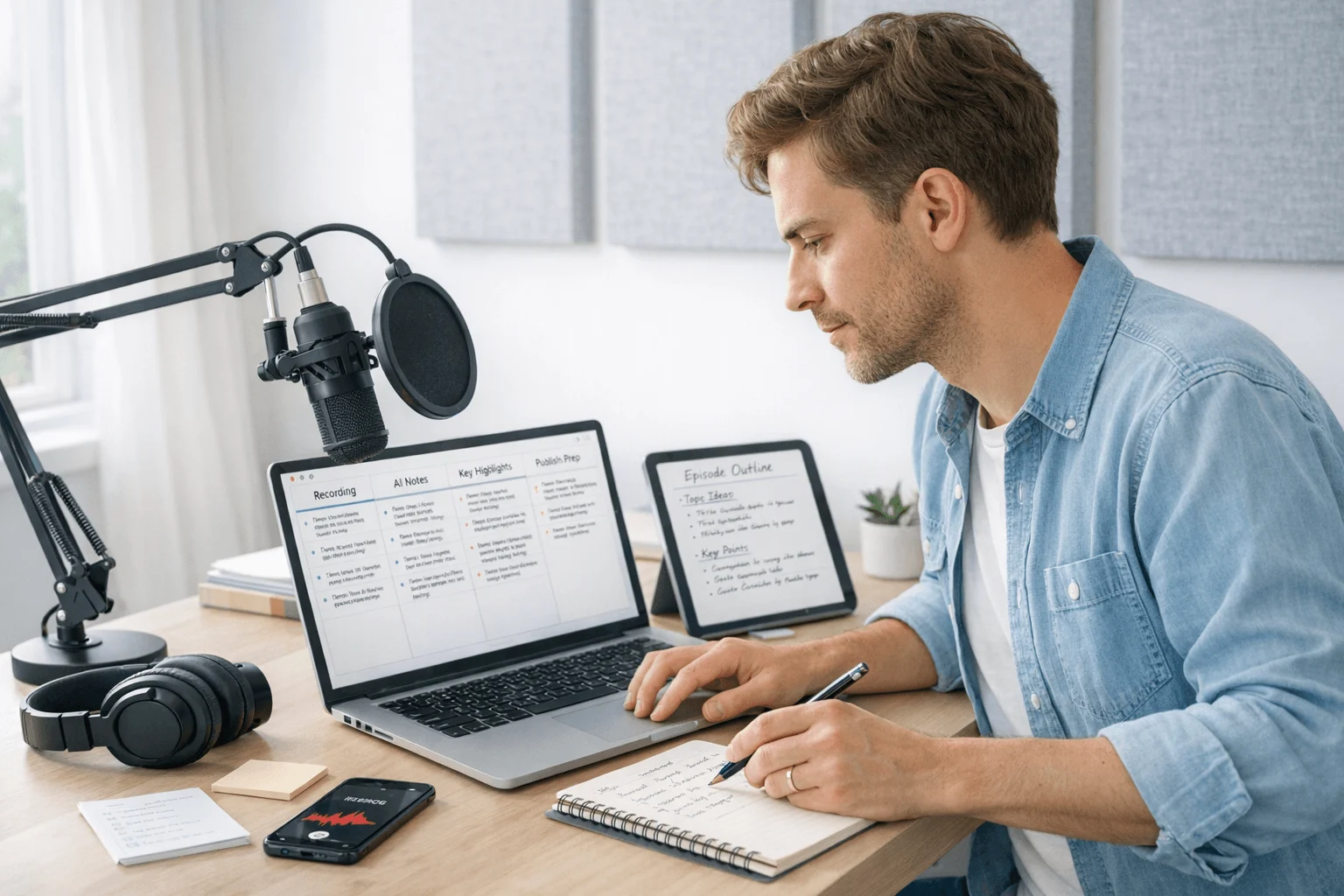
TL;DR: Which AI note taker is best for podcast workflows?
This category has split into four real jobs: capture-first devices, transcript-first apps, editing-first platforms, and repurposing tools. If you record interview-style podcast conversations and want the fewest handoffs from raw audio to transcript, summary, searchable notes, and export, TicNote AI Voice Recorder is the best fit.
For quick picks, I'd use TicNote AI Voice Recorder for in-person and phone-based interviews, TicNote Pods 4G for field reporting and mobile capture, Descript for transcript-led editing, Otter.ai for fast remote notes, Happy Scribe for multilingual transcripts, Podsqueeze for podcast summaries, and Snipd for clipping finished episodes. The full guide compares recording quality, transcript accuracy, workflow fit, pricing, exports, and collaboration so you can match the right tool to remote interviews, co-host sessions, field reporting, or post-production review. If you want one direct answer, the best AI note taker for most podcast workflows is TicNote AI Voice Recorder because the work starts at capture, not after the file is uploaded.
Quick picks: the best AI note takers for podcasts at a glance
AI note takers for podcasts now split into very different categories: some capture the conversation, some turn audio into searchable transcripts, and some help after editing is done. If you want the short list before the deeper testing notes, this table gives the fastest answer based on workflow fit, not just feature count.
If you're comparing dedicated recording hardware to apps, this guide to AI recording note takers is useful context before you commit.
| Tool | Workflow role | Works best when | Key limit | Starting price | Export/collaboration note | Best for |
| TicNote AI Voice Recorder | Capture-first hardware recorder | You record in-person interviews, co-host sessions, or phone calls and need one device for both | Hardware-first setup, not a browser-only app | $159.99 | Exports transcripts and summaries to Notion and Obsidian; easy to share after sync | Hosts who record conversations in the room and on the phone |
| TicNote Pods 4G | Capture-first mobile hardware | You report or record while traveling and can't rely on keeping a phone nearby | Higher upfront cost than app-only tools | $299.99 | Cloud sync plus transcript sharing after upload; built for on-the-go capture | Field interviews and travel-heavy podcasting |
| Descript | Editing-first platform | You edit multitrack episodes and want transcript-based post-production | Best value shows up after recording, not during capture | $12/month | Strong team editing and export options | Editors handling full post-production |
| Otter.ai | Transcript-first note app | You upload remote interviews and need searchable notes fast | Less suited to multitrack editing | $16.99/month | Good sharing and collaborative notes | Remote interview podcasts |
| Happy Scribe | Transcription and subtitle tool | You need subtitles, translations, or multilingual transcripts | Not built as a recording-first workspace | $17/month | Solid export formats for subtitle and transcript delivery | Video podcasts and multilingual shows |
| Podsqueeze | Repurposing and summary tool | You already finished the episode and need show notes, clips, and promo copy | Depends on completed audio, not live capture | $19/month | Built for content outputs more than team note collaboration | Marketing and repurposing finished episodes |
| Snipd | Listener-first summary app | You save ideas from podcasts you listen to for research | Not for original podcast recording | Free | Exports highlights to note apps; limited production workflow use | Researchers and heavy podcast listeners |
That's the key distinction: some tools record, some transcribe, and some summarize after the fact. Put them in one generic checklist and the comparison gets misleading fast, because the best tool for capturing a street interview is rarely the best one for transcript editing or promo asset creation.
7 best AI note takers for podcasts by workflow role
I'd group podcast note takers by where the work actually happens: capture, transcription, editing, or repurposing. That matters more than generic feature claims, because a tool that's great for remote summaries can still fail on a cafe interview, and a strong editor can't fix a bad field recording. If you're comparing a recorder to an app, this quick guide to device-vs-app note taking helps frame the tradeoff.
TicNote AI Voice Recorder: best for mixed in-person and phone interview workflows
You record a studio conversation on Tuesday, grab a cafe interview on Thursday, then call the guest back for one missing quote on Friday. That's where most podcast note tools break. They handle either room audio or call capture, but not both in one workflow.
TicNote AI Voice Recorder fits that switch-heavy podcast schedule better than a pure app. Earphone mode magnetically attaches to your phone for call recording, while Speaker mode handles room conversations. The hardware side is practical too: a 3-mic array with up to 10m pickup, 25-hour battery life, and 64GB of storage, which works out to about 434 hours.
You also get real-time transcription, automatic speaker identification, AI summaries, in-meeting highlights, and photos synced to transcript timestamps. For production teams that research across episodes, the Project Knowledge Base and Ask AI are the standout features, and Notion plus Obsidian exports make handoff easier.
Check TicNote AI Voice Recorder details if your podcast moves between calls, rooms, and follow-ups.
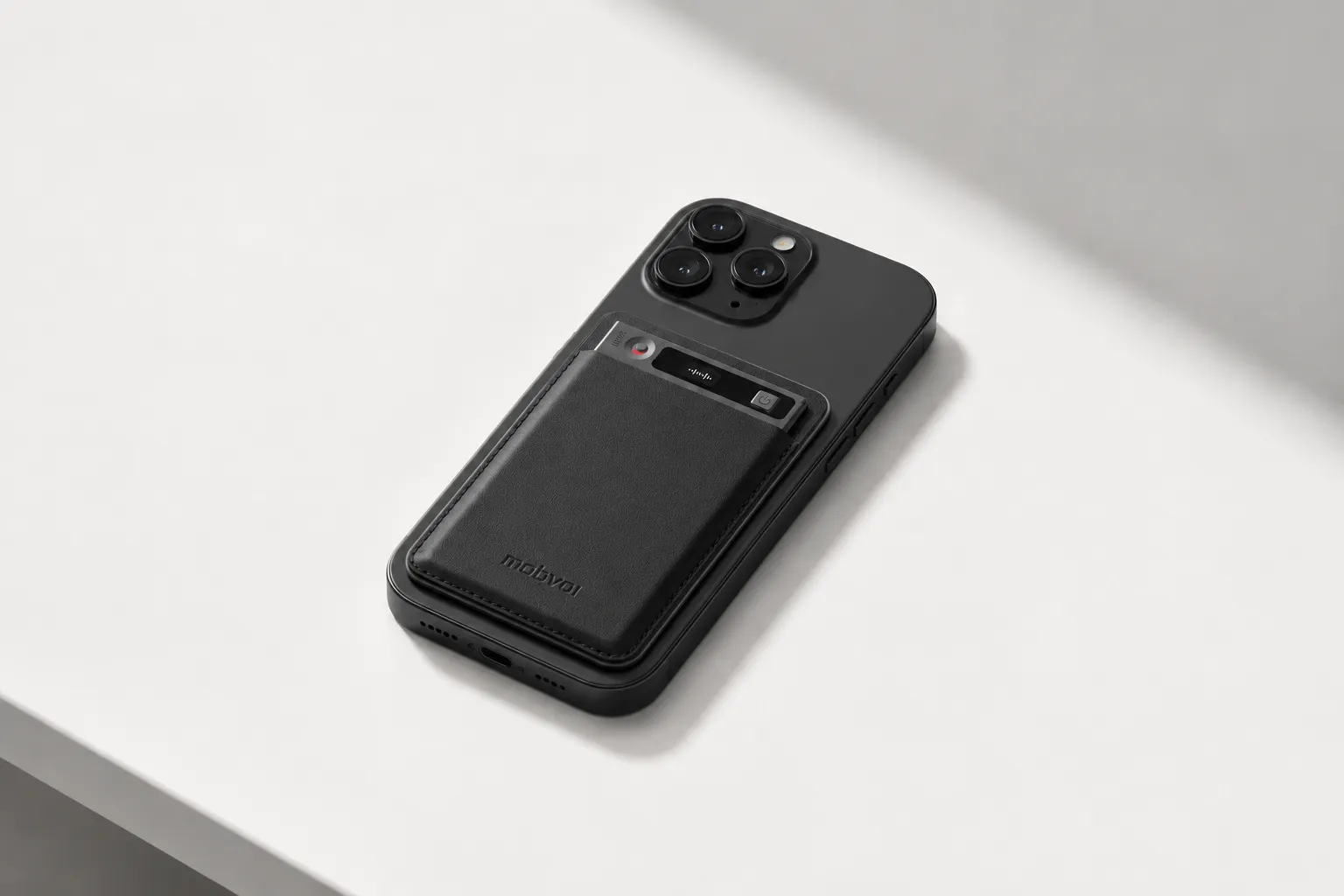
Key features
- Earphone/Speaker modes for phone calls and room recording
- Speaker identification in time-stamped transcripts
- 100+ summary templates for different episode and research formats
- Project Knowledge Base for searchable episode archives
- Spark Notes for turning recordings into outlines and drafts
- Podcast text to audio for converting notes into recap audio
Pros: $159.99 hardware price, bundled Plus plan with 600 transcription minutes per month, strong cross-platform workflow, and searchable transcript plus timeline outputs. Cons: higher-minute plans cost extra, and serious multitrack editing still needs a separate editor.
TicNote Pods 4G: best for field reporting and travel-heavy podcasting
You step off a conference floor, finish a hallway interview, and need usable notes before you're back at your desk. That's the case for TicNote Pods 4G. It's built for capture-first podcast work where the interview happens away from your laptop.
The built-in 4G eSIM is the big reason it stands out. It can record and upload without a phone nearby, with Live Summary during the session and Quick Summary right after recording stops. Earbuds and case dual modes cover calls versus room capture, and automatic call recording works through the earbuds.
See TicNote Pods 4G if you want field notes before the travel day ends.
Proof is in the hardware: dual mics with ENC noise cancellation, 10m pickup, real-time transcription, speaker identification, 32GB case storage, and battery life of about 13 hours with 4G on or 22 hours with 4G off. It also includes Conversation Translation, Project Knowledge Base, Spark Notes, and the Podcast text-to-audio feature for fast internal recap playback.
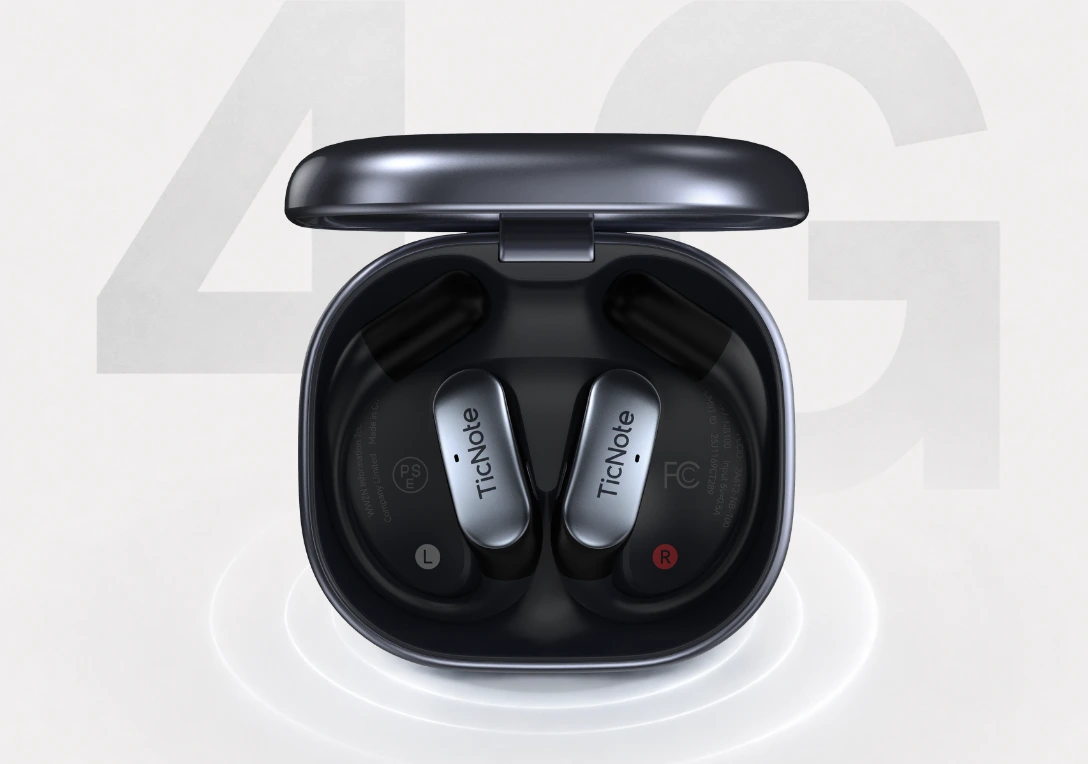
Key features
- 4G eSIM for no-phone capture and upload
- Live Summary during active sessions
- Automatic call recording via earbuds
- Conversation Translation for cross-language interviews
- Project Knowledge Base for searchable archives
- Spark Notes for quick outlines and drafts
Pros: $299.99 hardware price, true no-phone capture, fast post-interview summaries, and Notion/Obsidian exports. Cons: higher upfront cost, and earbud-style hardware feels less natural than a desk setup for seated studio production.
Descript: best for transcript-led editing and team review
If your recording is already clean, Descript is one of the strongest editing-first options for podcast teams. I'd recommend it when the bottleneck is turning raw interviews into rough cuts, review drafts, clips, and publish-ready assets.
Its best features are transcript editing, team review, clip creation, and a post-production workflow that keeps writers, editors, and producers in one place. Pros: strong editing-first workflow and solid collaboration. Cons: it isn't a dedicated hardware recorder for field or phone interviews, and capture quality depends more on your mic setup than on Descript itself.
Otter.ai: best for solo hosts running remote interviews
Otter.ai works best when the recording already happens on Zoom, Google Meet, or another call platform and you mainly need searchable notes fast. For solo hosts, that transcript-first workflow is usually the appeal.
It gives you live transcription, speaker labeling, summary support, and easy sharing for review. Pros: fast to start and familiar for remote conversation notes. Cons: weaker fit for high-control recording setups and less editing depth than Descript.
Happy Scribe: best for multilingual transcripts and subtitle workflows
Some podcast teams don't need capture help at all. They need accurate transcripts, subtitles, and translation support after the episode is already recorded. That's where Happy Scribe fits.
Its strength is multilingual transcripts, subtitle generation, and flexible exports for publishing. Pros: strong language coverage and distribution support. Cons: it isn't a dedicated AI recorder for interviews, and it's a poor fit if live capture is your main problem.
Podsqueeze: best for post-production summaries and marketing assets
Podsqueeze is a repurposing layer, not a primary recorder. I'd use it when the episode is finished and the real job is writing titles, descriptions, summaries, and promo assets fast.
It focuses on summary creation, marketing outputs, and post-episode workflow help. Pros: saves time after editing is done. Cons: not useful for source capture or transcript-led editing decisions during interviews.
Snipd: best for research-heavy podcast listening
Snipd belongs in a different category from production tools. It's for journalists, researchers, and heavy podcast listeners who want to save insights from published episodes, not for hosts recording original shows.
Its value is clipping, highlights, and knowledge review from finished content. Pros: strong for listening workflows. Cons: it's not a recorder, not built for in-person podcast capture, and not a Descript or Otter replacement for a production team.
How I evaluated AI podcast note taking tools
Most lists of AI note takers for podcasts lump four different jobs into one bucket: recording, transcription, editing, and repurposing. That's how hosts end up buying a strong meeting bot for a weak field interview workflow, or a great editor that still needs outside transcripts. I evaluated these tools by the actual podcast job they solve, not by how many AI features they stack on the pricing page.
Why most AI note taker lists do not help podcast hosts
Generic meeting-note criteria break fast in podcast production. A sales call in a quiet laptop setup isn't the same as a two-mic studio session, a Riverside remote interview, or a street-side source conversation with traffic bleeding into the track. NPR's reporting guidance has long stressed mic placement and room sound because distance and overlap directly affect intelligibility, and that still shapes transcript quality in 2026.
What matters here is whether a tool survives real podcast conditions: remote guests talking over each other, timestamps an editor can trust, and outputs you can turn into clips, quotes, and show notes. If you're deciding between dedicated capture and app-based recording, this breakdown of AI notes versus a standard recorder for in-person interviews is a useful baseline.
The 4 decision variables for podcast workflows
Capture reliability: Can it record clearly in rooms, calls, and mobile interviews without forcing a fragile setup?
Transcript usefulness: I looked for speaker labels, timestamps, search, and quote-finding speed, not just raw word accuracy.
Workflow fit: Some tools help at capture, some at editing, some at repurposing. Very few do all three well.
Team handoff and exports: Podcast work rarely ends with the host. I scored tools higher when they export cleanly to Notion, Obsidian, docs, or collaborative review flows.
Quick comparison
| Tool | Works well when | Falls short when | Best for |
| TicNote AI Voice Recorder | One host alternates between phone calls and in-person interviews | You need deep multitrack editing in the same app | Interview-led solo and small-team production |
| Otter | You record remote conversations and need fast searchable notes | Audio conditions are messy or post-production gets complex | Hosts who prioritize fast transcript search |
| Riverside | You want remote guest capture and local-track quality | You mainly need mobile or field recording | Remote interview podcasts |
| Descript | The transcript is the edit surface | You need the most reliable capture hardware | Editors cutting dialogue-heavy shows |
| Adobe Podcast | You want speech cleanup after recording | You need strong collaboration and note management | Solo creators improving spoken audio |
| Fireflies | You already run interview prep and review in meeting workflows | You need podcast-specific recording control | Research-heavy interview teams |
| Notta | You need low-friction transcription across devices | You expect advanced editing and repurposing in one place | Budget-conscious creators and journalists |
Pricing only makes sense next to usage limits. A tool that looks cheap at $10 to $20 per month can get expensive fast once transcript minutes, guest seats, and collaboration tiers kick in.
How to choose the right AI note taker for your podcast workflow
I'd make this decision based on three questions: where the conversation happens, what you need after the episode ends, and how many people touch the transcript before publish. That framing matters more than feature lists, because a podcast workflow breaks when capture, cleanup, and handoff happen in different places.
Match the tool to your recording setup first
If I record in person, take occasional phone interviews, and don't want separate systems, I'd pick TicNote AI Voice Recorder. The reason is simple: Earphone mode handles calls, Speaker mode handles room audio, and the same device keeps both in one searchable archive. Its 3-mic array captures voices from up to 10m away, the battery lasts 25 hours, and 64GB stores about 434 hours. If you want a card-sized recorder that stays with your phone, you can check the details here.
If I'm reporting from conferences, traveling between interviews, or recording without my phone nearby, TicNote Pods 4G is the better fit. Built-in 4G eSIM, Live Summary, Quick Summary, and automatic call recording cut the lag between capture and usable notes. For remote-first podcasting, Otter.ai is often enough when the job is notes and transcript search. If clean audio is already captured elsewhere and your process begins in post, Descript is the better editing-first choice. If you compare remote setups often, this guide to Zoom note takers without relying on a meeting bot adds useful context.
Prioritize transcript quality, team handoffs, or repurposing
Happy Scribe fits best when multilingual transcripts or subtitles are part of the deliverable. Podsqueeze makes more sense after the final edit, when you need titles, summaries, chapters, and promo copy from the finished episode. Snipd is strongest for research workflows where you clip published podcast moments instead of recording your own.
For teams, TicNote has a clearer handoff story than most recorder-first tools. Time-stamped transcripts, automatic speaker identification, Ask AI across projects, and Notion and Obsidian exports help when producers, editors, and hosts all need the same source material. I also like that Spark Notes can turn a raw interview into an outline or draft, which saves one extra pass through a 50-minute transcript. Mobile creators who want no-phone capture can see TicNote Pods 4G if that matches the way they work.
Compare total cost, not just monthly price
A cheaper app gets expensive fast if it forces manual cleanup or a second capture tool. TicNote AI Voice Recorder starts at $159.99, TicNote Pods 4G at $299.99, and hardware includes the Plus plan with 600 transcription minutes per month. After that, heavier usage usually means stepping up to Pro or Business, so costs rise with volume.
Before I'd buy anything, I'd estimate one month of interviews: total recorded minutes, how many transcripts need export, and how many editor handoffs happen per episode. That number tells you whether you need a capture-first device, a transcript-first app, or an editing-first platform.
Conclusion: the best podcast transcription tool depends on where the work happens
The real question isn't which tool has the longest feature list. It's which one removes the most friction at the exact point where your podcast workflow keeps breaking.
If recording is the problem, go capture-first. I'd pick TicNote AI Voice Recorder when I'm usually working around my phone, and TicNote Pods 4G when I need to record away from it. If transcripts are where the value starts, Otter.ai is the cleaner fit. If your team spends the most time shaping episodes after the interview, Descript is the stronger editing-first choice. If you publish clips, show notes, emails, and subtitles from every episode, Podsqueeze or Happy Scribe make more sense depending on whether you need repurposing automation or subtitle control.
That split matters because no single product is best at capture, editing, subtitles, and repurposing all at once. In most podcast workflows, the best ROI comes from matching the tool to the bottleneck, not buying the platform with the most tabs.
Here's the 10-minute next step: pull up your last three episodes, mark the moment notes slowed you down, then shortlist one capture-first option and one post-production option. If your pain starts before the edit even begins, it helps to compare dedicated AI note taking devices for interviews and calls first.
Readers who need interview-style capture can start there, or look closer at TicNote for interview-style podcast capture.


