


 Extension
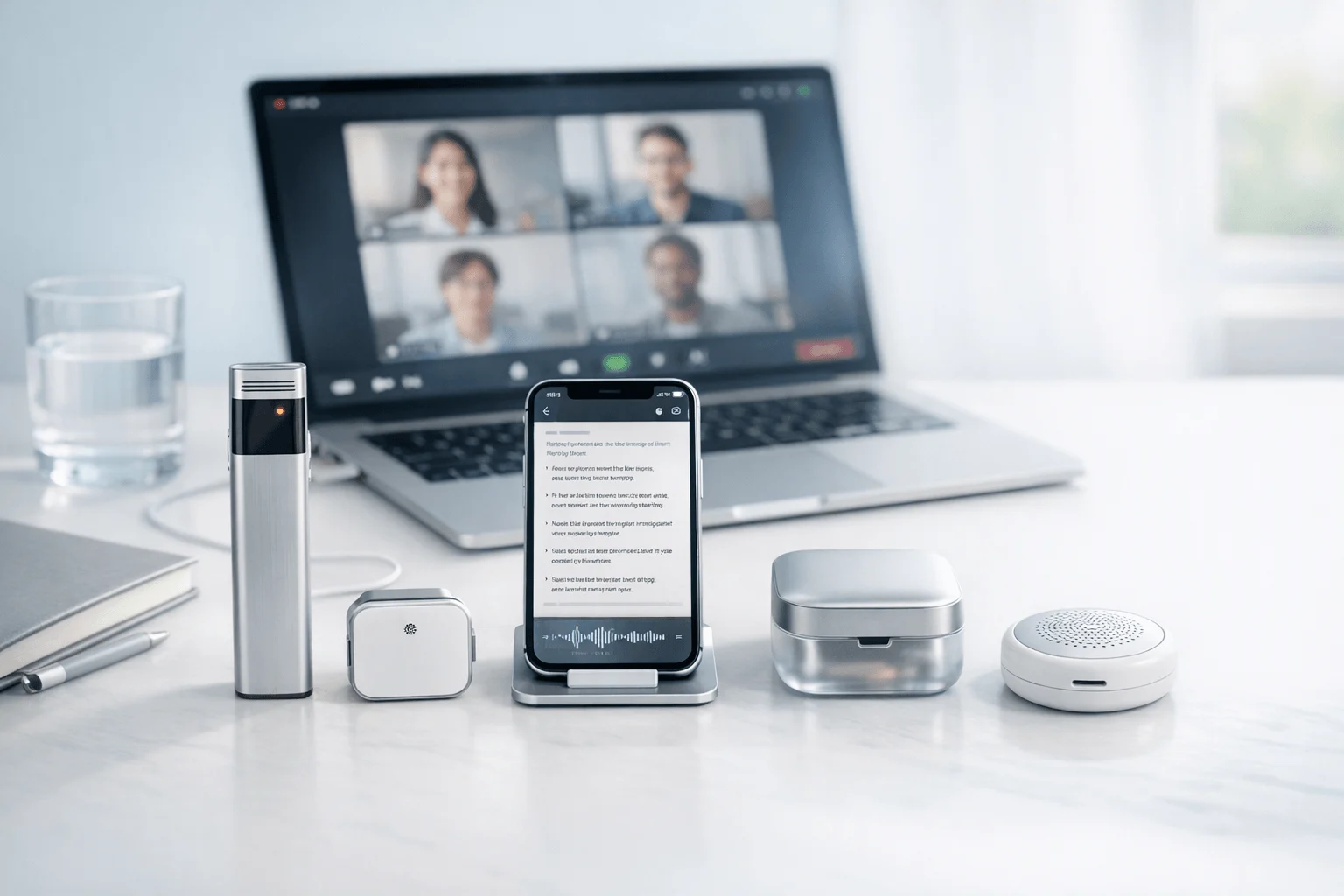
TL;DR: Which AI note taker for Zoom is best for your workflow?
After one 45-minute Zoom client call, I missed two action items and spent another 20 minutes rebuilding notes from memory, so if you want the fastest shortlist, start with the best fit for privacy-first meeting notes. That pattern adds up fast across a week of calls, especially when the problem isn't just transcription, but whether the tool fits how you actually meet, share, and follow up.
After testing bot-based, native, browser, and hardware-first options, here's the short answer: Zoom AI Companion is the easiest fit if your company already runs on Zoom Workplace. TicNote AI Voice Recorder is the best pick for a hardware-first, privacy-forward workflow across Zoom calls and in-person meetings. TicNote Pods 4G fits travelers and field teams who need summaries without a phone nearby. Fireflies.ai works best for teams that want integrations and searchable meeting history. Otter.ai fits users who value searchable transcripts and collaborative recap workflows. Krisp is the best bot-free option if you also want noise cancellation. The tradeoffs throughout come down to bot presence, privacy posture, summary quality, downstream workflow, and total cost of ownership.
Quick Picks: the best AI note takers for Zoom at a glance
If you want the short version, pick the tool that creates the least friction in your actual meeting environment. For a closer look at Zoom note takers by hardware, bot-free setup, and native options, start with whether you can tolerate a meeting bot, need notes outside Zoom, or want a recorder that still works on calls, in conference rooms, and on the road.
| Product | Best for | Accuracy notes | Summary quality | Privacy posture | Bot behavior | Integrations/workflow | Starting cost |
| TicNote AI Voice Recorder | Solo users, consultants, and privacy-conscious buyers | Strong in real-world speech capture because recording starts from dedicated hardware, not just app access | Clear action-focused summaries with optional Plus, Pro, or Business upgrades | Hardware-first workflow reduces dependence on a meeting bot and keeps capture local to the device first | No Zoom bot required | Works beyond Zoom for phone calls, in-person meetings, and travel workflows | $159.99 |
| TicNote Pods 4G | Travelers, field teams, and users who need recording away from a desk | Reliable when meetings happen across locations and devices, especially outside a laptop-only setup | Same AI summary stack as TicNote Plus with upgrade path for heavier use | Privacy-friendly hardware approach with fewer in-meeting interruptions | No Zoom bot required | Good fit for mobile, room, and hybrid meeting capture | $299.99 |
| Zoom AI Companion | Teams already standardized on Zoom | Best when your meetings live fully inside Zoom and your account tier includes access | Good for recap and follow-up inside the Zoom environment | Native Zoom option, but privacy and retention depend on Zoom admin settings and plan | No extra third-party bot in the call | Tightest fit inside Zoom's own workflow | Plan-based access |
| Fireflies.ai | Teams that care most about app connections | Accurate enough for routine business calls, with value driven more by downstream automations | Strong meeting summaries and searchable notes | Cloud-first workflow with third-party processing | Usually bot-based in Zoom meetings | Broad integrations across CRM, docs, and collaboration tools | Free plan; paid plans start around $10/user/month |
| Otter.ai | Users who want searchable transcripts first | Good transcript search and speaker-separated notes, though performance varies with noisy calls | Better for transcript review than polished executive summaries | Cloud transcript workflow | Commonly bot-based for meetings | Strong transcript search and collaboration workflow | Free plan; paid plans start around $16.99/user/month |
| Krisp | Users who want bot-free notes plus cleaner audio | Solid for meeting capture, with extra value from noise cancellation and voice clarity | Good summaries for users who also need better call audio | Bot-free posture is a major advantage for sensitive meetings | No bot required | Best when audio cleanup matters as much as notes | Free plan; paid plans start around $8/user/month billed annually |
Quick picks by scenario
- Solo consultants: TicNote AI Voice Recorder. It works when you jump from Zoom to a phone call to an in-person client meeting and still need one consistent note trail.
- Sales teams: Fireflies.ai. Its advantage is post-call follow-through, especially when your team lives in CRM and needs meeting data pushed outward.
- Executives: Zoom AI Companion. If leadership already runs on Zoom, the native workflow creates the least training and setup overhead.
- Travelers: TicNote Pods 4G. It fits the reality of airport calls, hotel meetings, and patchy device handoffs better than laptop-only tools.
- Privacy-sensitive buyers: Krisp. It keeps bots out of the meeting while also improving call audio, which matters in sensitive conversations.
What to know before you buy
- Free plans are often capped by minutes, monthly transcripts, or summary credits.
- Some tools send a visible bot into the Zoom meeting. That can lower attendee comfort and hurt candid discussion.
- Hardware options can record more than Zoom, including phone calls and room meetings.
- Export matters. If your team files notes into Notion or Obsidian, check that workflow before you commit.
6 best AI note takers for Zoom by use case
The best AI note taker for Zoom depends less on headline features and more on what happens before and after the call. I'd pick one tool for a consultant who jumps from Zoom to a hallway debrief, a different one for a sales team pushing notes into a CRM, and another for a manager who wants the least setup friction inside Zoom itself. That's the lens I'd use here: real workflow fit, honest tradeoffs, and proof in the details.
TicNote AI Voice Recorder : best for professionals who need one recorder for Zoom calls, phone calls, and in-person meetings
I'd choose TicNote AI Voice Recorder if my day looked like this: a 60-minute Zoom strategy call at 9:00, a phone follow-up at 11:30, then a quick hallway debrief before lunch where someone says the one line I'll need in the client recap. Software-only Zoom tools break in that kind of workflow. A dedicated recorder doesn't.
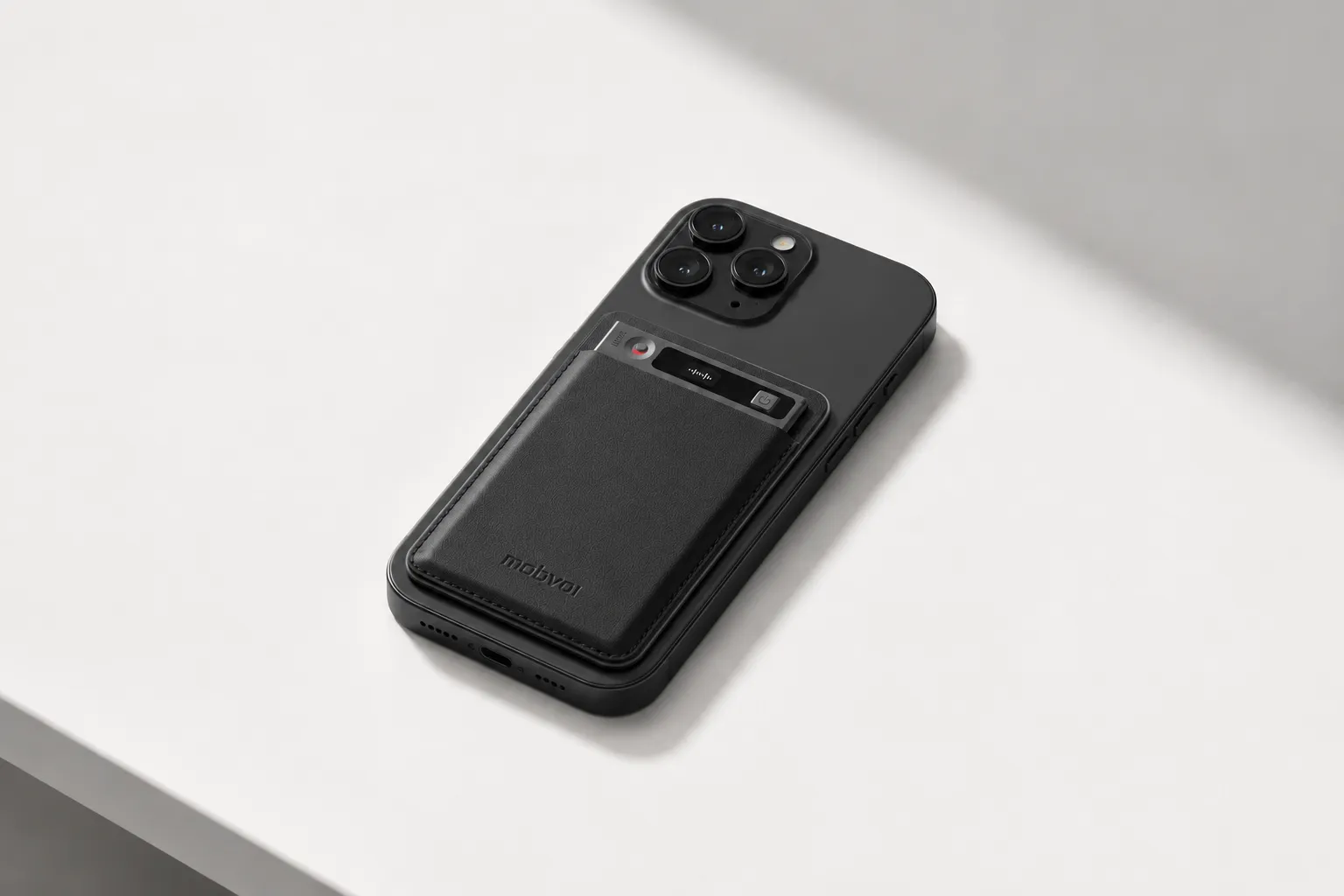
That's why this fit is strong. The card-style device stays with my phone, covers calls in Earphone mode, and switches to Speaker mode when I need to capture a room conversation. If I'm carrying one device all day, I want it to handle Zoom-adjacent work, not just the hour I spend inside a meeting window. You can learn more about the TicNote recorder for meetings and calls if that's the setup you need.
The proof is concrete. TicNote uses a 3-mic array with up to 10m pickup, which matters when three or four people speak across a conference table. Battery life is rated up to 25 hours, storage is 64GB for about 434 hours, and the workflow extends beyond capture: real-time transcription, automatic speaker identification, AI summaries, 100+ templates, Ask AI, a Project Knowledge Base, plus export to Notion and Obsidian.
Key features
- Earphone / Speaker modes: one device can cover Zoom-adjacent calls and room meetings.
- 3-mic array up to 10m: more useful when several people speak in a conference room.
- 25-hour battery plus 64GB storage: lowers charge anxiety across a full week of meetings.
- 100+ summary templates: adapts outputs for client recaps, status notes, and internal follow-up.
- Project Knowledge Base and Ask AI: helps answer questions across past recordings.
- Notion and Obsidian export: fits post-meeting workflows that don't end in the transcript.
Pros: Hardware costs $159.99, which is straightforward compared with per-seat software that compounds over time. Hardware users get a bundled Plus plan with 600 transcription minutes per month. I also like the phone-desktop-browser workflow, offline recording with sync when I reconnect, and the company's privacy claims around encrypted recordings and data not being used to train AI models.
Cons: Some advanced usage depends on cloud sync and paid upgrades. If all you want is a pure Zoom app, a hardware workflow is less instant. And if privacy is a buying trigger, I'd still verify self-claimed GDPR alignment in my own security review.
TicNote Pods 4G : best for travelers and field teams who need AI meeting notes before the next stop
I'd recommend TicNote Pods 4G to the person leaving a client Zoom or hybrid meeting in a lobby, heading to the elevator, and needing the summary before the next appointment starts. In that situation, waiting to reopen a laptop is too slow. Phone tethering is one more point of failure.
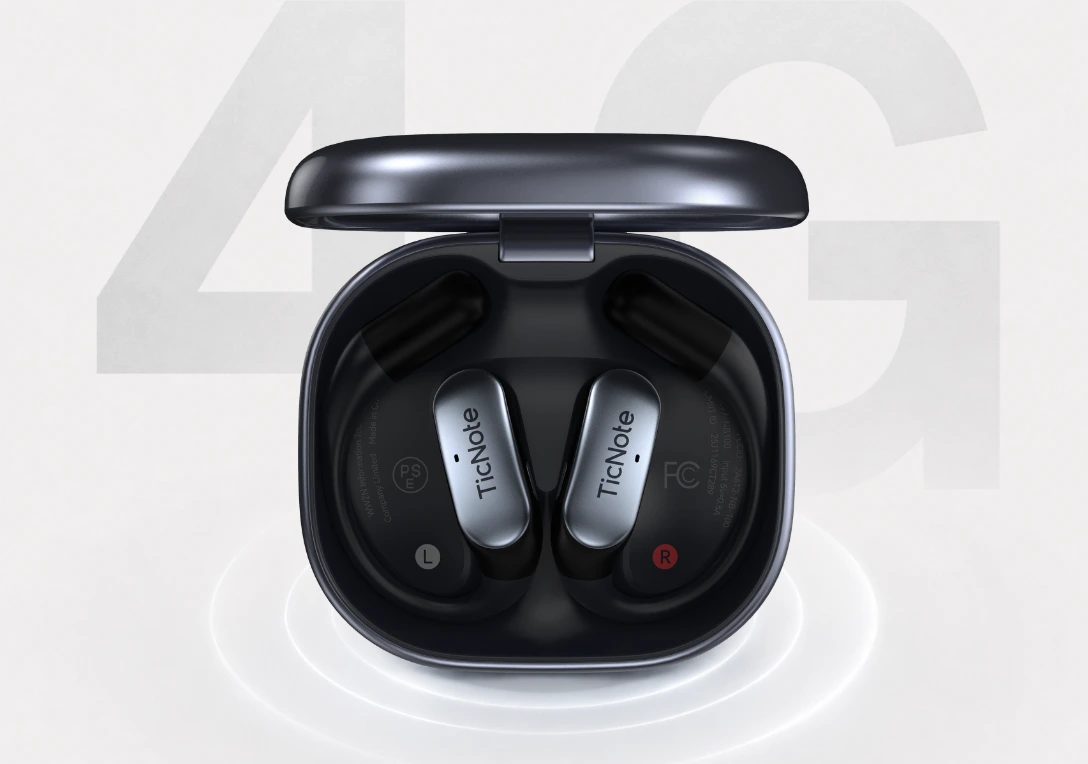
The 4G eSIM workflow is the reason this product exists. It can upload in real time without depending on your phone, generate a Live Summary while the meeting is still running, and produce a Quick Summary when the recording stops. For mobile professionals, the combination of automatic call recording through earbuds and dual modes on the earbuds and case is what makes it practical rather than clever. You can learn more about TicNote Pods 4G for mobile meeting capture if your week happens in transit.
This is built for movement. You get dual mics with ENC noise cancellation, up to 10m pickup, about 13 hours with 4G on, about 22 hours with 4G off, and 32GB case storage rated for roughly 2,150 hours. It also supports live translated subtitles in 17 live languages and 120+ transcription and translation languages, which gives it a clear edge for cross-border meetings.
Key features
- Built-in 4G eSIM: removes phone dependence.
- Live Summary and Quick Summary: useful when follow-up has to happen immediately.
- Automatic call recording on earbuds: fits mobile professionals who take calls all day.
- Conversation and Listen Translation: strong for cross-language meetings.
- Dual modes with case and earbuds: covers room capture and call capture in one setup.
Pros: Hardware is $299.99, with an included Plus plan. The phone-free real-time upload is the real differentiator. Translation support is broad, and the whole package fits road warriors better than software pinned to a laptop.
Cons: Upfront cost is higher than software-only tools. Battery life changes materially when 4G is on. And if you spend all day at a desk inside Zoom on a laptop, this is probably more device than you need.
Zoom AI Companion: best for teams already standardized on Zoom Workplace
If I managed a team that already lived in Zoom Workplace, I'd start here. The appeal is simple: I can turn on AI meeting notes without asking attendees to install another app, create another login, or wonder why a bot just joined the room.
That native workflow is the advantage. Built-in summaries and recaps make sense in standardized Zoom environments, especially for internal meetings where consistency matters more than customization. But the limitation is just as clear: once I need phone-call capture, in-person notes, offline recording, or a stronger independent knowledge workflow, I'm outside its sweet spot.
Key features
- Native Zoom workflow: minimal setup for Zoom-first teams.
- Meeting summaries and recaps: good for standard internal calls.
- Built-in access inside the platform: reduces app sprawl.
Pros: Easy adoption for existing Zoom users, a familiar admin environment, and in many workflows no extra third-party bot showing up in meetings.
Cons: It's best only when Zoom is the center of the workflow. It's less flexible for non-Zoom conversations and offline capture, and the value depends heavily on your Zoom plan and workplace setup.
Fireflies.ai: best for teams that need Zoom notes plus CRM and app integrations
I'd pick Fireflies when the transcript isn't the finish line. For sales, customer success, and operations teams, the real question is whether action items, call details, and follow-ups can move into the tools people already use.
That's where Fireflies is strongest. Notes are searchable, meeting history is easier to revisit, and the product makes the most sense when downstream routing matters as much as the summary itself.
Key features
- Meeting transcription and summaries: covers standard recap needs.
- Searchable meeting history: useful for finding decisions later.
- Integration-heavy workflow: relevant for CRM handoff and team collaboration.
Pros: Strong post-meeting workflow fit, useful for team-wide searchable archives, and a good option when integrations matter as much as note quality.
Cons: Bot presence can create friction in sensitive meetings. Total cost rises quickly for larger teams. And if you need hardware or phone-call capture, you'll need another tool.
Otter.ai: best for transcript-first users who revisit exact wording
I'd use Otter if I were a journalist, founder, or manager constantly searching past calls for the exact sentence someone used. Some people don't just want a summary. They want the transcript as the working asset.
That's why Otter still fits a lot of teams. Searchable transcripts, recap workflows, and collaborative notes make it easy to revisit what was said and share that context with other people.
Key features
- Searchable transcripts: speeds retrieval of past decisions.
- Summary and recap workflow: helps with fast follow-up.
- Collaborative note environment: supports shared review.
Pros: Well-known workflow, good fit for transcript-heavy users, and an easy value proposition for recurring meetings.
Cons: Bot-based capture can feel uncomfortable in some customer calls. Privacy-sensitive buyers may prefer bot-free or hardware-first options. And users who need broader offline capture may outgrow it.
Krisp: best for bot-free Zoom notes and cleaner audio in noisy places
I'd recommend Krisp to the consultant or salesperson taking calls from an airport gate, a shared office, or a kitchen table with a barking dog in the background. In that environment, cleaner audio isn't a nice extra. It directly affects note quality.
Krisp stands out because audio cleanup is part of the product value, not an afterthought. The bot-free capture also lowers meeting friction for teams that don't want an obvious recorder joining the call.
Key features
- Bot-free note taking: reduces visible meeting friction.
- Noise cancellation: improves audio quality before notes are generated.
- Meeting notes and action tracking: supports post-call follow-up.
Pros: Strong fit for noisy environments, a differentiated bot-free workflow, and real value for users who care about call clarity as much as summaries.
Cons: It isn't the deepest option for broader knowledge management. It's a limited fit if you also need hardware for in-person room capture. And buyers focused on heavy integrations may prefer a different tool.
How I evaluated AI note takers for Zoom
I evaluated these tools the way I'd evaluate them for my own calendar: not by asking which one transcribes the most words, but by asking which one creates the least friction before, during, and after a Zoom call. Most ranked lists miss that point. They compare raw transcription quality, then ignore the questions that actually change adoption: does a bot join the meeting, can the tool also capture phone calls and in-person conversations, and how fast do notes become action items after a 30-minute team sync or a 50-minute customer call?
If you're deciding between software and hardware, this guide pairs well with a closer look at device-first vs app-first note taking, because capture method often matters more than one extra summary feature.
Use four variables, not one
I scored every Zoom note taker on four decision variables.
Meeting friction: How the tool shows up in real life. A native Zoom tool creates the least disruption. Bot-based tools can work well, but some clients and executives dislike a visible attendee. Hardware-first tools reduce that issue and can keep working outside Zoom.
Output usefulness: Good notes save follow-up time. I looked at summary quality, action items, templates, search, and whether a tool helps you move from call to next step in under 10 minutes.
Privacy and control: This includes encryption, storage choices, model-training policy statements, and whether sensitive users can avoid a visible bot. For legal, executive, and journalistic workflows, this is a buying factor, not a footnote.
Total cost of ownership: Price is more than the monthly plan. I included hardware cost, subscription tiers, minute caps, and how costs change when one user becomes a 20-person team.
Quick comparison
| Tool | Works well when | Falls short when | Best for |
| Zoom AI Companion | your company already runs on Zoom and wants the lowest extra cost | you need cross-platform capture or deeper workflow automation | internal Zoom-first teams |
| Fireflies | notes need to flow into CRM and team workflows fast | bot presence creates friction in sensitive meetings | sales and revops teams |
| Krisp | noisy calls and bot-free capture matter most | you want broad meeting intelligence outside calls | solo users and client-facing professionals |
| TicNote AI Voice Recorder | you need Zoom, phone, and in-person capture in one workflow | you only want a pure software tool with no device angle | mixed-workflow professionals |
| TicNote Pods 4G | you travel often and need live summaries without relying on a phone | your work happens almost entirely at a desk | mobile professionals |
| Otter | searchable transcripts are the main priority | you need tighter privacy control or lower meeting friction | transcript-heavy users |
How to choose the right AI note taker for your Zoom meetings
Start with the meeting itself, not the feature list. I'd first ask where your conversations actually happen: inside Zoom on a laptop, across Zoom plus phone calls, or in a mix of Zoom, office rooms, and client sites. That one choice eliminates half the market fast.
If you live inside Zoom Workplace and want the lightest setup, Zoom AI Companion is the obvious fit. It keeps friction low because you don't need another app, another bot policy, or another monthly line item if it's already included in your Zoom plan.
If your week jumps from Zoom to mobile calls to in-person meetings, I'd choose TicNote AI Voice Recorder. That's where dedicated hardware earns its keep: Earphone mode can capture calls, Speaker mode handles in-room conversations, and you're not forcing every meeting into the same software workflow. It's the same reason teams that record consultant meetings across different settings tend to prefer a device that works beyond one app.
If you work on the road and need notes before the next stop, I'd pick TicNote Pods 4G. The 4G eSIM, Live Summary, and Quick Summary matter because they remove phone dependence when you're between trains, taxis, and client offices.
Then decide what you need after the call. If a clean recap is enough, simpler tools win. If your team needs searchable history, exports, and app handoffs, prioritize depth instead. Fireflies.ai is best for CRM-connected follow-up, Otter.ai fits transcript-first retrieval and collaborative review, and Krisp makes the most sense when bot-free capture and noise reduction matter more than deep post-call workflows.
Finally, price the full system, not the entry plan. Compare hardware cost, monthly fees, included minutes, and what 3 months of real usage looks like at your volume. Free plans often cap minutes hard, bot-based tools can add meeting friction, and privacy rules may rule out the cheapest option before cost even matters.
Conclusion: the best Zoom meeting note taker depends on meeting friction, not just features
The best AI note taker for Zoom is the one that fits your real meeting environment with the least friction and the clearest follow-through. In practice, the biggest gap in this category isn't transcription quality alone. It's whether the capture style, privacy comfort, and downstream workflow actually match your day. If your team lives inside Zoom and wants consistency, native Zoom is the cleanest pick. If you want software-first transcripts and searchable meeting workflows, Fireflies or Otter usually make more sense. If bot-free capture matters and your calls happen in noisy spaces, Krisp is the better fit.
For people who switch between Zoom calls, client lunches, hallway conversations, and field work, a hardware-first option is often more practical than another meeting bot. That's where TicNote AI Voice Recorder stands out, especially if you also want a dedicated AI note-taking device for meetings and calls. If you're constantly moving, TicNote Pods 4G is the stronger choice because it gives you fast summaries without depending on a laptop setup.
Before you decide, take 10 minutes and shortlist two tools. Check bot behavior, minute limits, export options, and how each one handles one real meeting scenario you have this week. Explore TicNote options.


