


 Extension
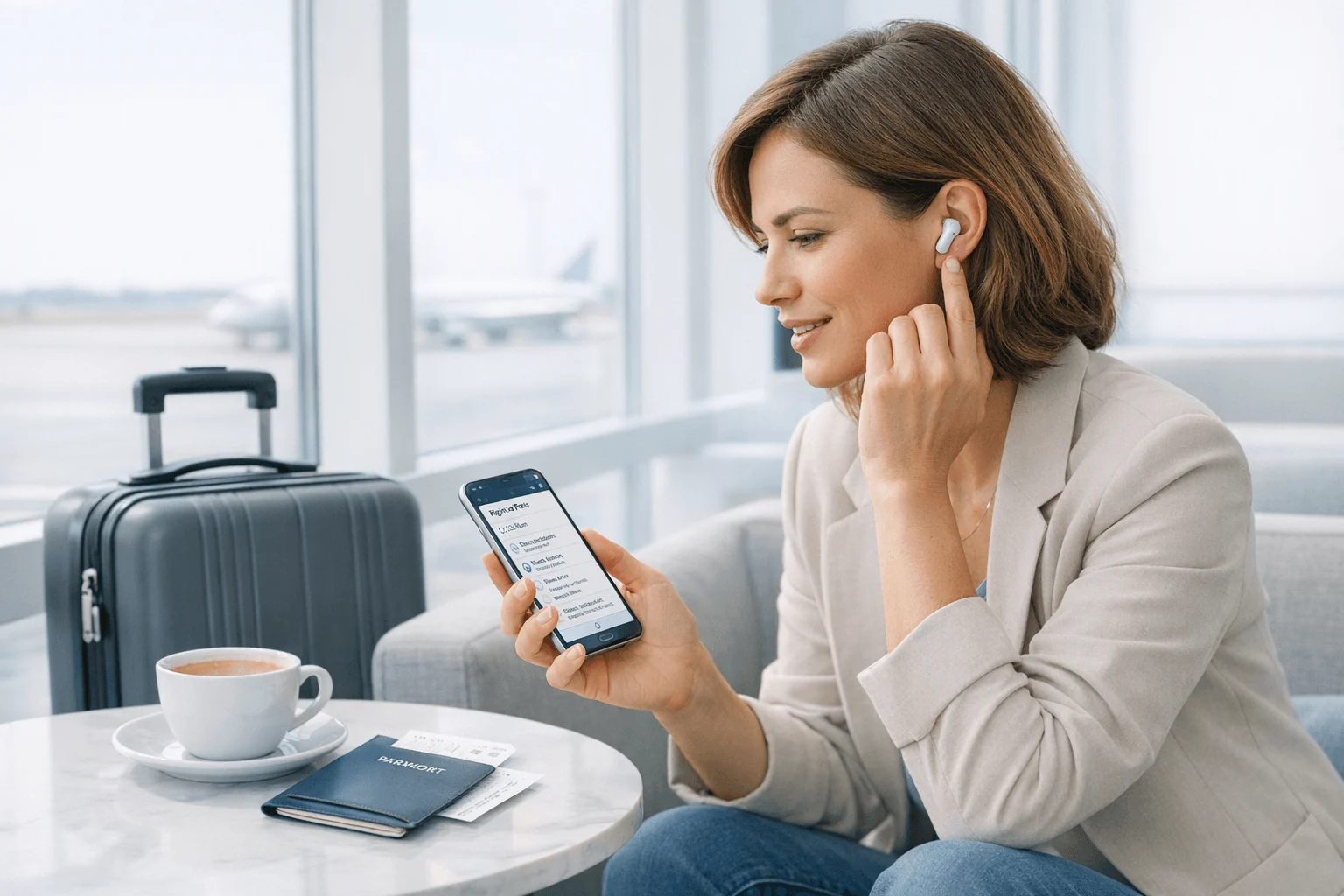
AI wearables have gone from gadget experiments to practical note-taking tools. What separates the good ones isn't just transcript accuracy. It's how they record, whether they work without a phone, how much context they capture, and what they cost after month one.
Quick picks: TicNote Watch for on-the-go professionals; TicNote Pods 4G for travelers and field reps who need phone-free upload and translation; Plaud NotePin for structured meeting summaries; Bee for low-cost ambient memory capture; and Omi for users who want an app ecosystem and room to experiment. In the full guide, I compare privacy trade-offs, long-term subscription burden, phone dependence, and the best fit for work, travel, multilingual conversations, and daily note capture. If you want the shortest answer, buy TicNote Watch.
Quick picks: the best AI wearable devices at a glance
AI wearables got more useful once they stopped being gadget demos and started solving one job well: capture what was said before you forget it. If you want the short answer, I'd put TicNote Watch at the top for most buyers, with TicNote Pods 4G close behind for travel-heavy work and multilingual conversations. For a deeper hardware comparison, this AI note taking device roundup helps frame where wearables beat app-only tools.
| Product | Recording method | Phone dependence | Works best for | Main trade-off | Starting price | Ongoing cost signal |
| TicNote Watch | Smartwatch with dual mics, Bluetooth call recording | Low after capture | Consultants, executives, daily meetings | Wrist form factor; 5h single-file limit | $249 | Plus plan included |
| TicNote Pods 4G | Earbuds plus charging case with built-in 4G eSIM | Very low | Travel, field work, multilingual conversations | Earbud-style wear | $299.99 | Optional higher tiers later |
| Plaud NotePin | Clip-on wearable meeting recorder | Medium to high | Formal meetings, lectures, interviews | Less discreet casually; subscription sensitivity | $169 | Recurring subscription matters |
| Bee | Ambient wearable recorder | Medium | Passive memory support, personal recall | Less focused professional output | $49 | App value depends on usage |
| Omi | Wearable recorder with app ecosystem | Medium | Tinkerers, early adopters | Privacy and maturity risk | $89 | Ecosystem cost can grow |
That's the scan view. In the next section, I'll break down who each device fits best, where it falls short, and why one form factor works better than another.
5 best AI wearable devices for meetings, travel, and daily capture
The best AI wearable device depends on what your day actually looks like. A consultant bouncing from a 35-minute client call to a hallway follow-up needs something different from a traveler handling multilingual meetings or a student recording planned lectures. So I'd match these picks to real workflows first, then look at battery life, phone dependence, summary quality, and privacy trade-offs.
TicNote Watch: Best for professionals who capture conversations all day
I'd give this to the sales rep or consultant who never really stops recording-worthy moments. You finish a client check-in, someone stops you in the hallway with a decision, and 12 minutes later you're walking outside with a follow-up idea you need to save before it disappears. That's exactly where a wrist-worn recorder makes more sense than pulling out a phone.
What makes TicNote Watch fit that workflow is speed. The dedicated top recording button starts capture in seconds, and the double-tap Random Thought shortcut grabs ideas up to 60 seconds from any screen. If you want a closer look at how it handles meeting notes, calls, and in-person capture, you can also Check TicNote Watch details while comparing options.
In use, the watch does more than store audio. It can record both sides of Bluetooth calls answered on the watch, show live transcription on the wrist in 17 languages, and let you hit One-Tap Highlight to mark the exact sentence you want later. AI summaries are pushed to the watch face, and the battery is rated for over 24 hours of continuous recording, with files auto-segmented after 5 hours.
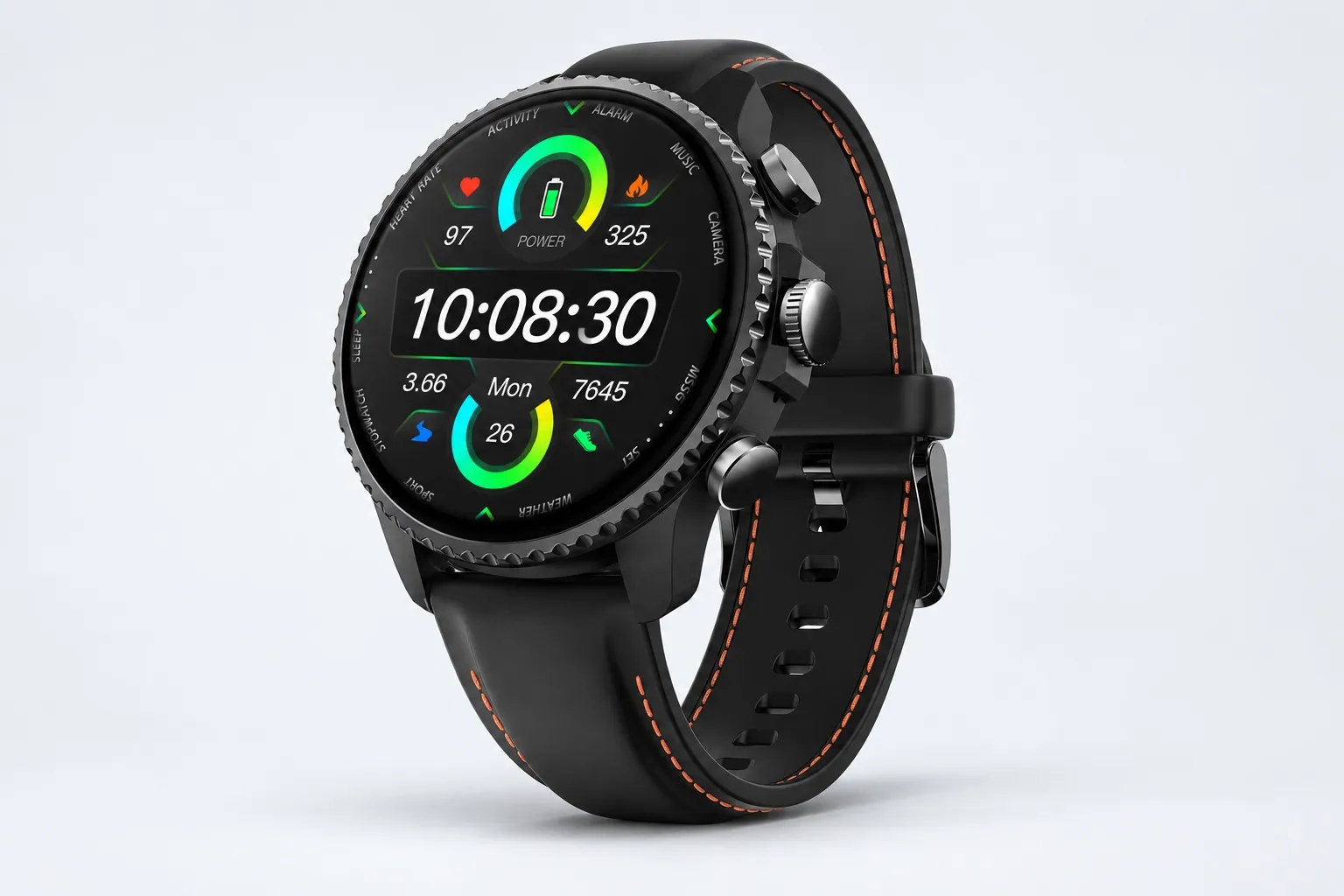
Key features: Dedicated top recording button, Random Thought capture, Bluetooth call recording, live wrist transcription, One-Tap Highlight, AI daily journal and Recap, export to Notion and Obsidian.
Pros: $249 price, Plus plan included with 600 transcription minutes per month, over 24h continuous recording, 3 to 5 meter pickup, 100+ summary templates, 24h heart rate and sleep tracking.
Cons: Heavy AI workflows can still push you toward paid plans, single recording files cap at 5 hours before auto-segmentation, and some people simply don't want to wear a watch all day.
TicNote Pods 4G: Best for field professionals and multilingual travelers
This is the pick I'd hand to a rep leaving a site visit who needs notes before getting back in the car. It also fits a traveler walking out of a supplier meeting who wants a summary now, not after syncing with a phone at the hotel.
The built-in 4G eSIM is the reason. You can record and upload without keeping your phone nearby, Live Summary works while the meeting is still running, and Quick Summary appears as soon as recording stops. If that phone-free workflow is what you want, See TicNote Pods 4G.
For cross-language use, Conversation Translation and Listen Translation are the standout features. Automatic call recording also works when calls are answered on the earbuds, and the earbuds/case dual modes let you switch between personal calls and room capture. With 10-meter pickup, ENC noise cancellation, and 32GB case storage, it's built for long field days.
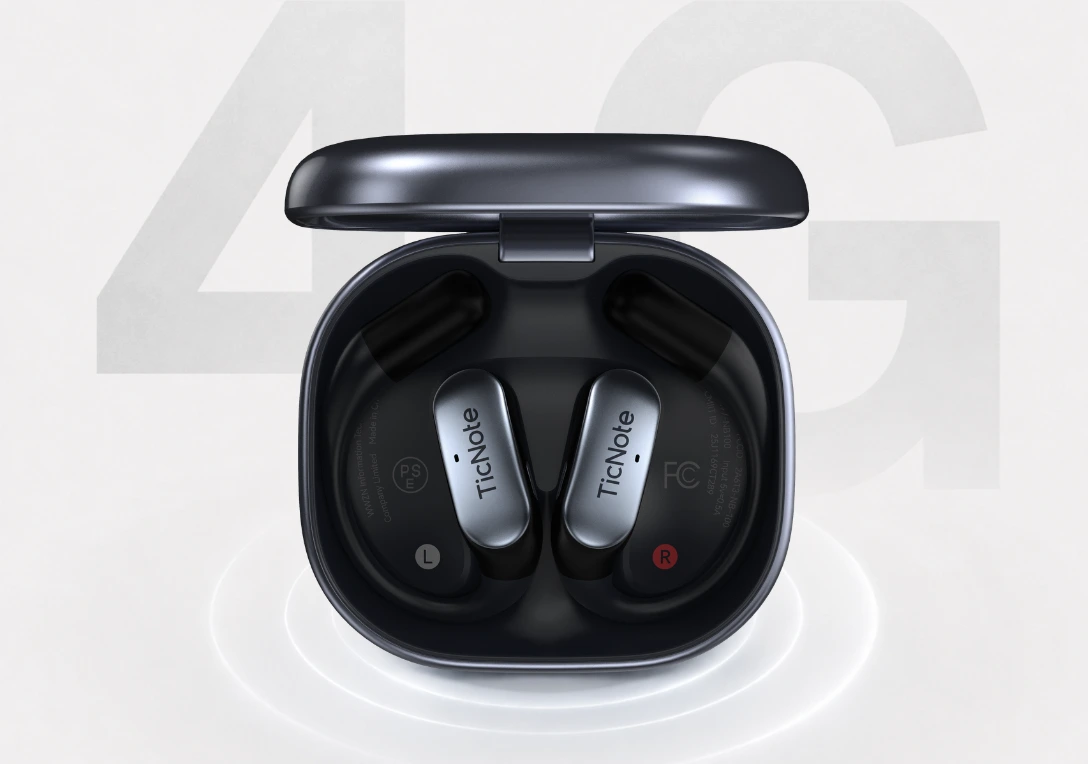
Key features: Built-in 4G eSIM, Live Summary, Quick Summary, Conversation Translation, Listen Translation, earbuds/case dual modes, 10m pickup with ENC, 32GB case storage.
Pros: $299.99 price, around 13 hours with 4G on or 22 hours with 4G off, 10m pickup, automatic call recording, 120+ languages for transcription and translation.
Cons: People who dislike wearing earbuds for long stretches may prefer a watch or clip-style device, battery changes noticeably with 4G use, and advanced AI usage can still lead to paid plan upgrades.
Plaud NotePin: Best for structured meetings and polished post-meeting notes
I'd choose NotePin for the manager, student, or interviewer who records intentional sessions rather than trying to capture an entire day. Its strength is straightforward: record a planned meeting, then turn it into a transcript, template-based summary, and even a mind map.
That makes it strong for formal note capture and weaker for spontaneous moments. If your main need is clean post-meeting output rather than instant hallway recording, it's a credible option.
Key features: structured recording workflow, transcript and summary outputs, template-driven notes, mind map support.
Pros: easy meeting-first workflow, good fit for planned sessions, polished summary outputs.
Cons: less natural in casual conversations, weaker for instant idea capture, and the long-term subscription math deserves a close check.
Bee: Best for low-cost ambient memory support
Bee fits a different job. I'd consider it if I wanted broad daily recall and passive memory support more than polished client-ready meeting notes.
That ambient capture angle is the appeal, especially for people experimenting with wearable memory tools on a budget. But it is less focused on explicit deliverables like action-item summaries or structured follow-up.
Key features: ambient capture approach, everyday recall, low-cost positioning.
Pros: affordable entry point, lightweight way to test passive capture, useful for day-level recall.
Cons: less effective for professional summaries, weaker fit for formal meeting outcomes, and privacy comfort matters more when the product is designed around always-on capture.
Omi: Best for tinkerers who want flexibility over polish
Omi makes the most sense for someone who likes experimenting with new workflows. If you care about plugins, app ecosystems, and flexible outputs more than a highly finished business tool, it has real appeal.
That said, I'd treat it as a future-facing pick, not the safest buy for someone who just wants dependable meeting notes today. The upside is extensibility. The downside is category immaturity.
Key features: plugin or app ecosystem, flexible outputs, future-facing customization.
Pros: adaptable concept, broader experimentation potential, useful for users who like extensibility.
Cons: maturity risk, privacy questions need more scrutiny, and it's less straightforward for buyers who want dependable capture right now.
How I evaluated each AI note taker wearable
Most lists of the best AI wearable device still compare these products like generic audio gadgets. That misses the real buying question. I evaluated each one by whether it fits an actual work moment: a 45-minute discovery call, a trade-show hallway chat, or a multilingual supplier meeting where you need searchable notes before the next stop.
Why most AI wearable for meetings lists do not help professionals
Surface specs matter, but they rarely decide the purchase. A consumer may compare battery life and price. A consultant cares whether the device starts recording in 2 seconds, whether it can capture both sides of a Bluetooth call, and whether the transcript is ready fast enough to act on before the next appointment.
That gap is why I focused on workflow fit first. In practice, the difference between an AI note taker and a plain recorder is whether it turns spoken conversations into usable outputs. If you want that distinction spelled out, this guide on AI notes versus basic recording covers it well.
The 4 decision variables for an AI note taking wearable
Recording method and friction: If capture takes too many steps, you won't use it when the moment is unplanned. A dedicated button or passive capture model beats digging for your phone.
Phone dependence: Some wearables are accessories, not standalone tools. I scored devices higher when they could record, upload, summarize, or translate without needing the phone nearby.
Privacy and consent exposure: A visible pin, watch, or earbud changes how comfortable recording feels in shared spaces. I also looked at what gets stored, synced, and processed in the cloud.
Long-term cost and output value: Upfront price is only part of the bill. Included minutes, subscription tiers, exports, and summary quality matter more over 12 months than a \$50 difference at checkout.
Quick comparison table
| Tool | Works well when | Falls short when | Best for |
| TicNote Watch | You need wrist-first capture, one-button highlights, and quick notes between meetings | You want fully phone-free cellular upload | Consultants and executives moving between meetings |
| TicNote Pods 4G | You travel, work in the field, or need notes before the next stop | You dislike wearing earbuds for long stretches | Field reps and multilingual users |
| Plaud NotePin | Meetings are intentional, structured, and easy to start on purpose | Conversations are spontaneous and easy to miss | Managers and students |
| Bee | You want passive recall of the day without pressing record every time | You need polished summaries and work-ready outputs | Casual memory support |
| Omi | You want ecosystem flexibility and don't mind experimentation | You want the most mature, lowest-friction experience | Tinkerers |
How to choose the right AI wearable recorder for your workflow
The right pick usually comes down to three questions: where your conversations happen, what you need in the 5 minutes after they end, and how much phone dependence or ongoing subscription cost you can live with. I'd decide by workflow first, not by form factor. A wearable that saves 20 seconds every capture can matter more than one that adds one more AI template.
If your conversations are spontaneous and in motion, I'd choose TicNote Watch. It fits consultants, executives, and journalists who jump between hallway chats, client walk-ins, and quick call-backs. The dedicated recording button, double-tap Random Thought shortcut, One-Tap Highlight, and watch-face summaries remove friction in a way phone-led tools don't. If that sounds like your day, it's worth comparing TicNote Watch for on-the-go capture. For reporters especially, this overlaps with what matters in field recording and interview workflows.
If you travel, work in the field, or switch languages often, I'd lean to TicNote Pods 4G. Built-in 4G eSIM matters because it cuts the usual phone tether. Live Summary during a meeting, Quick Summary when it ends, and translation modes make it a practical fit for airport days, factory visits, and cross-border client work. In that case, I'd review TicNote Pods 4G for travel workflows.
For planned meetings, classes, and sit-down interviews, Plaud NotePin makes more sense when structured summaries matter more than always-ready capture. Bee is the better budget choice for passive daily memory support. Omi is the better choice if you care more about plugins and experimentation than polished simplicity.
Privacy-focused buyers should decide four things before buying: how visible consent should be, what stays local versus goes to the cloud, who controls exports, and how long data is retained. That matters as much as transcription quality. Conference halls, client sites, classrooms, and cross-border travel all carry different expectations, and in many places consent laws are stricter than buyers assume.
Conclusion: the best AI wearable device depends on your recording reality
The best AI wearable device isn't the one with the longest feature list. It's the one that cuts note loss, follow-up delay, and privacy friction in the moments you actually record. That's why I'd choose TicNote Watch for frequent in-person conversations and fast follow-ups, TicNote Pods 4G for phone-free capture, live summaries, and travel translation, Plaud NotePin for more structured meeting capture, Bee for low-cost memory support, and Omi only if you want to experiment while the category is still maturing.
That last point matters. No option here is perfect. Consent norms are still inconsistent, noisy rooms still hurt transcription quality, and recurring software costs can change the real price by 20% to 100% over a year depending on your usage. If you're still deciding between hardware and software, this guide on device vs app note taking is worth a quick read before you buy.
My practical next step is simple: spend 10 minutes listing your top three recording situations from the past week, then rank each one by spontaneity, privacy sensitivity, and follow-up urgency. Match that list against the framework in this guide, and your best pick usually becomes obvious.


