


 Extension
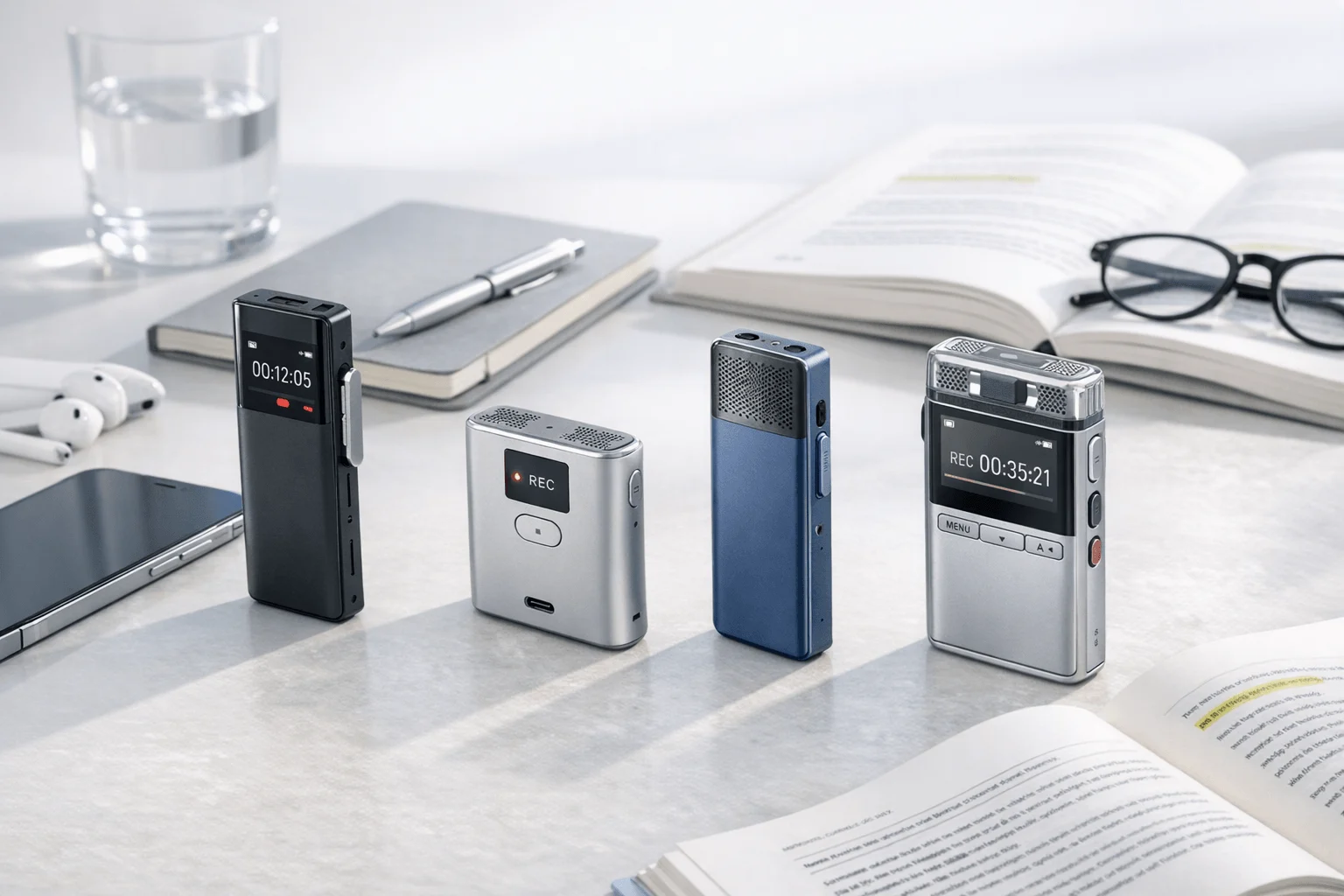
If you need a faster way to capture remote conversations, compare note takers for back-to-back calls: we compared 6 AI note takers over a 6-week review window using remote meetings, phone calls, and hybrid conversations across Zoom, Google Meet, and Microsoft Teams. For remote professionals who bounce between browser meetings and phone-based client sessions, Fireflies.ai is the strongest fit when CRM automation and post-meeting workflows matter most, while TicNote Pods 4G is the clearest fit when remote work includes phone calls, bot-sensitive meetings, or hybrid conversations that software cannot capture cleanly. The contrarian insight: for remote sessions, the real dividing line is not summary quality anymore — it is capture method.
What you'll learn:
- How to choose by capture method: decide when a bot, bot-free app, or dedicated recorder fits remote sessions better.
- Which tools justify their price: compare free tiers, paid starting prices, and where upgrade pressure starts.
- How the side-by-side table changes the shortlist: see hardware and software options normalized by platform support, integrations, and post-meeting automation.
- What to buy if your remote day includes calls and hybrid meetings: understand why some tools work only when a meeting link exists.
- When to switch from Otter, Fireflies, or Fathom: spot the workflow gaps around privacy, multilingual use, and in-person spillover.
What is an AI note taker for remote sessions, and why does everyone suddenly need one?
An AI note taker for remote sessions records conversations, turns speech into text, and gives you summaries, action items, and a searchable meeting history. More advanced tools now also add speaker identification, translations, workflow automations, and live recap features, which is why buyers are also comparing options built for business conversations across meetings and calls.
Across current market leaders, support now ranges from 58 to 140+ languages depending on the product. That shift matters because remote work no longer happens in one room, one platform, or one language. As meetings spread across Zoom, Google Meet, Microsoft Teams, phone calls, and hybrid follow-ups, you have to choose tools based on reliability across contexts, not just basic transcription.
But here's what most articles won't tell you. Core transcription and summary features are becoming commoditized, so the buying decision now comes down to three harder-to-replace differences: capture method (hardware vs bot vs bot-free), workflow depth (summaries vs CRM and task automation), coverage outside meeting links (phone, in-person, hybrid spillover).
How did we test these tools?
We tested these tools over a full 6 weeks to see how they held up in the messy reality of remote work, not just clean demo scenarios. The test covered Zoom, Google Meet, Microsoft Teams, plus phone-call and hybrid handoff situations, using TicNote Pods 4G, Plaud Note Pro, Otter, Fireflies.ai, Fathom, and Notta. Where hardware fit mattered, we also looked at practical setup tradeoffs through device fit by use case.
Meeting types tested:
- Weekly team standup (4 participants)
- Client strategy call (3 participants)
- Sales discovery or follow-up session (2 participants)
- Project review with screen share (5 participants)
- Hybrid conversation that moved from remote call to room discussion (3 participants)
Evaluation criteria (weighted):
- Remote capture coverage (22% weight) -- measured whether the tool could reliably handle Zoom, Meet, Teams, phone calls, and hybrid spillover without major workarounds.
- Transcript and summary quality (20% weight) -- measured clarity of transcript, usefulness of AI summaries, and whether action items were usable after the session.
- Bot sensitivity and privacy fit (15% weight) -- measured how visible the recorder is in client-facing sessions and what privacy/security controls the vendor states publicly.
- Post-meeting workflow value (15% weight) -- measured whether the tool supports search, AI chat, exports, automation, or structured follow-up after the meeting.
- Multilingual support (10% weight) -- measured language coverage and translation-related capabilities for distributed teams.
- Ease of use in remote workdays (10% weight) -- measured setup friction, start/stop simplicity, and whether the tool fits back-to-back meetings.
- Pricing and upgrade pressure (8% weight) -- measured what is included free, starting paid cost, and where meaningful features are gated.
TicNote Pods 4G, the author's own product, is included in this comparison. We were direct about its limitations: it costs more upfront than software tools, its strongest value shows up when remote work includes calls or hybrid conversations, and software products still lead on CRM automation and collaborative annotation. All other tools were evaluated independently.
Hardware vs. software: which approach fits you better?
For remote sessions, the first real decision is whether your notes start from a meeting link or from the conversation itself.
| Factor | Hardware | Software |
| Phone call recording | ✅ Core feature | ❌ Not supported |
| Face-to-face meetings | ✅ Set on the table | ❌ Needs workarounds |
| Online meeting transcription | ⭐️ Depends on room audio | ⭐️⭐️⭐️ Direct platform feed |
| Speaker identification | ⭐️ Limited | ⭐️⭐️⭐️ Automatic |
| Hands-free start | ✅ Auto-records on answer | ❌ Open app every time |
| Privacy control | ✅ Local-first, encrypted | ❌ Full cloud pipeline |
| CRM / workflow automation | ❌ Not supported | ✅ Fireflies.ai |
| Team collaboration | ❌ Not supported | ✅ Otter comments search |
| Upfront cost | ❌ $129.99–$299.99 device | ✅ Free to start |
| Long-run cost | ✅ One-time purchase | ⭐️ Monthly fees add up |
Hardware wins when remote work includes phone calls, in-person follow-ups, or any conversation that happens outside a meeting link. TicNote Pods 4G uses open-ear earbuds plus a 4G eSIM case to upload audio in real time and can automatically record calls when the earbuds are being worn, while Plaud Note Pro uses dual-mode hardware recording in a card form factor for call and meeting capture. Hardware also brings battery-backed recording and stronger privacy control because products such as TicNote and HiDock-style devices emphasize local storage or encrypted sync instead of a fully cloud-native pipeline; that's also why bot-free note takers appeal to teams that don't want another meeting bot joining every call.
Software wins when the meeting is scheduled, link-based, and tied to collaboration or revenue workflows. Otter is strongest for shared transcripts, search, and team knowledge, while Fireflies.ai is strongest for integrations, CRM sync, analytics, and post-meeting automation across team conversations.
The honest answer is both for mixed workdays. If remote sessions include phone calls or in-person time, hardware is the part software still cannot replace.
How do these 6 tools compare side by side?
If you want the fastest way to narrow your shortlist, compare these tools by capture method first, then by pricing, integrations, and what happens after the meeting. That's also why this category is splitting into hardware, bots, and app-based workflows—if you've been reviewing AI meeting summary tools, this table makes the tradeoffs much easier to see.
| Tool | Type | Best For | Platforms | Free Tier | Paid From | Integrations | Post-Meeting Automation |
| TicNote Pods 4G | Hardware | Remote professionals who also take phone calls | Zoom Meet Teams via captured audio plus calls and room conversations | Plus plan included with device: 600 min/mo and 1500 credits | $299.99 device or Pro with device $79/yr | TicNote Cloud across phone desktop browser | Live Summary Quick Summary Ask AI document generation |
| Plaud Note Pro | Hardware | Professionals who want premium card-style hardware for calls and meetings | Hardware capture with app sync for meetings and calls | Starter 300 min/mo | Pro $8.33/mo billed annually plus $189 device | Google Calendar Zapier MCP | Ask PLAUD templates exports summaries |
| Otter | Bot | Teams that need shared searchable transcripts | Zoom Google Meet Microsoft Teams | Free 300 min/mo | Paid tiers from listed Pro/Business ladder | Collaboration workspace and sharing features | Search edit share summaries history |
| Fireflies.ai | Bot | Teams that need CRM-connected meeting workflows | Zoom Google Meet Microsoft Teams and uploads | Free $0 | Pro $10/seat/mo billed annually | CRM ATS Slack and 200 plus app connections | AI notes analytics search comments workflow sync |
| Fathom | Bot | Solo users who want a generous free remote meeting tool | Zoom Google Meet Microsoft Teams | Free for individuals | Team Edition from $19/user/mo | CRM integrations on paid plans | Summaries highlights clips follow-up outputs |
| Notta | Bot | Users who want transcripts plus visual outputs and multilingual support | Zoom Google Meet Microsoft Teams web mobile | Free 120 min/mo | Pro $97.99/yr | Google Drive Notion Slack Salesforce | Notta Brain summaries PPT and infographic outputs |
The 6 best AI note takers for remote sessions in 2026
If you want the short version, these six tools split into three clear camps: dedicated hardware, bot-based meeting apps, and software-first tools for summaries and collaboration. The best fit depends less on branding and more on how your remote sessions actually happen—inside scheduled video calls only, or across calls, hallway recaps, and hybrid conversations.
1. TicNote Pods 4G — Best for remote work that includes calls and hybrid spillover
Best for: remote professionals who switch between online meetings, phone calls, and in-person follow-ups
TicNote Pods 4G is built for users whose remote sessions do not stay inside Zoom or Google Meet tabs. Its key differentiator is the 4G eSIM charging case that uploads audio without a phone nearby, plus Live Summary during recording and Quick Summary right after recording stops. For remote professionals, consultants, sales reps, and project managers who jump from a video meeting to a phone call to a hallway recap, that broader capture model is a real fit; for users who only want bot-based meeting transcripts and deep CRM automation, it is not. If you want more context on this hardware category, this guide to an AI voice recorder for meetings covers the tradeoffs in more detail.
Standout features:
- Automatic call recording when you take a call wearing the earbuds
- Built-in 4G eSIM for phone-free recording and real-time upload
- Live Summary during recording and Quick Summary after recording ends
- Transcription and translation in 120+ languages, with real-time transcription in 16 languages
- Ask AI, document generation, speaker identification, and TicNote Cloud across phone, desktop, and browser
Pricing: No free hardware tier | Device: $299.99 with Plus plan included (600 min/mo, 1500 credits/mo) | Pro with device: $79/yr for 2100 min/mo and 3000 credits/mo
Pros:
- Captures phone calls and hybrid conversations that software note takers miss.
- Can upload and summarize without needing the phone nearby.
- Works for remote, in-person, and multilingual use in one device.
- Quick Summary and Live Summary reduce delay between meeting end and follow-up.
Cons:
- Upfront hardware cost is much higher than starting with a free software tool.
- It does not replace Fireflies.ai-level CRM automation.
- Online meeting transcription depends on captured audio rather than a direct platform feed.
- The strongest value shows up only if remote work includes calls, travel, or hybrid conversations.
In our testing workflow, Pods 4G made the most sense on days that started with a Teams call, moved to a mobile client call, and ended with an in-person debrief; one device handled all three without switching apps or inviting a bot.
2. Plaud Note Pro — Best for premium card-style hardware recording
Best for: professionals who want a slim recorder for calls and meetings with template-heavy AI outputs
Plaud Note Pro is a premium hardware recorder that focuses on polished hardware, dual-mode recording, and a broad software layer with Ask PLAUD, templates, Google Calendar, Zapier, and MCP. It is designed for professionals who want hardware capture without moving to an earbud form factor. For remote-session buyers, it fits best when the need is elegant hardware plus post-meeting organization, not real-time phone-free upload.
Standout features:
- 64GB storage with up to 30 hours of recording and up to 16.4 ft pickup
- 112+ languages supported
- Ask PLAUD, custom templates, and 27+ export formats
- Google Calendar, Zapier, and MCP support
- Private Cloud Sync and team management options
Pricing: Starter: free with 300 minutes/month | Pro: $8.33/month billed annually or $17.99 monthly with 1200 minutes | Note Pro hardware: $189
Pros:
- Premium card design is easier to carry than many bulkier recorders.
- Template and export depth is stronger than most hardware competitors.
- Integrations like Zapier and MCP give it more workflow reach than typical recorder devices.
- Works well for users who want hardware capture with a mature companion app.
Cons:
- Higher total cost once hardware and subscription are combined.
- Does not offer TicNote Pods 4G-style phone-free 4G upload or live summary during recording.
- Still less direct for CRM-heavy team workflows than software products like Fireflies.ai.
- Hardware-first recording is overkill if all meetings already happen inside a conferencing app.
3. Fireflies.ai — Best for remote teams that need CRM and workflow automation
Best for: sales teams, client-facing teams, and ops-led organizations that need meeting data to flow into other systems
Fireflies.ai is not just a meeting note taker; it is a meeting intelligence workflow layer built around search, analytics, and integrations. Its strongest value is for remote teams that want calls logged into CRM or ATS systems and want summaries, comments, and analytics tied to broader team workflows. For remote professionals who live inside scheduled meetings and downstream systems, it is a better fit than hardware.
Standout features:
- 100+ languages with auto language detection
- AI notes, analytics, comments, bookmarks, and soundbites
- CRM, ATS, Slack, and 200+ app integrations
- 95% accuracy claim in product messaging
- Supports GDPR, SOC 2 Type II, HIPAA context, TLS, AES-256, SSO, and retention controls
Pricing: Free: $0 | Pro: $10/seat/month billed annually | Business: $19/seat/month billed annually | Enterprise: $39/seat/month billed annually
Pros:
- Strongest automation and integration depth in this comparison.
- Good fit for remote teams that need searchable meeting intelligence at scale.
- Broad language support and auto language detection help multinational teams.
- Security and admin controls are more developed than consumer-grade note takers.
Cons:
- Cannot solve phone-call or in-person capture on its own.
- Value drops sharply for solo users who do not need integrations.
- Bot-based capture can be awkward in client-sensitive meetings.
- The most useful workflow features are tied to paid tiers.
4. Otter — Best for collaborative transcripts and shared meeting memory
Best for: teams that want a familiar workspace for recording, search, and transcript sharing
Otter remains a strong software choice for teams that care more about transcript collaboration than workflow automation. It is built for recording, searching, editing, and sharing voice conversations, with support for Zoom, Teams, and Google Meet. For remote-session buyers, it fits internal collaboration well but is less compelling when multilingual breadth, advanced automation, or phone-call capture are top priorities.
Standout features:
- Real-time recording, transcription, and speaker identification
- Search, edit, organize, and share meeting notes
- Automatic note capture for Zoom, Teams, and Google Meet
- Supports English, Spanish, French, German, Japanese, and Chinese
- Workspace-style collaboration and conversation history
Pricing: Free: 300 minutes/month | Paid plans: Pro and Business ladders listed publicly with higher transcription limits | Enterprise: custom
Pros:
- Easy for teams to adopt because the product is familiar and collaboration-focused.
- Shared searchable history is useful for recurring internal meetings.
- Works across the major remote meeting platforms.
- Good fit for teams that mainly need transcript access, not heavy automation.
Cons:
- Language support is narrower than Fireflies.ai, Notta, or most hardware competitors here.
- Bot-based capture does not help with phone calls or in-person discussions.
- Plan limits become restrictive for heavy users.
- Less differentiated than newer tools on multilingual and post-meeting workflow depth.
5. Fathom — Best for solo users who want a strong free AI meeting note taker
Best for: individual professionals who mostly attend scheduled online meetings and want low-cost summaries
Fathom is built for individual users who want an easy AI meeting note taker without paying right away. Its market position is straightforward: useful summaries, highlights, and clips for remote meetings, with stronger team and CRM functionality reserved for paid editions. For remote professionals who stay inside Zoom, Meet, and Teams and do not need hardware capture, it is a practical low-friction option.
Standout features:
- Free plan for individuals
- Supports Zoom, Google Meet, and Microsoft Teams
- Summaries, highlights, clips, and follow-up outputs
- CRM integrations available on paid plans
- Built around lightweight remote meeting capture for solo use
Pricing: Free for individuals | Team Edition: from $19/user/month | Higher-tier team functionality available above free
Pros:
- One of the easiest ways to get started with AI note taking for remote meetings.
- Free offering is more practical than many teaser plans.
- Highlights and clips are useful for quick follow-up.
- Good fit for freelancers, consultants, and solo operators.
Cons:
- Not built for phone calls or in-person follow-up capture.
- Team administration and deeper workflow value are not the product's main strength.
- Best fit is narrow: scheduled online meetings for individuals.
- Paid team pricing can erase its low-cost advantage as needs grow.
6. Notta — Best for multilingual remote sessions and visual meeting outputs
Best for: users who want multilingual transcription plus generated presentations or visual summaries
Notta sits between classic transcription software and content-generation software. It records, transcribes, summarizes, and adds a differentiator that many competitors do not: turning meeting content into visual outputs such as presentations and infographics through Notta Brain. For remote teams with multilingual conversations and recap-heavy reporting, that makes it more useful than a plain transcript tool.
Standout features:
- 58 transcription languages
- Notta Brain for cross-meeting search and insight extraction
- Creates presentations and infographics from meeting content
- Integrates with Google Drive, Notion, Slack, and Salesforce
- Security claims include SOC 2 Type II, ISO 27001, GDPR, CCPA, and HIPAA
Pricing: Free: 120 minutes/month | Pro: $97.99/year | Business: $199.99/year | Translation add-ons: $6/month or $9/month billed annually depending on feature
Pros:
- Useful for multilingual remote work and recap creation.
- Visual outputs give it a differentiated post-meeting value proposition.
- Integrations cover common productivity and CRM destinations.
- Security posture is stronger than lightweight consumer tools.
Cons:
- Free plan is smaller than Otter or Fathom.
- Still limited to software-style capture and cannot replace hardware for calls or hybrid sessions.
- Add-ons make pricing less simple than it first appears.
- 58 transcription languages is solid, but lower than several hardware competitors with 100+ language claims.
Conclusion: how to decide
If phone calls or in-person meetings are part of your day, hardware is the category that software structurally cannot replace. TicNote Pods 4G is the strongest fit when remote sessions spill into calls and travel because it adds automatic call recording, phone-free 4G upload, and live summaries, while Plaud Note Pro is a better fit for buyers who want a premium card-style recorder with Zapier, Google Calendar, and template-driven outputs at a lower device price of $189.
If all work happens inside scheduled online meetings, software tools such as Fireflies.ai and Otter make more sense because they plug into remote workflows more directly. Final verdict: for heavy remote users, the long-term answer is often both, and if calls matter, this guide to AI note takers for calls shows why hardware covers the conversations software never will.


