
 Extension


TL;DR: Which AI Note Taker is best for students?
You walk out of a 75-minute lecture with half a diagram copied, three missed definitions, and a quiz in 48 hours. This decision isn't about one generic app. It's about whether you need a device-based recorder for real in-person classes, a bot-based tool for Zoom lectures, or a study assistant that only helps after class.
Quick picks: TicNote Lite for affordable hardware capture; Otter.ai for online lectures; NotebookLM for turning class materials into study guides; Plaud for higher-end in-person recording; Tactiq for browser-based meeting transcripts; NoteGPT for summarizing uploaded content; TicNote Watch for commuters who want wearable capture. In short, the best AI note taker for most students is TicNote Lite because it records live lectures without a meeting bot, works offline, and starts at $129.99 instead of a higher premium device price.
Quick Picks: best AI note takers for students by scenario
If you want the shortlist before the deep dive, this is the section I'd start with. I'm matching each pick to a real student situation, because the best tool for a 200-seat lecture hall is different from the best tool for Google Meet seminars or post-class study review.
Quick comparison
| Tool | Works well when | Falls short when | Best for |
| TicNote Lite | Large in-person lecture hall with patchy Wi-Fi | You want a pure software-only setup with no hardware cost upfront | Students who need reliable lecture capture all semester |
| Otter.ai | Recorded online class or laptop-based seminar | In-person classes without good mic placement | Students who mostly learn through online or hybrid classes |
| NotebookLM | Study review from uploaded PDFs, slides, and transcripts | You need to capture live lectures directly | Turning class materials into review notes |
| Plaud | Commuting between classes and recording quick voice notes | Long lecture-heavy schedules can get expensive | Students who want a compact recorder for mixed use |
| Tactiq | Google Meet seminar with live captions | Physical classrooms and offline situations | Browser-based note taking for online classes |
| NoteGPT | Reviewing a recorded lecture or YouTube lesson | Real-time in-class capture | Students who study from existing video content |
| TicNote Watch | Field interview between classes or hands-free capture on the move | Large lecture halls where wrist placement is less ideal than desk placement | Students doing interviews, projects, or mobile note capture |
7 best AI note takers for students for lectures and study review
I'd rank these tools by student fit, not brand popularity. The first few are true lecture-capture options you can use during class, while the later picks are better for turning recordings, slides, PDFs, or transcripts into study material after class. That distinction matters because a great study assistant is not always a great live lecture note taker.
I also wouldn't choose based on features alone. For each tool, I'd start with the scenario, then the workflow, then the proof: how well it handles long lectures, whether it works without a bot, how useful the export is, and what the semester cost looks like once you go past a free tier.
TicNote Lite AI Voice Recorder: Best for students who want affordable, dedicated lecture capture for in-person classes
If you've ever tried to type through a 75-minute lecture, you know the problem. You either focus on your screen and miss the professor's explanation, or you listen closely and end class with half a page of notes and no exact quotes, definitions, or examples.
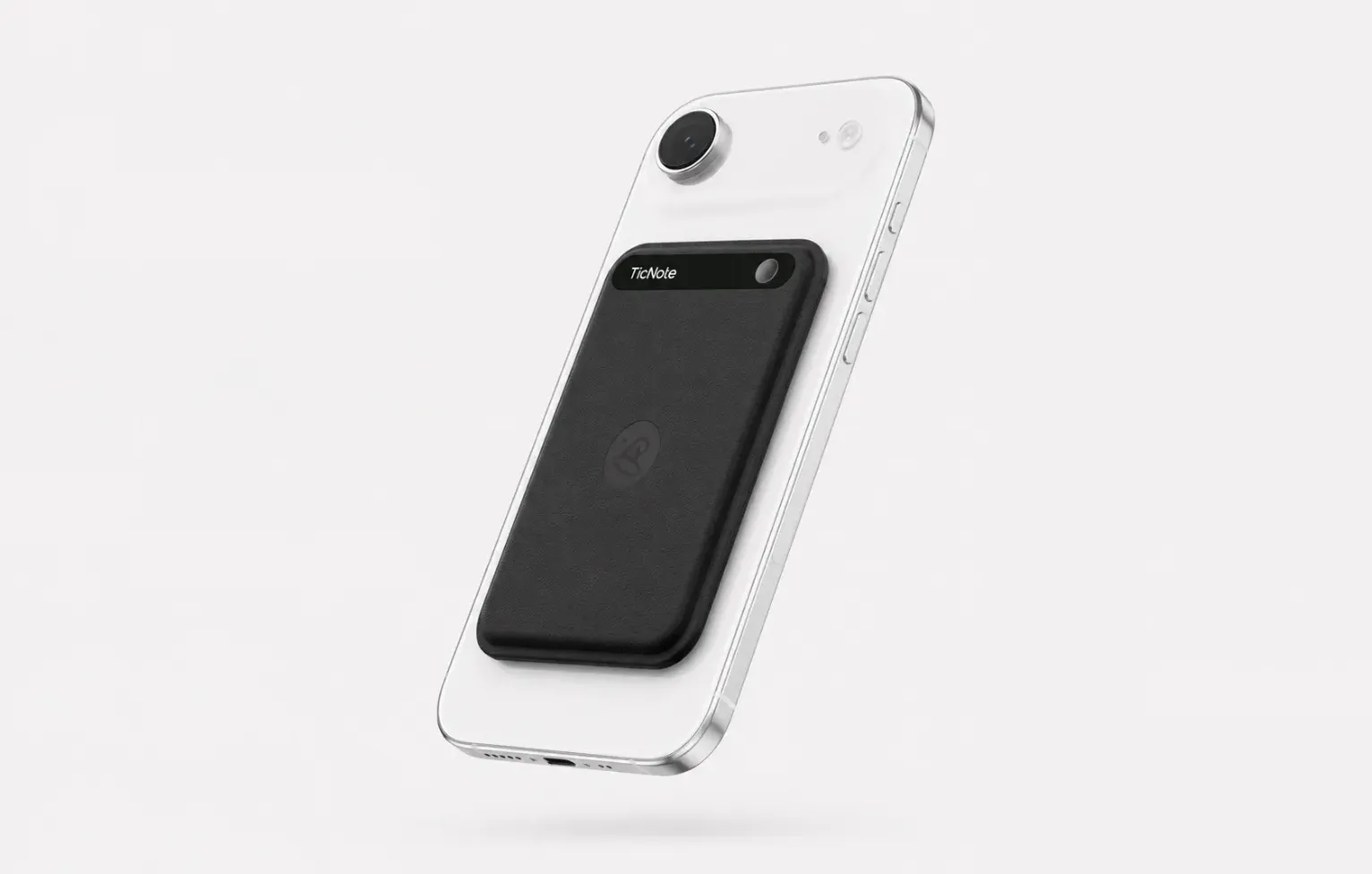
That's where a simple card-style recorder makes sense. TicNote Lite fits lecture halls, office hours, study groups, and even commuting review because it's built around one job: capture the class clearly, then turn it into notes you can actually study from. You don't need to open a laptop, keep a browser tab alive, or depend on a meeting bot joining the room. If you want the full specs, you can Check TicNote Lite AI Voice Recorder details.
What sold me here is the proof. It costs $129.99, starts recording with a modeless one-press action, uses a 3-mic array with up to 10m pickup, records offline, and syncs when you reconnect. You also get a 25hr battery, 4GB of storage for about 28 hours, real-time transcription, live translated subtitles, time-stamped transcripts with automatic speaker identification, AI summaries, mind maps, in-meeting highlights, photos synced to transcript timestamps, Ask AI across projects, a Project Knowledge Base, and export to Notion and Obsidian. For studying, the built-in English Tutor and Lesson Kit skills are more relevant than generic "AI chat" features.
Key features for students
- One-press recording: fast enough to start before the professor gets through the first slide — no mode switching, no app to open
- 3-mic array with up to 10m pickup: captures the professor from the back row of a 200-seat lecture hall, not just from arm's length
- Offline recording with sync on reconnect: works in basement classrooms and older buildings with weak Wi-Fi, syncs when you're back online
- Time-stamped transcript with speaker identification: trace exactly when the professor said "this will be on the exam" and who asked that question from the back row
- AI summary and mind map: turns a 75-minute lecture into a structured review sheet you can actually study from
- Photos synced to transcript timestamps: snap a photo of the whiteboard or slide, and it links to the exact moment in the transcript
- Ask AI: ask "what did the professor say about midterm coverage" instead of re-listening to the whole lecture
- Export to Notion and Obsidian: your lecture notes live where your study notes already are
Pros
- $129.99 entry price is lower than many hardware-first alternatives
- 25hr battery is enough for several class days before charging
- Up to 10m pickup makes it a serious fit for in-person lecture halls
- Includes the free hardware Plus plan with 600 transcription minutes per month
- Works well for students who want bot-free recording in physical classrooms
Cons
- Heavy semester users may outgrow 600 minutes a month and need Pro with device at $79/yr for 2,100 min/mo or pay-as-you-go minutes
- If you want all AI outputs across devices, syncing and cloud workflow still matter
A lot of students comparing recorders also look at dedicated AI note-taking devices for lectures and meetings, and that's the right comparison set here, not browser tools.
Otter.ai: Best for students who attend lots of recorded or live online classes and want captions plus slide-linked notes
Some students don't need discreet hardware at all. If most of your week happens in Zoom lectures, online seminars, or recorded virtual classes, searchable transcript text and shared notes matter more than bot-free in-person capture.
That's where Otter.ai still fits well. Its strength is online lecture workflow: live captions, collaborative notes, and slide capture that help when your class already runs through a video platform. In practical use, it's better for recorded or live online classes than for a physical lecture hall where a bot can't join the room and your laptop mic becomes the fallback.
Key features
- Live captions for online classes: helps during fast lectures and accessibility-heavy workflows
- Slide capture and note linking: useful when professors teach directly from decks
- Searchable transcript and shared notes: makes group review easier
Pros
- Strong fit for Zoom-based learning
- Good for reviewing online class recordings later
- Shared note workflow is useful for project teams and study groups
Cons
- Free-tier minute limits are restrictive for semester-long use
- Bot dependence can be a problem in some class setups
- Not the best option for discreet in-person classroom capture
NotebookLM: Best for students who already have lecture materials and need a study assistant
Sometimes the hard part isn't capturing class. It's turning a pile of PDFs, lecture transcripts, readings, and slides into something you can actually learn from before the exam.
NotebookLM is excellent for that post-class stage. It can turn source materials into explainers, study guides, and question sets, but it is not an AI note taker for in-person lectures on its own. You need to pair it with another capture method first.
Key features
- Source-grounded summaries: answers are tied back to the uploaded materials
- Study guide and Q&A generation: useful for exam prep
- Multi-document reasoning: helps when one topic spans readings and lecture notes
Pros
- Strong for studying from existing materials
- Better grounded than generic chatbots when you upload your own sources
- Good for turning messy notes into revision tools
Cons
- Doesn't solve live lecture capture by itself
- Depends on the quality of the transcripts or documents you feed it
Plaud: Best for students who want hardware lecture recording and are willing to pay more for it
If you're on an in-person-only campus and want dedicated hardware, Plaud belongs on the shortlist. The basic appeal is simple: dedicated recording, offline practicality, and less dependence on keeping a laptop open during class.
The tradeoff is cost math. With hardware products, the device price is only part of the story. You also need to think about how many lecture hours you'll record in a 14- to 16-week semester and whether the subscription pushes the total well past what a budget-conscious student should spend.
Key features
- Dedicated hardware recording: better for physical classrooms than browser-only tools
- Offline-first practicality: useful for lecture capture without relying on live connectivity
- AI transcription and summaries: supports post-class review
Pros
- Good fit for students who prefer standalone hardware
- Practical for in-person classes and office hours
- Cleaner lecture workflow than phone voice memos
Cons
- Higher hardware-plus-subscription cost than budget options
- Semester pricing can add up quickly for heavy users
Tactiq: Best for students in Google Meet seminars who want browser-based transcripts
This one has a narrow but real use case. If your seminars, tutoring sessions, or discussion sections happen inside Google Meet, Tactiq can give you live text in the browser without carrying a separate recorder.
That's convenient, but only if your classes actually run in Google Meet. Outside that environment, its value drops fast.
Key features
- Browser-based live transcripts: easy setup for Meet users
- Meeting-note capture inside Google Meet: useful for seminar-style classes
- Text export: helps with post-class cleanup
Pros
- Fast to use if your school already relies on Google Meet
- No separate hardware needed
- Good for tutoring, advising, and online seminars
Cons
- Platform-specific by design
- Weak fit for lecture halls, labs, and offline capture
NoteGPT: Best for students turning recorded lectures and YouTube videos into study notes
A lot of students search for note takers when what they really need is a way to turn existing videos into usable study material. That's the lane for NoteGPT.
I'd use it for recorded lectures, YouTube explainers, and replay-based studying, not for capturing a live lecture hall in real time. Think of it as a study-output tool, not a classroom capture tool.
Key features
- Video and recorded-lecture summarization: condenses long content fast
- Study note generation: turns recordings into review material
- Question and outline support: useful for revision sessions
Pros
- Strong fit for asynchronous classes
- Helpful for students who learn from replay and recap
- Good for converting long videos into shorter study assets
Cons
- Doesn't capture live in-person lectures
- Output quality depends on the source audio or video
TicNote Watch: Best for students doing interviews, fieldwork, accessibility support, or note capture while moving between classes
Some student workflows don't happen at a desk. You might be doing campus interviews, lab walkthroughs, fieldwork, accessibility support, or voice reflections while walking from one building to another. In those moments, pulling out a phone can be awkward, and opening a laptop is not realistic.
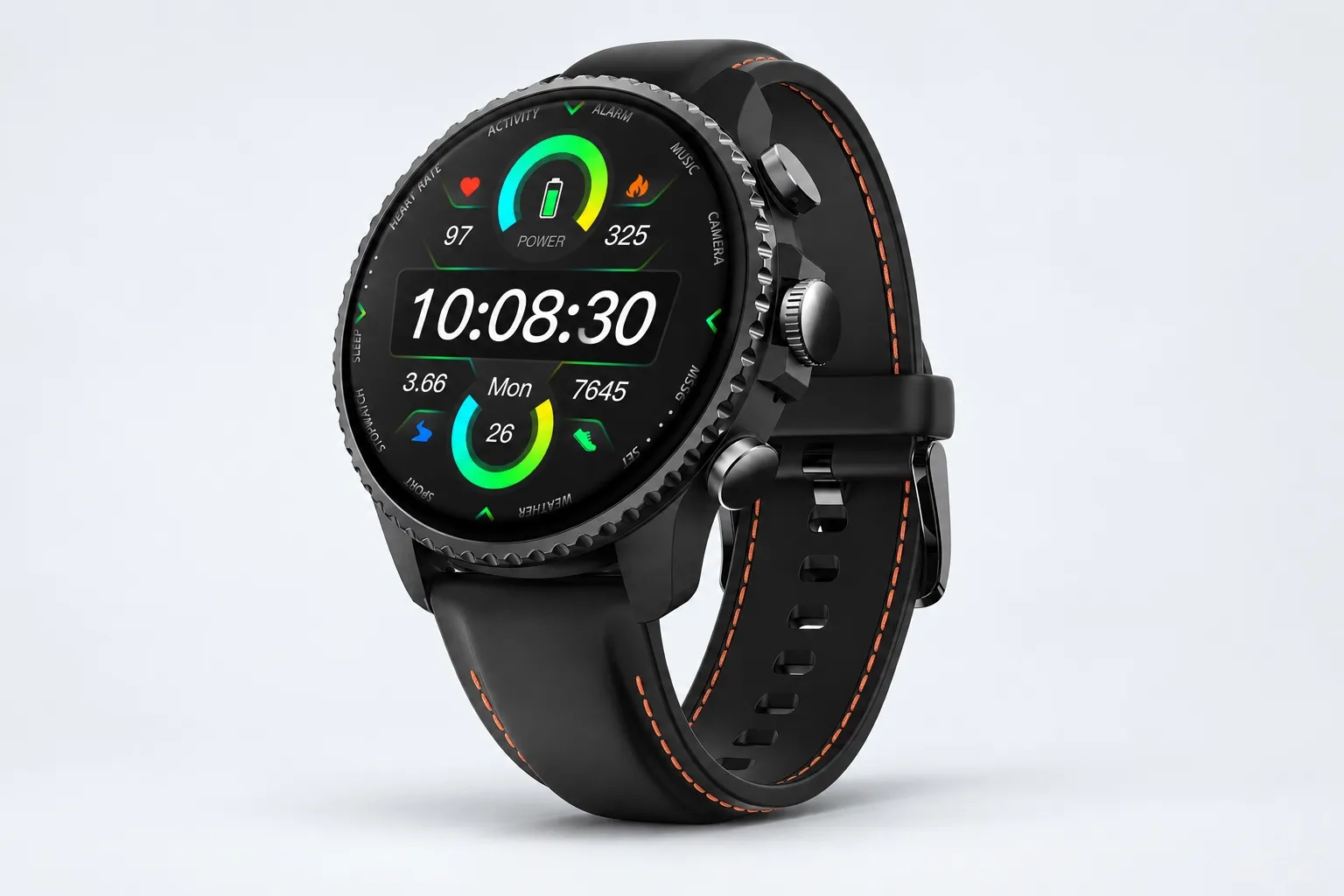
That's why a wearable recorder can make sense. TicNote Watch is built for discreet, on-the-move capture with a dedicated top recording button, a double-tap Random Thought shortcut for up to 60 seconds, and Discreet Recording Mode that keeps the screen off with a red-dot indicator. If that sounds like your use case, you can See TicNote Watch details.
The proof is unusually specific. It starts at $249, records for over 24h continuously, supports One-Tap Highlight offline so key moments carry into the transcript later, shows live transcription on the wrist in 17 languages, and pushes AI summaries to the watch face. It also uses dual omnidirectional mics with 3 to 5m pickup and intelligent noise reduction. Beyond recording, it adds AI Journal, which combines meetings, exercise, sleep, and health data, Shadow Recap, which links body-signal changes to recorded meetings, and a READINESS morning score based on sleep, heart rate, and stress. Add 24h heart rate, SpO2, stress, and sleep monitoring, 100+ sports modes, built-in GPS, a Project Knowledge Base, Notion and Obsidian export, and student-friendly skills like English Tutor and Lesson Kit, and it becomes a niche but compelling option.
Key features for students
- Dedicated recording button: start recording in under 2 seconds while walking between classes — no phone needed
- Random Thought shortcut: double-tap to capture up to 60 seconds of a quick idea or reminder before you forget it
- One-Tap Highlight: mark a key moment during a lecture or fieldwork conversation, find it instantly in the transcript later
- Live transcription on the wrist in 17 languages: glance at the transcript during a conversation to catch something you missed
- AI summary cards on the watch face: review key points between classes without opening your phone
- Over 24 hours of continuous recording: covers a full day of classes, fieldwork, and campus interviews
Pros
- $249 hardware gives you wearable capture instead of pocket-only recording
- Over 24h continuous recording suits long campus days
- Great fit for interviews, field research, and accessibility support
- Health tracking adds real value for some students, not just novelty
Cons
- Costs more than a basic classroom recorder
- The health layer is unnecessary if you only need lecture capture
- 3 to 5m pickup is less lecture-hall-oriented than TicNote Lite's up to 10m range
How to choose the right AI note taker for your classes
Most students pick the most familiar app and only later realize the real questions are simpler: where do your classes happen, what do you need after class, and how much lecture time will you actually record over 15 weeks? That's the frame I use, because a tool that works in a Zoom seminar can fail completely in a 200-seat lecture hall, and the cheapest monthly plan can get expensive once you blow past its minute cap.
Start with where class actually happens
If most of your week is in-person lectures, I'd choose a device-based recorder before a meeting bot. A bot can't join a lecture hall, and a laptop mic from the back row usually gives you weaker audio, worse speaker separation, and more missed technical terms.
That's why TicNote Lite fits a lot of students first. It records without a bot, starts with one press, picks up voices from up to 10m away, works offline, and turns lectures into summaries you can export to Notion or Obsidian. If that matches your setup, Check TicNote Lite AI Voice Recorder details and compare it against whatever app you were about to subscribe to.
Match online classes to the right kind of tool
If your classes are mostly online, recorded, or live inside Google Meet, software-first tools make more sense. Otter.ai is the better fit for live online lectures when you want automatic transcription plus slide capture. Tactiq is the cleaner choice for Google Meet-heavy seminars where you want in-call notes without buying extra hardware. NoteGPT is more of a study conversion tool: upload a recorded lecture or paste a YouTube class, and it turns that content into notes, summaries, and review material.
The limitation is important. None of those are true bot-free, in-person lecture capture tools. They work best when the class already lives on a screen.
Separate capture from study support
If your main problem starts after class, not during it, pick a study assistant first. NotebookLM is strong for reading packets, slide decks, transcripts, and source-grounded Q&A, especially when you're juggling multiple PDFs before an exam.
But NotebookLM isn't your lecture recorder. If you still need to capture live classes first, pair it with a front-end recorder like TicNote Lite or Plaud, then move the transcript into your study workflow. I also like combining raw lecture transcripts with structured Notion note templates when I need cleaner weekly review pages.
Prioritize privacy, discretion, or mobility when that's the real constraint
Some students need something less visible than a phone or laptop. For fieldwork, accessibility support, interviews, walking-note workflows, or any situation where pulling out a device breaks focus, TicNote Watch is the better fit. The dedicated recording button lowers friction, the Random Thought shortcut captures a fast idea in under 60 seconds, offline One-Tap Highlight lets you mark important moments mid-conversation, and on-wrist summaries mean you can review without opening another screen. If that sounds closer to your day, See TicNote Watch details.
Run the semester-cost math before you commit
Budget decisions should be based on a 15-week semester, not a single month. Low-use students can often stay inside free or bundled minute tiers. Medium-use students should check whether 600 minutes per month is actually enough, because that can disappear fast if you record three 50-minute classes a week.
Heavy users need to compare device-plus-subscription math against recurring app plans. TicNote Pro with device pricing is $79/year for 2,100 minutes per month, and extra minutes cost $6.99 for 1,000, $12.99 for 2,000, or $24.99 for 4,000. That's the kind of pricing structure I'd compare directly against app subscriptions and minute overages before choosing.
The short version: choose based on class format first, study workflow second, and semester cost third. That's how you end up with the right tool for your classes, not just the most famous one.
TicNote Lite AI Voice Recorder
Conclusion: what matters most in an AI note taker for college students
After testing this category, I think the real question isn't which app writes the flashiest summary. It's which tool can capture a 50-minute lecture reliably, turn it into notes you'll actually revisit before the exam, and stay affordable for 12 to 15 weeks.
That usually means separating two categories first. Live lecture-capture tools record and transcribe class in real time. Study assistants work better after class, when you already have slides, readings, or a transcript. If you mix those up, you'll buy the wrong thing.
From there, I would choose based on four filters: capture method, note quality in noisy classrooms, privacy comfort, and total minutes per semester. A commuter in 4 in-person classes needs something very different from a student reviewing recorded Zoom lectures at 1.5x speed.
Your next step should take less than 10 minutes: total your weekly lecture hours, mark each class as in-person or online, decide whether offline capture matters, and shortlist one device-first tool plus one study-assistant tool. If you want a broader look at AI recorders for meetings and in-person notes, hardware-first options like TicNote are worth comparing against your class setup.
TicNote Lite AI Voice Recorder