


 Extension
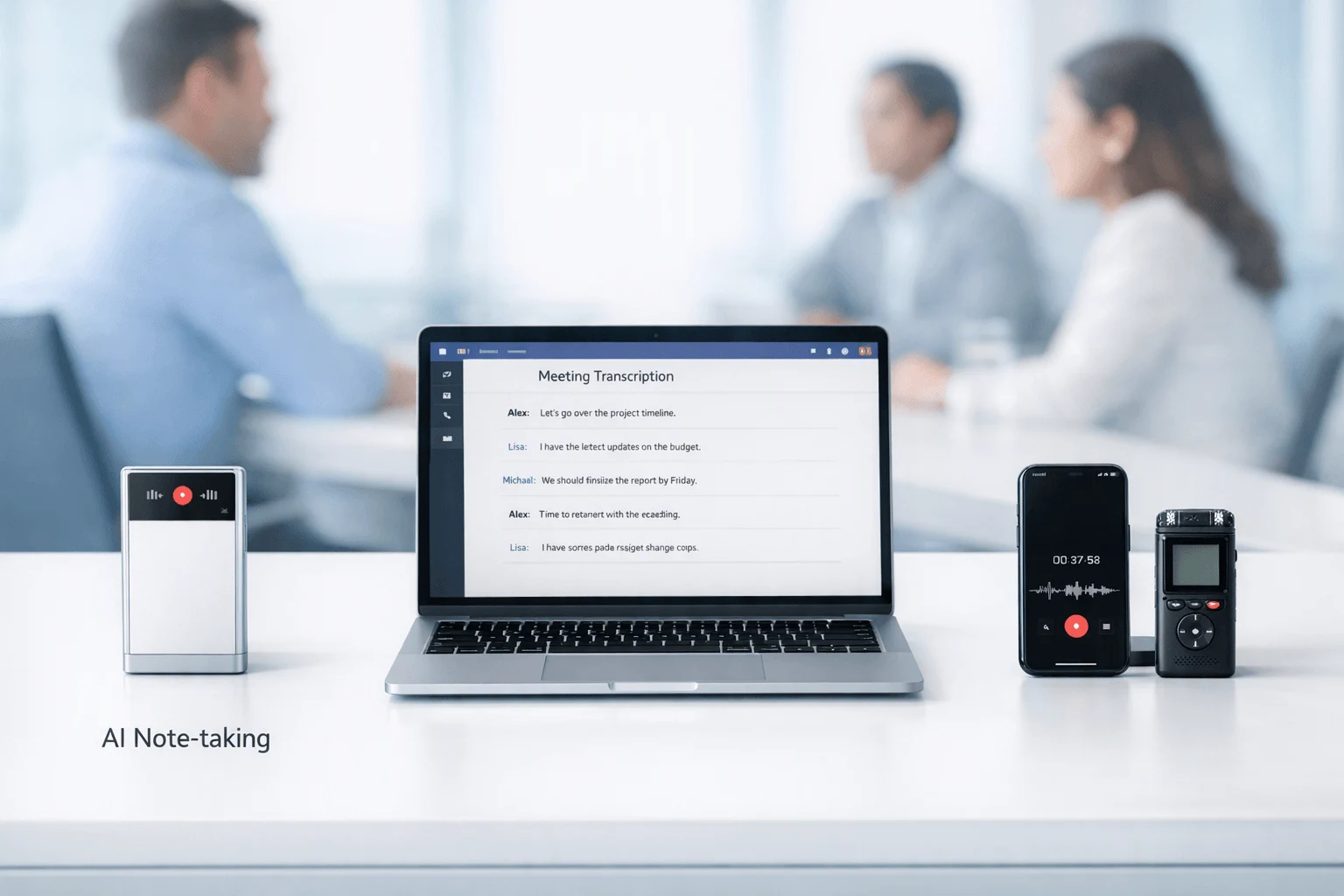
TL;DR: AI Note Taker verdict for Teams users
If you want the shortest path, Microsoft Teams users can start with the TicNote device for a bot-free fallback, but yes, Microsoft Teams does have an official AI note taker: Facilitator. In practice, whether Facilitator is enough comes down to licensing, rollout, and how your team actually works day to day.
Here's the simple verdict:
- Choose Facilitator if your company is deeply Microsoft-native and can use Copilot-linked workflows.
- Use built-in Teams transcription if a basic searchable record is enough.
- Shortlist third-party tools if you need better summaries, CRM follow-up, wider meeting coverage, or fewer bot-related limits.
- TicNote stands out for Teams-heavy users who also capture calls, hybrid meetings, and in-person conversations, and want AI summaries without relying on a meeting bot.
Next, I'll compare native Teams tools, bot-based apps, and bot-free alternatives side by side.
Does Teams have an AI note taker, and is Facilitator enough?
Yes. If you're asking "does teams have an ai note taker," the short answer is yes: Facilitator is Microsoft's official AI note taker for Teams. But access is not universal, and that's the key catch. Many users also run into Microsoft 365 Copilot and Teams Premium recap features, which can sound similar. The simplest way to separate them is this: transcription captures what was said, while AI notes turn meeting context into summaries, tasks, and follow-up.
A simple native workflow looks like this:
- Teams meeting
- Transcript + meeting context
- AI recap, notes, tasks, and follow-up
Use the native Microsoft path when access is already approved
For companies already standardized on Teams, Outlook, and Planner, the official route is often the easiest one. It stays inside the Microsoft stack, fits familiar admin controls, and usually creates less setup friction than adding a new vendor. That's a real advantage for recurring internal meetings where participants are already in Teams and the tenant is configured correctly.
Native tools are also convenient because users don't need to learn a separate workflow. The meeting happens in Teams, the transcript lives there, and the recap can feed the same ecosystem people use every day. For approved organizations, that can be the lowest-friction choice.
Know where the native option falls short
Here is the trade-off: having an official tool doesn't mean every user gets the same experience. Common blockers include Copilot-related licensing cost, uneven rollout, tenant restrictions, compliance settings, and meeting bot rules. In practice, some teams have transcription but not consistently useful action-oriented notes. Others can summarize Teams calls well enough, but get stuck the moment a meeting happens by phone, in a conference room, or face to face.
That's where alternatives enter the picture. Software tools like Otter or Fireflies may help if bot-based capture is allowed. And some users need a hardware-first option like TicNote for hybrid, phone, and in-person recording workflows, especially when they want bot-free capture, searchable transcripts, summaries, translation, and post-meeting knowledge without claiming a native Teams integration.
So yes, Teams does have an AI note taker. Whether Facilitator is enough depends less on features alone and more on access, policy, and how your meetings actually happen. The next section breaks down what to compare before you shortlist a tool.
What should you compare before choosing an AI note taker for Teams?
If you're asking does teams have an ai note taker, the bigger buying question is this: what kind of capture model actually fits your meetings? In practice, the best tool isn't the one with the longest feature list. It's the one that records reliably, fits your policies, and still gives you useful follow-up work after the call. If you want a broader market view, this Teams note taker comparison helps frame the shortlist.
Compare the capture method first
Capture method changes everything: reliability, privacy posture, and how people react in the meeting.
- Native Teams capture: lowest friction when your Microsoft licensing and rollout are already in place.
- Bot-based capture: convenient for online meetings, but some orgs block bots or guests notice them immediately.
- Local app capture: useful when you want control on a user device, though setup and permissions vary.
- Hardware capture: strong for hybrid, in-person, and bot-restricted settings because it can record room audio outside the meeting app.
This is a decision lens, not just a feature list. A bot can work well for remote meetings, but it may fail your policy check. A hardware recorder can feel less invasive and handle workshops or side-room discussions, but it adds a device to manage.
Judge the output, not the marketing label
After the meeting, compare what you actually receive:
- Transcript accuracy
- Summary quality
- Action-item extraction
- Speaker identification
- Search and retrieval
- Ability to turn notes into reports or follow-ups
Many vendors use the same labels, but outputs differ a lot. One tool's "summary" may be five bullets; another may generate decisions, owners, and next steps you can reuse.
Score cost, admin friction, and policy fit together
SMB buyers and admins should use a simple scorecard:
| Lens | What to check |
| Setup burden | licensing, approvals, onboarding time |
| Teams fit | native support, bot tolerance, hybrid capture |
| Privacy posture | storage location, encryption, retention, access controls |
| Post-meeting usefulness | summaries, search, tasks, export quality |
As the NIST AI RMF Playbook says, organizations should map "the AI system's data inputs and outputs, including the type, volume, and sensitivity of data" and document "where data are stored and processed," which supports comparing storage location and security review needs before adopting an AI meeting tool. That's the fastest way to cut feature overload and build a practical shortlist.
Teams AI note taker comparison: which tools are worth shortlisting?
If you're asking does teams have an ai note taker, the short answer is yes, but that doesn't make the shortlist simple. The right choice depends on how you capture meetings, what IT allows, and whether you only need Teams notes or a system that also works for calls, in-person sessions, and hybrid rooms.
A good shortlist should compare five things that buyers actually feel day to day:
- capture method
- Teams fit
- privacy posture
- setup burden
- usefulness after the meeting
Start with the official Microsoft path
Microsoft Facilitator or Copilot is the most native option for Teams users. It fits best when your company already pays for Microsoft 365, IT has approved the workflow, and people want notes to stay inside the Microsoft stack. That's the big advantage: less context switching, a familiar interface, and easier rollout in organizations that prefer approved tools.
The tradeoff is equally clear. Access can depend on license level, admin settings, and rollout status. It's also less flexible when people need notes from hallway conversations, client site visits, phone calls, or mixed-device workflows outside standard Teams meetings.
Use built-in transcription as the baseline
Teams transcription is the easiest place to start. For many internal meetings, a searchable transcript is enough to confirm what was said, check exact wording, and reduce manual note taking.
But transcription is not the same as an AI note taker. It gives you a record, not always a polished summary, action list, or reusable knowledge layer. So it's the lowest-friction option, but also the least complete.
Shortlist TicNote when bot-free capture matters
TicNote is worth considering when users want a bot-free route for Teams-related workflows and don't want all capture tied to one meeting app. Its strength is hardware-based recording paired with transcription, summaries, translation, speaker identification, and cross-project search after the meeting.
That matters in real life. Many Teams-heavy users also jump into client workshops, desk-side discussions, training sessions, and hybrid room meetings. A dedicated recorder can cover those gaps better than software that only works inside approved calendar workflows. TicNote also supports searchable follow-up across recordings, which makes it more useful as a running knowledge base instead of a one-off meeting summary. If you want more context on this category, this guide to AI note takers for meetings and in-person recordings is a useful next read.
The tradeoff: it's not a native Teams app, and it requires hardware. For some buyers, that's a feature. For others, it's extra friction.
Consider Read AI for broader meeting intelligence
Read AI is a strong shortlist option for users who care about meeting intelligence across platforms, not just Teams. Its appeal is broader analytics, searchable outputs, and more performance-style insights across recurring meetings.
The tradeoff is that the experience can feel less native inside Teams. There may also be more app switching, which matters if your team wants everything inside one Microsoft workflow.
Look at Fireflies.ai for automation-heavy teams
Fireflies.ai makes the shortlist when notes need to move into follow-up systems, especially in sales, recruiting, or CRM-driven workflows. Bot-based capture, searchable transcripts, summaries, and workflow automation are the core value.
That said, the same bot model can create friction. Some organizations block meeting bots, limit external attendees, or prefer stricter capture controls in customer-facing calls.
Keep Otter.ai on the list if familiarity matters
Otter.ai remains a familiar option for live transcription and collaborative note review. It's often appealing for teams that already know the product and want quick sharing, editing, and searchable conversation history.
Its fit depends on policy and workflow. If native Teams alignment matters most, Otter may feel less seamless than Microsoft's own tools. If quick collaboration matters more, it can still be a practical choice.
Normalized comparison matrix
| Tool | Capture method | Teams fit | Privacy posture | Setup burden | Usefulness after meeting |
| Microsoft Facilitator / Copilot | Native in Microsoft workflow | Very high | Depends on Microsoft tenant controls | Low to medium | High for Teams-centric work |
| Teams transcription | Native transcript capture | Very high | Depends on Microsoft tenant controls | Low | Medium |
| TicNote | Hardware-based, bot-free recording | Medium | Strong for users who prefer dedicated capture control | Medium | Very high |
| Read AI | Software-based meeting assistant | Medium | Varies by deployment and policy fit | Medium | High |
| Fireflies.ai | Bot-based meeting capture | Medium | Strong admin features, but bot rules matter | Medium | High |
| Otter.ai | Software-first transcription and notes | Medium | Policy-dependent | Low to medium | Medium to high |
In the next section, we'll use this same framework to score each option more directly on capture method, Teams fit, privacy posture, setup burden, and post-meeting value. Also, if you want to compare the TicNote lineup for hybrid and in-person capture, you can See the Device.
How to choose the right product for your Teams workflow
If you're asking does teams have an ai note taker, the practical answer is yes—but the right choice depends less on the label and more on how your meetings actually happen. In most buying decisions, three things decide the winner fast: how the conversation gets captured, how much admin friction your team will tolerate, and what you need the notes to do after the meeting.
Choose TicNote if you need bot-free capture beyond Teams
TicNote is the strongest fit when you need one system for Teams meetings, hybrid room conversations, phone calls, and in-person discussions without relying on a meeting bot or calendar invite flow. That's especially useful for consultants, sales reps, managers, and field teams who move between laptops, conference rooms, cars, and client sites.
Why it stands out:
- Works across online and offline conversations
- Doesn't depend on someone adding a bot to every meeting
- Turns recordings into searchable transcripts, summaries, and to-do lists
- Supports generated documents and project knowledge workflows after the call
If your real problem is scattered knowledge after dozens of meetings, this is where TicNote makes more sense than a Teams-only tool. It can also support broader workflows like bot-free note taking across meeting platforms. When searchable records and generated outputs matter, create an account first so your meetings can build into one reusable knowledge base instead of isolated files.
Choose Facilitator or Copilot if your org is fully Microsoft-native
If your company already runs on Microsoft 365 governance, licensing, and admin controls, Facilitator or Copilot is the cleanest path. The upside is convenience: users stay inside Teams, admins keep one stack, and adoption is usually simpler for internal meetings.
The trade-off is flexibility. You're accepting Microsoft's rollout pace, feature access, and licensing rules in exchange for a tighter native experience.
Choose Teams transcription if you only need a basic record
Built-in transcription is enough when your goal is simple documentation. If users mainly need a time-stamped record of what was said, and can write their own recap later, Teams transcription does the job.
It is not the best choice for:
- Strong AI summaries
- Cross-meeting search and reuse
- Action-item automation
- Knowledge capture outside Teams
Choose Read AI if analytics and cross-platform insights matter
Read AI fits teams that care more about meeting intelligence than native Teams simplicity. If you want broader search, behavior signals, and analytics across platforms, it belongs on the shortlist.
Choose Fireflies.ai if CRM follow-up is the priority
Fireflies.ai is the best fit for sales-heavy teams that need meetings to feed downstream systems. If your main success metric is follow-up speed, CRM logging, and workflow automation, Fireflies is usually the better match than a basic note tool.
Choose Otter.ai if live captions and familiar collaboration matter
Otter.ai works well for users who want live text, simple collaboration, and a familiar app-first experience. It's a good pick for teams that value readable live notes more than hardware-based or bot-free capture.
Use this buyer-fit checklist
- Pick TicNote if your meetings happen across Teams, rooms, calls, and in-person conversations
- Pick Facilitator or Copilot if Microsoft standardization matters more than flexibility
- Pick Teams transcription if a basic record is enough
- Pick Read AI if search and analytics are your main goal
- Pick Fireflies.ai if CRM automation drives ROI
- Pick Otter.ai if live captions and simple collaboration matter most
In short, the right tool usually comes down to capture method, admin friction, and where the notes need to go after the meeting.
See the TicNote device options for bot-free meeting capture.
What makes TicNote a strong alternative for Teams-heavy and hybrid meetings?
If your work happens across more than scheduled Teams calls, a software bot often stops being enough. For people asking does teams have an ai note taker, the better follow-up question is this: can your note-taking setup also cover phone calls, client visits, workshops, and quick desk-side chats? That's where TicNote stands out. It's built to capture conversations beyond the meeting calendar, then turn them into transcripts, summaries, action items, and searchable project knowledge.
Go beyond the meeting bot
TicNote's biggest advantage is range. It can record offline, sync later, and support real-world workflows where not every important conversation happens inside Teams. That matters for consultants, sales reps, managers, and hybrid teams who move between remote calls and in-person discussions.
Useful capabilities include:
- offline recording without needing a live meeting bot
- transcription and AI summaries after the conversation
- real-time translation and bilingual subtitles in supported scenarios
- speaker identification and searchable transcripts
- project-based knowledge storage, so decisions don't disappear after one meeting
It can also help teams that want a bot-free option when visible meeting assistants feel intrusive or aren't allowed by policy. If privacy is part of your review, Regulation (EU) 2016/679 (GDPR), Article 32 states that controllers and processors shall implement appropriate technical and organisational measures, including as appropriate "the pseudonymisation and encryption of personal data."
Pick the right TicNote by work style
- TicNote AI Voice Recorder — best for premium everyday carry; slim card format, 64GB storage, and 25-hour battery at $159.99
- TicNote Lite AI Voice Recorder — best for simple, lower-cost capture; one-button use at $129.99
- TicNote Pods 4G — best for mobile users who want live summary and phone-free capture on the go at $299.99
- TicNote Pods Wi‑Fi — best for global or sync-based workflows, with no region lock, at $249.99
If you want a broader AI note-taking device comparison, that guide is a useful next read.
Keep the privacy and workflow trade-offs clear
TicNote describes its approach as private by default, with encrypted recordings and transcripts, user-controlled sync, and no need to invite a visible bot into every meeting. Those are meaningful workflow advantages, especially in sensitive client or internal conversations. Still, buyers should verify compliance, retention, access control, and data-handling requirements in their own security review. TicNote is strongest when Teams matters, but it isn't the only place your work conversations happen.
Final thoughts
So, does teams have an ai note taker? Yes. Facilitator is the official answer inside Microsoft Teams, and for many users, that will be enough for basic summaries, action items, and recap support. But official doesn't always mean best-fit. Real buying decisions usually come down to access, licensing, admin rules, bot restrictions, and whether you need to capture more than just standard online meetings.
Here's the practical takeaway:
- Choose native Teams tools if your company is already licensed, your meetings stay inside Teams, and simple notes are enough.
- Choose a third-party option if you need more flexible capture, stronger search, better post-meeting outputs, or hybrid support.
- Consider hardware-based options like TicNote when bot-free recording, in-room capture, translation, and searchable knowledge matter more than staying fully native.
Before you decide, it helps to compare device cost and subscription trade-offs side by side so you can match the tool to your real workflow, not just the default one.


