


 Extension
Intro
If you're searching for a Tactiq alternative, you usually need more than browser captions: you need real recordings, stronger privacy control, or notes that can cover calls, lectures, and in-person conversations. Tactiq deserves credit for making bot-free live captions easy to access in browser meetings, but that same Chrome-based workflow can feel limiting once you want audio you can replay, better multilingual support, or coverage beyond Google Meet or Zoom tabs.
In practice, you're weighing several tradeoffs at once: browser extension vs dedicated recorder, bot-free convenience vs full recording context, and low monthly software cost vs one-time hardware ownership with ongoing AI minutes. You may also care whether a tool works only in meetings or can follow you into calls, workshops, lectures, and field notes, and I will help you turn those tradeoffs into a clear buying decision.
TLDR
- Should your next tool be meeting-only software or a recorder that also covers calls, lectures, and in-person conversations? For phone-free call capture choose TicNote Pods 4G; for low-cost solo software use Fireflies.ai; for multilingual meeting workflows use Notta; for searchable team meeting notes use Otter.
- If your goal is replacing browser captions with a dedicated device that can still transcribe and summarize automatically, TicNote Card Lite at $129.99 is the clearest fit.
- The non-obvious part of this category is that bot-free does not always mean more flexible; many browser tools stay trapped inside web meetings, while TicNote Pods 4G uses a built-in 4G eSIM to upload audio and generate Live Summary during recording. No subscription required.
What are Tactiq alternatives?
Tactiq alternatives are tools that do the same core job: capture spoken meeting content and turn it into usable notes. A true alternative can handle that reliably, whether it works through software in online meetings or through hardware that records conversations directly and adds transcription, summaries, and search afterward. If you're comparing formats, this guide to AI recorder devices is useful context for understanding where hardware fits.
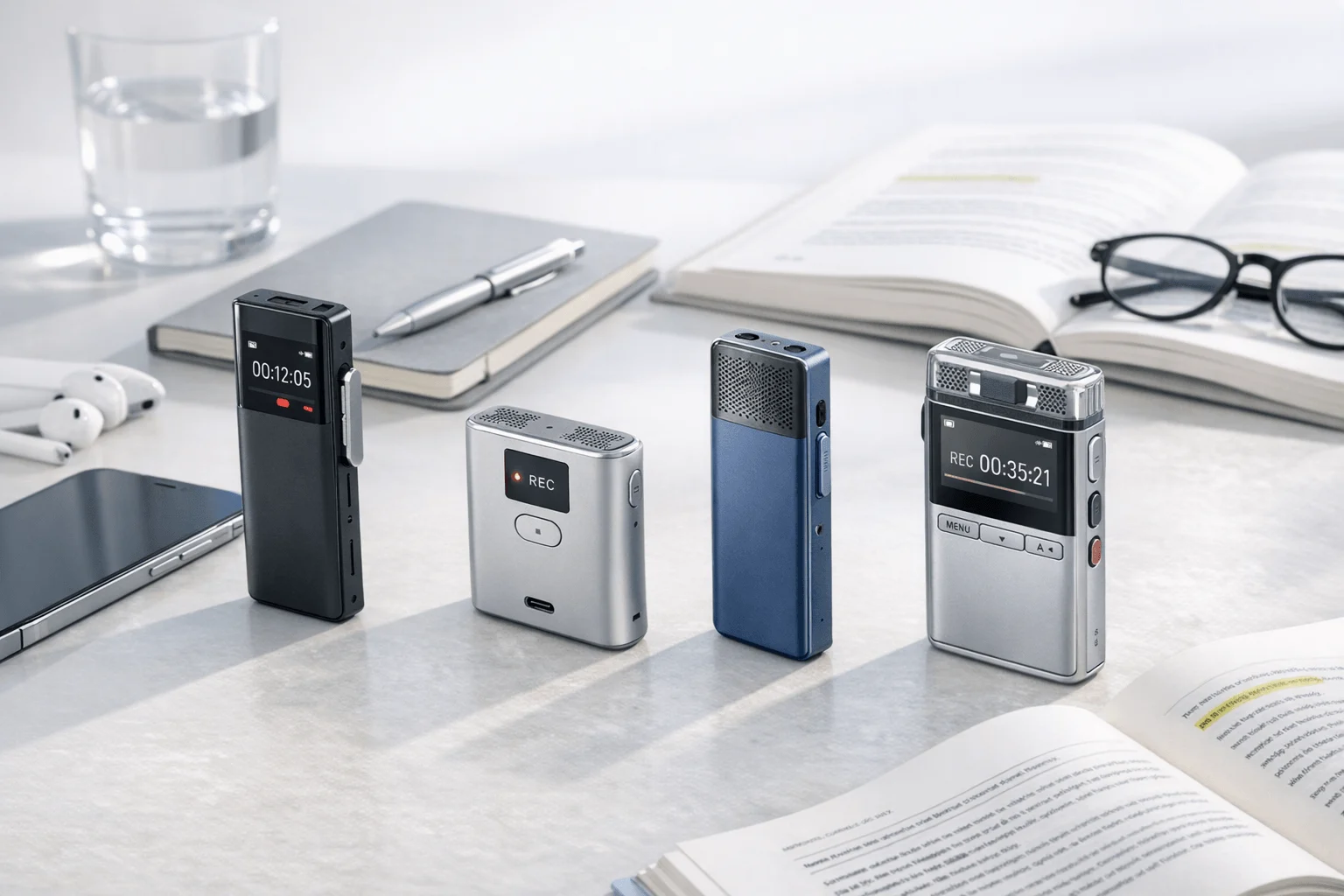
- Hardware recorders — dedicated devices or earbuds that capture audio from calls, rooms, lectures, or field conversations, then sync transcripts, summaries, and action items later. This group includes products like TicNote, PLAUD, and HiDock, and it matters if you need notes outside a Chrome tab.
- Software platforms — browser, desktop, or cloud tools that join or monitor online meetings, generate transcripts, and organize searchable notes for collaboration. This group includes Otter, Fireflies.ai, and Notta, and it matters if nearly all of your work happens in scheduled online meetings.
The key question isn't whether you want something similar to Tactiq, but whether you need your next tool to capture only browser meetings or the rest of your spoken work too.
How we chose the best Tactiq alternatives
This list wasn't built around finding clones of Tactiq. It was built around the broader problem you're trying to solve when you leave Tactiq: getting more reliable capture, better replay and summaries, stronger privacy control, or a workflow that works beyond a Chrome extension. That's why the list mixes software tools and dedicated hardware instead of pretending every buyer wants the same setup.
- Recording flexibility: whether the product works only in browser meetings or also handles calls, in-person conversations, lectures, and room capture.
- Privacy and control: whether the tool is bot-free, stores recordings locally first, claims encryption, or gives clear data-handling controls.
- Language support: how many languages each vendor supports for transcription or translation, and whether multilingual use is a real strength.
- Practical cost: whether value comes from a free tier, a paid software plan, or a one-time hardware purchase plus included minutes.
- Workflow fit: whether the product is better for solo professionals, sales teams, multilingual teams, travel, or high meeting volume.
If you want a setup that captures more than browser meetings, prioritize tools built for broader recording workflows.
Tactiq vs alternatives: side-by-side comparison table
Here's the fast decision view before the detailed breakdown. If you're comparing a browser-first note taker with software platforms and dedicated hardware, this table shows who each option fits best, how recording works, and what you'll pay to get started.
| Tool | Best For | Recording Model | Entry Price |
| TicNote Card Lite | Budget-minded buyers who want dedicated recording beyond browser meetings | Hardware recorder with modeless one-button recording and post-sync AI transcription and summaries | $129.99 |
| TicNote Pods 4G | Users who need call capture and phone-free upload | Earbuds plus case with built-in 4G eSIM, auto-switch recording, and Live Summary during recording | $299.99 |
| Otter | Teams that want searchable software meeting notes | Software meeting notes platform with recording/transcription and auto note capture for Zoom Teams and Google Meet | Free plan available |
| Fireflies.ai | Sales and operations teams needing integrations and analytics | Software meeting intelligence platform with AI notes workflow integrations and analytics | Free plan available |
| Notta | Multilingual teams that need recording plus translation features | Software AI meeting notetaker with recording transcription summaries and translation add-ons | Free plan available |
| PLAUD Note | Buyers who want card-style hardware with broad template and export features | Hardware AI voice recorder with dual-mode recording and app-based AI workflows | $159 |
| HiDock P1 | Users who want bot-free Bluetooth earphone call recording | Hardware recorder for Bluetooth earphone calls room capture and online meetings | $169 |
The top Tactiq alternatives to consider
If you're looking for a tactiq alternative, the biggest tradeoff is simple: do you want browser-based captions, a fuller software platform, or dedicated hardware that captures conversations wherever they happen? The seven options below cover all three paths, with TicNote standing out if you need recording, transcription, summaries, and action items across meetings, calls, lectures, and in-person conversations.
1. TicNote Card Lite
TicNote Card Lite is built for people who have outgrown browser-only notes and want a dedicated recorder they can carry into meetings, calls, lectures, and everyday conversations. Compared with Tactiq, it is less about watching captions in Chrome and more about owning the audio capture step itself. It suits solo professionals, students, consultants, and anyone who wants one-button recording without a complicated setup.
Why it's a great alternative:
- Lower hardware entry point: TicNote Card Lite costs $129.99, which gives buyers a dedicated device instead of another browser-dependent workflow.
- Simple recording flow: it uses modeless recording with no lever or mode switch, so you press once and record.
- Useful AI after sync: it supports transcription, AI summaries, action items, speaker identification, Ask AI, and document generation from recordings.
- Broader capture than meetings: it is designed for meetings, lectures, calls, and field notes, not just browser meetings.
- Included cloud allowance: hardware users get the Plus plan included with 600 minutes per month and 1,500 monthly credits.
Pricing:
TicNote Card Lite is a one-time hardware purchase, then includes the hardware Plus plan with monthly minutes and credits. Paid cloud upgrades are optional if your recording volume grows.
- TicNote Card Lite device: $129.99. 4GB storage, about 434 hours capacity, 25-hour battery, 3-mic array, 10m pickup, Plus plan included.
- Pro with device: $79/year. 2,100 minutes per month and 3,000 credits per month.
- Business with device: $239/year. 6,800 minutes per month and 8,000 credits per month.
2. TicNote Pods 4G
TicNote Pods 4G is built for people whose work happens on the move and who need more than a browser extension can offer. Compared with Tactiq, it replaces tab-based captions with earbuds and a charging case that can record calls or room audio and upload without your phone nearby. It is a strong fit for sales reps, consultants, and field workers who need capture across calls and in-person conversations.
Why it's a great alternative:
- Phone-free workflow: the charging case has a built-in 4G eSIM, so it can upload audio in real time without your phone nearby.
- Live output, not just post-meeting notes: it offers Live Summary during recording and Quick Summary pushed when recording ends.
- Call recording advantage: it automatically records when you take a call while wearing the earbuds.
- Dual recording modes: the earbuds handle calls and online meetings while the case handles room recording when idle.
- Hardware plus included plan: the $299.99 device includes the Plus plan with 600 minutes per month and 1,500 credits.
Pricing:
This is the premium TicNote option, aimed at buyers paying for mobility and phone-free upload rather than a low upfront cost.
- TicNote Pods 4G device: $299.99. 32GB case storage with about 2,150 hours, built-in 4G, auto-switch recording, and Plus plan included.
- Pro with device: $79/year. 2,100 minutes per month and 3,000 credits per month.
- Business with device: $239/year. 6,800 minutes per month and 8,000 credits per month.
3. Otter
Otter is built for people who want a software-first meeting notes system with search, sharing, and collaboration across recurring online conversations. Compared with Tactiq, it moves you away from Chrome extension dependence and toward a fuller meeting-notes platform. It is better suited to teams that care about searchable history and shared meeting records more than hardware ownership.
Pros:
- Searchable meeting knowledge: Otter focuses on recording, transcribing, organizing, searching, and sharing voice conversations.
- Platform coverage: it supports automatic note capture for Zoom, Microsoft Teams, and Google Meet.
- Useful software features: search, edit, share, cloud sync, custom vocabulary, imports, and conversation history are part of the product.
- Accessible entry tier: Otter offers a Free plan and software-based upgrade ladder instead of requiring device purchase.
Cons:
- Limited language range compared with some alternatives: the pricing page cites support for English, Spanish, French, German, Japanese, and Chinese.
- No dedicated hardware option in this comparison set: buyers who want to record calls, lectures, or in-person conversations outside software need a different setup.
- Plan-limited usage: the exposed plan ladder uses monthly transcription limits such as 300 minutes and 1,200 minutes on lower tiers.
Pricing:
Otter uses a software subscription model with Free, Pro, Business, and Enterprise tiers. The product data exposed a usage-limited ladder rather than device ownership.
- Free: $0. Includes the entry plan with monthly transcription limits such as 300 minutes.
- Pro: paid plan with higher monthly limits such as 1,200 minutes surfaced in pricing data.
- Business: search results surface pricing from $19.99 per user per month, with more admin and team capability.
4. Fireflies.ai
Fireflies.ai is built for teams that want meeting notes tied to workflow automation, collaboration, and analytics. Compared with Tactiq, it offers a broader software platform rather than a lightweight browser transcript layer. It makes the most sense for sales, recruiting, project, and operations teams that want notes to flow into other systems.
Pros:
- Strong integration focus: Fireflies emphasizes workflow integrations, CRM sync, ATS sync, Slack notifications, and team knowledge capture.
- Language reach: it claims support for 100+ languages and also highlights auto language detection.
- Team analytics: the platform includes summary notes, comments, bookmarks, soundbites, channels, and analytics.
- Clear pricing ladder: Free, Pro, Business, and Enterprise pricing is publicly exposed.
Cons:
- Software-only choice: there is no proprietary hardware in this scope for buyers who want in-person or call recording outside standard meeting software.
- Per-seat costs scale with teams: paid plans start at $10 per seat per month billed annually and rise to $19 and $39 on higher tiers.
- Best value depends on integration use: buyers who only want basic notes may not need the added workflow layer.
Pricing:
Fireflies.ai is straightforward to compare because it publishes a seat-based software ladder.
- Free: $0. Entry access to the platform.
- Pro: $10/seat/month billed annually. Adds more advanced usage and collaboration.
- Business: $19/seat/month billed annually. Adds higher-tier business features and controls.
- Enterprise: $39/seat/month billed annually.
5. Notta
Notta is built for users who care about multilingual transcription, recording, and turning meetings into more structured outputs. Compared with Tactiq, it offers a wider language and content-generation angle, which matters for international teams and multilingual users. It fits consultants, educators, and cross-border teams that need more than browser captions.
Pros:
- Multilingual strength: Notta supports 58 transcription languages, with content generation in major languages including English, Japanese, Chinese, Spanish, and German.
- Broader output workflow: it can create transcripts, summaries, and visual outputs such as presentations and infographics.
- Cross-meeting retrieval: Notta Brain is positioned around cross-meeting search and insight generation.
- Flexible export and integrations: product data cites exports to Google Drive, Notion, Slack, and Salesforce.
Cons:
- Translation costs can stack: bilingual transcription and translation is an add-on at $9 per month billed annually, and monolingual translation is $6 per month billed annually.
- Software-first only: there is no dedicated hardware in this scope for buyers who need field recording or offline device capture.
- Free plan is lighter than hardware ownership: the Free plan includes 120 minutes per month.
Pricing:
Notta uses annual software plans plus paid translation add-ons for users with heavier multilingual needs.
- Free: includes 120 minutes per month.
- Pro: $97.99/year. Core paid plan for individual users.
- Business: $199.99/year. Team-oriented plan.
- Bilingual Transcription & Translation add-on: $9/month billed annually.
6. PLAUD Note
PLAUD Note is built for buyers who want a card-style hardware recorder with a mature app, many templates, and broad export options. Compared with Tactiq, it shifts capture away from a browser extension and into a physical recorder you can use across meetings and calls. It fits professionals who like hardware ownership but still want a software-heavy AI layer afterward. If you're comparing card-style devices, this PLAUD alternative guide adds useful context around calls, meetings, and lectures.
Pros:
- Familiar card-style hardware: PLAUD Note costs $159 and records with dual-mode capture in a wallet-sized format.
- Large AI workflow layer: the platform includes 10,000+ templates, Ask PLAUD, exports, Zapier, Google Calendar, and MCP.
- Language breadth: PLAUD supports 112+ languages.
- Compliance claims: PLAUD lists ISO 27001, ISO 27701, SOC 2 Type II, HIPAA, GDPR, and EN 18031.
Cons:
- Subscription needed for fuller usage: the free Starter plan includes 300 minutes per month, while Pro and Unlimited require paid plans.
- Higher ongoing software cost than some hardware bundles: Pro is $8.33 per month billed annually or $17.99 monthly, and Unlimited is $19.99 per month billed annually or $29.99 monthly.
- More feature-heavy than some buyers need: the strength of templates and automation can also make it a more layered product to evaluate.
Pricing:
PLAUD combines upfront hardware cost with a software membership model for higher minute allowances and advanced AI use.
- PLAUD Note device: $159. Standard card recorder with 64GB storage and 30-hour recording.
- Starter: free with 300 minutes per month.
- Pro: $8.33/month billed annually or $17.99 monthly. Includes 1,200 minutes.
- Unlimited: $19.99/month billed annually or $29.99 monthly.
7. HiDock P1
HiDock P1 is built for buyers who specifically want bot-free recording of Bluetooth earphone calls, online meetings, and room conversations through dedicated hardware. Compared with Tactiq, it is still bot-free, but it is not limited to browser tabs. It fits mobile professionals and earphone-call users who want call capture plus AI summaries without relying on meeting bots.
Pros:
- Bot-free hardware capture: HiDock emphasizes recording Bluetooth earphone calls, online meetings, and in-person conversations.
- Free transcription angle: the brand says core transcription is unlimited and free.
- Call-focused modes: the P1 includes Call, Room, and Whisper modes.
- Language support: HiDock supports 75+ language transcription.
Cons:
- Public pricing for advanced AI is less clear: Pro Membership pricing was not fully disclosed on the crawled pages.
- More niche than card-style recorders: the strongest fit is users who specifically need Bluetooth earphone call recording.
- Less software pricing transparency than software-first alternatives: buyers may need extra research if advanced AI features matter.
Pricing:
HiDock mixes one-time hardware pricing with a free-transcription message, but the paid Pro Membership details are less transparent than Otter, Fireflies.ai, or Notta.
- HiDock P1 device: $169. 64GB storage, Bluetooth 5.3, and bi-directional Bluetooth earphone recording.
- HiDock P1 mini: $119. Lighter phone-first option with 32GB storage.
- Core transcription: unlimited and free according to product messaging.
How to choose the right Tactiq alternative for your workflow
The right replacement is the one that matches where your conversations happen, not the one with the longest feature list. If you're comparing browser extensions, bots, desktop apps, and dedicated recorder hardware, start with workflow first: where you talk, what you need to capture, and how much privacy, flexibility, and ownership matter day to day.
- Do you need real recording or just meeting notes? — if you want replayable audio from calls, classrooms, or in-person conversations, TicNote Card Lite is a better fit because it is a dedicated recorder with one-button capture and included Plus-plan minutes; if all of your work is scheduled online meetings with shared notes, Otter fits better because it is built around searchable software meeting records.
- Do you need a bot-free meeting recorder for privacy-sensitive calls? — if you want bot-free hardware that can capture Bluetooth earphone calls and room conversations, HiDock P1 fits because it records calls, rooms, and online meetings through hardware modes; if you need a phone-free workflow with live AI output, TicNote Pods 4G fits because its 4G eSIM uploads in real time and generates Live Summary during recording.
- Are multilingual meetings the main issue? — if your team needs broad transcription coverage and translation add-ons in software, Notta fits because it supports 58 transcription languages and paid translation options; if you want hardware with transcription and translation in 120+ languages, TicNote is stronger for cross-context capture beyond meetings.
- Is cost your main switching trigger? — if you want the lowest upfront software spend, Fireflies.ai starts with a Free plan and paid tiers from $10 per seat per month billed annually; if you prefer a one-time hardware purchase, TicNote Card Lite at $129.99 or PLAUD Note at $159 may make more sense than another monthly-only tool.
- Are you choosing for sales or workflow automation? — if CRM sync, analytics, and workflow integrations matter most, Fireflies.ai fits because it focuses on integrations, analytics, comments, and team channels; if your sales work happens on calls and in the field, TicNote Pods 4G fits because it can automatically record calls while the earbuds are in use.
- Do you want hardware ownership with a mature AI app layer? — if you want 10,000+ templates, Zapier, Google Calendar, and MCP, PLAUD Note fits because its app ecosystem is broader; if you want simpler one-button recording with included Plus-plan minutes, TicNote Card Lite fits better. If you're weighing recorder-first options, this guide to wearable note-taking devices adds useful context.
See how TicNote fits recorder-first workflows if you need capture beyond browser meetings.
Final verdict: should you replace Tactiq?
Tactiq gets one thing right: it makes bot-free captions and lightweight meeting notes easy inside the browser. But the wider market has moved toward tools that either give you deeper software intelligence or let you capture conversations far beyond web meetings.
If you mostly want searchable online meeting notes for a team, Otter is a sensible software-first step and Fireflies.ai is stronger when integrations and analytics matter. If you need multilingual software workflows, Notta is the clearer fit. If your real problem is that work happens across calls, rooms, lectures, and travel, TicNote Card Lite is the better value hardware switch at $129.99, while TicNote Pods 4G is the stronger choice for phone-free call capture and Live Summary on the go; you can compare recorder options or See the Device.
FAQ
What is the main difference in a tactiq alternative between Chrome transcription and a dedicated meeting recorder?
Tactiq is primarily a Chrome-based meeting transcription workflow, while dedicated recorders like TicNote Card Lite, PLAUD Note, and HiDock P1 capture audio directly through hardware. That matters if you need notes from phone calls, lectures, in-person conversations, or any scenario outside browser meetings.
Which tactiq alternative is best for privacy-conscious users who do not want a bot in meetings?
TicNote Card Lite is the best choice for privacy-conscious users who do not want a bot in meetings because it uses one-button recording on a dedicated device. HiDock P1 records Bluetooth earphone calls and room audio through hardware modes, and PLAUD Note also uses dedicated hardware, but software tools like Otter, Fireflies.ai, and Notta are stronger for online meeting workflows and are not the same as owning the capture device.
Is there a tactiq alternative with recording and no ongoing subscription requirement?
Yes. TicNote Card Lite costs $129.99, TicNote Card costs $159.99, PLAUD Note costs $159, and HiDock P1 costs $169 as hardware purchases. TicNote hardware also includes the Plus plan with 600 minutes per month and 1,500 credits, while HiDock says core transcription is unlimited and free, and some advanced AI features on other brands still depend on paid plans.
Which tactiq alternative is better for multilingual teams?
Notta is the strongest software choice for multilingual teams because it supports 58 transcription languages and offers translation add-ons. In hardware, TicNote is the best fit if you need broader capture across settings because it supports transcription and translation in 120+ languages, while PLAUD supports 112+ and HiDock supports 75+; if you want a deeper hardware comparison, this call and meeting recorder comparison adds useful context.
What should sales teams choose instead of Tactiq as a tactiq alternative?
Fireflies.ai is the better software-first choice for sales teams if your process depends on CRM sync, analytics, and team collaboration because it emphasizes integrations, analytics, and workflow automation. If your sales work includes phone calls, travel, and in-person conversations, TicNote Pods 4G is a better fit because it can automatically record calls while the earbuds are being worn and generate Live Summary during recording.



