


 Extension

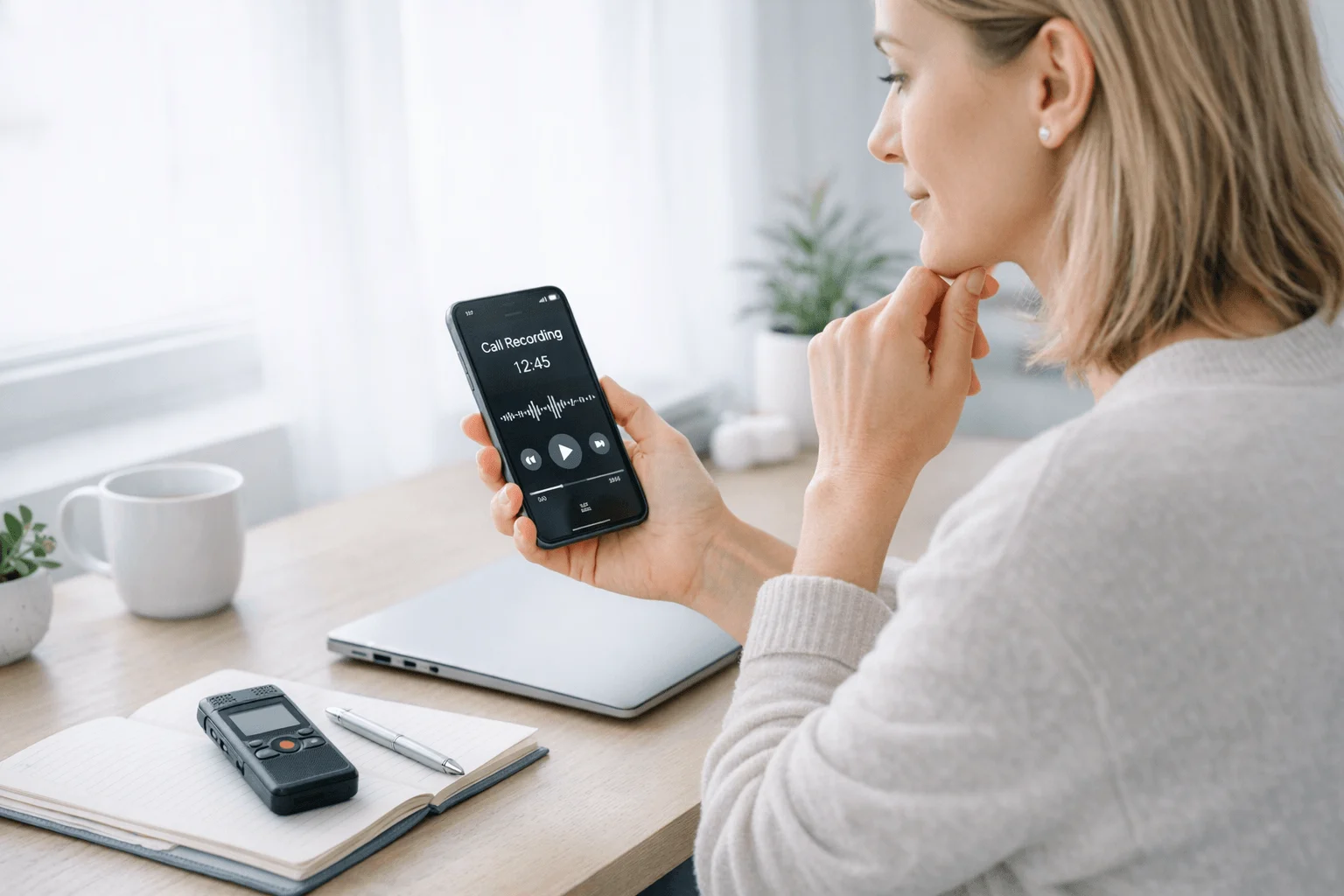
TL;DR: Which voice recorder for phone calls is right for you?
Recording phone calls is harder than it should be. iPhones don't let apps access call audio directly. Android support varies by brand, carrier, and region. And even when recording works, you often get one-sided audio or a file buried in an app you'll never open again.
For professionals who need reliable call capture, the best pick is TicNote AI Voice Recorder because its Earphone mode uses a bone conduction sensor to capture both sides of the call directly from your phone's vibrations — bypassing iOS app restrictions entirely. No carrier permission needed, no merge-call workaround, no missed audio.
For fast picks: TicNote AI Voice Recorder for iPhone users who need reliable call capture, TicNote Pods 4G for field teams who take calls on the move, Google Voice for simple inbound business calls, TapeACall for app-based recording, and built-in Android recording when your phone and carrier still support it.
The rest of this guide explains why phone call recording is so restricted, how different solutions work around those restrictions, and which one fits your phone, call volume, and privacy needs. Bottom line: the right voice recorder for phone calls is the one that actually captures both sides of your calls reliably, not the one with the longest feature list.
Why recording phone calls is so hard
Before comparing products, it helps to understand why phone call recording is such a mess in the first place.
The iPhone problem
Apple doesn't give apps access to call audio. There's no API for recording calls, and Apple has consistently blocked workarounds. This means every app-based call recorder on iPhone uses a workaround: either a merge-call service (where a third-party number joins your call) or a speakerphone workaround (where you play the call out loud and record with the mic).
Both approaches have problems. Merge-call services add latency, require a subscription, and route your call through a third party. Speakerphone recording captures room noise, echo, and one side of the conversation better than the other.
The Android problem
Android is more open, but support is inconsistent. Whether your phone can record calls depends on your phone brand, Android version, carrier, and country. Some Samsung phones have a built-in record button. Some carriers block it. Some countries require it to be disabled. There's no universal answer.
The Bluetooth problem
Even when recording works, Bluetooth routing can break it. If your call audio is going to your car stereo or your earbuds, the recording app might capture nothing. Dedicated hardware avoids this by capturing audio directly from the phone's audio path, not from the Bluetooth stream.
Quick picks: the best voice recorders for phone calls by scenario
If you want the short answer, start here. The right phone call recorder depends on whether you need iPhone compatibility, automatic capture, lower cost, or tighter privacy control.
| Product/Method | How it captures calls | Works on iPhone? | Both sides clearly? | Transcription | Privacy posture | Best use case |
| TicNote AI Voice Recorder | Bone conduction sensor captures phone vibrations | ✅ Yes | ✅ Yes | Real-time + AI summaries | Strong device-first control | iPhone users who need reliable call capture |
| TicNote Pods 4G | Earbuds capture call audio directly | ✅ Yes | ✅ Yes | Live Summary + Quick Summary | Strong, hardware-based | Frequent callers and field teams |
| Google Voice | Merge-call through Google servers | ✅ Yes | ⚠️ Varies | Limited | Standard cloud app model | Budget occasional inbound use |
| TapeACall | Merge-call through third-party service | ✅ Yes | ⚠️ Varies | Varies by plan | Third-party routing | Occasional recording with app convenience |
| Built-in Android recording | Native dialer integration | ❌ No | ⚠️ Varies by phone | Usually none | Local, but device-dependent | Android owners with native support |
This is the fast version for readers who want an answer before the deeper comparison. If you also want a broader look at AI recorders for calls and interviews, that guide goes deeper on dedicated hardware.
5 best voice recorders for phone calls for different users
I'd organize this list by capture method, not by brand popularity. That matters because the best option for six client calls a day is not the best option for one inbound call a month. In practice, dedicated hardware leads for serious phone-call capture because it avoids app, OS, and carrier limits while adding transcription and follow-up workflows that basic call recorder apps usually can't match.
TicNote AI Voice Recorder: Best for iPhone users who need reliable call capture without app workarounds
If I were a lawyer, recruiter, or reporter wrapping up six calls in a day, I wouldn't want to trust a merge-call service or hope my carrier still allows the feature. This card-style recorder fits that reality better. I flip it to Earphone mode, magnetically attach it to my phone, and the bone conduction sensor captures both sides of the call directly from the phone's vibrations — no app restrictions, no carrier permission, no merge-call setup.
If that matches your workflow, you can check TicNote AI Voice Recorder details before comparing apps.
The proof is in the details: 25-hour battery life, 64GB of local storage for about 434 hours, and a 3-mic array (1 bone conduction + 2 omnidirectional digital silicon mics) that handles both calls and in-room conversations. It adds real-time transcription, time-stamped transcripts with automatic speaker identification, AI summaries, offline recording with sync on reconnect, and exports to Notion and Obsidian. For sales and client work, the Sales Coach skill turns recorded calls into coaching notes and follow-up outputs.
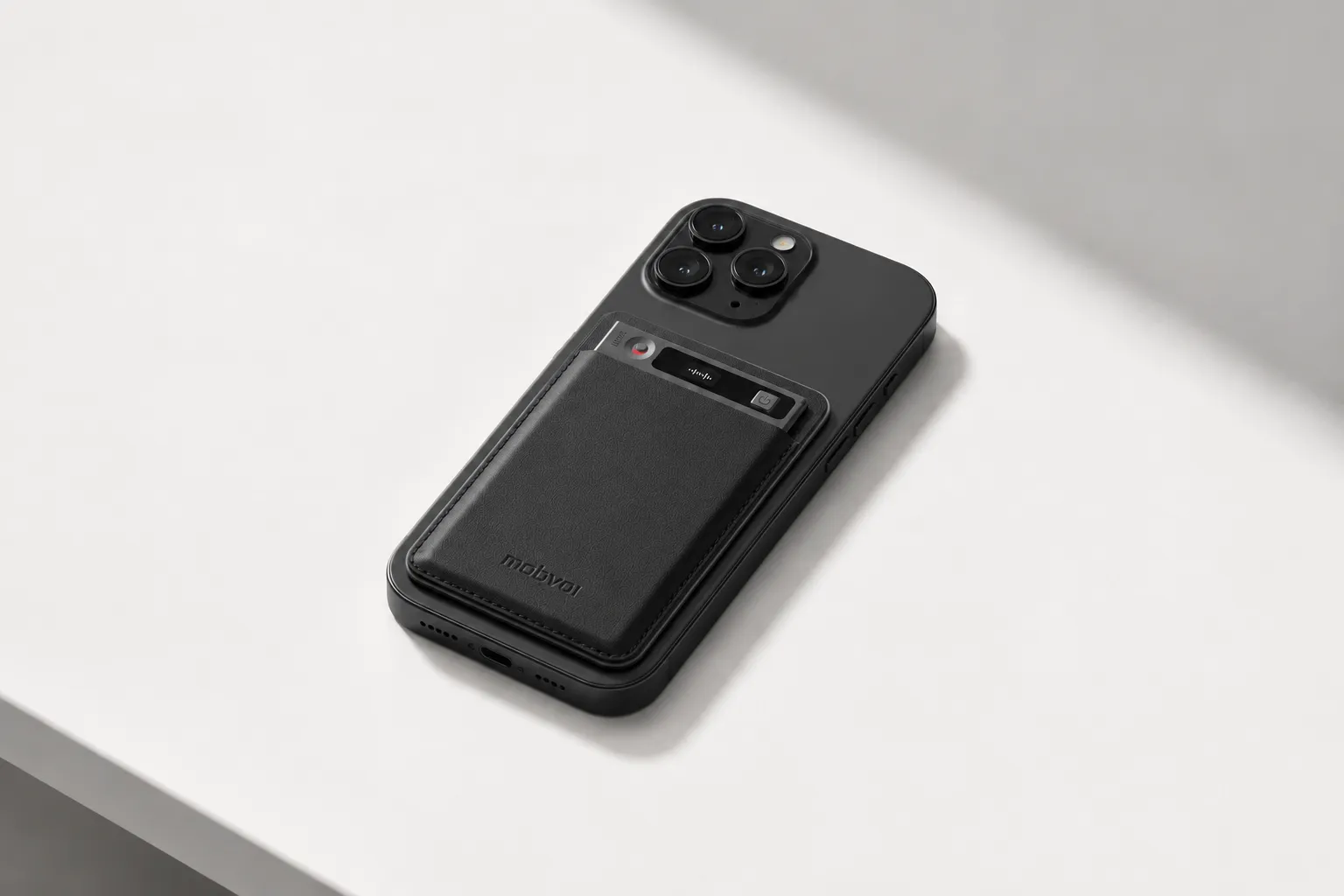
Key features:
- Bone conduction Earphone mode for call capture
- Speaker mode for room recording
- Real-time transcription and live translated subtitles
- AI summaries with 100+ templates
- Ask AI and Shadow AI for searching recordings later
- Cross-platform review on phone, desktop, and browser
Pros: $159.99 hardware price; bypasses iOS app restrictions; 3mm-thin card-sized design; 29g bare weight; 25-hour battery; 64GB local storage; exports to Notion and Obsidian.
Cons: It's still a separate device to carry; some AI-heavy workflows become more valuable on a paid plan beyond the included hardware cloud plan.
TicNote Pods 4G: Best for field professionals who need automatic call recording on the move
Picture a sales rep taking a 20-minute client call while walking between sites and needing a summary before the next stop. Earbuds make more sense here than a desk-style setup. I answer on the earbuds, the call is recorded automatically, and the 4G eSIM uploads in real time so I get a Live Summary during the conversation.
If that sounds closer to your day, see TicNote Pods 4G.
This pick stands out because the 4G eSIM can upload without relying on the phone nearby. It also gives Live Summary during the call and Quick Summary when recording stops, which is useful when the gap between calls is 10 minutes, not two hours. You get dual mics plus ENC noise cancellation, 10m pickup, around 13 hours with 4G on or 22 hours with 4G off, and 32GB case storage for about 2,150 hours. It also supports offline recording with sync on reconnect, Conversation Translation, Listen Translation, and real-time transcription in 120+ languages.
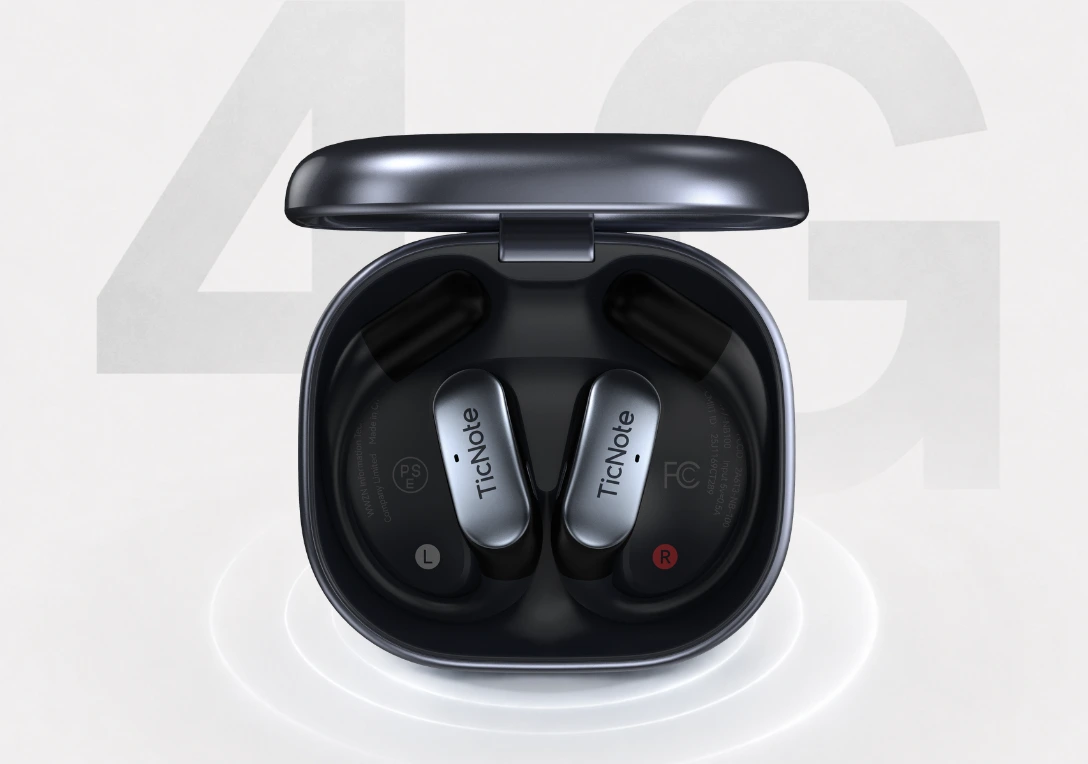
Key features:
- Built-in 4G eSIM
- Automatic call recording on earbuds
- Live Summary and Quick Summary
- Dual modes with automatic switching
- Conversation Translation
Pros: $299.99 hardware price; automatic call recording on earbuds; 32GB case storage; live summaries; 4G connectivity.
Cons: Higher upfront price; the earbud form factor is best for people already comfortable taking calls that way.
Google Voice: Best for occasional incoming-call recording on a tight budget
If I only needed to capture a few inbound calls each month, I'd start here. Google Voice is simple, cheap, and easy to retrieve recordings from inside the service. The catch is big: it works best only when incoming-only recording is enough and the automatic announcement doesn't disrupt the call.
Key features:
- Incoming-call recording
- Automatic announcement
- App-based access
Pros: lower cost than dedicated hardware; easy setup for eligible users; no extra device required.
Cons: incoming calls only; weak fit for outbound-heavy workflows; limited transcription and business documentation features.
TapeACall: Best for occasional users who prefer a call recorder app over extra hardware
Some people record four or five calls a month and just want an app. That's where TapeACall fits. I'd use it for occasional interviews or personal recordkeeping, not for high-volume business calls where reliability, privacy control, and fast post-call outputs matter more.
Key features:
- App-based recording workflow
- Storage and sharing support
- Transcription options when needed
Pros: no separate device; familiar smartphone workflow; useful for occasional recording.
Cons: recurring subscription cost; merge-call friction; privacy depends on a third-party service; reliability varies more than dedicated hardware.
Native Android call recording: Best for Android users whose phone already supports built-in recording
If I open the Phone app and already see a record button, this is the cheapest path. Native Android recording can be excellent for quick one-off documentation or repeat calls when automatic recording settings are available. But support is inconsistent across phone brands, carriers, and countries, so it's not something I'd build a serious workflow around unless I've tested it myself.
Key features:
- Built-in record button
- Automatic recording settings on some phones
- Local retrieval in the phone app
Pros: often free; no extra hardware; minimal setup.
Cons: uneven availability; missing on many phones; weak after-call workflow compared with AI hardware.
How to choose the right voice recorder for phone calls for your situation
The right setup usually comes down to three things: what phone you use, how many calls you record, and what you need after each call.
If you use an iPhone and need predictable recording
For iPhone, I'd start with dedicated hardware, not an app. App-based call recording on iPhone is limited by call routing, permissions, OS changes, and carrier behavior. The most reliable option for repeated professional calls is TicNote AI Voice Recorder because its bone conduction sensor bypasses iOS restrictions entirely. It fits journalists, consultants, and client-facing professionals who need exact recall from recurring conversations.
If you use Android and already have a record button
If your Android phone already shows a native record button, that's the cheapest first test. Use it for a week and see whether it records both sides consistently, saves files reliably, and covers your actual call volume. But if you also need transcripts, summaries, more storage headroom, or cleaner handoff after each call, I would step up to TicNote AI Voice Recorder because it turns the recording into searchable follow-up, not just another audio file.
If you take calls all day or work on the road
If you're between job sites, in transit, or handling 8 to 12 calls a day, phone-dependent apps become fragile fast. TicNote Pods 4G fits mobile workflows better because the earbuds record calls automatically and the 4G eSIM uploads in real time — no phone nearby needed for the upload, no app to open, no button to press.
If privacy, searchable records, or AI summaries matter most
For back-to-back professionals, TicNote AI Voice Recorder is the best fit because it gives you reliable capture plus searchable transcripts and summaries in one workflow. For field teams, TicNote Pods 4G is stronger because it works more independently from the phone. Google Voice makes sense for occasional low-stakes inbound calls. TapeACall works for occasional users who still prefer an app. Native Android recording is worth using only when compatibility is already proven.
Legal and technical checklist for call recording
Even the best voice recorder for phone calls is useless if the recording is illegal, blocked by your phone, or too muddy to review later.
Simple legality checklist
Start with consent. In the U.S., some states allow one-party consent, while others require all parties to agree before recording. The safest default is simple: tell the other person the call is being recorded and get a clear yes.
Regional rules matter because laws change by state and country, and business calls can add sector-specific duties. If you're recording for work, match your method to company policy on retention, deletion, and who can access files.
For privacy-sensitive teams, local storage is usually easier to control than recordings routed through third-party merge-call services. That's one reason many professionals prefer offline recording setups with stronger privacy control when they need a repeatable process.
Troubleshooting matrix
| Problem | Likely cause | Best fix |
| No record button | iPhone or dialer doesn't support native call recording | Use a dedicated recorder with bone conduction (TicNote AI Voice Recorder) or earbuds (TicNote Pods 4G) |
| Outbound calls not supported | App only captures inbound or conference-style calls | Switch to hardware that captures from the phone audio path |
| Weak audio on speakerphone | Mic is too far away or room noise is high | Use earbuds or a bone conduction sensor instead of speakerphone |
| Bluetooth route conflicts | Audio is going to car stereo or headset instead of recorder | Use a recorder that captures from the phone directly, not from Bluetooth |
| Carrier restrictions | Carrier or region blocks app-based recording features | Use dedicated hardware that doesn't depend on carrier support |
| Storage confusion | File saved locally, in app cache, or cloud sync failed | Check app permissions, confirm save location, and export critical files after the call |
| Transcript not appearing | Sync delay, no data connection, or transcription not enabled | Reconnect to data or Wi-Fi, verify transcription settings, and reprocess the file if available |
Audio quality tips for business calls
For a 30-minute sales call or compliance-sensitive client conversation, intelligibility matters more than raw volume. I reduce room noise, confirm both sides are captured in the first 20 seconds, and use searchable transcripts so I can find pricing, dates, and objections later.
Right after the call, save a short summary while the context is fresh. Dedicated devices with local storage, cleaner mic placement, and encrypted transcripts are usually easier to manage consistently than ad hoc speakerphone methods.
Conclusion: the best phone call recording method depends on your phone and your workflow
The real decision isn't which tool has the longest feature list. It's which method reliably captures both sides of your actual calls and leaves you with a record you can search, share, or act on later. In practice, apps make sense for occasional use, native phone tools are worth using only when your device and carrier already support them, and dedicated hardware is the safer bet for people handling frequent calls, client conversations, or privacy-sensitive work.
Here's my advice: spend the next 10 minutes mapping your setup by phone type, inbound versus outbound calls, monthly call volume, and whether transcripts matter. Then test one app option and one hardware option side by side. If you also want searchable notes after the call, it helps to compare dedicated recorders against using your phone alone before you decide. Readers who want call capture plus AI summaries can also explore TicNote options.