


 Extension
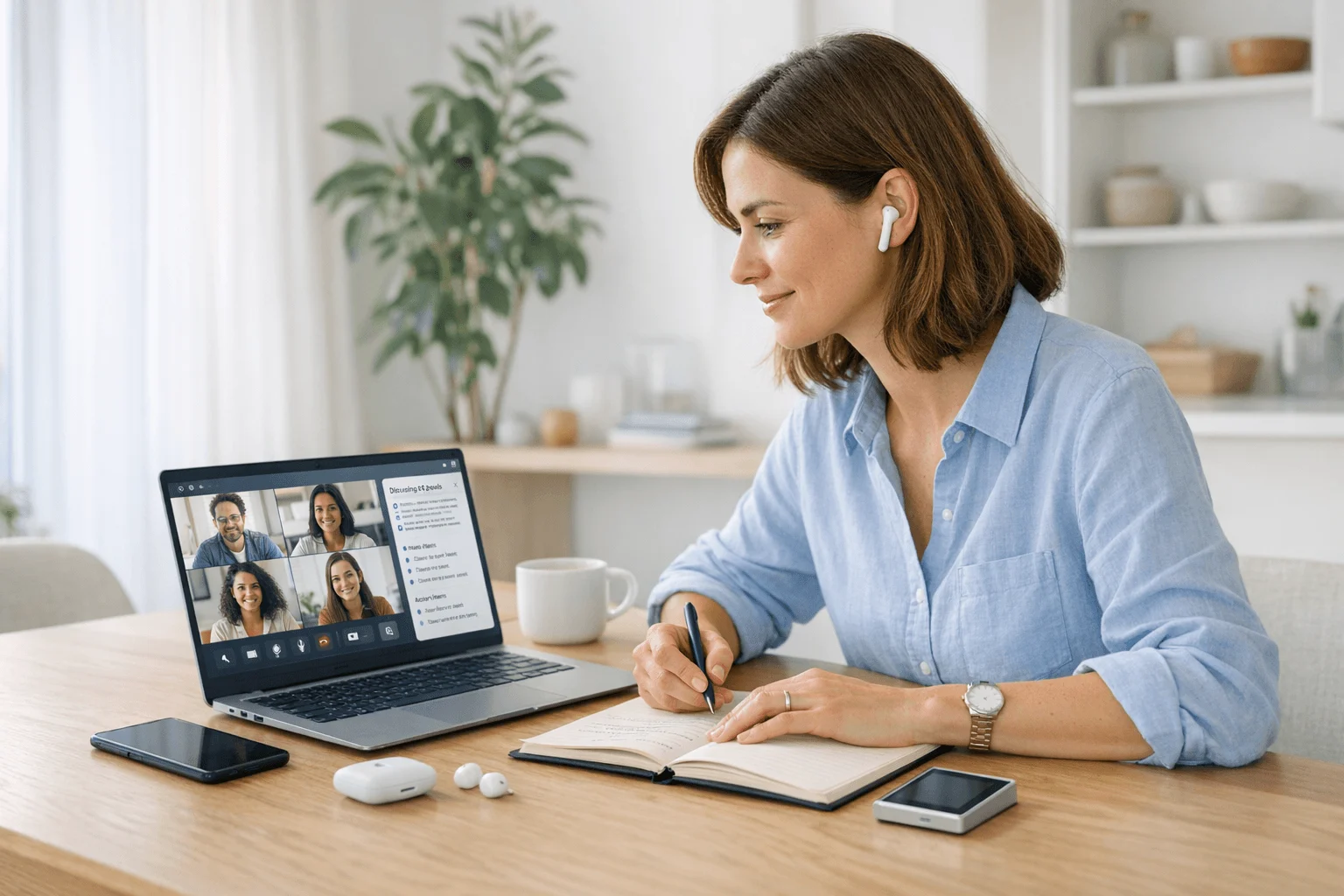
TL;DR: Which AI note taker is best for remote work?
This category has changed fast. I no longer think remote workers are choosing between just a meeting bot and a recorder. The real choice is where your work happens: browser meetings, phone calls, coworking spaces, travel days, or in-room hybrid chats.
My short list is simple: TicNote for hybrid capture and exports, Otter.ai for live collaboration, Fireflies.ai for searchable meeting archives, Fathom for Zoom-heavy solo users, tl;dv for multilingual meeting reviews, Plaud Note for slim hardware-first capture, and TicNote Watch for mobile professionals who want discreet wrist-based recording. In the rest of this guide, I compare each one on recording method, meeting context fit, offline capture, multilingual support, editing burden, integrations, and monthly cost, but if you want one direct answer, TicNote AI Voice Recorder is the best AI note taker for remote work.
Quick picks: 7 AI note takers for remote teams at a glance
If you want the short list before the full reviews, start here. I standardized the same columns for every tool so you can compare what actually matters in remote work: recording method, best meeting context, offline support, export destinations, multilingual coverage, editing time after a 45-minute meeting, and starting cost or included minutes.
| Tool | Recording method | Best meeting context | Offline support | Export destinations | Multilingual support | Editing time after 45-min meeting | Starting cost / included minutes |
| TicNote AI Voice Recorder | Hardware recorder | Phone calls and in-room hybrid meetings | Yes | Notion, Obsidian | 120+ transcription and translation languages | Low, thanks to speaker ID and AI summaries | $159.99 hardware, Plus plan with 600 min/mo included |
| TicNote Watch | Wrist recorder with Bluetooth call capture and live wrist transcription | Travel, quick client calls, hallway chats | Yes | Notion, Obsidian | 120+ languages, 17 live | Low for short conversations | $249 hardware with 600 min/mo included |
| Otter.ai | App and meeting assistant | Live remote collaboration | No, not a core strength | Common text workflows | Strongest in English-centric teams | Medium | Paid plans vary by tier |
| Fireflies.ai | Meeting bot and file upload workflow | Searchable archives across remote meetings | No hardware offline capture | Broad exports and integrations | Available by plan and workflow | Medium | Paid subscription |
| Fathom | Zoom-centered meeting assistant | Solo consultants and sales calls on Zoom | No | Docs and common workflow tools | Less central than summaries | Low on Zoom-only workflows | Free and paid tiers |
| tl;dv | Meeting bot for Zoom and Google Meet | Multilingual remote teams and clip review | No | Exports and integrations available | Clear multilingual strength | Medium | Free and paid tiers |
| Plaud Note | Card-style hardware recorder | Bot-free capture on the go | Yes | Basic export workflow | Multilingual support available | Medium, depends on downstream tools | Hardware plus subscription options |
For a deeper breakdown of recording styles, privacy tradeoffs, and pricing models, I'd compare these against this meeting note taker comparison before you commit.
Use the quick picks by conversation type
Choose by conversation type first, not by brand. If your work is mostly Zoom or Google Meet, Otter.ai, Fathom, Fireflies.ai, and tl;dv make sense. If you also handle phone calls, travel days, in-room hybrid chats, or privacy-sensitive conversations where you don't want a bot joining the meeting, TicNote AI Voice Recorder, TicNote Watch, and Plaud Note fit better.
7 best AI note takers for remote work
The best tool here depends less on popularity and more on where your work actually happens. I looked at these picks the way remote teams work in real life: Zoom calls, phone calls, hybrid rooms, travel days, and messy handoffs after the meeting. Each recommendation below follows the same logic: the problem you hit, the tool that fits it, and the proof that makes the fit credible.
TicNote AI Voice Recorder: Best for remote workers who switch between virtual meetings, phone calls, and in-room conversations
I kept coming back to the same remote-work problem: you finish a 50-minute Zoom call, jump onto a client phone call 12 minutes later, then end the day in a coworking-space catch-up. Most AI note takers are built for one of those contexts, not all three. That leaves gaps, and gaps are where action items disappear.
TicNote fits this mixed routine because it gives you two practical capture modes in one device. Earphone mode magnetically attaches to your phone to record and transcribe calls. Speaker mode records the meeting or conversation happening around you. If you need a deeper look at the tradeoff, this guide on AI note takers versus dedicated in-person recorders explains why that flexibility matters.
In practice, the proof is strong: a 3-mic array picks up voices from up to 10m away, it records offline and syncs when you reconnect, and it supports real-time transcription plus live translated subtitles. Automatic speaker identification cuts cleanup time, AI summaries come from 100+ templates, and the Project Knowledge Base helps when one task was buried in a call from three weeks ago. You can also export directly to Notion and Obsidian, which removes a lot of copy-paste admin. If you want the full specs, you can Learn more about TicNote AI Voice Recorder.
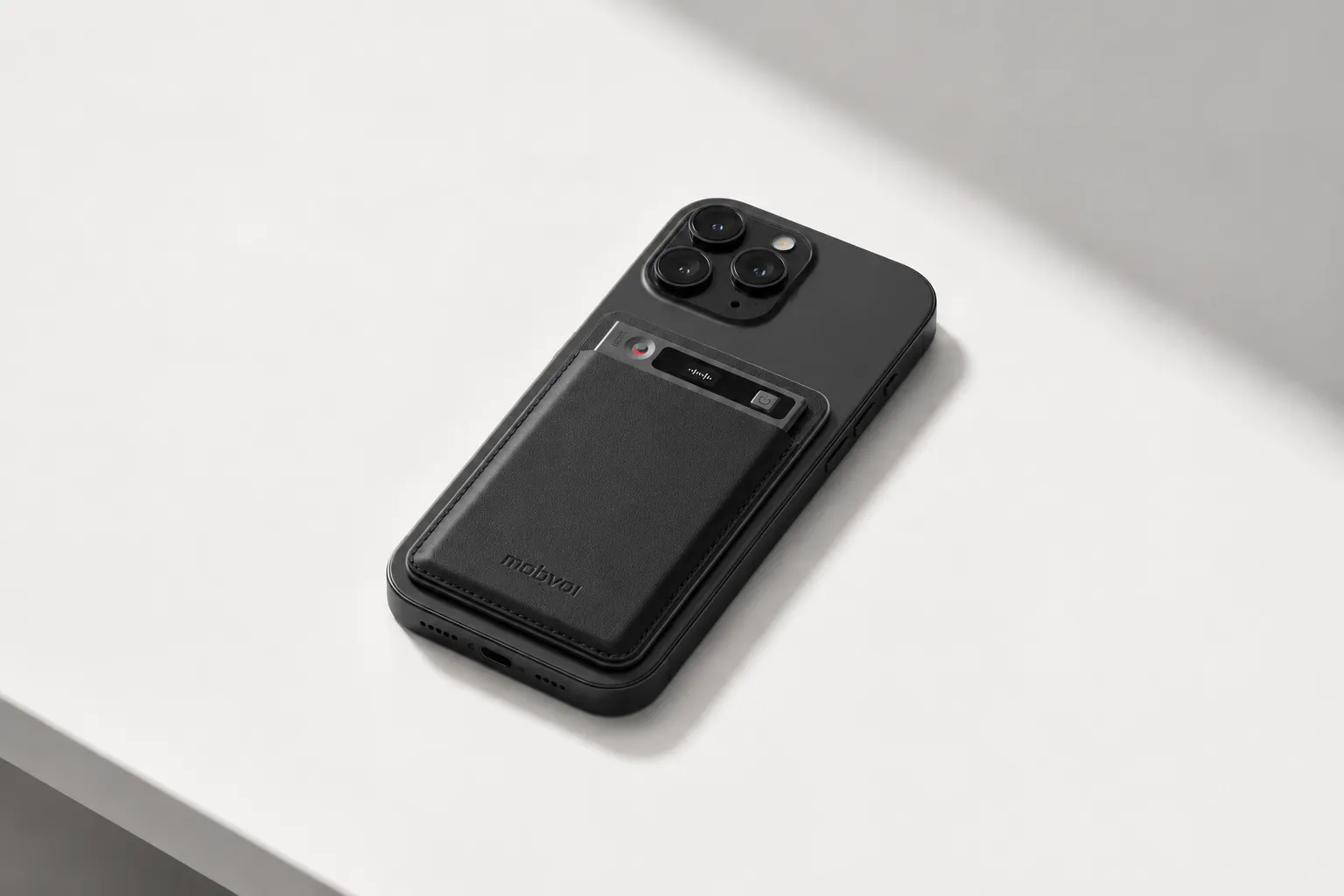
Key features: Earphone and Speaker modes for calls and room meetings; offline recording with sync on reconnect; direct exports to Notion and Obsidian; Project Knowledge Base and Ask AI for cross-meeting search; 120+ transcription and translation languages, with 17 live languages.
Pros: $159.99 hardware, 25-hour battery life, 64GB storage for about 434 hours, 600 transcription minutes per month included on Plus, and pay-as-you-go minutes starting at $6.99 for 1,000 minutes on Pro or Business.
Cons: It is a separate device to carry, larger minute expansions require paid tiers, and privacy claims are self-described, so security-conscious teams should do their own review.
TicNote Watch: Best for mobile professionals who need a secure AI note taker for work without pulling out a phone
On travel days, the problem changes. You're taking an airport call, catching a hallway conversation, then dictating a voice memo from the back of a taxi. A laptop-first note taker is useless there, and pulling out your phone can make a quick conversation awkward.
TicNote Watch is better suited to those short, moving conversations. The dedicated top recording button starts capture fast, discreet recording mode keeps it low-profile, Bluetooth call recording covers phone conversations away from your desk, and One-Tap Highlight lets you mark a key agreement mid-meeting. After that, AI summaries show up on the watch face, which is genuinely useful before the next call.
The proof points are practical: over 24 hours of continuous recording, 17-language live transcription on the wrist, offline highlights, and direct Notion and Obsidian export through TicNote Connect.
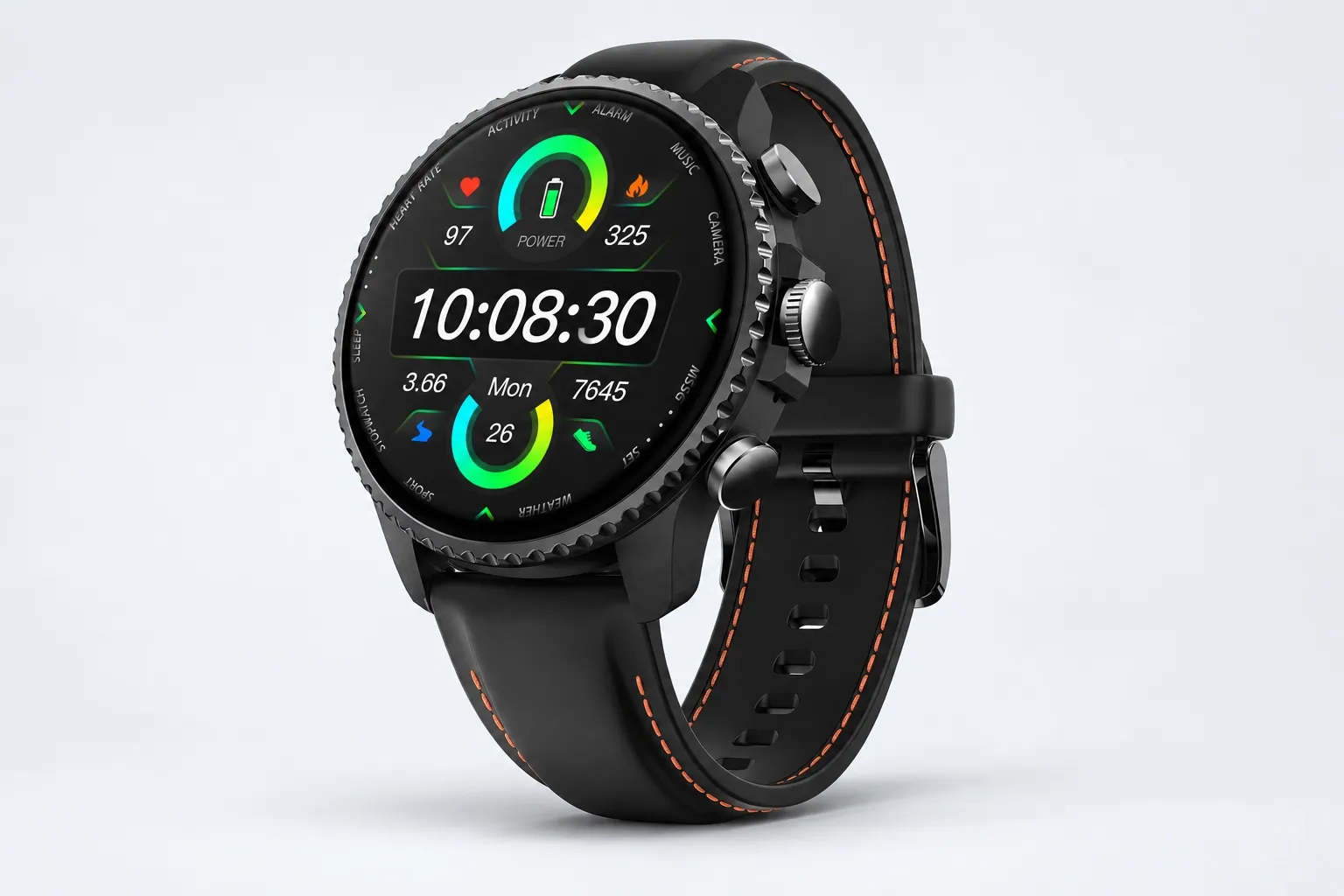
Key features: Dedicated top recording button and Random Thought capture; Bluetooth call recording; One-Tap Highlight; AI summary on the watch face.
Pros: $249 hardware, 600 included minutes, over 24 hours continuous recording, 14-day standby, and a discreet hands-free workflow.
Cons: 3 to 5m mic pickup is shorter than larger room devices, the watch form factor is better for short conversations than long boardroom audio, and some people won't want work capture tied to a smartwatch.
Otter.ai: Best for remote teams who collaborate live inside online meetings
If your team already lives in Zoom or Teams, the biggest need may not be hardware at all. It may be a shared transcript that everyone can follow during the meeting and edit after it ends.
That's where Otter still makes sense. It works best when meetings are already online and people want live notes, searchable transcripts, and collaborative editing in one familiar app. The fit is proven by how widely its live transcription workflow is used across distributed teams.
Key features: Live transcription, collaborative editing, searchable archives, and team sharing.
Pros: Fast setup for virtual meetings and strong familiarity among remote teams.
Cons: Weak fit for offline recording, limited value for in-room hybrid chats unless audio is routed carefully, and cleanup can still take moderate effort when transcripts get messy.
Fireflies.ai: Best for managers and recruiters who want searchable archives from recurring remote meetings
Some teams run the same kinds of calls all week: one-on-ones, hiring screens, check-ins, and status meetings. In that setup, the archive matters more than the recording device.
Fireflies fits managers, recruiters, and operations teams that care about searchable transcripts and integrations more than hardware flexibility. Its strength is not phone-call capture or offline use. It's what happens after the meeting, when you need to retrieve a detail fast.
Key features: Meeting capture bot, searchable transcripts, integrations, and archive management.
Pros: Broad meeting coverage for recurring calls and useful archive retrieval.
Cons: Bot presence can feel intrusive, it's not built for phone calls or offline use, and editing burden still depends on audio quality.
Fathom: Best for solo consultants and sales professionals who live in Zoom and want low editing burden
When most of your week is Zoom discovery calls, you don't need a cross-context recorder. You need fast summaries and clean follow-up points without spending 20 extra minutes fixing every transcript.
Fathom is strong in that narrow but common remote-work setup. It works best when Zoom is the center of your workflow and speed matters more than covering phone calls, travel conversations, or hybrid rooms.
Key features: Zoom-centered recording, summaries, and follow-up support.
Pros: Easy onboarding for Zoom-heavy routines and low post-call admin for standard meetings.
Cons: Narrower fit outside Zoom, weak answer for offline capture or in-room conversations, and less useful for documenting mobile phone calls.
tl;dv: Best for multilingual remote teams that need searchable clips and meeting reviews
Global teams often don't need more raw transcripts. They need clips, timestamps, and a way to review meetings asynchronously across time zones and languages.
That's why tl;dv stands out. It fits distributed collaboration well, especially when teammates review meetings later instead of attending live. Its multilingual review workflow and meeting-sharing features are more useful than a pure bot transcript for this use case.
Key features: Multilingual review, clips, timestamps, and meeting sharing.
Pros: Strong fit for distributed teams reviewing meetings asynchronously.
Cons: No offline hardware capture, bot workflows don't fit every client-facing call, and transcript quality still depends heavily on speaker clarity.
Plaud Note: Best for remote workers who want a slim hardware-first AI meeting recorder
Some people don't want meeting bots joining calls at all. They want a thin recorder that stays with the phone and captures conversations without changing how the meeting runs.
Plaud Note fits that hardware-first preference well. It's a practical option for remote workers who want dedicated capture for calls and side conversations, plus AI summaries afterward. Where it falls short is workflow depth compared with tools that push notes more directly into knowledge systems.
Key features: Slim hardware design, AI summaries, and mobile-first carry convenience.
Pros: Portable hardware capture and a bot-free recording style.
Cons: Export flexibility and downstream workflow depth may matter more if you live in Notion or Obsidian, and total cost can rise once subscriptions are added.
How I evaluated AI note takers for remote work
I evaluated these tools for one thing: which one leaves the least cleanup after a real remote workday. Most roundup posts overweight transcript accuracy and underweight where remote conversations actually happen: Zoom at 9 a.m., a phone call between flights at noon, and a hybrid client meeting in a noisy room at 4 p.m. A note taker that scores 98% on a clean demo call but fails offline or creates 15 minutes of editing after every 45-minute meeting is the wrong tool for remote work.
Why most AI note taker lists do not help remote workers
Remote work is a mixed capture problem, not a single-meeting problem. You may need a browser bot for a team standup, a hardware recorder on a travel day, and a more private setup for a client call. That's why I focused less on raw AI polish and more on workflow fit, including how these tools fit Microsoft Teams-heavy note workflows when remote teams live inside one platform.
The 4 decision variables for remote work
Recording method fit: bot, browser app, phone app, recorder, or wearable. Meeting context fit: Zoom, Teams, phone calls, hybrid rooms, and travel. Editing burden after meetings: how much cleanup a 45-minute call needs before notes are shareable. Total cost and export workflow: hardware fees, monthly minute caps, and whether notes move cleanly into Notion or Obsidian.
Quick comparison table
| Tool | Works well when | Falls short when | Best for |
| TicNote AI Voice Recorder | You move between phone calls, Zoom follow-ups, and in-room chats in one day | Your team wants only browser-based collaboration | Consultants, founders, mobile professionals |
| Otter | The whole meeting is online and teammates co-edit live | Offline capture or travel-day recording matters | Distributed teams |
| Fireflies.ai | You want automatic meeting capture across common meeting apps | In-person and phone-first workflows matter | Ops and meeting-heavy teams |
| Fathom | You want fast summaries for Zoom calls with minimal setup | You need offline or cross-context recording | Sales reps and client-facing teams |
| Plaud Note | You want a dedicated recorder for calls and in-person conversations | Deep team workspace collaboration matters most | Solo professionals and executives |
| Notta | You need multilingual transcription across online meetings and uploads | Hardware capture in hybrid rooms matters | Global teams and researchers |
| Avoma | You want notes tied to coaching, scheduling, and revenue workflows | You need one recorder across travel, calls, and rooms | Sales and customer success teams |
How to choose the right AI note taker for your remote work setup
I'd choose this based on where my conversations actually happen, what needs to happen right after each meeting, and how predictable I want my monthly cost to be. The best setup usually isn't the tool with the longest feature list. It's the one with the least friction between capture, review, and follow-up.
If most of your conversations happen inside Zoom, I'd keep it simple. Fathom is the better pick for solo users who want instant summaries with almost no setup, while Otter.ai makes more sense for teams that collaborate live during the meeting. In that browser-first workflow, software usually wins because you don't need offline capture, Bluetooth phone-call recording, or room audio from a hotel table.
If your week jumps between phone calls, virtual meetings, and occasional in-room hybrid chats, I'd pick TicNote AI Voice Recorder. Earphone mode records calls through your phone, Speaker mode handles room conversations, and offline recording protects capture when airport Wi-Fi drops or you're on a train. The practical win is what happens after: direct export to Notion and Obsidian cuts admin, especially if you already know the tradeoffs between devices and note-taking apps. If that sounds like your workflow, you can explore TicNote AI Voice Recorder options.
For people who are constantly walking between meetings, working events, or talking away from a laptop, I'd choose TicNote Watch. The top recording button removes the usual app-opening delay, Bluetooth call recording captures short calls from the wrist, and One-Tap Highlight lets you mark a key sentence mid-conversation. With AI summaries pushed to the watch face, it fits recruiters, sales reps, and consultants who have 8 to 15 short conversations in a day.
If your priority is building a searchable archive across recurring remote meetings, Fireflies.ai is the safer recommendation. Ops teams and recruiters benefit most because they can search patterns across interviews, standups, and debriefs instead of treating each call like a one-off note.
If your team reviews meetings asynchronously across languages, tl;dv is the better fit. It's built for distributed review, and multilingual playback plus AI summaries reduce the editing burden when people are spread across time zones.
If you want bot-free hardware capture in a slim device, Plaud Note is the straightforward answer. It makes sense when carrying a recorder feels easier than inviting another bot into the meeting.
Bottom line: choose the workflow you'll actually use every day. For Zoom-only work, go browser-first. For mixed remote work across calls, travel, and hybrid rooms, a hardware-first option is usually the better fit.
Conclusion: the best AI note taker depends on where your work actually happens
The best AI note taker for remote work isn't the one with the longest feature list. It's the one that captures your actual conversations reliably, leaves you with the least cleanup after the meeting, and makes the monthly cost easy to predict.
If nearly all of your work happens inside Zoom or Google Meet, Fathom or Otter.ai can be enough. If your week jumps between client calls, airport lounges, team offsites, and in-room conversations, hardware-first tools like TicNote AI Voice Recorder or Plaud Note make more sense because they don't depend on a meeting bot joining the call. If mobility is the priority, TicNote Watch is the more natural fit. If searchable archives and async review matter most, Fireflies.ai or tl;dv deserve a closer look.
That's also why I'd treat this as a workflow decision, not a software beauty contest. A remote-first setup often breaks when the tool can't handle phone calls, offline capture, or direct export into your notes system. If you want a clearer sense of when dedicated hardware wins, this guide to AI note-taking devices for meetings and calls is a useful companion.
Here's the 10-minute next step: list last week's meeting types, mark whether any required offline capture, note where your final notes need to land like Notion or Obsidian, then shortlist the two tools that match that exact path. For readers comparing hardware options without overcommitting, Explore TicNote options as one balanced reference point.


