


 Extension


TL;DR: Which AI note taker is best for long-duration meetings?
I've been three hours into a board review when someone asks about a decision from the first 20 minutes, and that's exactly when weak note-taking setups fall apart. Long meetings don't just test transcription quality. They expose battery drain, phone overheating, storage limits, upload failures, and monthly transcription caps much faster than a 30-minute Zoom call.
I compared dedicated hardware and app-based tools across in-person, hybrid, and mobile workflows because the failure points are different in each one. What I found is simple: for long in-person sessions, a dedicated recorder like TicNote is usually the safest choice. If your meeting already happens inside Zoom or Teams, app-based note takers are better. The best AI note taker for long-duration meetings is usually dedicated hardware for in-room sessions, and app-based software for fully online meetings.
Quick picks: best AI note takers for long-duration meetings
AI note takers for long-duration meetings have split into two camps: dedicated hardware that keeps recording for 24 to 25 hours, and app-based tools that win on live transcription inside Zoom, Meet, and Teams. If I had to narrow it fast, I'd compare six things first: battery or runtime, storage, speaker identification, offline use, exports, and total ongoing cost.
| Pick | Best for | Why it stands out |
| TicNote AI Voice Recorder | Long in-person and board meetings | $159.99, 25-hour battery, 64GB storage for about 434 hours, offline recording, automatic speaker identification, Notion and Obsidian exports |
| TicNote Watch | Long event days and mobile conversations | $249, over 24-hour continuous recording, dedicated record button, offline highlights, quick hallway capture |
| Otter.ai | Hybrid and virtual workshops | Best when long sessions already happen online and you want live transcription without extra hardware |
| Fireflies.ai | Searchable post-meeting archives | Strong for storing, searching, and reviewing long transcripts after the meeting |
| Sony ICD-UX570 | Simple hardware capture | Dependable recorder for long sessions if you're fine transcribing later |
| Phone recorder + AI app | Lowest-cost baseline | Works for occasional long meetings, but battery drain, mic range, and storage are real tradeoffs |
For long in-person sessions, I'd pick TicNote AI Voice Recorder because it solves the two failures that show up after hour two: dead batteries and messy follow-up. For mobile days with back-to-back conversations, TicNote Watch is the better fit. If you want a wider view of AI recorders by use case, that breakdown helps before you go deeper into the full list.
6 best AI note takers for long-duration meetings
If you're shopping for an AI note taker for long meetings, generic AI features matter less than one simple question: will it still capture clearly in hour three, and will the notes still be usable after a full day of sessions? I ranked these picks around long-session reliability first, then workflow fit, with the same lens on battery, capture quality, transcript handling, privacy, exports, and total ongoing cost.
TicNote AI Voice Recorder: Best for executives and facilitators who need all-day capture
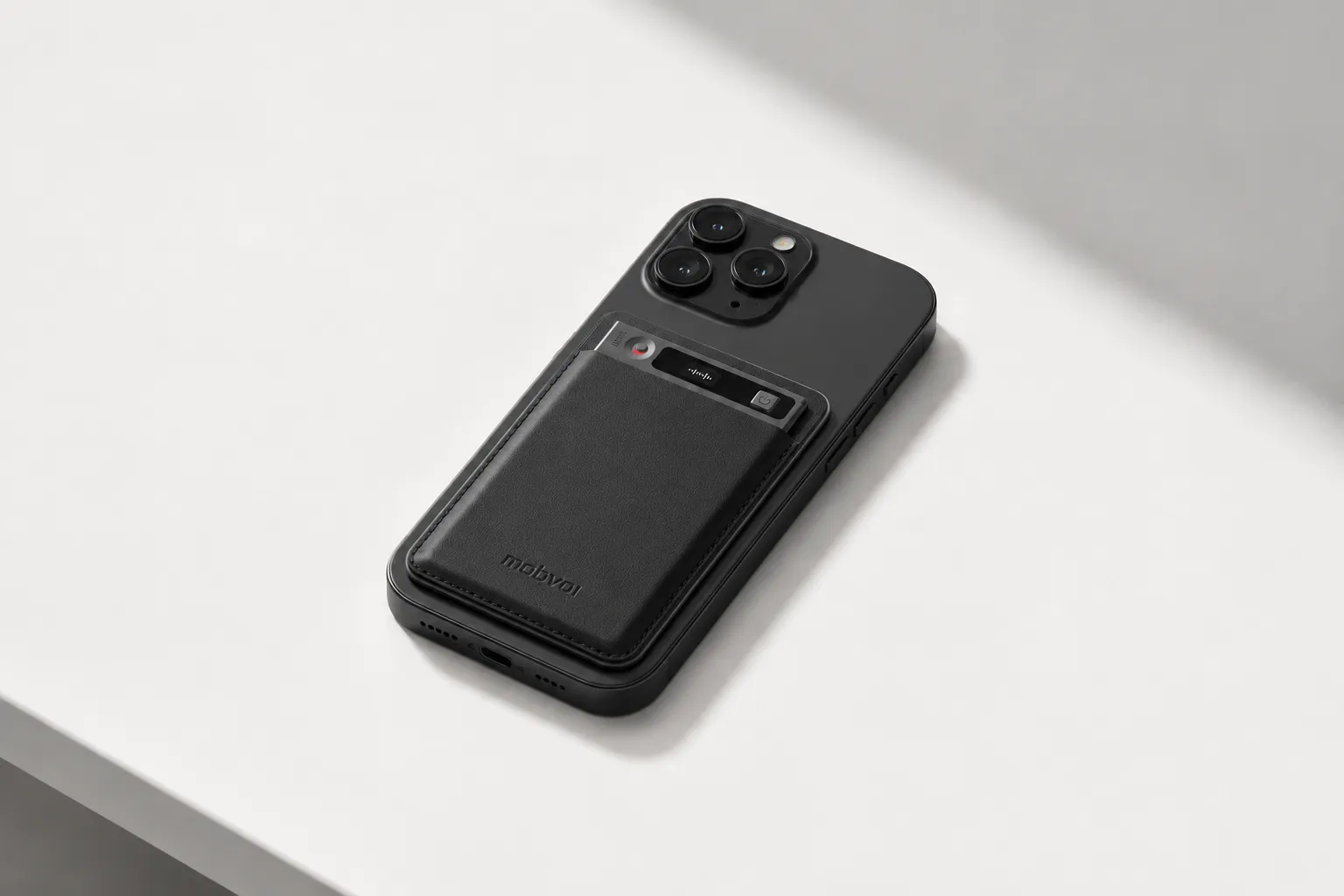
I keep coming back to this setup for the person who runs a two-hour board meeting at 9 a.m., a workshop after lunch, and a client call before dinner. In that kind of day, phone battery anxiety becomes a real workflow problem. TicNote works better because it's a card-style recorder that stays with your phone, then switches modes based on the job: Speaker mode for rooms and Earphone mode for calls.
What makes it strong for long-duration use is that the core risk points are covered in hardware first, not patched later in software. You get 25 hours of continuous battery, 64GB of local storage for about 434 hours, a 3-mic array with up to 10m pickup, and offline recording with sync once you're connected again. If you want the full product breakdown, you can check the card-style meeting recorder details while comparing it to app-only options.
After capture, the transcript is time-stamped, speaker identification is automatic, and AI summaries are ready when the recording ends. That matters after a long workshop because you don't want to wait another hour just to get action items. The 100+ summary templates help if your output changes by meeting type, and the Project Knowledge Base is useful when you need to search across multiple board reviews or client sessions instead of treating every meeting like a separate file. It also exports directly to Notion and Obsidian, and the Spark Notes skill can turn long recordings into outlines and draft content. If you're weighing hardware against app-only setups, this guide on device vs app note takers is worth reading before you decide.
Pricing is straightforward for a hardware-first tool. The device is $159.99, and hardware users get an included plan. If you need more transcription and AI capacity, Pro with device pricing is $79/year and Business with device pricing is $239/year.
Key features
- 25-hour continuous battery so a long board session plus follow-up meetings doesn't force a mid-day charge.
- 64GB local storage, about 434 hours so multi-day workshops and travel weeks don't fill up fast.
- 3-mic array with up to 10m pickup so one device can cover a medium boardroom better than a phone on the table.
- Offline recording with sync on reconnect so weak Wi-Fi doesn't kill capture.
- Automatic speaker identification and time-stamped transcript so reviewing a two-hour discussion is actually workable.
- 100+ summary templates and Spark Notes so raw recordings become board notes, outlines, or draft deliverables faster.
- Notion and Obsidian export so notes move into existing prep and follow-up workflows.
Pros
- Handles full-day recording better than app-only tools because battery and storage are built for it.
- Flexible for both room capture and call capture in one device.
- Strong post-meeting workflow with summaries ready at the end of recording.
- Better fit than a phone for medium-sized rooms thanks to 10m pickup and dedicated microphones.
Cons
- Advanced transcription minutes still depend on your plan if you record constantly.
- Cloud features matter if you want the full AI processing stack after capture.
- Higher upfront cost than using your phone with a transcription app.
TicNote Watch: Best for mobile professionals between formal sessions
This one fits a different long-meeting day. Think trade shows, campus visits, site walks, or conference agendas where the official session happens in a room, but the useful decisions happen in hallways, on the way to coffee, or right after the meeting ends. In those moments, pulling out a phone is clumsy and easy to skip.
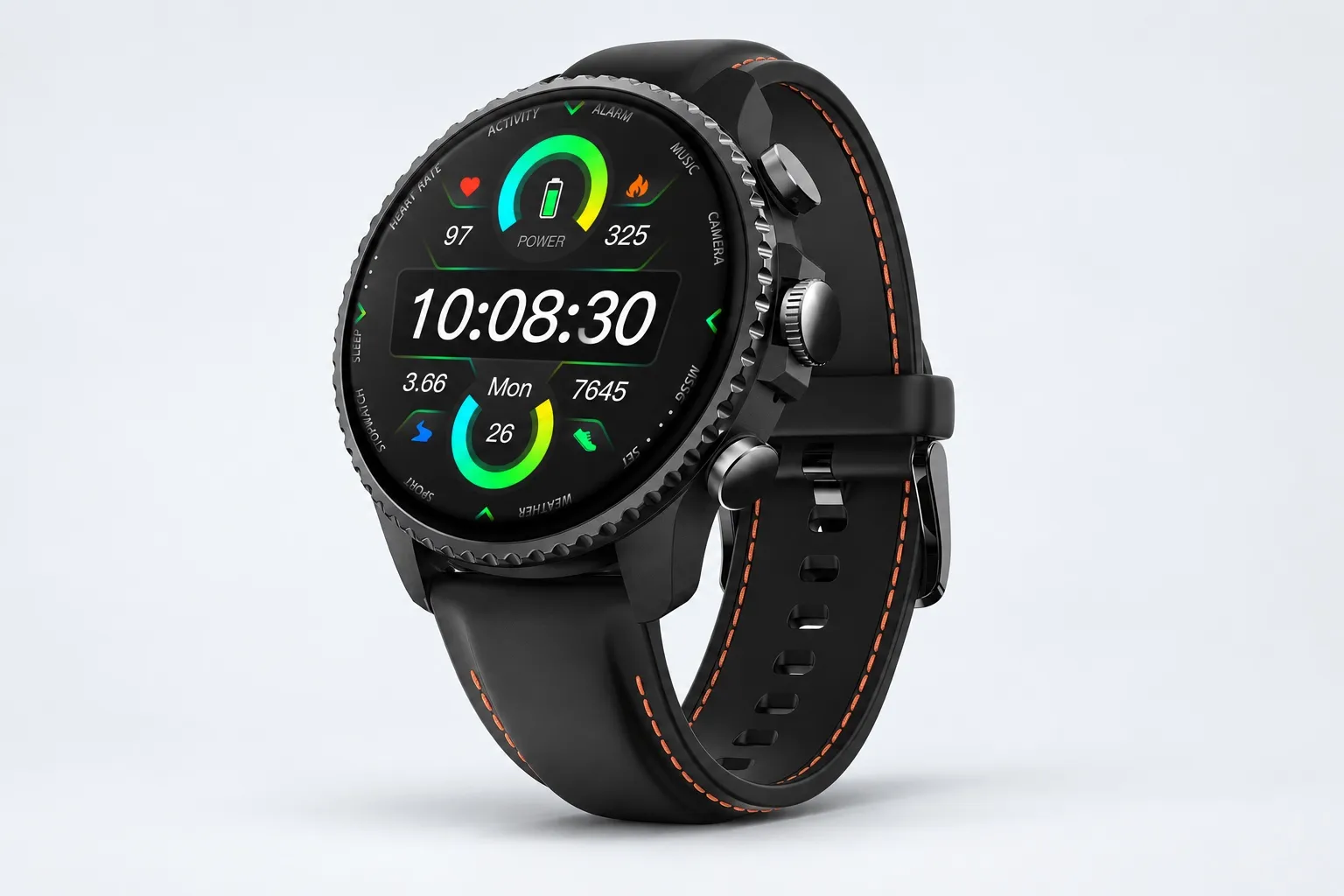
The watch solves that by making recording immediate. It has a dedicated recording button, over 24 hours of continuous recording, and supports single files up to 5 hours before auto-segmentation. If you want to compare the wrist-first workflow, you can see the smartwatch recorder details. I wouldn't pick it over a room-first recorder for a large boardroom, but I would pick it for moving through many conversations in one day.
The proof points are practical: dual omnidirectional mics with 3 to 5m pickup, Bluetooth call recording, offline One-Tap Highlight that carries into the transcript, live transcription in 17 languages, and AI summaries pushed to the watch face. The extra layer is what makes it unique. AI Journal builds a daily timeline from meetings, exercise, sleep, and health data. Shadow Recap links body-signal changes to recorded meetings, which can show that a negotiation or review consistently spikes stress. READINESS adds a morning score based on sleep, heart rate, and stress. On top of that, you still get 24-hour heart rate, SpO2, stress, sleep tracking, 100+ sports modes, and GPS.
At $249, it includes the Plus plan with 600 transcription minutes per month.
Key features
- Over 24 hours of continuous recording for conference or travel days.
- Dedicated recording button and Discreet Recording Mode for faster capture in casual conversations.
- One-Tap Highlight offline so you can mark key moments without waiting for sync.
- Live transcription in 17 languages for quick review during the day.
- AI Journal, Shadow Recap, and READINESS for users who want meeting notes tied to energy and stress patterns.
Pros
- Easier than a phone for on-the-move conversations.
- Strong for mixed days with meetings, walks, calls, and quick voice notes.
- Includes transcription minutes out of the box.
Cons
- Shorter mic range than room-first devices.
- Better for mobile conversations than large boardrooms.
- Less ideal when one fixed device needs to cover a wide room.
Otter.ai: Best for long hybrid meetings that need live searchable notes
If the meeting already lives in Zoom, Google Meet, or a hybrid setup where people mostly need searchable text during the session, Otter.ai is still one of the easiest tools to deploy. I like it for teams that want quick adoption, shared notes, and searchable text without introducing dedicated hardware.
That convenience comes with trade-offs. In-person capture quality depends heavily on where the phone or laptop sits, how loud the room is, and whether your device battery survives the session. For long-duration usage, subscription limits and device dependence matter more than Otter's headline AI features.
Key features
- Live transcription and searchable meeting notes
- Shared workspaces and collaborative note review
- Meeting summaries and action-item extraction
- Integrations with common meeting platforms
Pros
- Very easy for app-first teams to adopt.
- Good fit for hybrid and online meetings where audio is already digital.
- Search and sharing are straightforward.
Cons
- In-person room capture drops fast if device placement is poor.
- Long meetings can drain laptop or phone battery.
- Ongoing subscription limits matter if your team records often.
Fireflies.ai: Best for teams focused on transcript storage and post-meeting search
Fireflies.ai makes more sense when the real job starts after the meeting. I think of operations teams, PMs, and admin-heavy groups running recurring long meetings where the priority is archiving transcripts, searching old discussions, and checking action items later.
That's a real strength. But it's not a purpose-built offline meeting recorder for in-person sessions. If your main problem is getting reliable room audio in a workshop or classroom, Fireflies isn't the first tool I'd buy.
Key features
- Automatic meeting transcription and summaries
- Searchable archive of stored meetings
- Topic, action-item, and keyword review
- Integrations with CRM and collaboration tools
Pros
- Good transcript storage and retrieval workflow.
- Helpful for recurring meetings with lots of follow-up.
- Integrates well into software-heavy operations stacks.
Cons
- Less suited to offline, in-person capture than dedicated hardware.
- Audio quality still depends on the source device or platform feed.
- Best value shows up after the meeting, not during capture.
Sony ICD-UX570: Best for buyers who want recording reliability first and AI second
Some buyers don't actually need an AI note taker first. They need a recorder that won't fail during a lecture, interview, training day, or workshop. That's where the Sony ICD-UX570 still earns a place. It's the hardware baseline pick when dependable recording matters more than built-in summaries.
The trade-off is clear: it solves battery and storage concerns better than many phones, but the AI workflow becomes a second step. You'll record first, then move files into another app for transcription, summaries, and search.
Key features
- Dedicated digital voice recording hardware
- Long recording runtime and reliable onboard storage
- Simple controls for classes, interviews, and workshops
- USB-friendly file transfer workflow
Pros
- Dependable recording hardware with low workflow risk during capture.
- Better than a phone when you just need the audio safely stored.
- Good fit for interviews, classrooms, and training rooms.
Cons
- No built-in AI meeting notes.
- No automatic speaker identification.
- Requires extra steps for transcription and summaries.
Phone recorder plus AI transcription app: Best for occasional long meetings on the lowest upfront budget
If you only have a monthly two-hour meeting or a one-off workshop, the cheapest option is often the one you already own. A phone recorder paired with an AI transcription app can work when budget is the top constraint and the stakes are moderate.
I wouldn't pretend it's equal to dedicated hardware. Long sessions drain battery, notifications can interrupt capture, microphone range is usually weaker, and privacy depends on whatever app stack you assemble. It can be enough for occasional use, but it's the setup I trust least for important all-day meetings.
Key features
- Lowest upfront cost if you already own the phone
- Large choice of transcription apps and pricing tiers
- Fast setup for occasional use
- Decent for solo notes or close-range conversations
Pros
- Cheapest way to get started.
- Fine for infrequent meetings or personal reference notes.
- Flexible if you want to test workflows before buying hardware.
Cons
- Heavy battery drain during long meetings.
- Notifications, calls, and app switching create capture risk.
- Weak room pickup compared with dedicated recorders.
- Privacy and storage policies vary widely across apps.
How I evaluated AI note takers for long meetings
Most "best AI note taker" lists are built around a 20-minute demo. That's not how long meetings fail. In a 3-hour workshop or a full-day board session, the first things that break are power, storage, uninterrupted capture, transcript limits, and the annoying work of getting notes out afterward.
Why most AI note taker lists do not help long-meeting buyers
I evaluated these tools against the meetings that actually create risk: a 2-hour board review, a 4-hour workshop, a classroom block, or a hybrid training day. In those settings, a pretty summary means little if the recorder dies at hour two, splits files badly, mislabels speakers, or traps your notes in a closed app. That's also why I draw a clear line between a dedicated recorder and an app in this guide, and why this comparison of AI note takers and voice recorders for in-person meetings matters for buyers who work outside Zoom.
The 4 decision variables for long-duration meetings
Capture endurance means battery life, storage, file segmentation, and whether recording still works offline. If you're running a 4-hour workshop, this is the difference between one clean file and three broken ones.
Transcript usability means speaker identification, timestamps, search, and whether summaries still hold up after long files. A transcript isn't useful if you can't find who approved what at 2:17:43.
Workflow fit means how fast the notes move into the tools you already use, including Notion, Obsidian, and project search. I also checked whether each option works for in-person meetings, hybrid rooms, and phone or video calls.
Trust and total cost means privacy posture, cloud dependence, included minutes, upgrade pricing, and pay-as-you-go options. A tool that looks cheap can become expensive fast once you cross monthly limits.
Quick comparison
I used one table format for every product: Tool, Works well when, Falls short when, Battery/runtime, Storage or file handling, Speaker identification, Offline use, Export options, Best for, and Total cost of ownership for year 1. Every cell uses a real spec, a tested behavior, or a short factual note. That way, if I say TicNote fits an executive with weekly board reviews, it's because the device records up to 25 hours, stores about 434 hours locally, supports offline capture, and exports transcripts directly to Notion and Obsidian.
How to choose the right AI note taker for your long meeting scenario
The best pick usually isn't the tool with the most AI. It's the one that fits where your long conversations happen, what you need 10 minutes after the meeting, and how much recurring transcription cost you're willing to carry every month.
Choose hardware when room capture is the real problem
If your long meetings happen mostly in boardrooms, classrooms, or workshops, choose TicNote AI Voice Recorder because in-room audio quality and runtime matter more than another browser tab. I'd use it when I need a recorder that lasts through a full-day session: 25 hours of battery, 64GB of storage, pickup from up to 10m, offline recording, automatic speaker identification, and direct export to Notion or Obsidian all reduce failure points. If that sounds like your setup, Check TicNote AI Voice Recorder details.
Pick a wearable when conversations happen between meetings
If your long conversations happen while moving between sessions, choose TicNote Watch because speed beats setup. For hallway chats, sales visits, interviews between meetings, and event days, the dedicated recording button, over 24 hours of recording, offline One-Tap Highlight, AI Journal, and Shadow Recap fit mobile work better than phone-first setups. If you work that way, See TicNote Watch details.
Stay app-first when most meetings are already online
If your long meetings are hybrid or mostly online, choose Otter.ai because live searchable notes during the call are its biggest advantage. If you care more about storing, searching, and revisiting transcripts after the meeting, choose Fireflies.ai because its archive workflow is stronger. If your team lives inside Zoom or Teams and room audio isn't the issue, an app-native setup often beats extra hardware, especially if you also need Zoom note taker options without extra bots.
Go simple when budget matters most
If you need the lowest upfront cost, choose your phone plus a transcription app because it's good enough for occasional long meetings. If you want the simplest dedicated recorder with long battery life and don't mind adding transcription later, choose Sony ICD-UX570 because the hardware is straightforward and dependable, but the AI workflow comes afterward.
Conclusion: what actually matters in an AI note taker for long meetings
The biggest mistake I see is choosing the tool with the flashiest summary instead of the one that captures the full meeting. For long sessions, the return comes from four basics: it lasts the full 2 to 6 hours, gives you searchable transcripts later, matches the room's privacy standard, and doesn't surprise you with ongoing costs after a month of heavy use.
No single category wins every time. Hardware usually does better for long in-person meetings because battery life, microphone range, and offline capture matter more than clever prompts. Apps usually fit hybrid and native video meetings better. Wearables are different again: they're best for professionals who record between formal sessions, not just inside boardrooms.
If you want a fast next step, take 10 minutes and write down your three most common meeting scenarios, your monthly transcription minutes, and whether offline capture is non-negotiable. That will narrow your shortlist faster than any feature grid, and if you need a device-first option, this guide to AI note-taking hardware for meetings and lectures is a useful place to compare formats before you explore long-meeting options from TicNote.