


 Extension
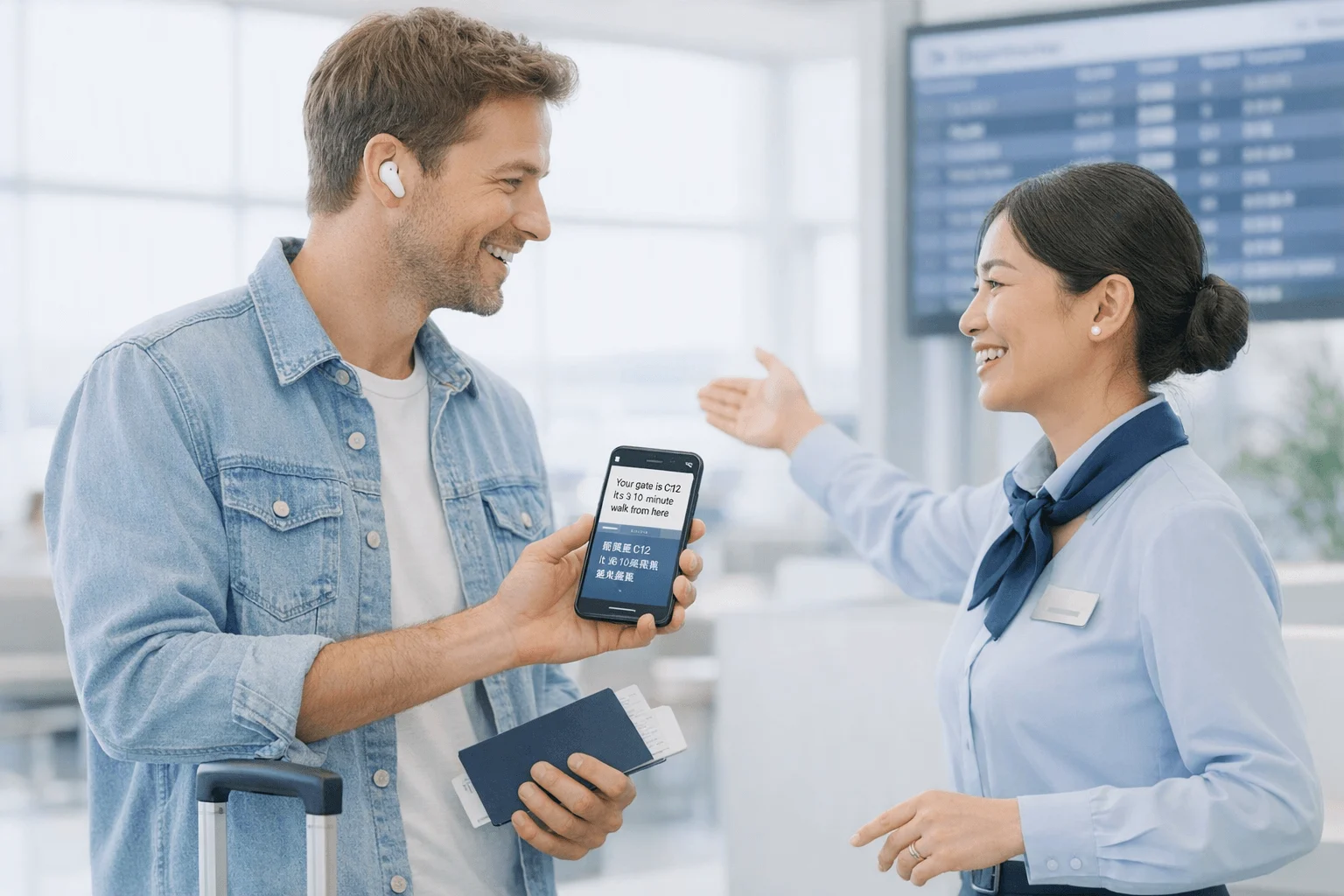
TL;DR: the best earbuds for translation by workflow
Translator earbuds have split into two camps: dedicated translator earbuds built mainly for live cross-language conversation, and mainstream or hybrid earbuds that add translation through a phone, app, or cloud workflow.
My short list is simple: TicNote Pods 4G for multilingual meetings and business travel; TicNote Pods Wi-Fi for Wi-Fi-based remote work and global use; Timekettle W4 Pro for dedicated translator-earbud conversations; Vasco Translator E1 for multi-person meeting translation; Apple AirPods Pro 2 for iPhone users who want translation as a side feature; Google Pixel Buds Pro 2 for Android users who want live translation inside Google's ecosystem. In the full guide, I compare phone and app dependence, internet and offline behavior, privacy, latency, battery life, language coverage, and which setup works best for travel, supplier negotiations, remote meetings, and everyday use. If you want the best earbuds for translation by workflow, start with TicNote Pods 4G for business-ready versatility and Timekettle W4 Pro for conversation-first translation.
Quick picks: best translation earbuds at a glance
Translation earbuds have split into two camps: dedicated translator models built for travel and meetings, and mainstream earbuds that borrow translation from your phone. If you want the short version before the deeper buyer guide, this table gives you the fastest way to match a product to your workflow, budget, and privacy tolerance.
| Product | Best for | Price | Languages | Offline support | Phone/app dependence | Internet requirement | Battery | Privacy note | Main trade-off | |
| TicNote Pods 4G | Field professionals, frequent travelers | $299.99 | 17 live; 120+ after recording | Offline recording; syncs on reconnect | Low for capture, app needed for display/review | Not required to record; needed for live cloud features | ~13 hrs with 4G on; ~22 hrs with 4G off | Encrypted recordings; cloud sync for summaries/translations | Live translation still works through a screen-based workflow | |
| TicNote Pods Wi‑Fi | Remote workers, international users | $249.99 | 17 live; 120+ after recording | Offline recording; syncs on reconnect | Moderate, app used for translation display and review | Wi‑Fi needed to sync and process cloud features | ~22 hrs | Encrypted sync-based workflow; less always-on connectivity | No built-in 4G, so you wait to upload | |
| Timekettle W4 Pro | Two-way conversation and travel | ~$449.00 | 40 languages; 93 accents | Limited offline packs | High, app-centric | Usually yes for best performance | ~6 hrs buds; ~18 hrs with case | Translation runs through companion app | Expensive, and still phone-dependent | |
| Vasco Translator E1 | Meetings and group discussions | ~$389.00 | 50+ languages | No meaningful offline mode for full use | High, dedicated app required | Yes for live translation | ~3.5 hrs buds; ~10 hrs with case | Conversation data passes through app/cloud workflow | Short battery life for long sessions | |
| Apple AirPods Pro 2 | iPhone users who want convenience | $249.00 | Varies by Apple Translate support | Limited, depends on iPhone language packs | Very high, iPhone does the real work | Often no for downloaded languages, yes for some features | ~6 hrs; ~30 hrs with case | Privacy tied mostly to Apple ecosystem and iPhone settings | Not true dedicated translator earbuds | |
| Google Pixel Buds Pro 2 | Android users on Google Translate | $229.00 | Varies by Google Translate support | Limited offline packs | Very high, Android phone required | Often no for offline packs, yes for best results | ~8 hrs with ANC on; up to ~30 hrs with case | Privacy depends on Google account and app settings | Best only if you already live in Google Translate |
My short verdict: TicNote Pods 4G is the best fit if you need translation, transcription, call capture, and live summaries without keeping your phone nearby. TicNote Pods Wi‑Fi is the better value if you mostly work near Wi‑Fi and can wait to sync, while dedicated AI note-taking hardware for calls and meetings gives helpful context if you're also comparing recording-first devices.
In the next section, I'll break down how these translation workflows actually work in practice, because the setup matters as much as the language count.
How translation earbuds actually work in practice
Most earbuds for translation aren't doing science-fiction-style instant interpreting inside the bud itself. In real use, translation usually depends on three things: an app, a phone screen, and cloud processing. Some models reduce friction, but very few eliminate the phone entirely. That's the first thing I'd want clear before comparing brands.
Start with conversation type, not brand loyalty
Dedicated translator earbuds are built for bilingual exchange. They usually offer speaker handoff modes, split-screen conversation views, or one-person-per-earbud workflows. Mainstream earbuds, by contrast, typically add live translation through Apple or Google software, so they work best if you're already deep in that ecosystem.
In practice, that means the right pick depends less on audio brand loyalty and more on how you talk. Ordering food abroad is different from a 45-minute supplier negotiation. A remote vendor call is different again.
Watch the 4 workflow constraints that matter most
First is phone dependence. If you need your handset open the whole time, the experience changes fast.
Second is screen-sharing. Many "conversation translation" setups work only because the other person reads your phone screen. That's fine at a hotel desk. It's awkward in a car pickup or across a conference table.
Third is internet behavior. Some earbuds can record offline and sync later, but live translation often still needs a data connection. TicNote Pods 4G, for example, reduce phone dependence with built-in connectivity, while sync-based models fit better when you can wait until Wi-Fi returns.
Fourth is conversation type. One-on-one chats are the easiest. Noisy airport transfers, overlapping speakers, and multi-person meetings are harder. If your real need is cross-language meeting capture, an AI note taker for meetings and calls may solve more of the workflow than translation earbuds alone.
Know what live translation does well, and where it breaks
Latency is usually short, not invisible. Expect a pause of a second or two in strong conditions, and longer if the room is noisy or the connection drops. Performance also falls with uncommon language pairs, fast accents, and people talking over each other.
Privacy matters too. If audio is sent to cloud services for processing, don't assume a sensitive legal, HR, or supplier meeting is private by default. Check where the audio goes, what gets stored, and whether transcripts are retained.
The products in the next sections are scored against these workflow constraints first, because that's what determines whether translation earbuds feel useful or frustrating.
How I evaluated translator earbuds
Most lists rank these like normal earbuds, then stop at sound quality, battery, and app polish. That misses the part that matters after the first 10 minutes: whether the translation flow is usable when you're standing in an airport line, walking a factory floor, or trying to confirm what was agreed in a bilingual meeting.
Focus on workflow, not just translation quality
I judged each product by the friction it creates in real use. The real decision isn't only accuracy. It's whether you need your phone in hand, whether the other person has to read your screen, whether the tool still helps when the internet drops, and whether you leave with transcripts or notes you can search later. That's also why I care about products that can double as an AI note taker instead of a basic recorder when the conversation actually matters.
Use four decision variables
Setup dependence: how badly the workflow breaks if your phone isn't nearby.
Conversation model: whether it handles one-to-one chat, strict turn-taking, or larger meetings.
Connectivity behavior: always-online, offline capture then sync, or true offline language packs.
Privacy and follow-up: where the audio goes, what gets stored, and whether you get usable transcripts, summaries, or searchable records afterward.
Compare by real scenarios
| Tool | Works well when | Falls short when | Best for |
| TicNote Pods 4G | you're mobile and can't keep a phone in hand | the other speaker refuses screen-based translation | field travel, supplier visits, call logging |
| TicNote Pods Wi-Fi | you can record now and sync on Wi-Fi later | you need live cloud features away from Wi-Fi | remote work, co-working, lower-cost capture |
| Timekettle W4 Pro | both people can follow a structured translation flow | you need strong notes and post-meeting records | guided bilingual conversations |
| Vasco Translator E1 | you want dedicated translation hardware for travel | you need deep transcripts and meeting outputs | travel conversations |
| Apple AirPods Pro 2 | you're already in Apple devices and need occasional help | you want dedicated two-way translation workflows | casual iPhone users |
| Google Pixel Buds Pro 2 | you use Pixel features and want lightweight translation support | you need offline flexibility or formal meeting records | Android users, short chats |
De-prioritize normal earbud metrics
I didn't overweight ANC, music tuning, or codec support. For translation earbuds, conversation flow, reliability, and what happens after the session ends matter more than how good your playlist sounds.
6 best earbuds for translation for travel, meetings, and work
This list mixes dedicated translator earbuds and mainstream earbuds with translation features on purpose. That's how people actually shop. In practice, you're usually deciding between two very different workflows: earbuds built for conversation translation first, or earbuds that translate while also recording, transcribing, and helping you do something useful after the meeting ends.
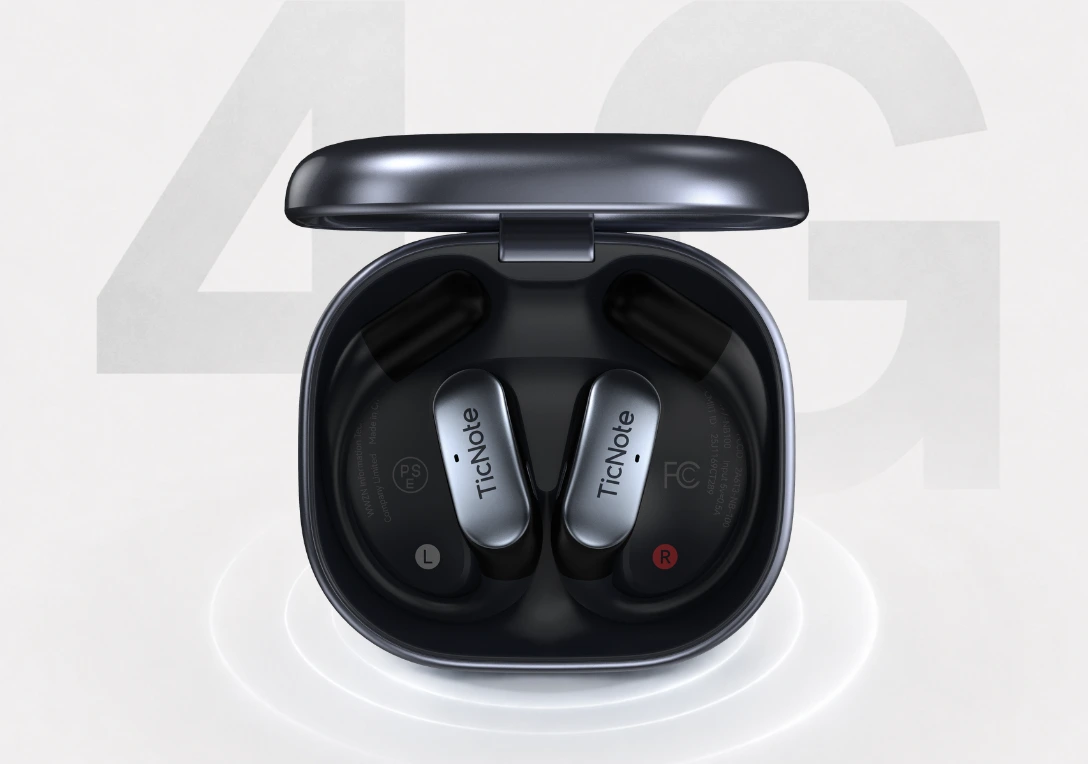
TicNote Pods 4G: Best for multilingual professionals who need phone-free translation workflow on the move
You leave a 50-minute supplier meeting, step onto the curb, and need the translated record before you get into a taxi. That's where TicNote Pods 4G fits better than most translator earbuds. The win isn't only live translation during the conversation. It's what happens right after, when the earbuds can keep recording, upload over built-in 4G eSIM, and push a Live Summary while you're still walking.
I like this pick for people who move between factories, hotels, trade shows, and client sites because the workflow doesn't fall apart when your phone isn't nearby. TicNote supports Listen Translation and Conversation Translation, plus real-time transcription and live translated subtitles in 17 languages live and 120+ languages for transcription and translation after recording. It also handles automatic call recording, switches between earbuds and case modes automatically, uses dual mics plus ENC noise cancellation, and captures audio from up to 10 meters away.
Learn more about TicNote Pods 4G if you want translation plus post-meeting output in one device.
The bigger reason I'd choose it for work travel is follow-up speed. Offline recording still works, then syncs on reconnect. The case stores 32GB, roughly 2,150 hours, and battery is about 13 hours with 4G on or 22 hours with 4G off. After travel or negotiation, Travel Assistant and Supplier Management skills help turn raw conversations into itineraries, comparisons, and action items. Price: $299.99, with the Plus plan included for hardware users.
Key features
- Best-fit scenario: Field sales, supplier meetings, and multilingual travel days with no reliable phone access
- Translation workflow: Listen Translation and Conversation Translation with live subtitles on the phone screen
- Language support: 17 languages live, 120+ for transcription and translation after recording
- Capture setup: Earbuds and case dual modes with automatic switching
- On-the-go proof: Built-in 4G eSIM for recording and upload without a phone nearby
- Meeting output: Live Summary, Quick Summary, searchable transcript, and translated record
Pros
- Built-in 4G changes the workflow, not just the spec sheet
- Real-time transcription, translation, and summaries reduce follow-up lag
- 32GB case storage and offline recording help when connectivity drops
- Automatic call recording is useful for business calls taken from the earbuds
Cons
- Higher upfront cost than Wi-Fi-only models
- Conversation modes still rely on the phone screen for the other speaker
- If you only need casual travel translation, some dedicated translator buds are simpler
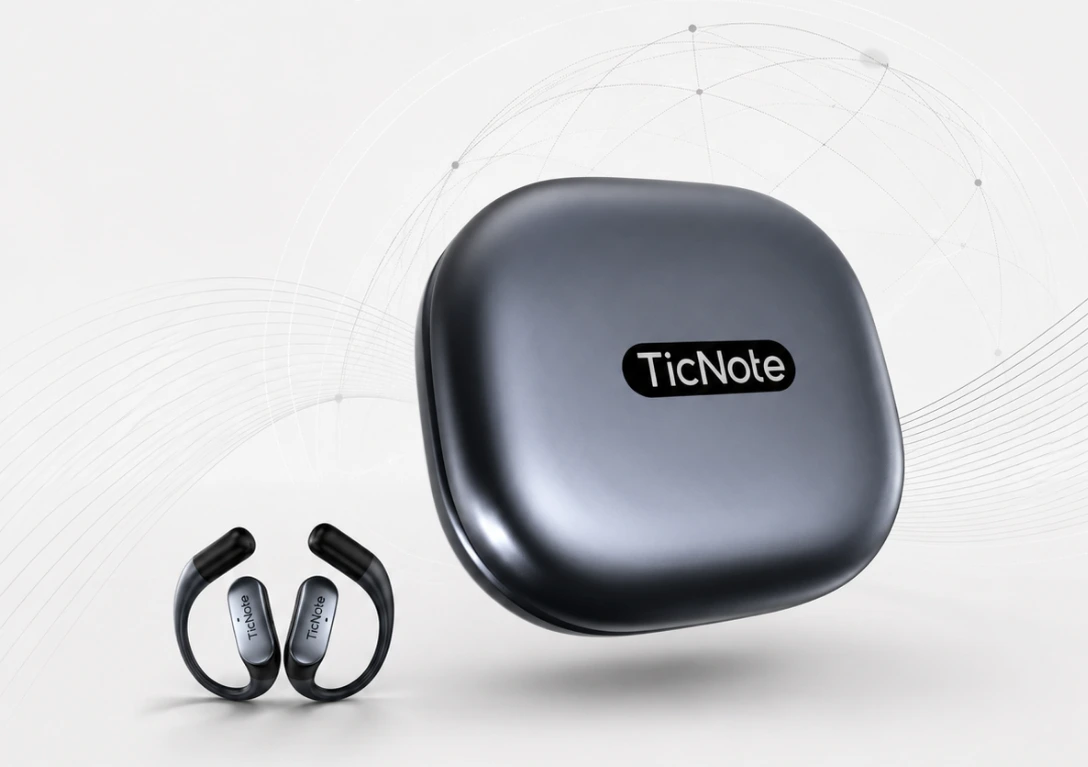
TicNote Pods Wi-Fi: Best for remote workers and international users who want AI translation earbuds without paying for 4G
You're in a coworking space doing four vendor calls before lunch. You want translated subtitles and a searchable transcript, but you don't need instant upload from a taxi or a factory floor. That's where TicNote Pods Wi-Fi makes more sense.
For desk-based, hotel-based, or hybrid work, the lower price is the point. You still get Listen Translation, Conversation Translation, real-time transcription and live translated subtitles in 17 languages live and 120+ languages after recording, automatic call recording, earbuds/case dual modes, dual mics with ENC, 10-meter pickup, 32GB case storage, and about 22 hours of battery life.
Check TicNote Pods Wi-Fi details if you want the same core translation modes in a lower-cost sync-based setup.
The trade-off is simple: no built-in 4G, so the workflow is better when you can sync later over Wi-Fi. For many remote teams, that's fine. Cross-platform access, Ask AI, exports to Notion and Obsidian, and extras like Travel Assistant or English Tutor give it more everyday value than single-purpose translator buds. Price: $249.99, with the Plus plan included for hardware users. If you're also comparing broader wearable capture tools, this guide to AI wearables for note-taking is a useful companion.
Key features
- Best-fit scenario: Remote calls, coworking meetings, hotel-based work, and global users who sync later
- Translation workflow: Listen Translation and Conversation Translation with live phone-screen subtitles
- Language support: 17 languages live, 120+ after recording
- Capture setup: Earbuds/case dual modes with automatic switching
- Connectivity fit: Wi-Fi fast transfer, offline recording, sync on reconnect
- Workflow extras: Ask AI, cross-platform access, Notion and Obsidian export
Pros
- Lower price than the 4G model with the same core translation modes
- Strong fit for remote work and repeated vendor or client calls
- 22-hour battery life is better than many travel-first devices
- Useful post-meeting tools beyond translation alone
Cons
- No built-in 4G for live upload away from Wi-Fi
- Sync-based workflow is slower if you need instant cloud access
- Still uses the phone screen in conversation translation modes
Timekettle W4 Pro: Best for travelers who want dedicated translator earbuds first and regular earbuds second
If your main job is talking across languages in person, Timekettle's conversation-first design makes sense. It's stronger as a dedicated translation tool than as an AI recorder. That means easier travel use for face-to-face exchanges, but less help with searchable records, summaries, and follow-up outputs after the conversation ends.
Pros
- Built around translation modes rather than note capture
- Better fit for travelers who value conversation flow over records
- Usually simpler to explain to first-time users
Cons
- More phone-app dependent than it first appears
- Weaker post-meeting workflow than TicNote
- Expensive if you also need strong everyday earbud value
Vasco Translator E1: Best for teams running multilingual meetings
Vasco Translator E1 fits best when several people need translation in the same business discussion. That's the appeal: meeting translation for groups, not just one traveler ordering dinner. For cross-border workshops or partner meetings, that specialized focus can be worth the premium.
Pros
- Good fit for multi-person meeting translation
- Better business-case fit than consumer travel buds
- Designed around spoken discussion rather than music playback
Cons
- Specialized use makes it a tough buy for casual users
- Higher cost than many buyers need
- Less appealing if you want all-purpose earbuds too
Apple AirPods Pro 2: Best for iPhone users who want translation as an extra feature
AirPods Pro 2 are easy to recommend if you already live in Apple's ecosystem and want great everyday earbuds that can work with translation apps. The value here is audio quality, noise control, and device integration. The limitation is just as clear: translation is an add-on workflow, not the core product.
Pros
- Excellent everyday earbuds for iPhone owners
- Strong ANC, call quality, and ecosystem convenience
- Easy fit if you already use iPhone translation apps
Cons
- Not designed for dedicated bilingual conversation workflows
- No built-in meeting summaries or translated records
- Phone dependence remains high
Google Pixel Buds Pro 2: Best for Android users already living in Google Translate
For Android users, especially Pixel owners, Pixel Buds Pro 2 make the most sense when you're already comfortable with Google Translate. Native ecosystem fit helps. The problem is that real-world conversation flow still depends heavily on the phone, which can slow handoffs in fast-moving exchanges.
Pros
- Strong Android and Google Translate fit
- Good everyday earbud value beyond translation
- Practical option for users who already trust Google's tools
Cons
- Phone dependence is still the main workflow constraint
- Less useful for meeting records and after-call outputs
- Not as purpose-built for multilingual work as dedicated options
How to choose the right translation earbuds for your workflow
The mistake I see most buyers make is shopping by language count alone. In practice, the right pick is the one that creates the least friction in your actual day: whether you can keep your phone away, whether uploads happen later or instantly, whether you need searchable records afterward, and whether the other person has to read your screen.
Pick 4G if you're constantly in motion
If you move through airports, factory floors, trade shows, and taxis between meetings, I'd choose TicNote Pods 4G first. Built-in 4G eSIM matters more here than a bigger language list because it lets you record, upload, and get live summaries without keeping your phone in your hand. Offline recording with later sync also helps when signal drops, and automatic call recording is unusually useful when agreements happen mid-transit. The tradeoff is clear: Conversation Translation still needs the other person to read your phone screen. But for mobile work, that recording-and-upload workflow is lighter than most app-dependent alternatives, and readers who need that setup can review the key workflow details on the product page.
Choose Wi-Fi if your day is desk-based
If you work mostly from hotels, home offices, or coworking spaces, I'd save the money and go with TicNote Pods Wi-Fi. The roughly 22-hour battery, Wi-Fi fast transfer, automatic call recording, and the same Listen Translation and Conversation Translation modes fit scheduled calls and sync-friendly routines better than a 4G model you won't fully use. It's the better value if instant mobile upload isn't essential, and if your workday also includes transcription and follow-up, this kind of setup pairs well with AI note takers built for remote work while readers comparing desk-based translation workflows can check the product details there.
Match the device to the conversation type
If your only goal is natural face-to-face translation, I'd point you to Timekettle W4 Pro first. If group meeting translation matters more, Vasco Translator E1 is the better fit.
If you want one pair of everyday earbuds with occasional live translation, Apple AirPods Pro 2 makes the most sense for iPhone users, and Google Pixel Buds Pro 2 is the safer Android pick. I wouldn't use either for supplier negotiations, formal meetings, or any workflow where you need transcripts, summaries, or a structured record later.
Run a quick budget and privacy check
Before you buy, check five things: upfront hardware cost, subscription expectations after purchase, whether audio or transcripts are uploaded to the cloud, whether those transcripts are searchable later, and whether the other speaker must interact with your screen. That short checklist will usually narrow the field faster than any spec sheet.
Conclusion: pick the workflow before you pick the earbuds
The smartest way to choose earbuds for translation isn't chasing the biggest language count. It's picking the workflow that wastes the least time before, during, and after the conversation. In practice, dedicated translator earbuds make the most sense when live bilingual conversation is the whole job. If you also need recordings, summaries, searchable transcripts, and translation in one setup, TicNote Pods 4G and TicNote Pods Wi-Fi fit better because they keep the conversation and the follow-up in the same workflow.
Here's the 10-minute move I'd make: write down the scenario you face most often, whether that's airport travel, a supplier negotiation, a remote vendor call, or occasional day-to-day translation. Then choose the model that cuts phone dependence and post-call cleanup in that specific moment. If your work also depends on searchable notes after the conversation, pairing translation with an AI meeting recorder workflow usually saves more time than translation alone.


